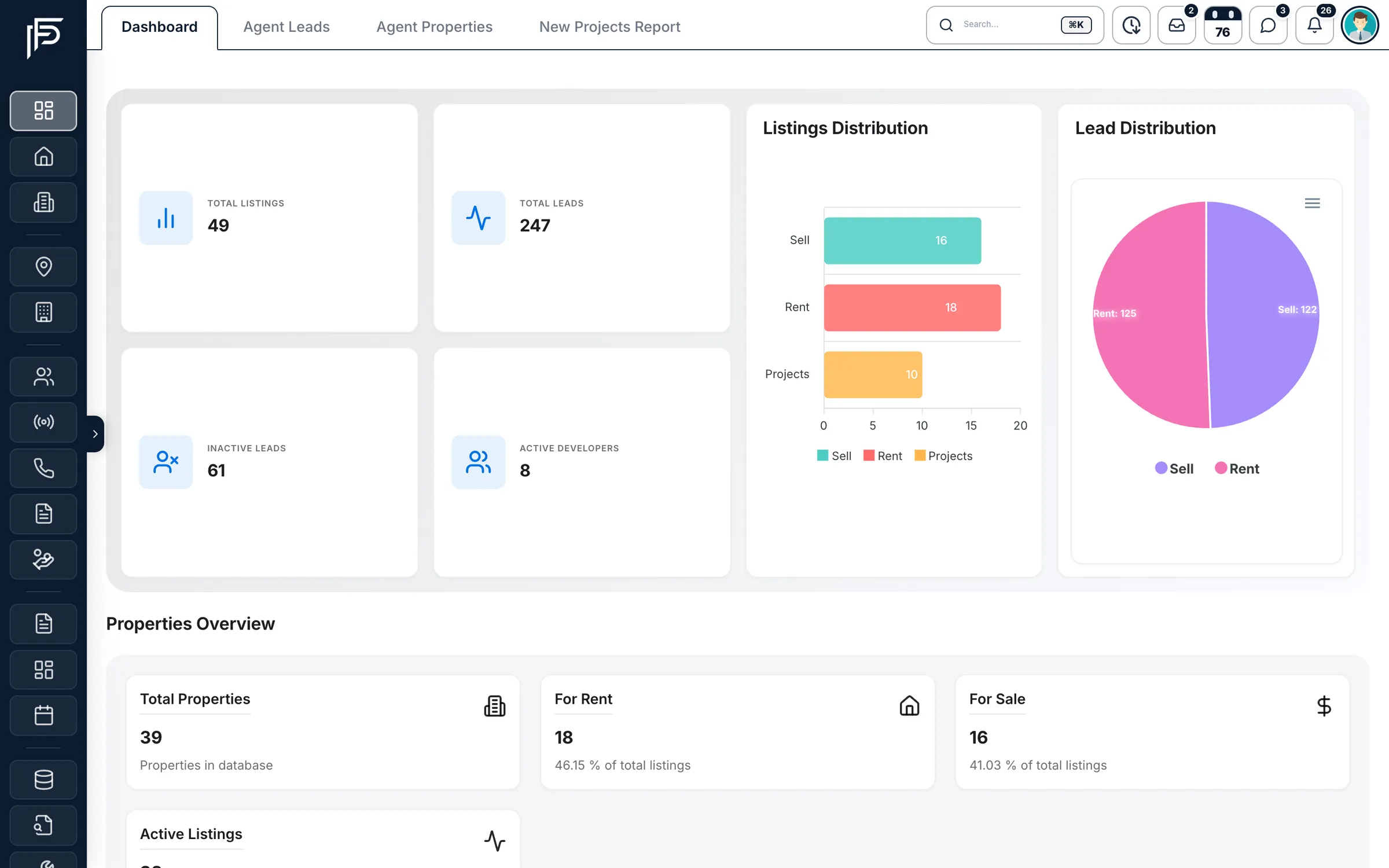
Propfusion CRM is one workspace for a Dubai brokerage: the leads that arrive from Property Finder, Bayut, Dubizzle, Meta and your website, the listings you publish back to those portals, the off-plan projects you sell, the deals you close and the tenancies you manage afterwards.
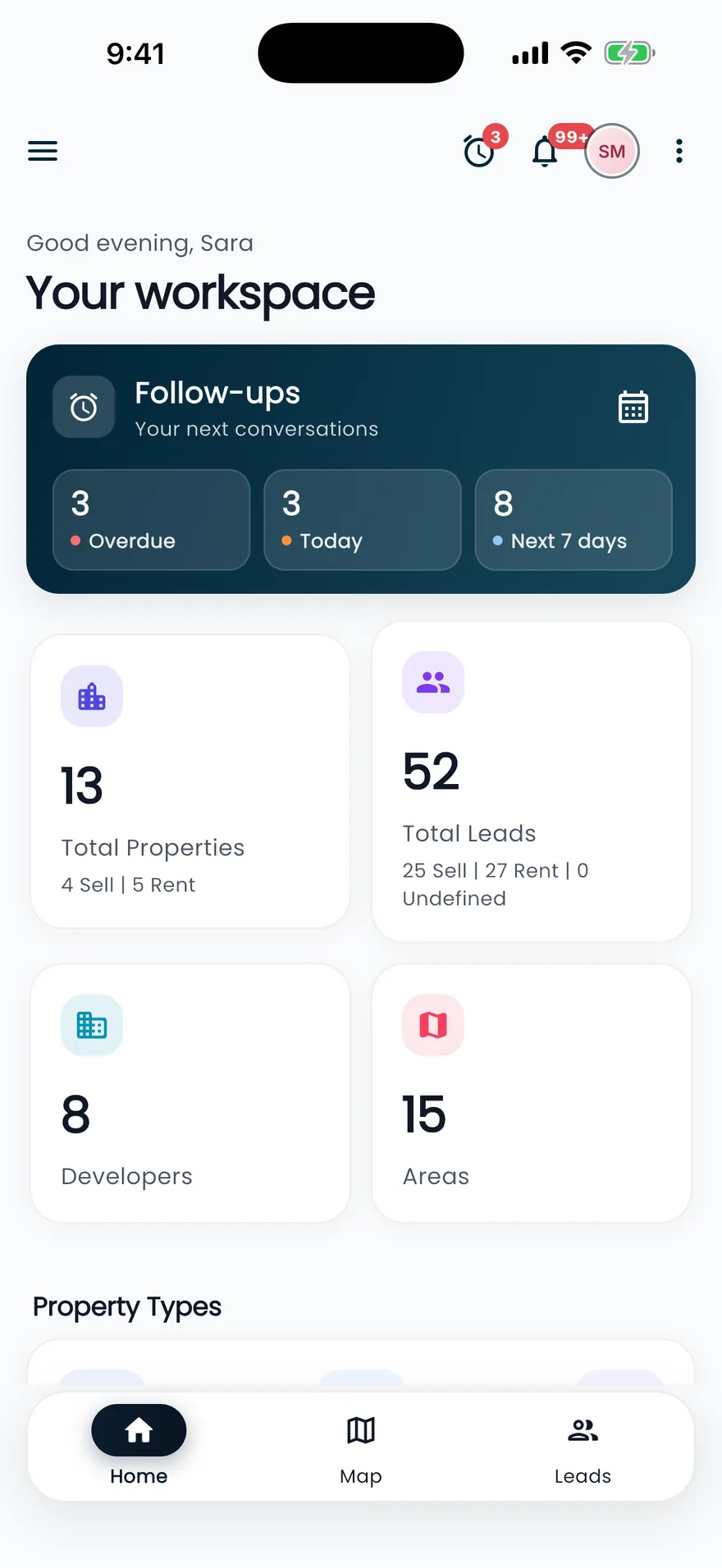
Agents use it on the web and in the Propfusion app for iPhone and Android. Managers use it to see who is following up, who is on target and what is about to slip. This guide walks through what the CRM actually does, so you can judge whether it fits the way your team works.
Built around how Dubai brokerages work
Most CRMs are made for generic sales teams and leave the real estate parts to you. In Dubai those parts are most of the job, so Propfusion has them built in:
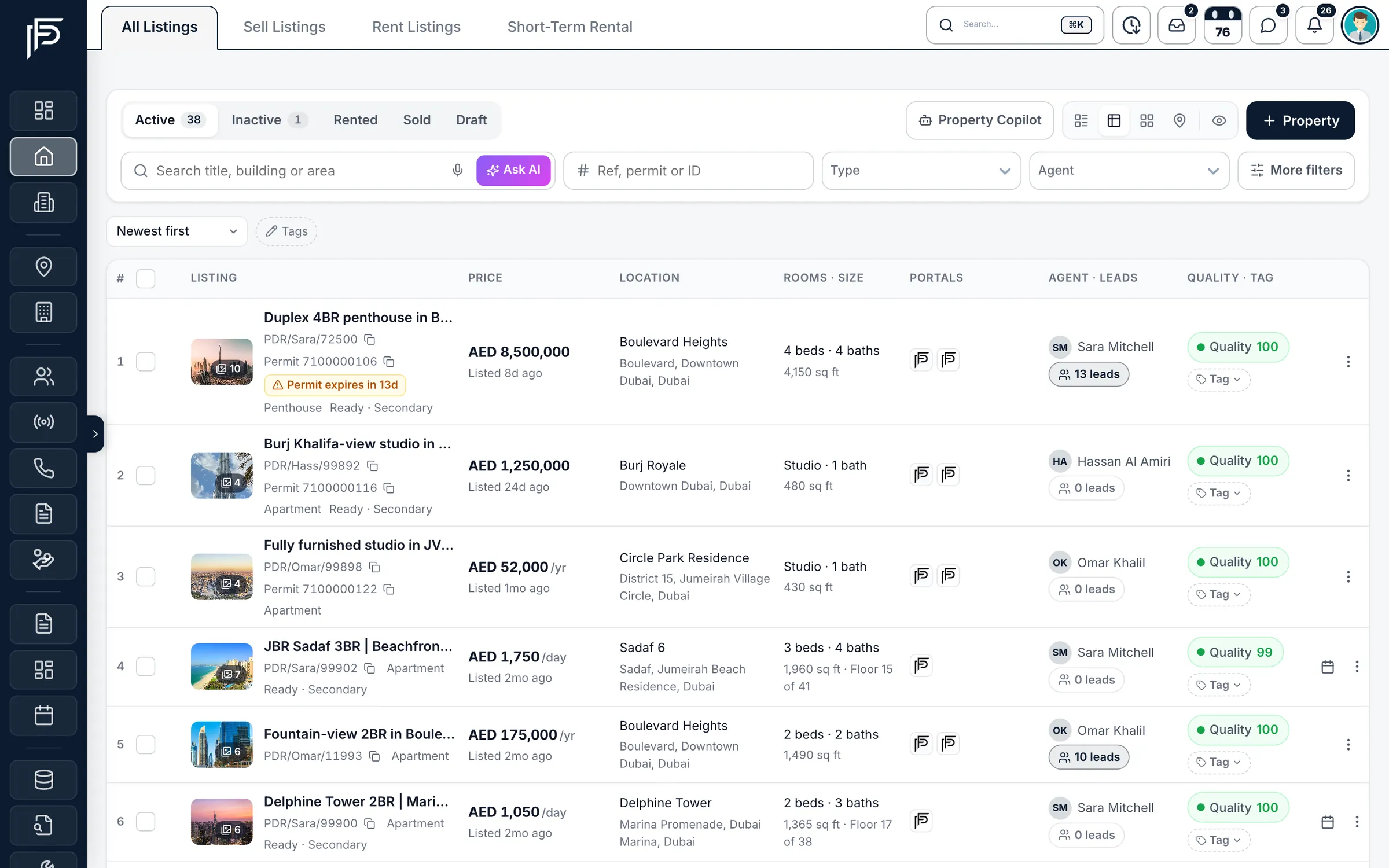
- Listings carry their Trakheesi permit and its expiry date, with a warning before a permit runs out.
- You publish to Property Finder, Bayut and Dubizzle from the listing itself and see its live status on each portal.
- Every lead is tagged with the portal, ad or website form it came from.
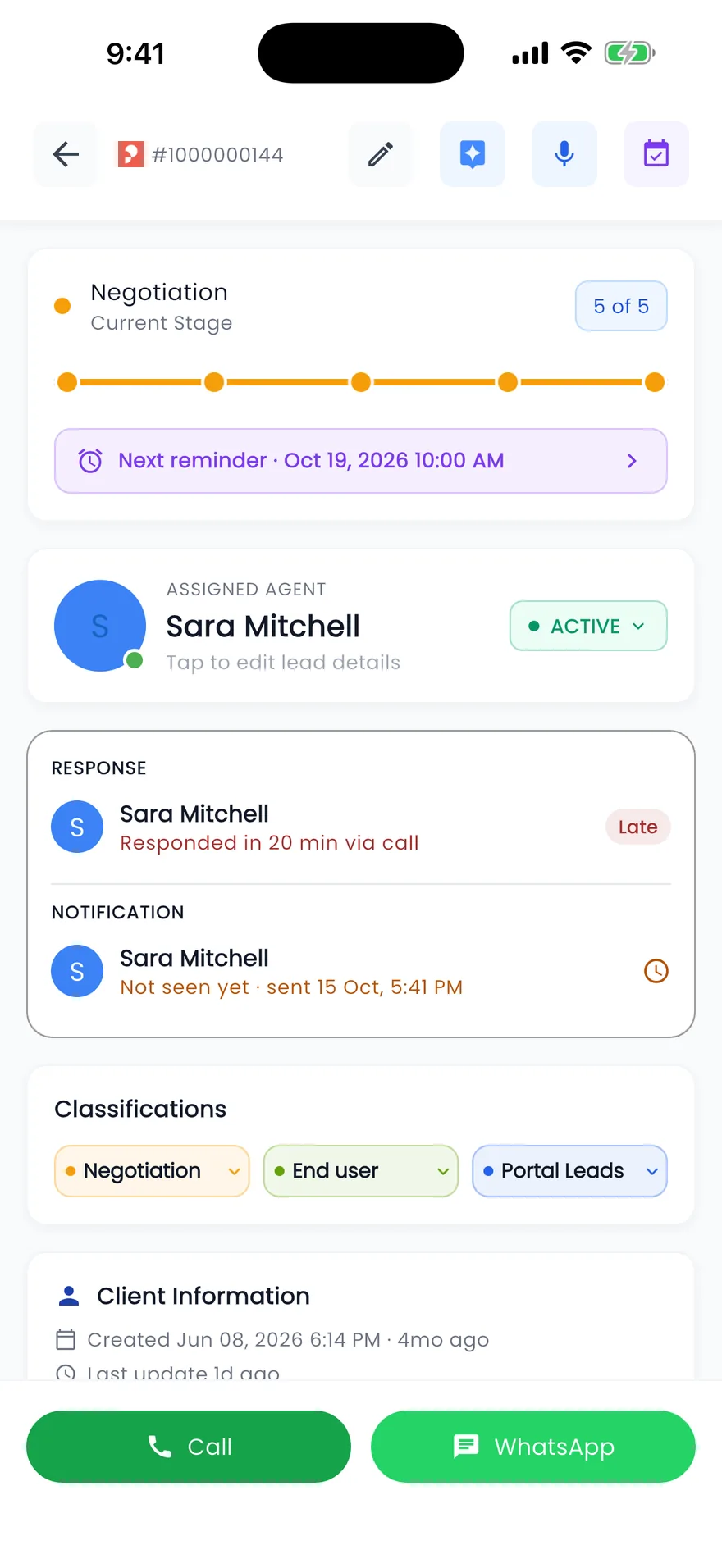
- Call and WhatsApp buttons sit on every lead, and every tap is logged.
- Off-plan projects come with their payment plans, floor plans and brochures.
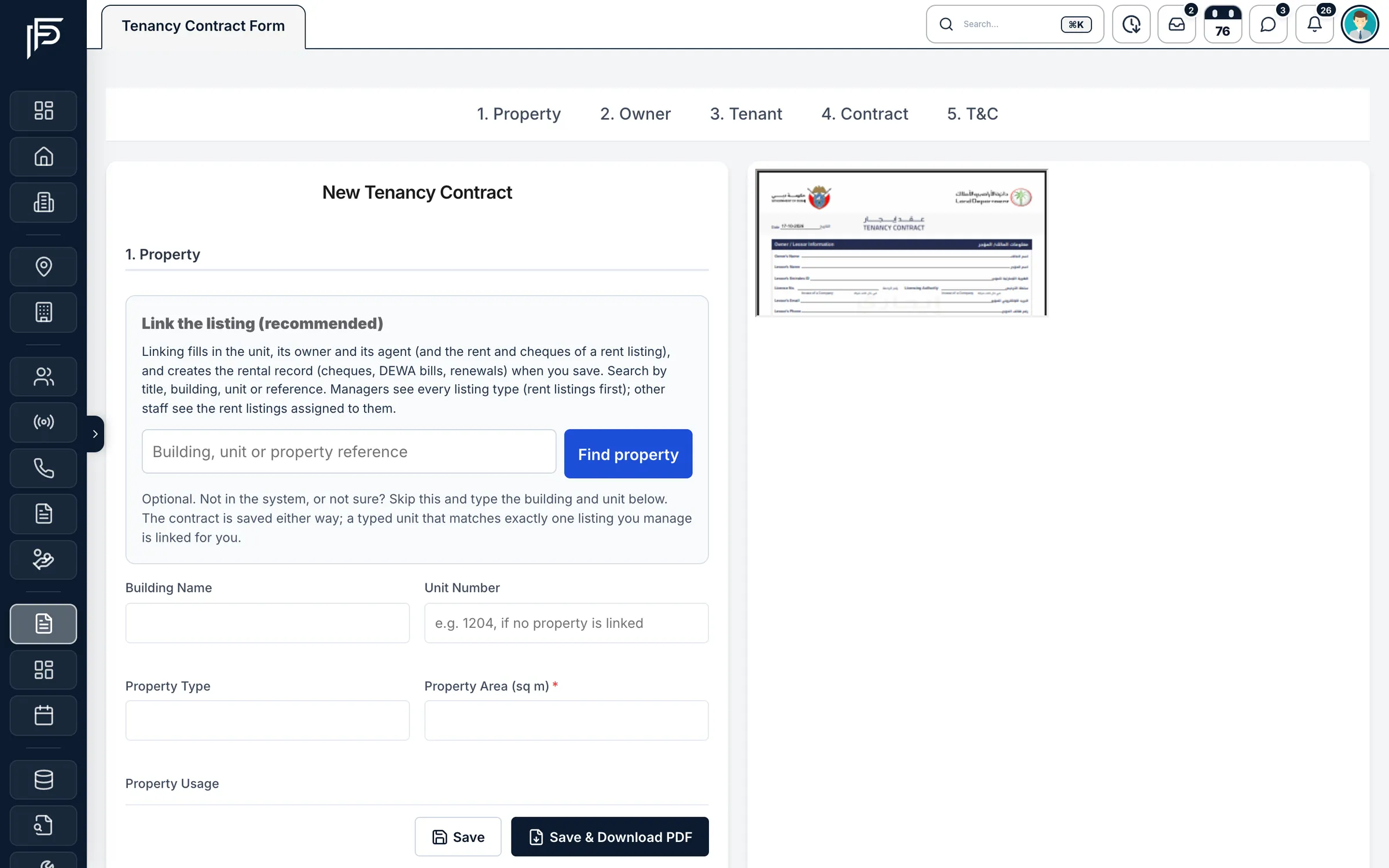
- Tenancy contracts set up the cheque schedule, and bounced cheques, replacements and DEWA bills are tracked.
- Deals record the agents who share the commission, and produce an invoice and a deal PDF.
What the CRM does
Leads: every enquiry in one list
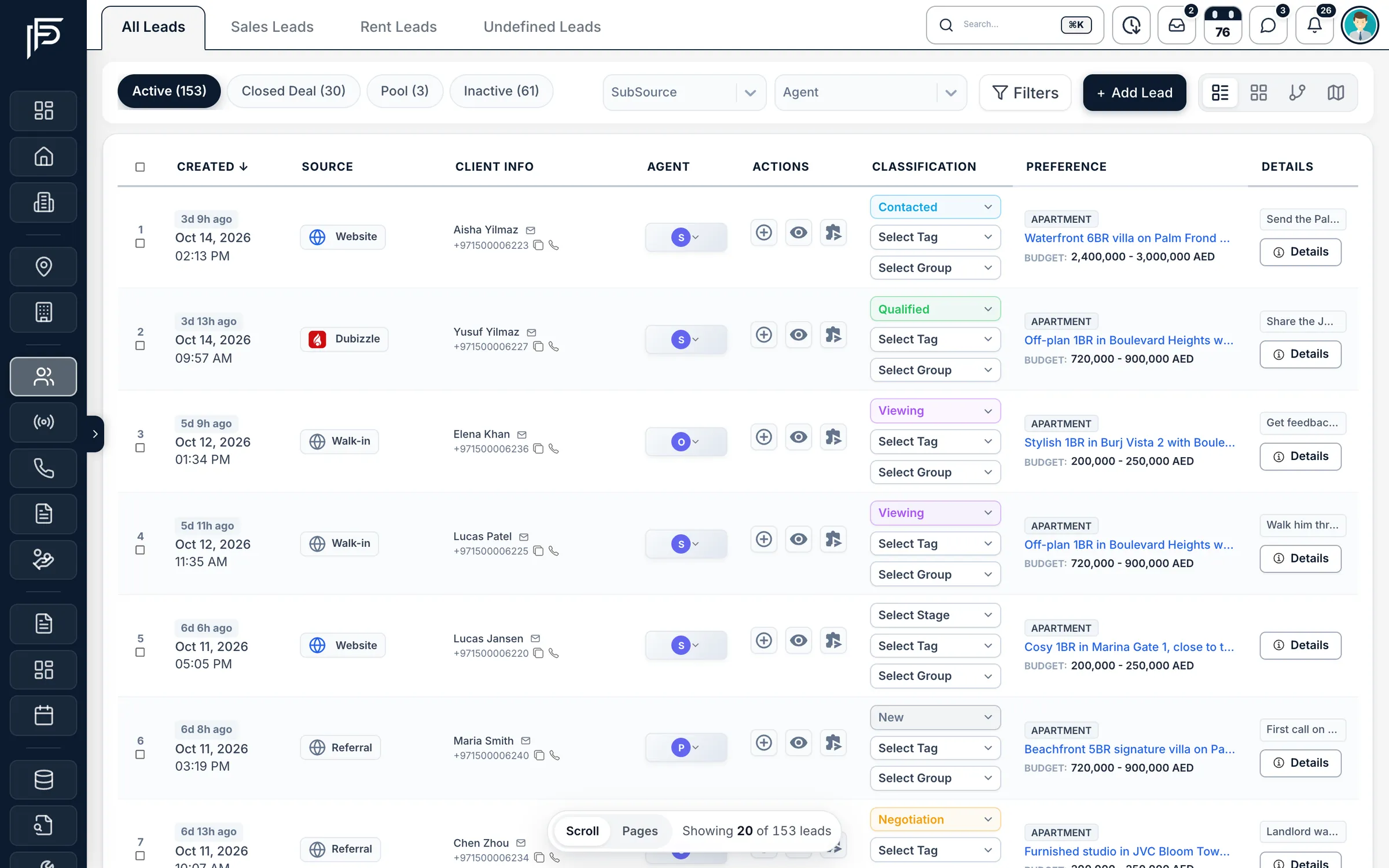
Enquiries from the portals, Meta lead ads, your website and WhatsApp land in Leads with their source attached. Sale, rent and general enquiries each have their own list, and you can switch between a table, cards, a pipeline of stages or a map.
Distribution plans decide who gets each new lead, and the assigned agent is notified straight away, with a sound in the CRM and a push on their phone. If nobody acts in time, a rescue plan moves the lead to someone who will.
Follow-ups: nothing goes cold
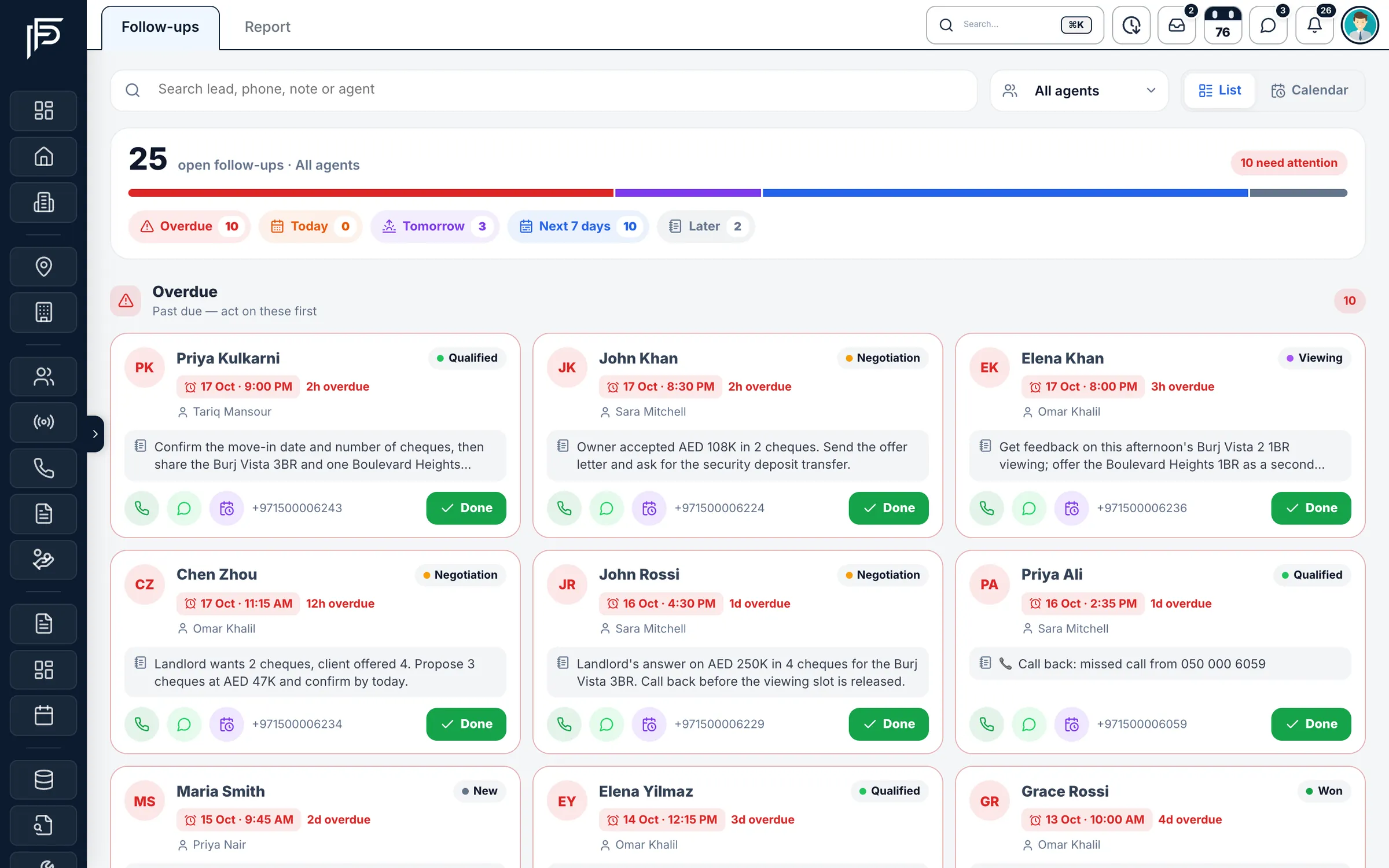
Each time an agent moves a lead to a new stage, Propfusion asks for the next follow-up. The agenda shows what is overdue, what is due today and what is coming up. A reminder is marked done or snoozed in one tap: an hour, this evening, tomorrow at 10 AM, three days or a week.
Listings and the portals
A new listing takes four short steps: information (filled in from the permit), description, photos and portals. A quality score shows what is missing before you publish. Once the listing is live you can check its status on each portal, share it on WhatsApp or download a branded PDF brochure.
Off-plan projects
New Projects holds off-plan and newly launched projects with their prices, payment plans, floor plans and brochures. Filter by developer, area, price or handover, and send a project to a client on WhatsApp straight from its page.
Deals, leasing and property management
When a deal closes, record it as a transaction, follow its approval and download the invoice and deal PDF. For rentals, fill in a tenancy contract from the listing and add the cheques: Propfusion creates the rental record with every cheque's status, bounced and replacement cheques, security cheques and reminders. Maintenance tickets, the DEWA ledger and an owner portal cover what comes after.
Targets and team performance
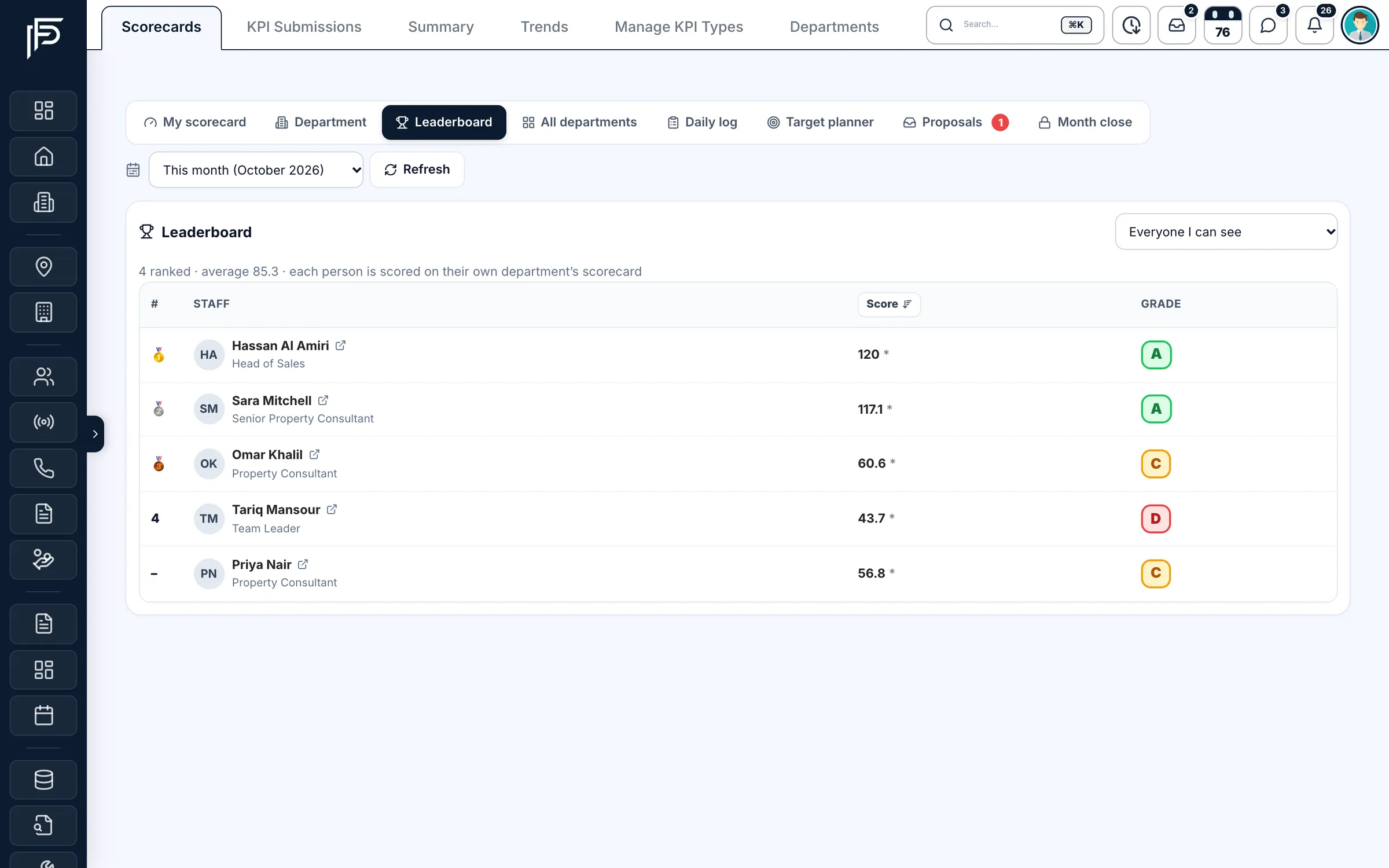
Managers set monthly targets per person, team or department. Most numbers count themselves from CRM activity. Each consultant sees their own scorecard, grade and rank; managers see the leaderboard and the response-time ladder for the whole team.
PropFusion AI
An AI assistant sits on every page. Ask it a question, attach a file or talk to it hands-free, and let it open pages and filter lists for you. It always asks before it changes anything in the CRM. On a lead, AI Summary tells the whole story in a paragraph, AI property suggestions pick listings from your inventory that fit the client, and voice notes are typed out for you.
The mobile app
The Propfusion app for iPhone and Android carries what agents need in the field: today's follow-ups, leads with one-tap call and WhatsApp, listings to share, and check-in for attendance. Read more on the mobile app page.
Who uses it
- Brokerage owners and sales managers, who want every lead answered and every agent's numbers in one place.
- Agents, who want their day in one list and their listings on the portals without the admin.
- Leasing and property management teams, who track tenancies, cheques, maintenance and owners' money.
- Holiday-home operators, with short-term bookings and one calendar for every unit.
Getting started
Admins import existing leads, listings, owners, tenants, projects and developers from spreadsheets or another CRM: upload the file, match the columns and check a preview before anything is saved. Then connect Property Finder, Bayut, Dubizzle, Meta and WhatsApp with their keys, set roles and permissions, and decide how new leads are distributed. The integrations page lists what connects.
Your team learns on the real screens. Tutorials in the CRM has more than 80 guided tours, each one opening the page it explains and highlighting one thing at a time, and the app has tours of its own. When you want a person to show you around, book a live demo and our Dubai team will walk you through it with sample data.
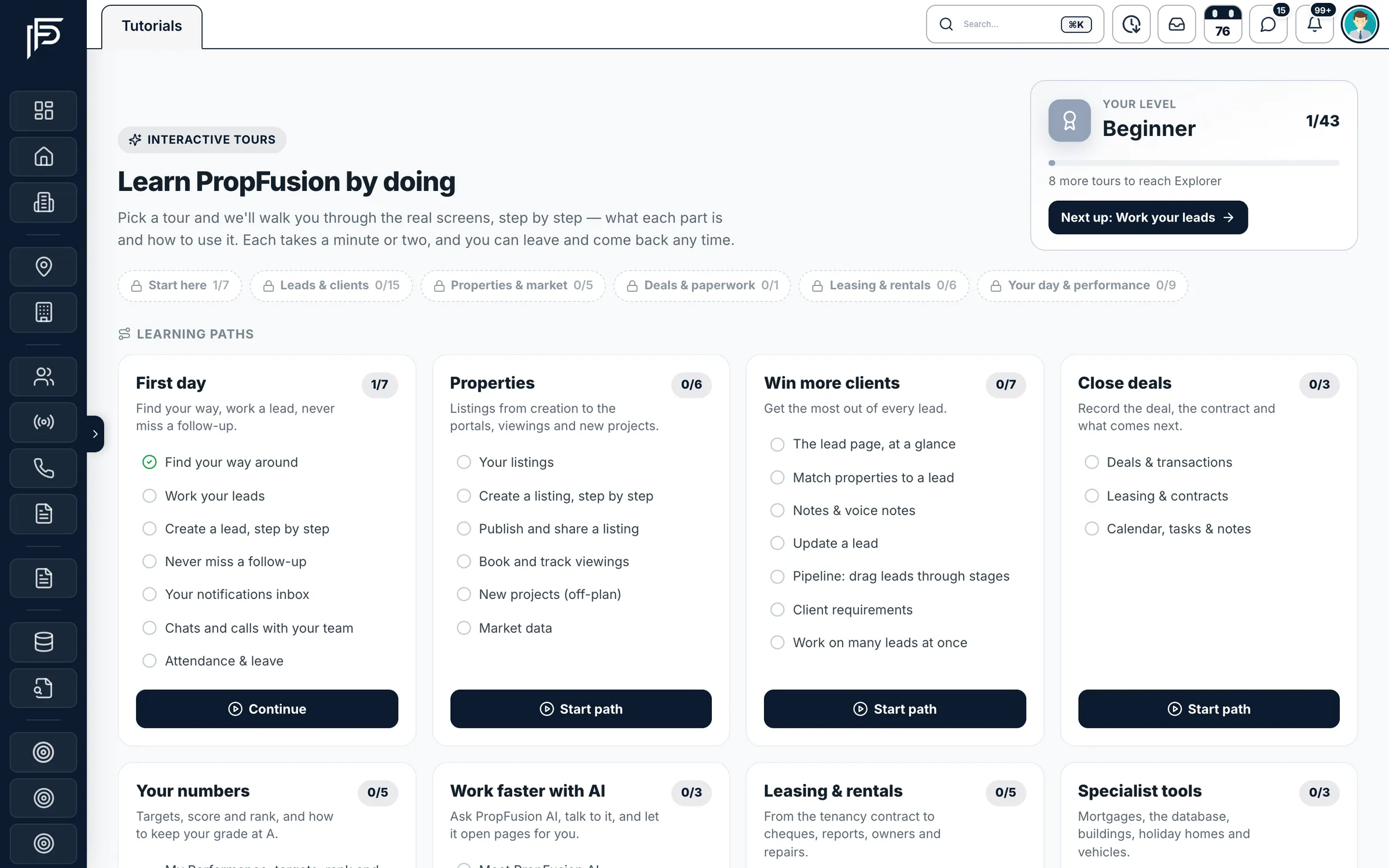
Screens show the Propfusion Demo Realty sample workspace. All people, listings and numbers are fictional.