Security
Security at Propfusion
Your agency's CRM holds client phone numbers, Emirates IDs, tenancy contracts, cheques and commissions. Propfusion is built so each person sees only what their role allows, money needs a second pair of eyes, and every important change leaves a trace.
There are no fixed roles: your company builds its own from permissions grouped by area, and a page appears only for the people whose role includes it.
7 days free · No card needed
- Roles built from permissions
- Two-person approval for owner payouts
- HTTPS only, with HSTS
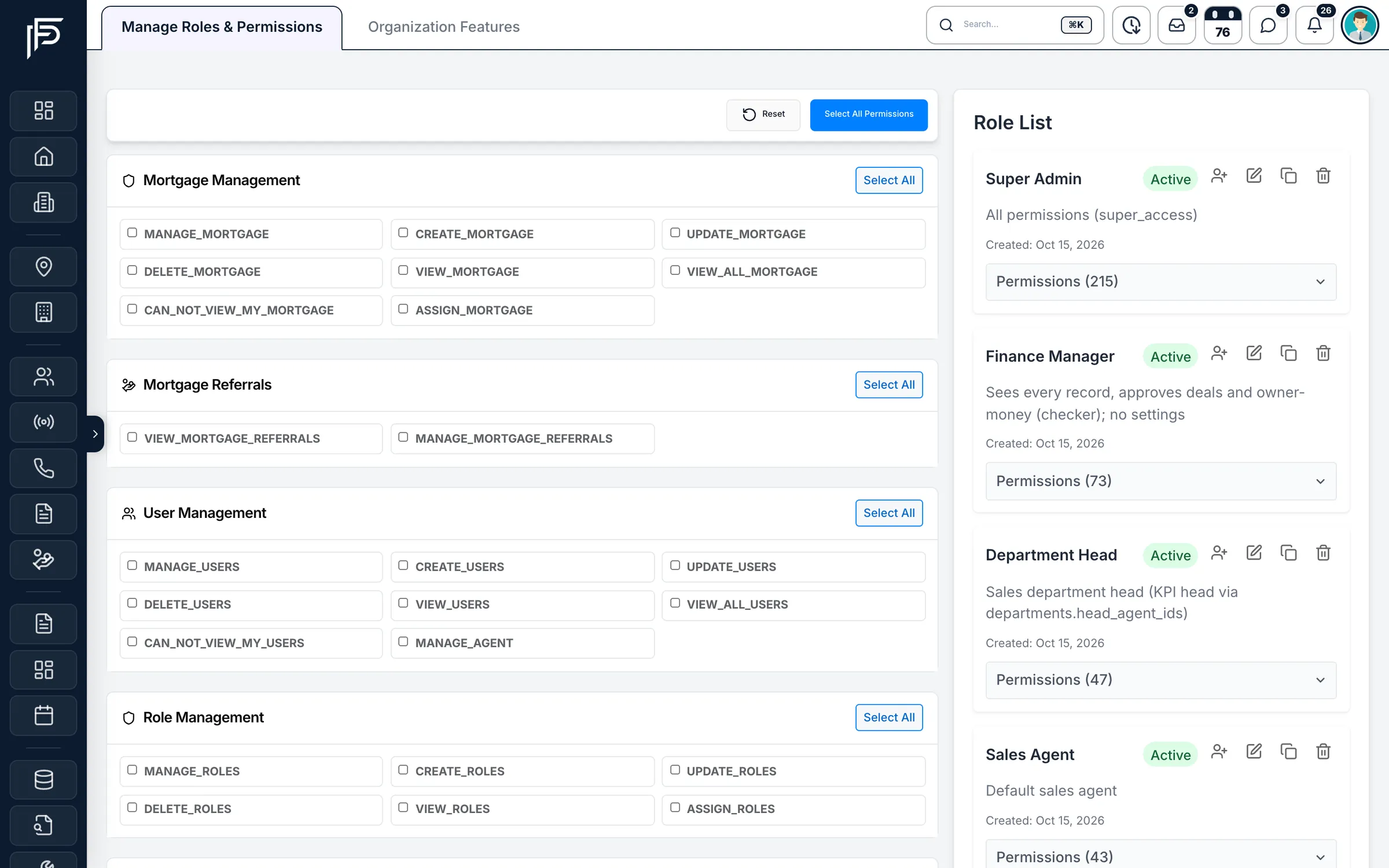
How permissions work
- Your records, or everyone's
- Area by area (leads, listings, deals, KPIs), a role sees only its own records or everyone's.
- Private where it matters
- Keep a senior manager's leads, earnings or KPIs hidden, even from people who can see everyone else's.
- Modules on or off
- Switch a whole module off for the company and it disappears for everyone, whatever their role.
Control who sees what, and see what happened
Access, activity and money controls that match how a brokerage really runs.
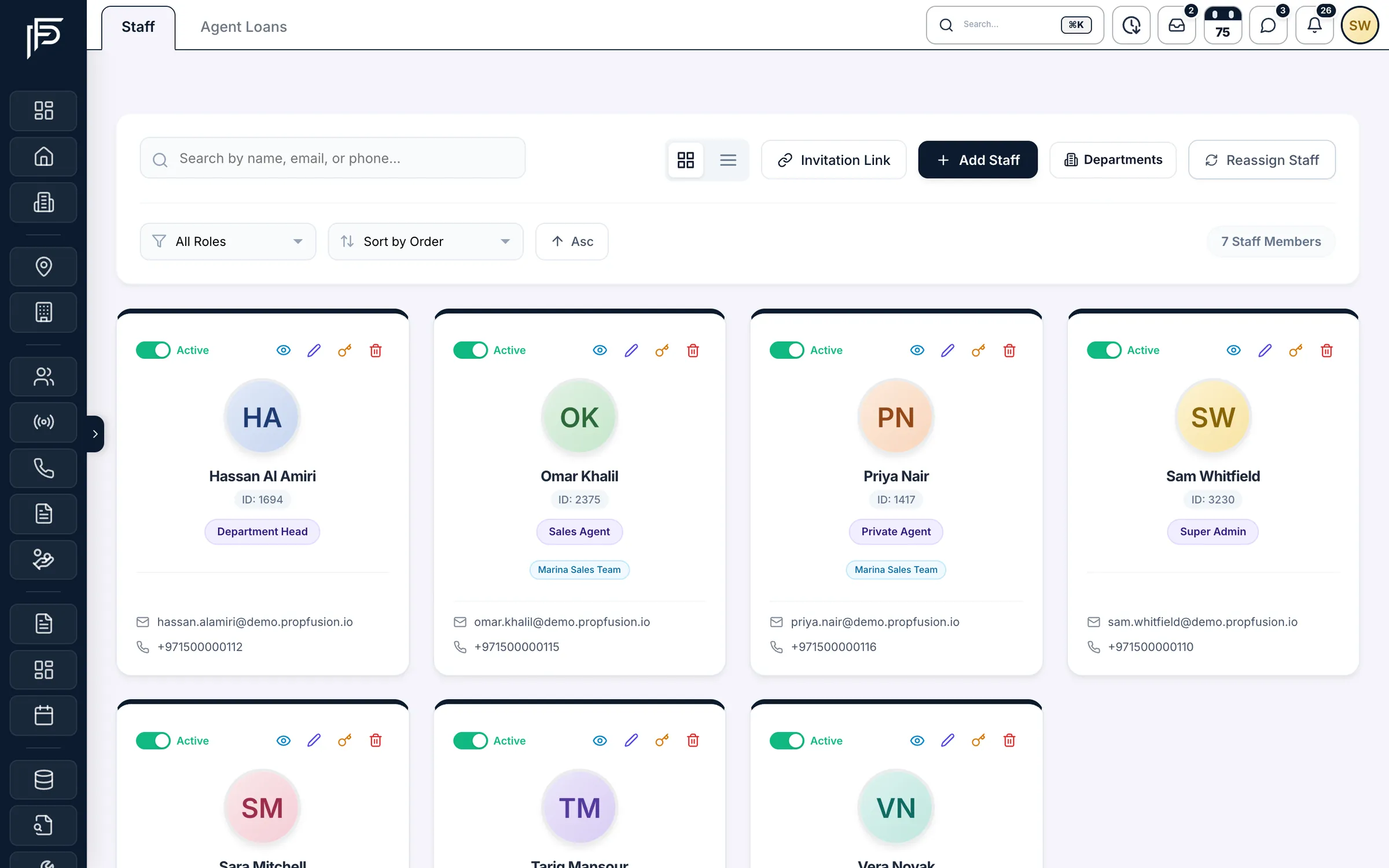
People
Joiners, movers and leavers, handled
- Self-registered accounts start Inactive until an admin checks them
- Invitation links can't hand out admin or finance roles
- Resetting someone else's password needs the edit-users permission, and only user managers can reset a user manager's
Activity
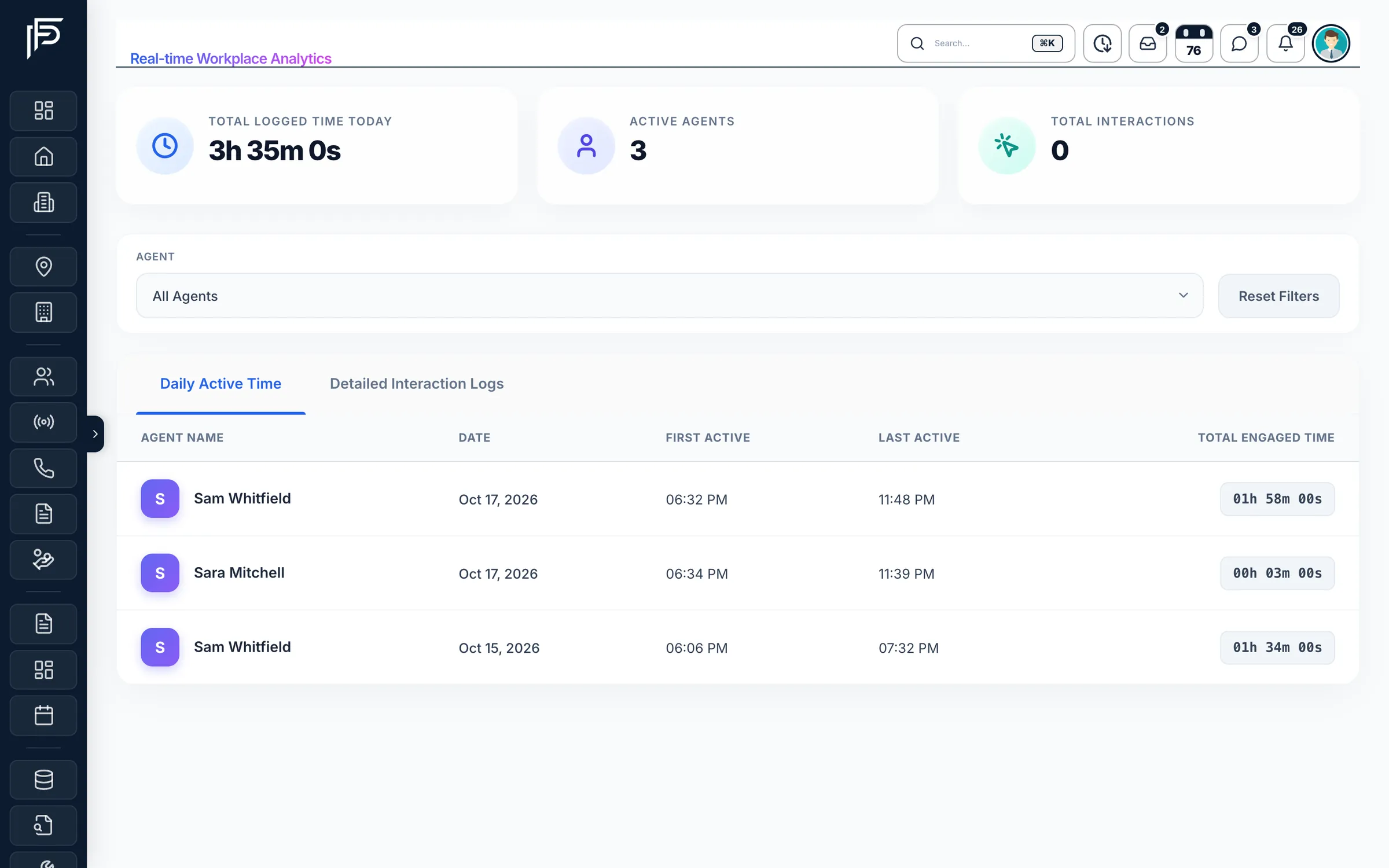
See what happens in the CRM, and who did it
- Deal history: who created, edited (and which fields), approved, rejected, deleted or restored it
- Cheque history: who changed which cheque, when, and from what to what
- Maintenance tickets record each status change, who made it and when
Money controls
Money moves with a second pair of eyes
- KYC for every party and an AML register, with filters for high-risk and PEP clients
- A REAR-needed flag on deals paid with AED 55,000 or more in cash, or with virtual assets, until the goAML filing is recorded
- An AML pack (PDF) for each deal; an agent's copy shows only their own commission
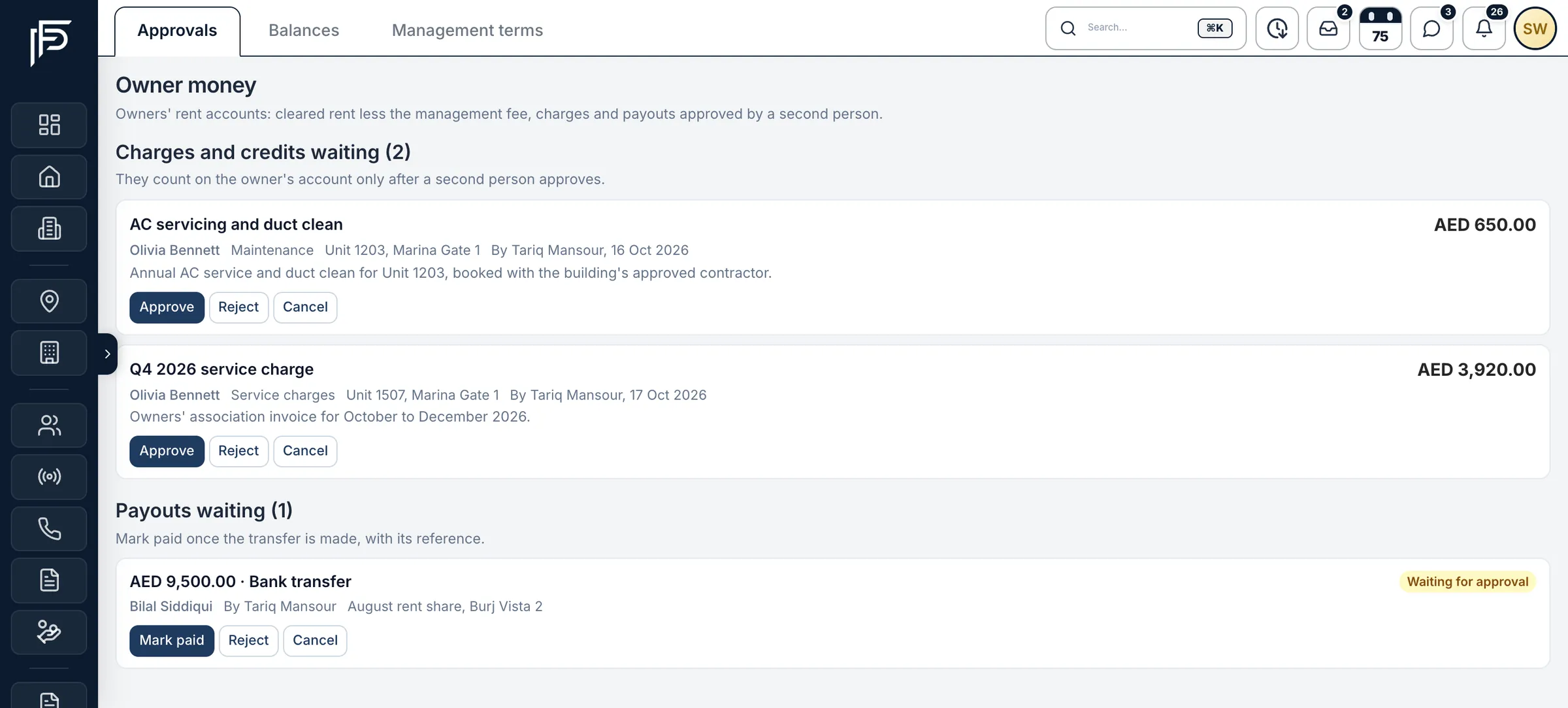
Screens show the Propfusion Demo Realty sample workspace. All people, listings and numbers are fictional.
Data protection
How your data is protected
The safeguards built into the platform, in plain words.
HTTPS only
The CRM is served only over HTTPS, and HSTS tells browsers never to fall back to an unencrypted connection.
A private workspace per company
Each company has its own workspace, with its own data, its own roles and its own branding.
Owners and tenants see only their own
They sign in to separate owner and tenant portals and see only their own properties, agreements, payments and requests.
Integration keys under lock
Portal, payment and Google keys need Manage integrations, and AI and media keys need Manage settings. Once saved, portal API, payment, Google, AI and media keys are shown only masked, and phone-provider secrets are stored encrypted and used only by the server.
API tokens you control
Website API tokens carry a label and an expiry date, are shown once and then masked, and can be revoked at any time.
AI without exposed keys
AI requests run on Propfusion's servers, so no AI key reaches the browser or the app.
Call recordings under control
Choose how long recordings are kept, after which a daily job deletes them, keep a do-not-call list that company-line calls refuse, and see every play, download and deletion in the access log.
Password resets by one-time code
A 6-digit code is emailed, works for 10 minutes (15 on the owner and tenant portals) and stops after 5 wrong tries. The new password needs at least 8 characters.
Imports you can undo
Property-management imports of units, owners, tenants and leases are listed by batch, and a batch that nothing has changed since can be rolled back.
Your part
Good habits for your team
- Use a strong password for Propfusion that you don't use anywhere else.
- Give super access and Manage integrations to one or two admins only.
- Never send integration keys, API tokens or reset codes by WhatsApp, email or chat.
- When someone leaves, reassign their leads, set them to Inactive and change any keys they could see.
- Log out on shared computers, and keep your browser and the Propfusion app up to date.
- Check the activity report now and then for anything you don't expect.
Reporting security issues
If you find a possible vulnerability or have a concern about the security of Propfusion, email our security team. We take every report seriously and look into it promptly. Questions for a vendor or compliance review are welcome at the same address.
security@propfusion.ioSee the roles and controls for yourself
Book a live demo and we'll show you how roles work for agents, team leaders and your finance team.
7 days free · No card needed