Support
Propfusion Help Center
Learn Propfusion CRM on its real screens with guided tours on the web and in the app, find quick answers to common questions, or message our team in Dubai on WhatsApp.
Web tutorials
More than 80 guided tours, on the real screens
Open Tutorials from the sidebar and pick a tour. Each one opens the page it explains and highlights one thing at a time, so new agents learn by doing instead of reading a manual. Use Next and Back or the arrow keys, and press Esc to leave. If the page reloads mid-tour, the tour carries on where you were.
- Every person gets the tours their role allows, automatically. There is nothing to set up.
- People earn badges as they finish tours and move from Beginner to Master.
- PropFusion AI can start the right tour for you when you ask how something works.
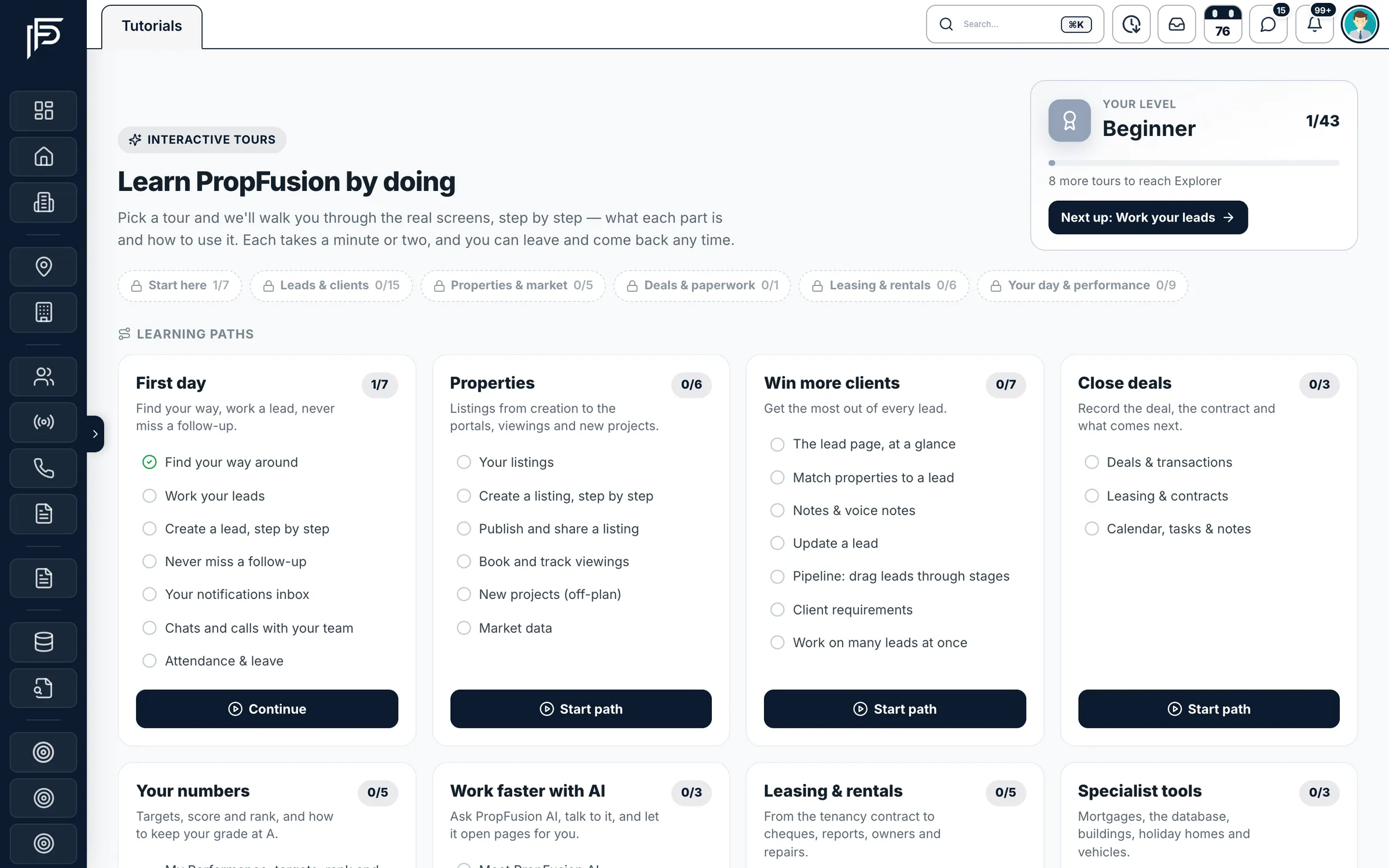
Learning paths for agents
Short paths that follow an agent's week, from the first login to closing and leasing.
- First day
- Properties
- Win more clients
- Close deals
- Your numbers
- Work faster with AI
- Leasing & rentals
- Specialist tools
A tab for managers and admins
Set-up and management tours: roles, lead routing, targets, finance, portals and your data.
- Set up your CRM
- Run your team
- Money & finance
- Run the office
- Grow your business
A first-week plan for new joiners
Day 1
The First day path: finding your way around, leads and follow-ups.
Day 2
Properties: listings, viewings and sharing with clients.
Day 3
Close deals and Your numbers, plus Leasing & rentals for the leasing team.
Day 4
Work faster with AI. Aim for every new joiner to reach Pro in week one.
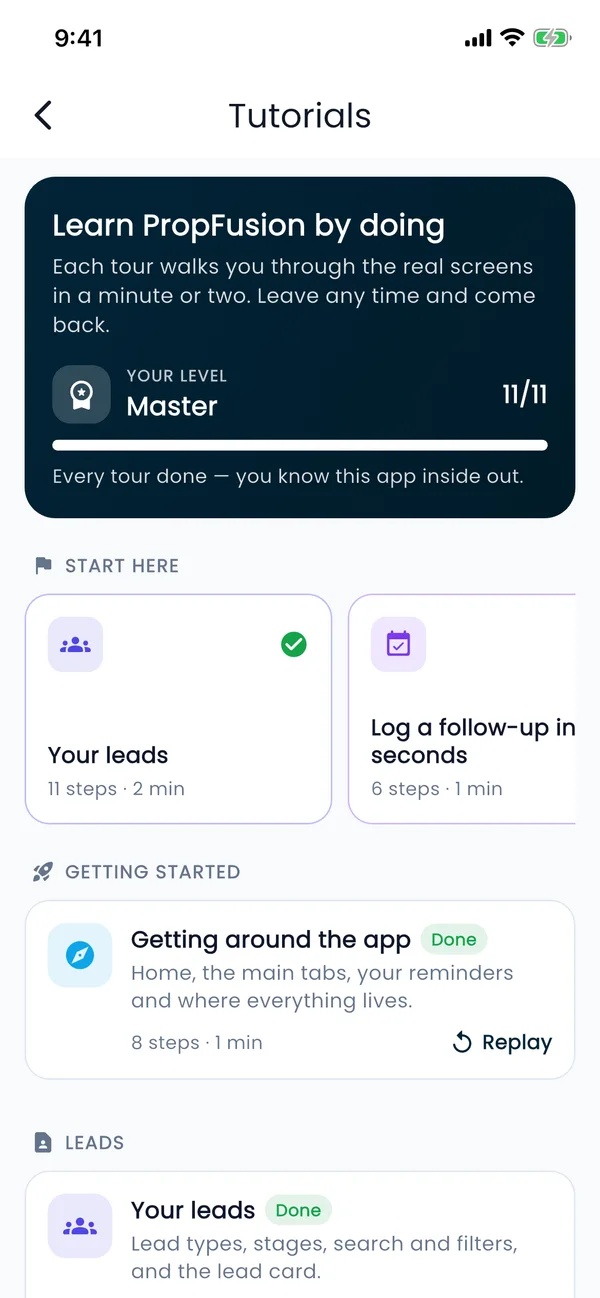
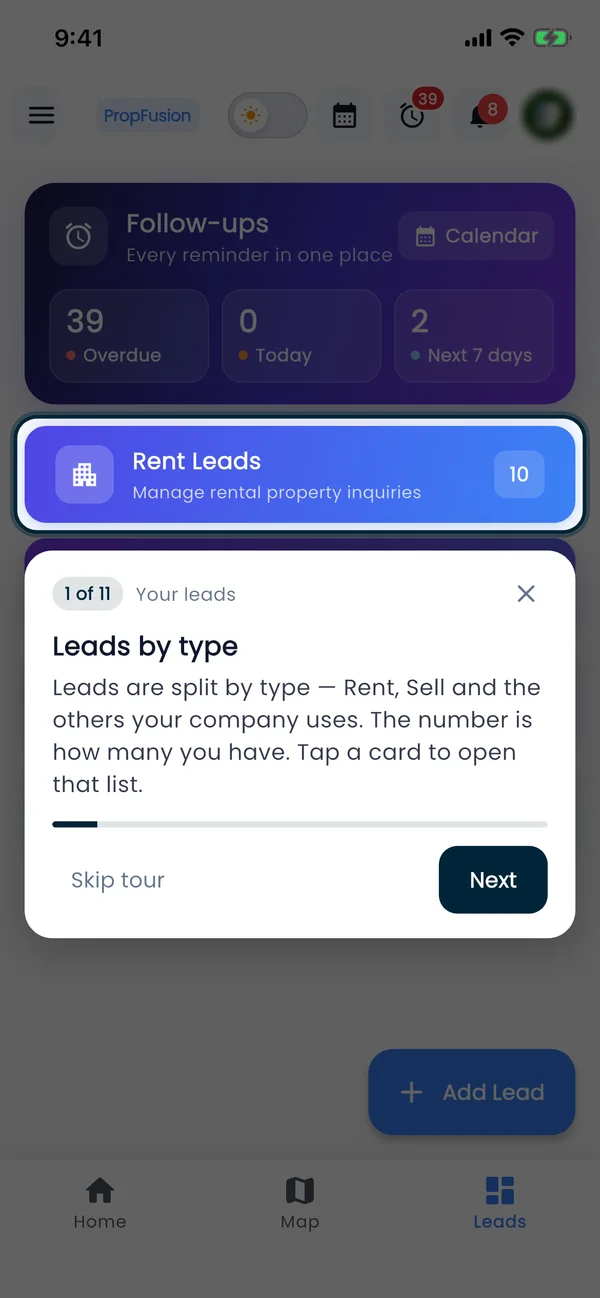
App tutorials
17 tours in the Propfusion app
The app for iPhone and Android has tours of its own, made for agents between viewings. Open Tutorials from the menu and the tour runs on the real screen, one step at a time.
- Getting around the app
- Chats and calls with your team
- Your leads
- Work a lead
- Add a new lead
- Log a follow-up in seconds
- Your follow-up agenda
- Find and share listings
- Inside a listing
- Add a listing
- Rent cheques on an agreement
- Your deals
- Submit your KPIs
- My Performance
- Check in and attendance
- Your team's targets
- A staff member's performance
Screens show the Propfusion Demo Realty sample workspace. All people, listings and numbers are fictional.
Inside Propfusion
Help is built into the CRM
Signed in already? The fastest answers are one click away, on the page you are working on.
- 01
Ask PropFusion AI
Click the AI button at the bottom right of any page and describe the problem in your own words. It explains the cause and the fix, can start the right tour, and can fill in a support ticket for you, which is sent only after you click Confirm.
- 02
Raise a support ticket
Open your avatar menu and choose Support. Pick a category and priority, describe the issue, attach a screenshot and click Raise Issue. Follow its status (Open, In Progress, Resolved) and read the resolution notes in the same place.
- 03
Quick answers and the User Manual
The Support page also has quick answers to common questions, Pro Tips and the full User Manual. In the mobile app, Chat Support in the menu puts you in touch with our team.
Raising a ticket?
Include these and we can fix it faster
- The page address and what you clicked
- The exact error text
- When it happened
- Your browser, or your phone model for the app
- A screenshot
FAQ
Frequently asked questions
Quick answers about signing in, leads and listings, access and billing.
Getting started
How do I sign in to Propfusion CRM?
On the web, open crm.propfusion.io and sign in with your workspace ID, your email and your password. Your company admin can tell you your workspace ID. In the mobile app, enter the workspace ID first, then your email and password.
Open the CRMI forgot my password. How do I reset it?
On the login page, click Forgot your password?, enter your email address and click Send Reset OTP. Enter the code from the email, type a new password of at least 8 characters, confirm it and save. If no email arrives, check your spam folder, and check that you typed the email your CRM account uses.
How do new agents learn the CRM?
With the guided tours in Tutorials. Every person gets the tours their role allows, automatically: the CRM has more than 80 on the web, grouped into learning paths, and the mobile app has 17. Each tour opens the real screen and highlights one thing at a time. Managers and admins also get their own tab of set-up tours.
See the tutorialsIs there a mobile app?
Yes. The Propfusion app for iPhone and Android has your follow-ups, leads with one-tap call and WhatsApp, listings to share, deals, your performance and attendance check-in. Download it from the App Store or Google Play and sign in with your CRM login.
About the mobile appLeads and listings
How do Property Finder, Bayut and Dubizzle leads get into the CRM?
An admin connects each portal with its keys under portals and integrations. From then on, portal leads land in Leads with their source, and listings publish to the portals from the listing page. Meta lead ads connect the same way, and API keys let your website send its enquiries as leads.
See all integrationsWhy isn't my listing showing on a portal?
The listing must be Active, any approval request must be approved, the Trakheesi permit must be valid, and the portal agent and location must be set. Open the listing's menu and use Check portal status to see exactly what the portal says. Once a permit's expiry is known, the listing agent is alerted 30, 14 and 7 days before it and again when it expires.
Why can't I see a lead?
Usually it belongs to another agent, your company uses team-based access, or your role can't see all leads. Ask your manager to assign it to you. If a lead moved to the pool because you didn't respond in time, you can't claim it back yourself: a colleague can pick it up from the pool, or a manager can reassign it.
Can we import our data from spreadsheets or another CRM?
Yes. An admin opens Data Import & Export from the profile menu, picks what to import, downloads its template and uploads the filled file. The leasing master workbook is checked in a preview before anything is saved. Import developers first, then listings, then leads, and owners and tenants before the leasing sheet, so everything links up.
Read the set-up guideAccess and team
A menu item is missing, or a page says I don't have access.
That is almost never a broken link. Either your role doesn't include that permission, or the module is switched off for your company. Ask your admin to check your role in Roles & Permissions and the module in Organization Features, then reload the page (in the app, close it and open it again).
How do we add a team member?
An admin adds them on the Staff page with their name, email, phone, role and team. If a new person can't log in, check that their account is set to Active. When someone leaves, deactivate them instead of deleting, so their history stays, and reassign their open leads.
Emails aren't arriving (reminders, owner and tenant logins).
Check the spam folder first. These emails go out from your company's own email server: an admin adds one in Settings under SMTP Setting and makes it the default.
Plans and billing
How much does Propfusion cost?
Plans are priced in AED per month, with 20% off when you pay annually and no setup fees. The pricing page shows each plan and what it includes, and our team can tailor a plan for larger or specialised companies.
See pricingWhat payment methods do you accept?
Invoice-based payment, bank transfer and corporate credit cards. Our sales team confirms the options for your plan when you sign up.
The CRM says “Your subscription has expired!”
An admin renews it in Settings under Wallet & Subscription. If you need a hand, message us on WhatsApp and we'll sort it out with you.
How does the free trial work?
Click Start free trial and create your agency's own Propfusion workspace. The trial lasts 7 days and includes every feature, whichever plan you are looking at. No card is needed to start. To keep using Propfusion after the trial, choose a plan with our sales team.
Start free trialCan we see Propfusion before we decide?
Yes. Start a free trial and try it with your own team, or book a live demo and our team in Dubai will walk you through the CRM and the app with sample data, and answer questions about moving from your current system.
Book a live demoSetting Propfusion up for your company?
The documentation walks admins through it in order: company details, roles, your team, data import, the portals and lead routing, then training. It also has step-by-step guides for everyday work.
Talk to our team in Dubai
We work from Prime Tower in Business Bay. Message us on WhatsApp or call for help with your account, a live demo or a move from another CRM.