Integrations
Portals, WhatsApp and ads, all in one CRM
Propfusion links the services your brokerage already uses. Portal leads arrive on their own, listings go out to Property Finder, Bayut and Dubizzle, and WhatsApp and email leave from your company's own accounts. An admin sets each one up once, under Settings › Integrations.
7 days free · No card needed
- Property Finder, Bayut & Dubizzle
- WhatsApp Business API
- Meta lead forms & Conversions API
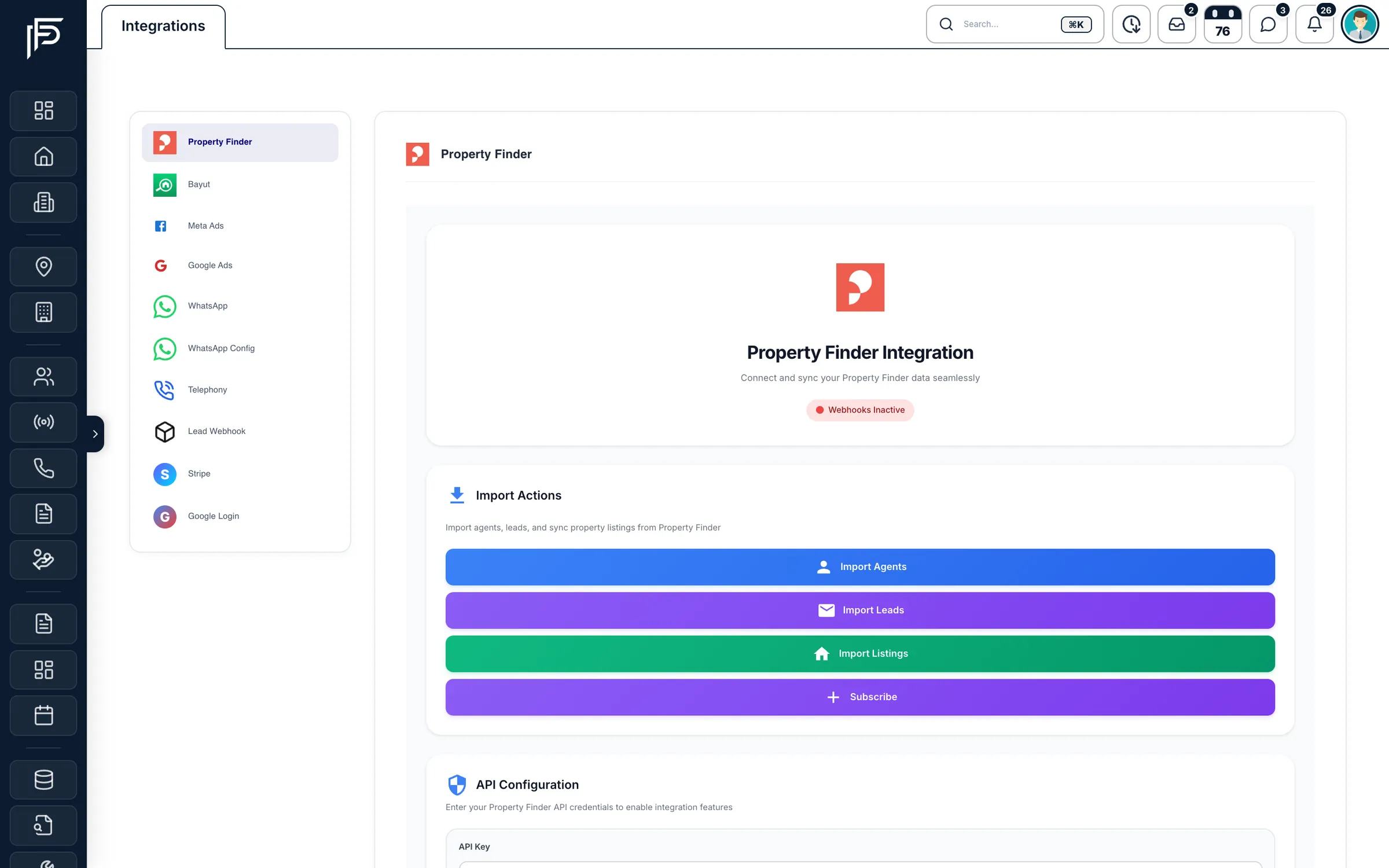
How it works
Step 1
Open Settings › Integrations
Admins with the Manage settings permission see every connection on one page.
Step 2
Paste a key or click Connect
Portal API keys are entered once. Facebook, Google Ads and WhatsApp connect with their own sign-in.
Step 3
Leads in, listings out
New enquiries land in your leads list with their source. Listings publish to the portals you choose.
Integration guides
Integration guides
How each connection works: what you connect, who sets it up, and what your team sees in the CRM afterwards.
Property portals
Publish each listing to the portals you choose from your own accounts, and receive their enquiries in your leads list as they happen.
Read moreMeta lead ads
Connect your Facebook pages, match each lead form to CRM fields, and send lead-quality events back to Meta.
Read moreWhatsApp Business
How an admin connects the company number, how agents connect their own numbers through Meta's official sign-up, and what you manage in the CRM afterwards.
Read moreE-mail (SMTP & SES)
CRM e-mails go out in your company's name, and from your own address and domain once you connect SMTP or Amazon SES.
Read morePhone systems
One settings page for the company's phone system, company and tracking numbers, and the line each agent's calls ring first.
Read moreWebsite forms & API
Website enquiries become leads through the lead API, and website tokens let your site show live listings, developers and agents.
Read more
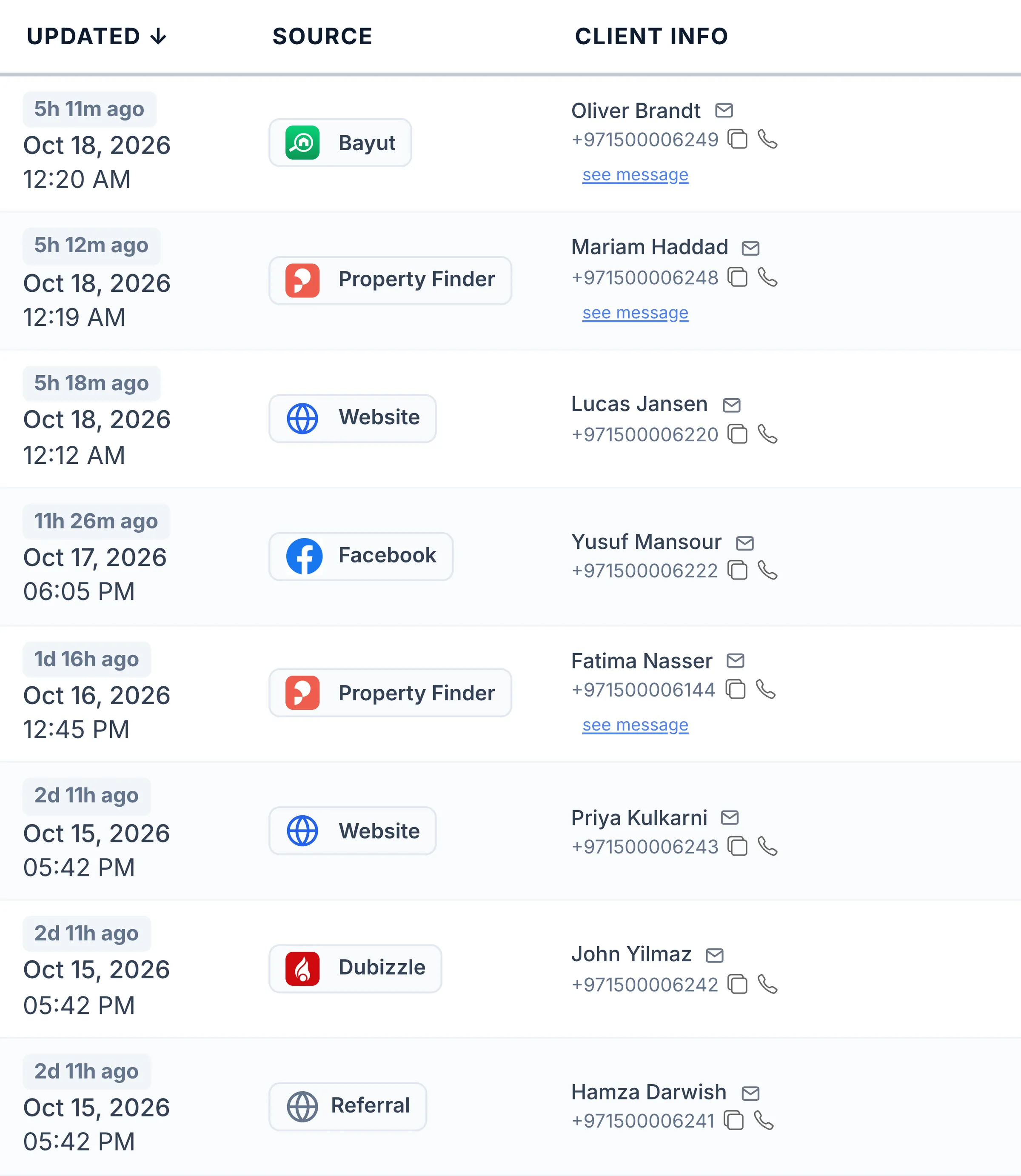
Every lead source
Every enquiry lands in one leads list
No more copying leads out of portal inboxes and Facebook. Each lead arrives with its source attached, so you know which portal or campaign brought it and can route it to the right agent.
- Property Finder
- WhatsApp, email and call leads, pushed by webhook
- Bayut & Dubizzle
- Call and WhatsApp leads, through the portals' webhook keys
- Facebook & Instagram
- Lead forms from your connected Facebook pages
- Your website
- Enquiry forms posted to the CRM's lead API
- Company phone lines
- Unknown callers can become leads, tagged with the number's source
What each integration does
Portals, messaging, ads, phone lines and your website, each doing real work inside the CRM.
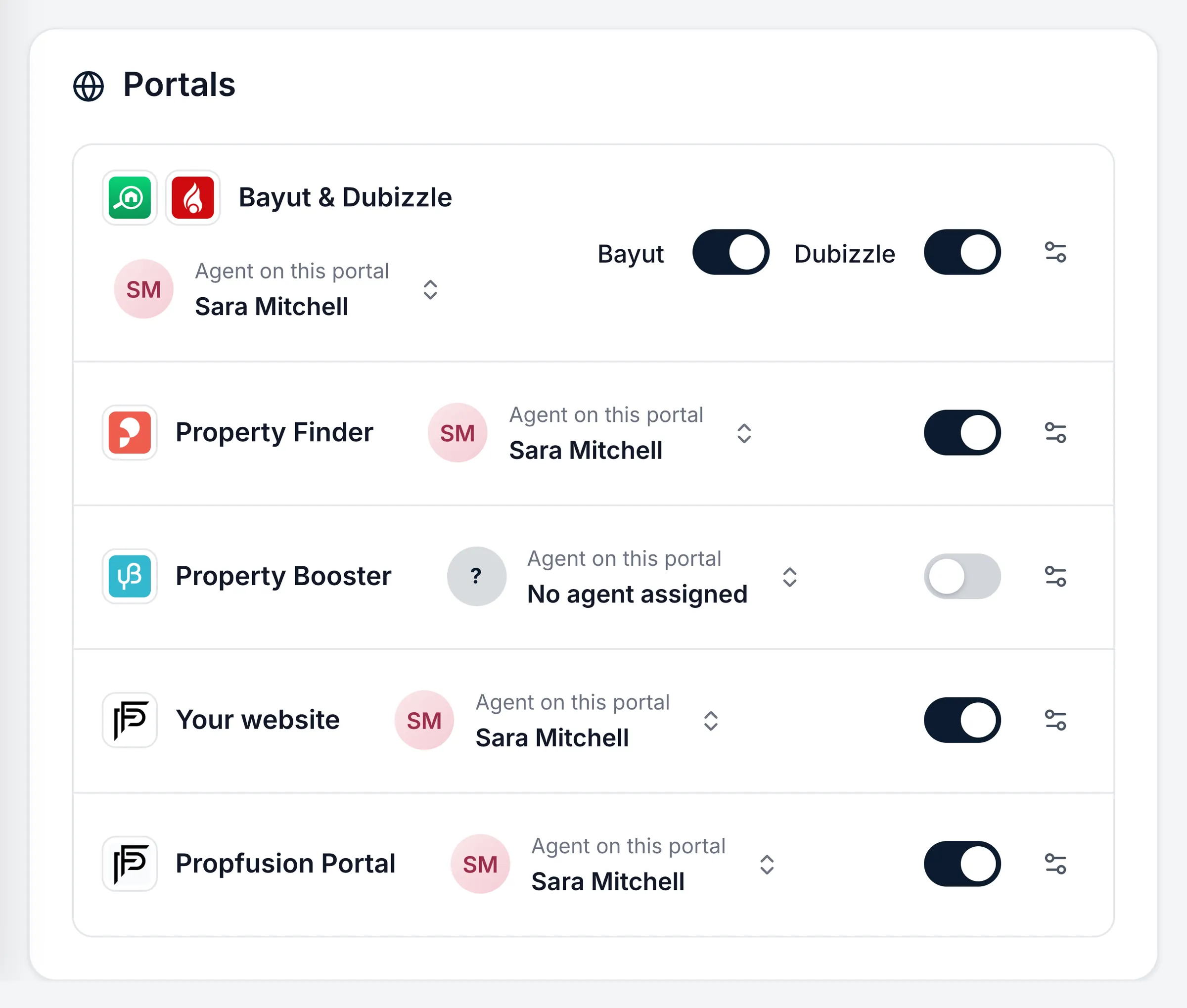
Portals
Property Finder, Bayut and Dubizzle: listings out, leads in
- Switch each portal on or off per listing, and pick the agent shown on it
- Import your current listings and agents from Property Finder and Bayut, without overwriting your own edits
- Portal status on every listing, with problems flagged so you can fix them
- Bayut Standard publishes to Bayut and Dubizzle; Exposure Basic to Bayut only
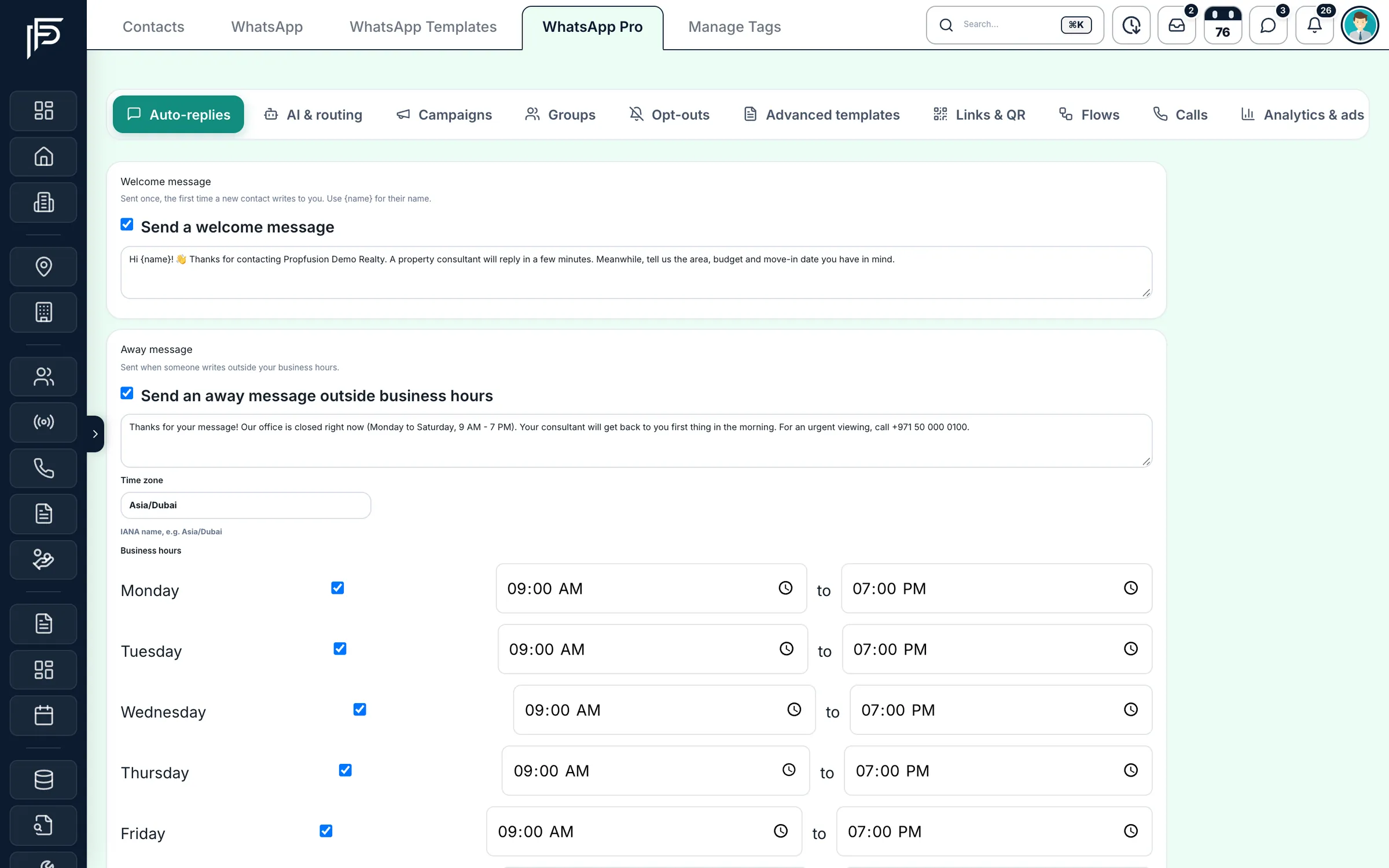
Messaging
WhatsApp Business and email from your company's own accounts
- Account status, messaging limit and calling status for the number at a glance
- Campaigns with delivered and read counts, keyword auto-replies and an opt-out list
- SMTP or Amazon SES for password codes, portal invites, owner reports and campaigns
Ads
Meta lead forms, straight into the pipeline
- Import past form leads too; leads already in the CRM are skipped
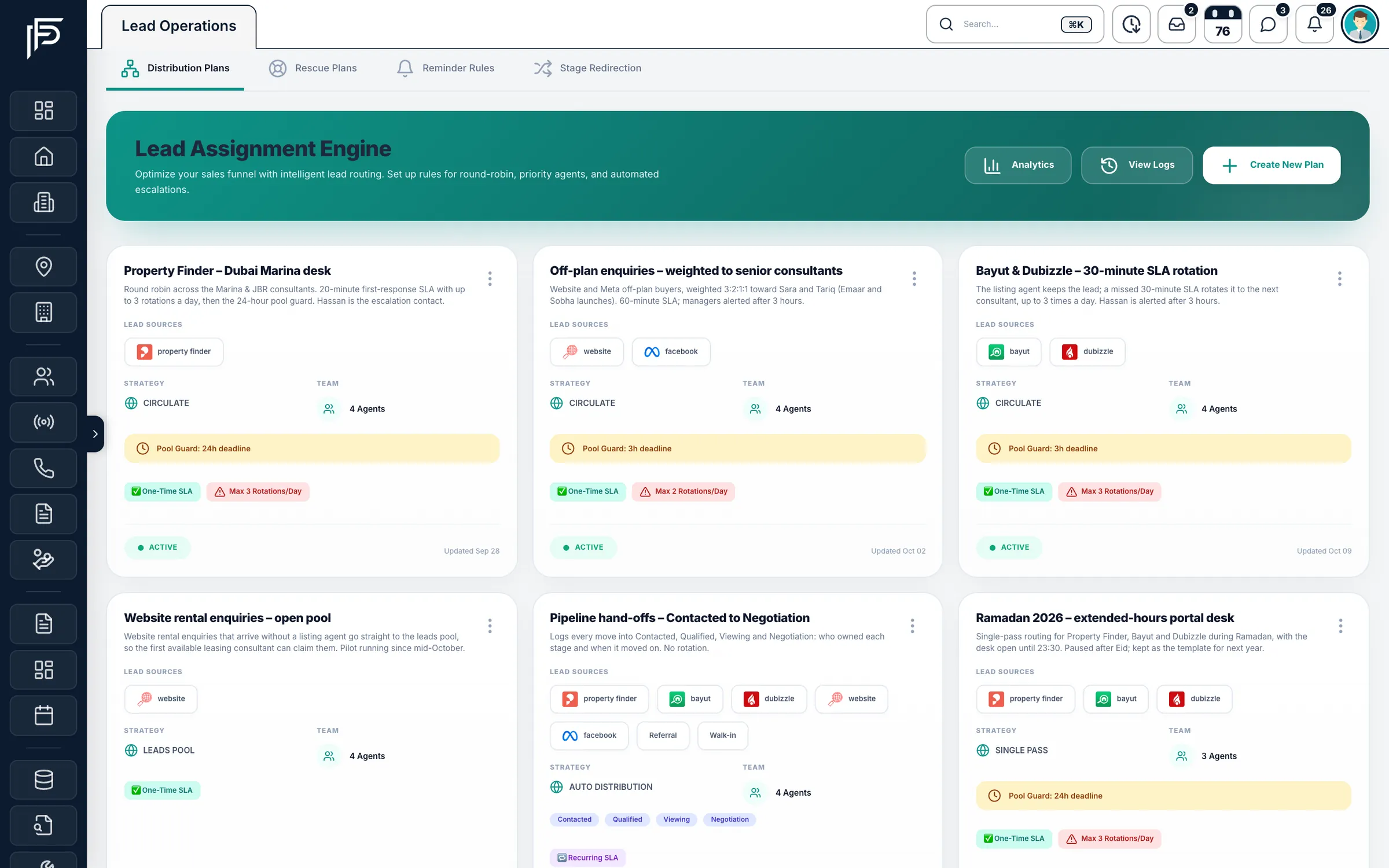
- Share each form's leads by round robin or a distribution plan with weights per agent
- Connect the company's Google Ads account from the same Settings page
Telephony
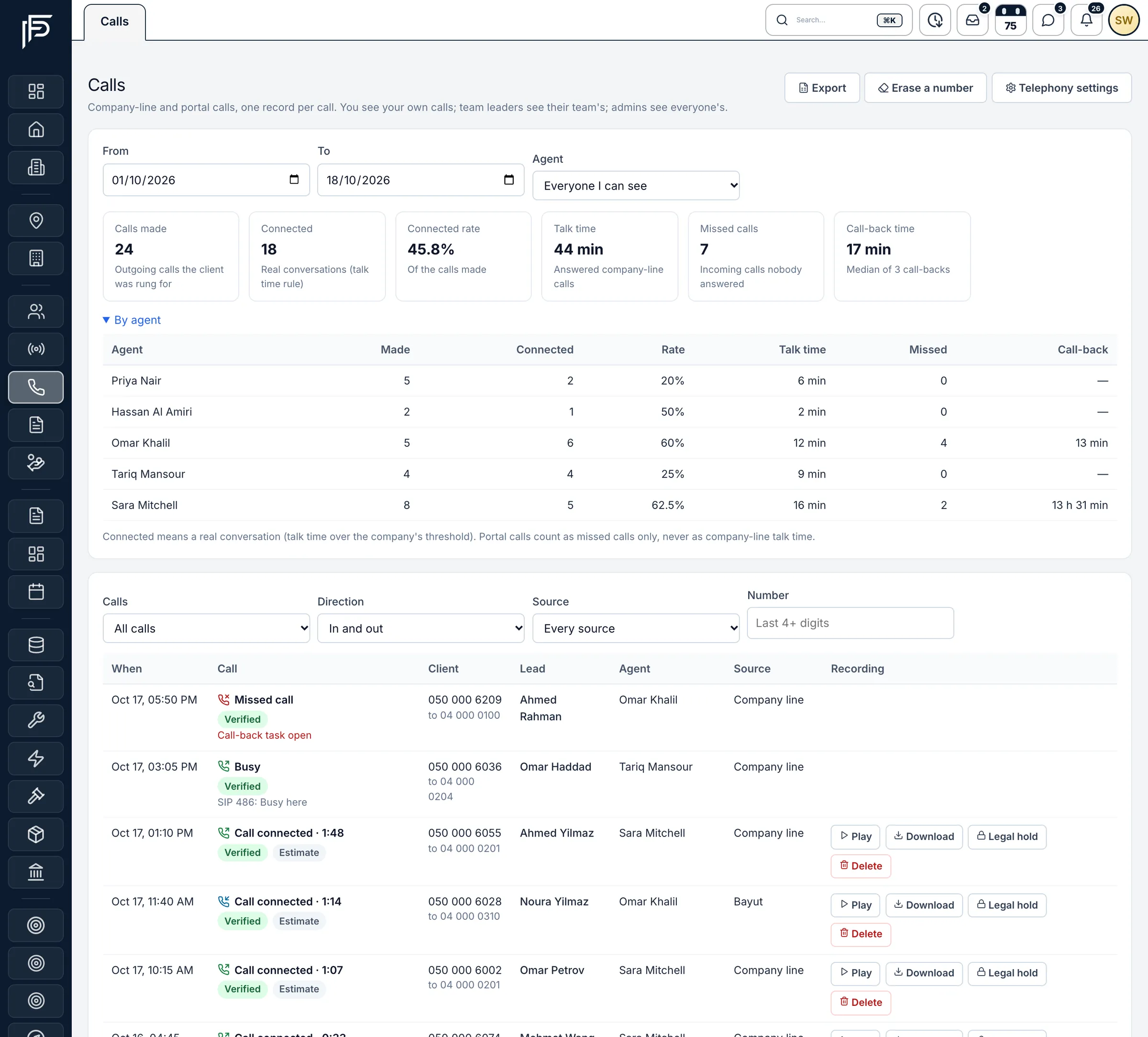
Call clients from company numbers, logged on the lead
- A missed call creates a call-back task and alerts the team leader if nobody calls back
- Your recording notice, a retention period, a do-not-call list and an access log
- Unknown callers can become new leads, tagged with the tracking number's source
Website & API
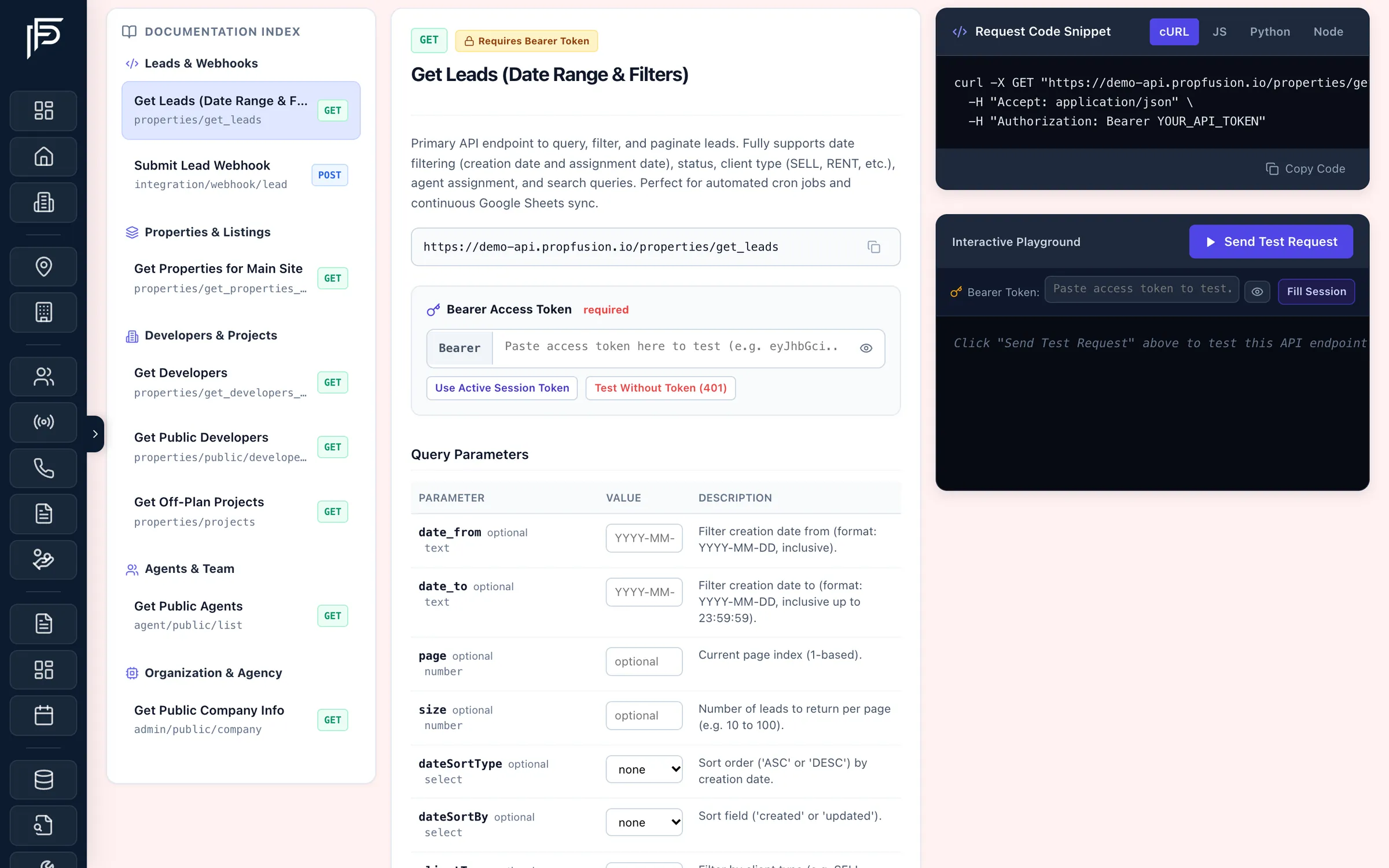
Your website and tools, fed from the CRM
- A Developer Portal that lists every endpoint and its fields
- Tokens with a label and expiry date, shown once and revocable at any time
- Choose which lead sources the webhook sends on
Screens show the Propfusion Demo Realty sample workspace. All people, listings and numbers are fictional.
And more
More connections, same Settings page
Bayut & Dubizzle XML feed
Your listings feed address, with ready-written emails asking the portals to activate it and the lead push.
Stripe payments
Take online payments in the holiday-home booking system.
Live alerts in the app
Leads from every connection reach agents in the Propfusion app for iPhone and Android, the moment they arrive.
AI without your own key
Summaries, property suggestions and PropFusion AI run on Propfusion's servers. No OpenAI key needed.
Keys stay with the people who need them
An integration key is like a password for your company's account with that service. Propfusion keeps them out of agents' reach and out of the browser.
How we protect your dataSettings › Integrations needs the Manage settings permission, and Property Finder, Bayut, Stripe and phone-provider keys also need Manage integrations. Plain agents never see these pages.
Phone-provider keys are stored encrypted. They and the Stripe secret key are used only by the server.
Saved phone-provider keys and the Stripe secret key show only their last four characters, and Website API tokens are shown once, then masked.
FAQ
Questions about integrations
Who can set up integrations?
Admins whose role includes the Manage settings permission. They see every connection under Settings › Integrations, and saving Property Finder, Bayut, Stripe or phone-provider keys also needs the Manage integrations permission. Agents never see these pages or the keys behind them.
Which portals can Propfusion publish to?
Property Finder, Bayut and Dubizzle. You choose the portals on each listing, and the listing shows whether it is live on each one. With Bayut, the Standard package publishes to Bayut and Dubizzle, and Exposure Basic to Bayut only.
Do portal and Facebook leads arrive on their own?
Yes. Property Finder pushes its WhatsApp, email and call leads by webhook, Bayut and Dubizzle send call and WhatsApp leads through their webhook keys, and Facebook and Instagram lead forms arrive in real time from your connected pages. Each lead keeps its source.
Can we import the Facebook leads we already have?
Yes. Past form leads can be imported too, and any lead already in the CRM is skipped, so nothing is duplicated.
Can our own website send enquiries to the CRM?
Yes. Your website's enquiry forms post to the CRM's lead API, and Website API tokens let your site show live listings, developers and agents. The Developer Portal lists every endpoint and its fields.
Do we need our own OpenAI key for the AI features?
No. Summaries, property suggestions and PropFusion AI run on Propfusion's servers and are included up to a monthly AI allowance, so no AI key is needed and none reaches the browser. A company that uses more can add its own key.
Bring every lead source into one CRM
Start a free trial, connect Property Finder and Bayut, and see the next portal enquiry arrive in your leads list.
7 days free · No card needed