Every channel, one place to answer it
- Portal, website and Meta leads
- WhatsApp on the company number
- Reminders, viewings and renewals
Connected channels
Where your conversations come from
Clients
Conversations with buyers, tenants, owners and investors.
- WhatsApp Business
- WhatsApp calls
- Company phone lines
Lead sources
New enquiries, tagged with where they came from.
- Property Finder
- Bayut
- Dubizzle
- Meta lead ads
- Your website
Your team
Reminders, approvals and messages between colleagues.
- Team chat
- Inbox threads
- App notifications
- Daily brief
What lands where
Nothing waits in someone's personal phone
- A buyer enquires on Property Finder, Bayut or Dubizzle
- Leads list with its source, plus a New leads alert for the assigned agent
- A client sends a WhatsApp message
- The WhatsApp inbox, on the company number, next to the client's details
- A client calls a company line
- The calls log, linked to the lead, with the recording when your phone system records calls
- A follow-up falls due
- The Follow-up reminders thread and the agent's daily brief
- A viewing is booked
- The Calendar & viewings thread
- A tenancy comes up for renewal
- The Rentals & renewals thread
- An agent asks to publish a listing on the portals
- Requests, where a manager approves or rejects it
- A colleague shares a lead or listing
- Team chat, as a card that opens the record in one tap
Every conversation, on the same records
The inbox for alerts, WhatsApp and calls for clients, and team chat for colleagues, all tied to the same leads and listings.
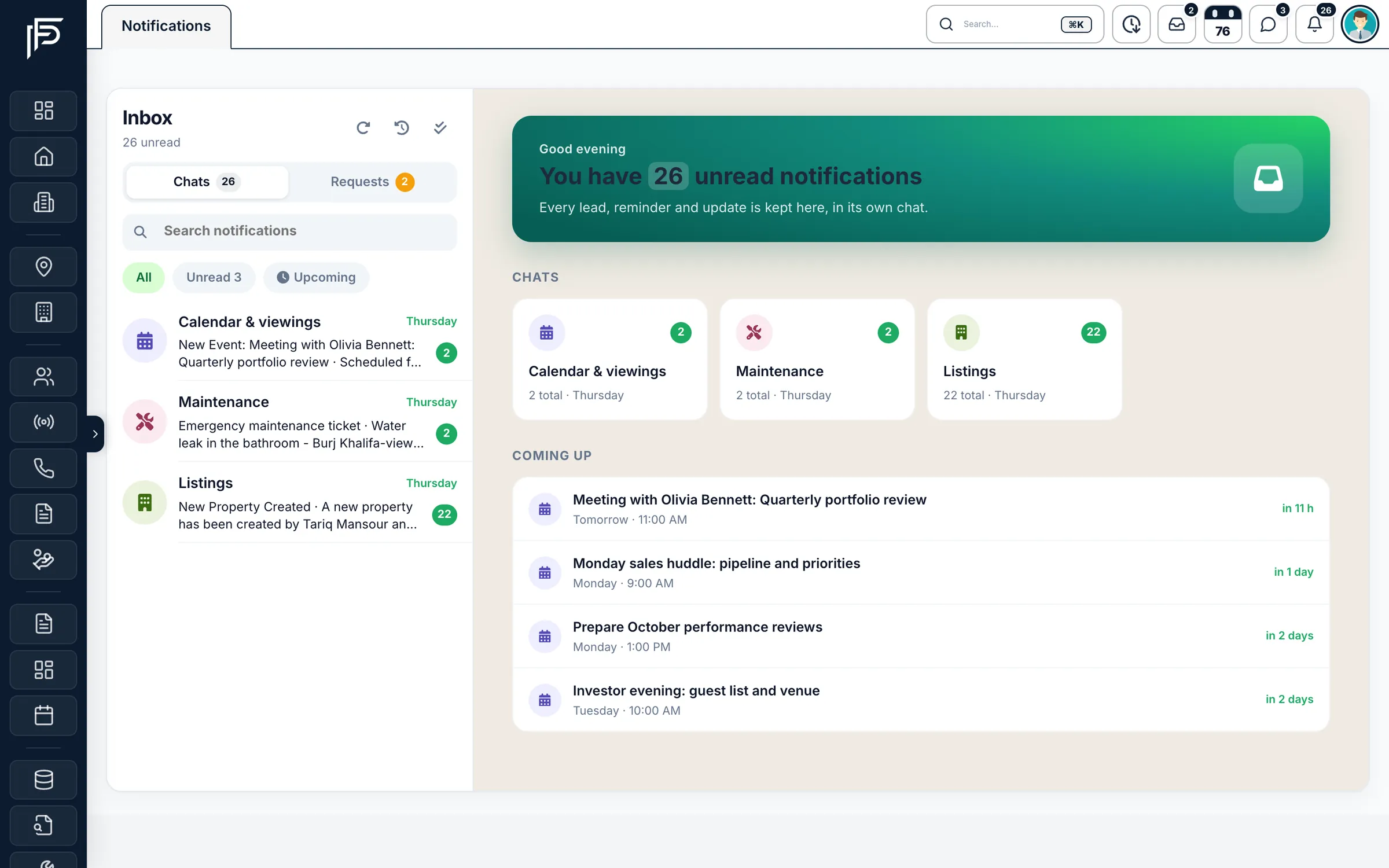
Inbox
Alerts grouped into threads, not a flood
- A Coming up list of the next meetings and viewings, with how long until each
- All, unread and upcoming views, with one click to mark everything read
- Portal publishing requests in their own tab, filtered by portal, agent or property
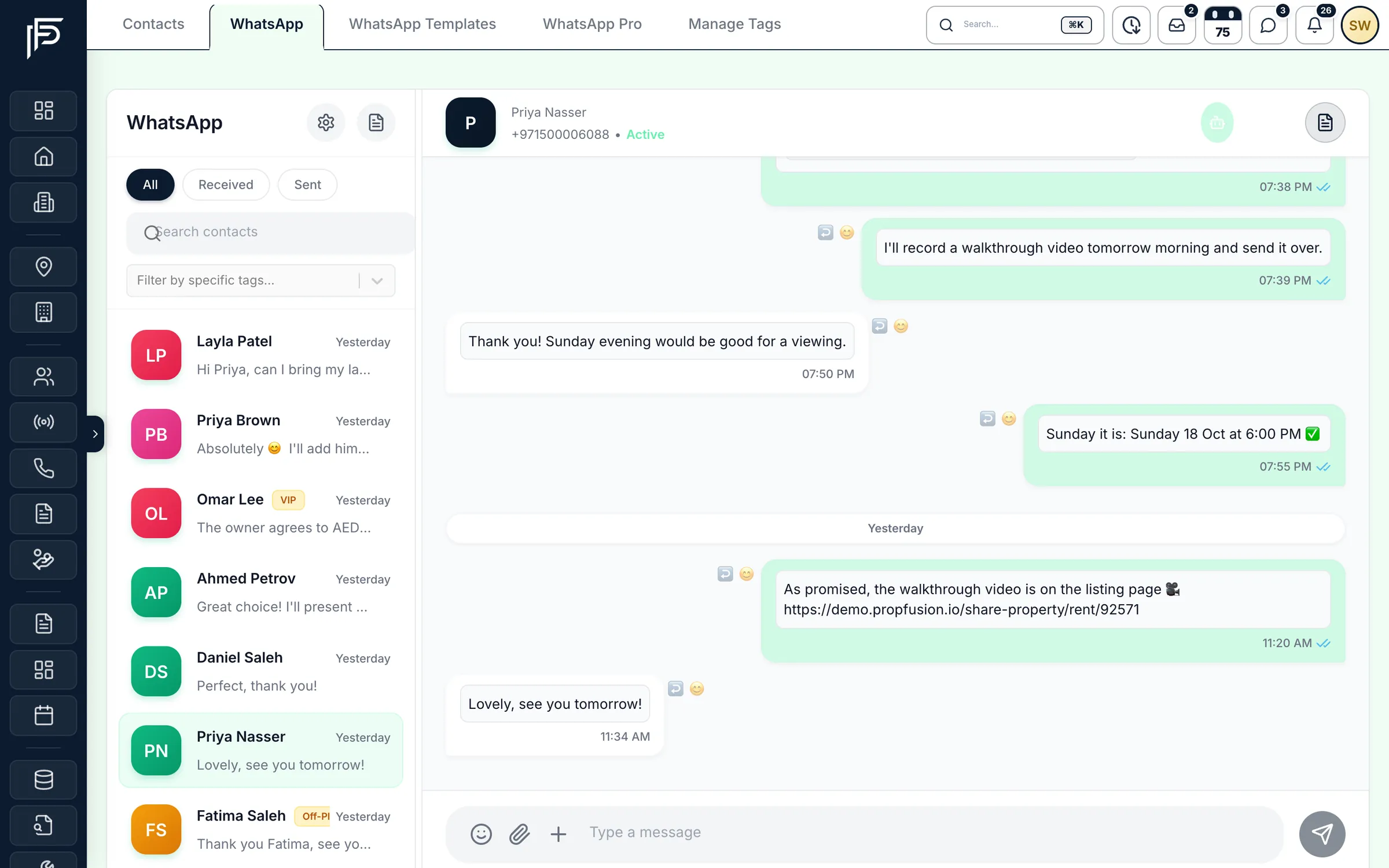
Client chats on the company number
- Filter chats by tag, or by received and sent
- Search inside any conversation
- A clear marker when the 24-hour reply window has closed
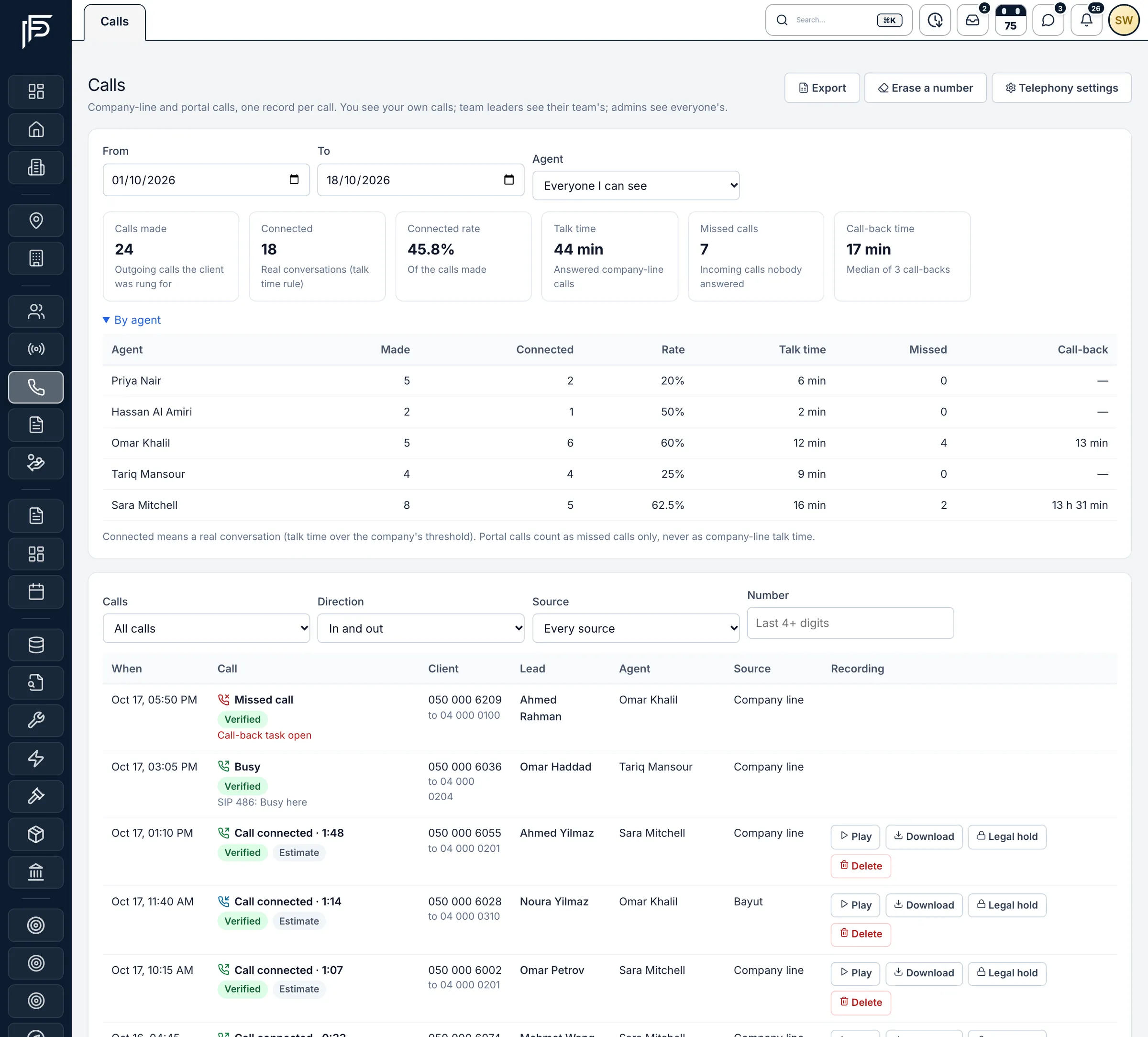
Calls
Every call, answered or missed, in one log
- Calls made, connected rate, talk time and median call-back time
- A missed call opens a call-back task, so nobody is left waiting
- Recordings to play, download or keep on legal hold
Team chat
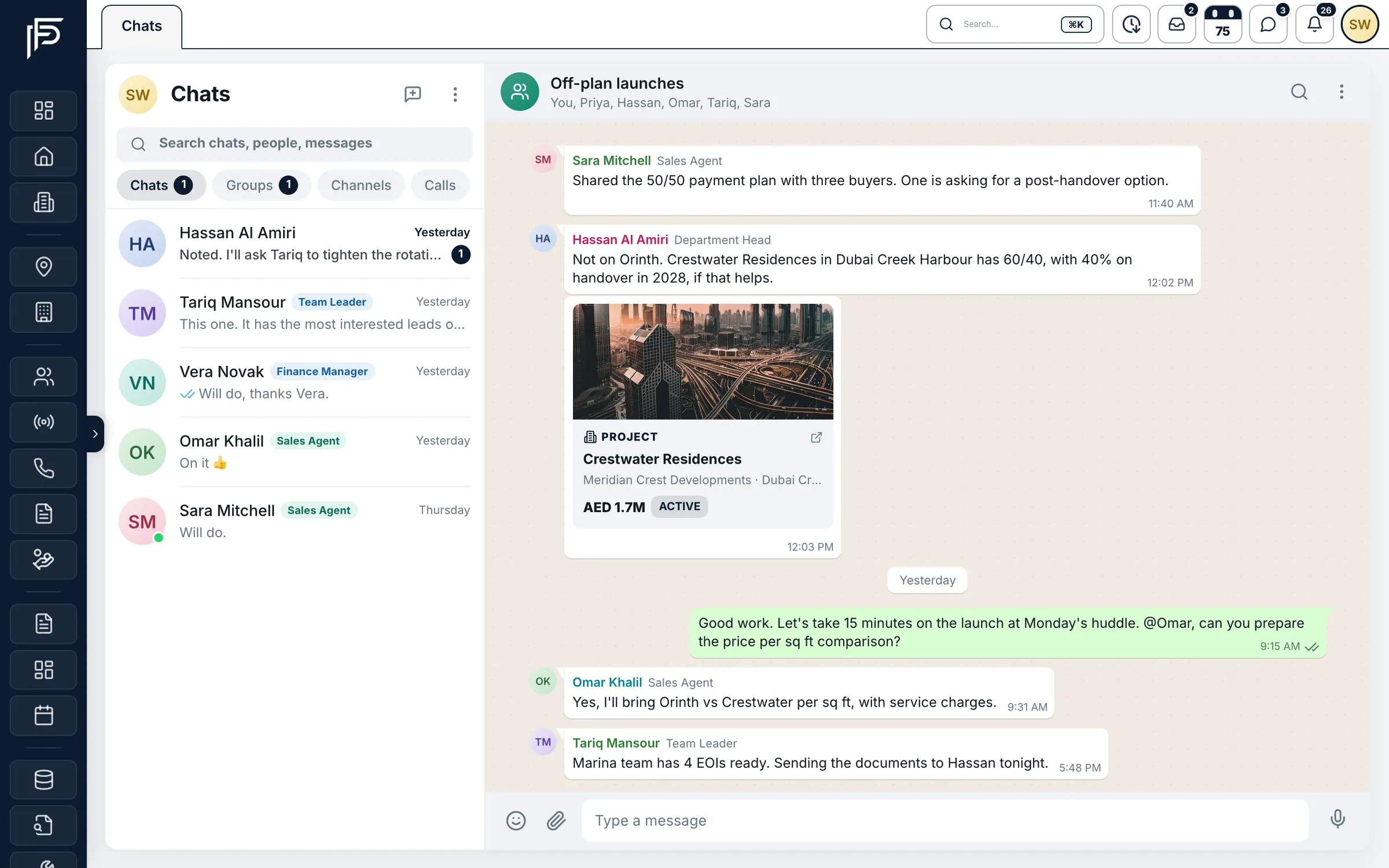
Your team's conversations, next to the work
- Mentions, reactions and pinned messages
- Voice notes, and one-to-one voice or video calls
- On the web and in the Propfusion app
Morning brief
Every agent starts the day knowing what needs them
- The latest leads, with their portal and type, one tap away
- Median reply time, so agents see how quickly they answer
- Straight to follow-ups or the leads list from the brief
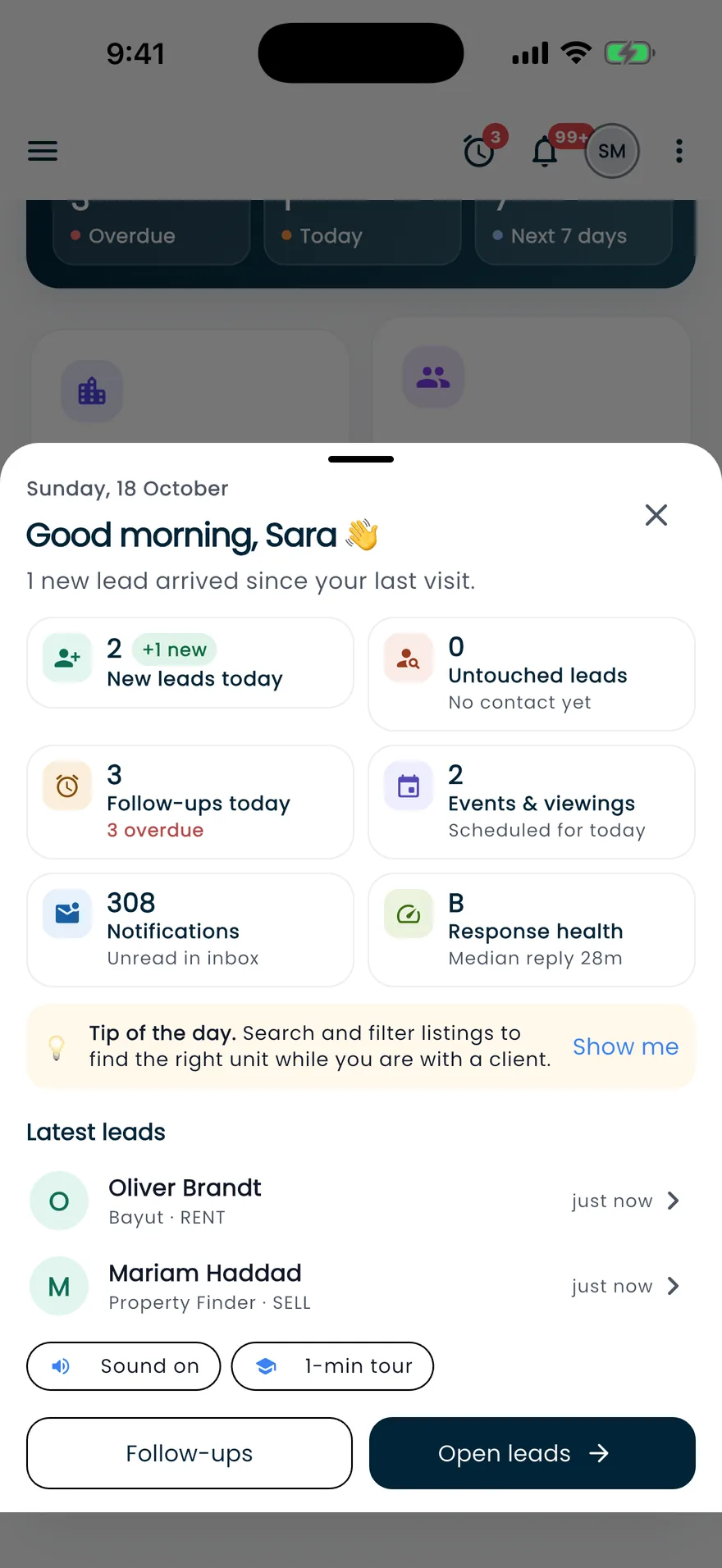
Screens show the Propfusion Demo Realty sample workspace. All people, listings and numbers are fictional.
For managers
See that every lead got an answer
Who saw the new lead
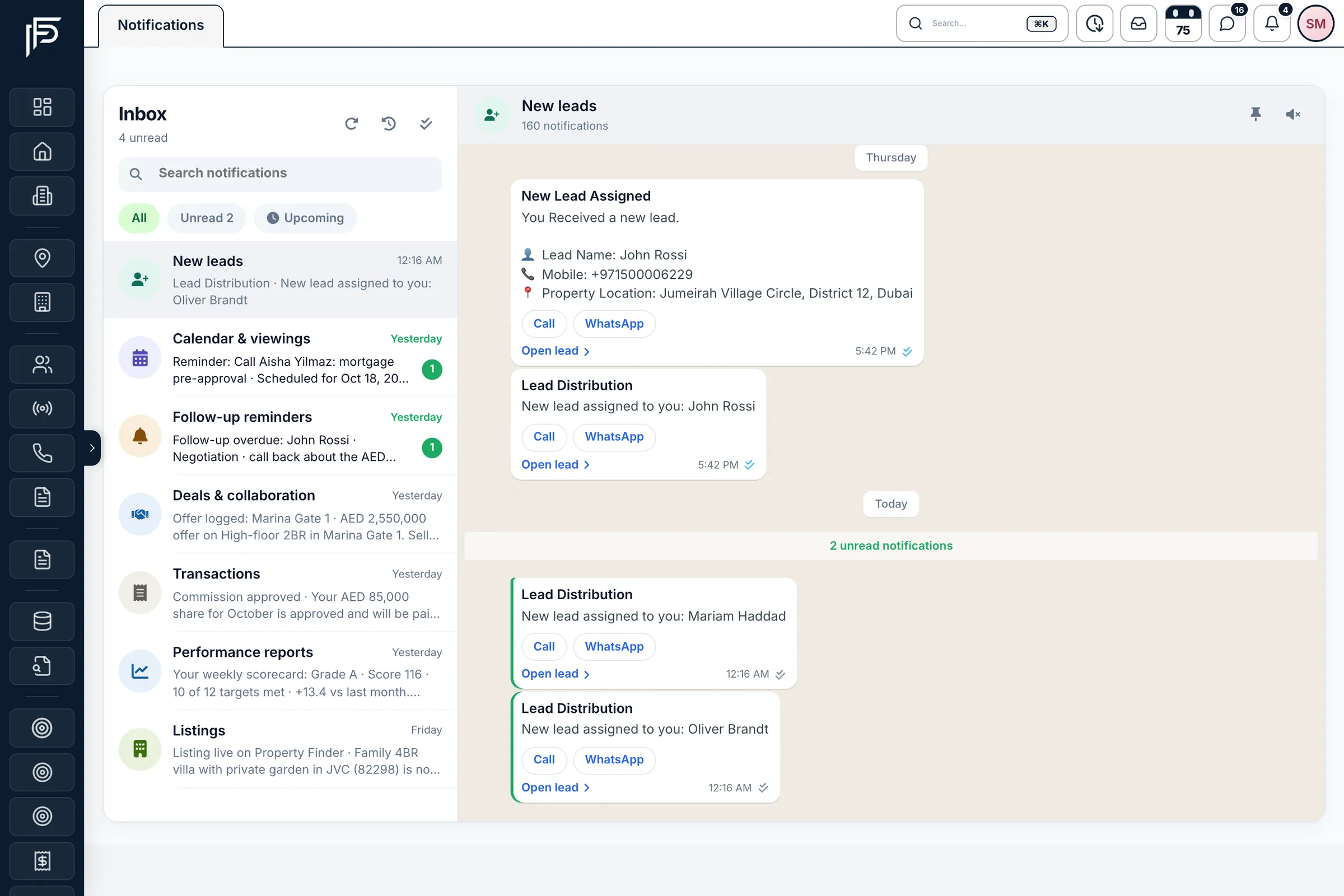
Each lead shows who got the new-lead alert and when they opened it.
Response time against your target
See how long the agent took to respond and by which channel, marked on time or late.
Search every alert
Search the inbox for a client, a listing or a message, and switch between all, unread and upcoming.
Live alerts on the phone
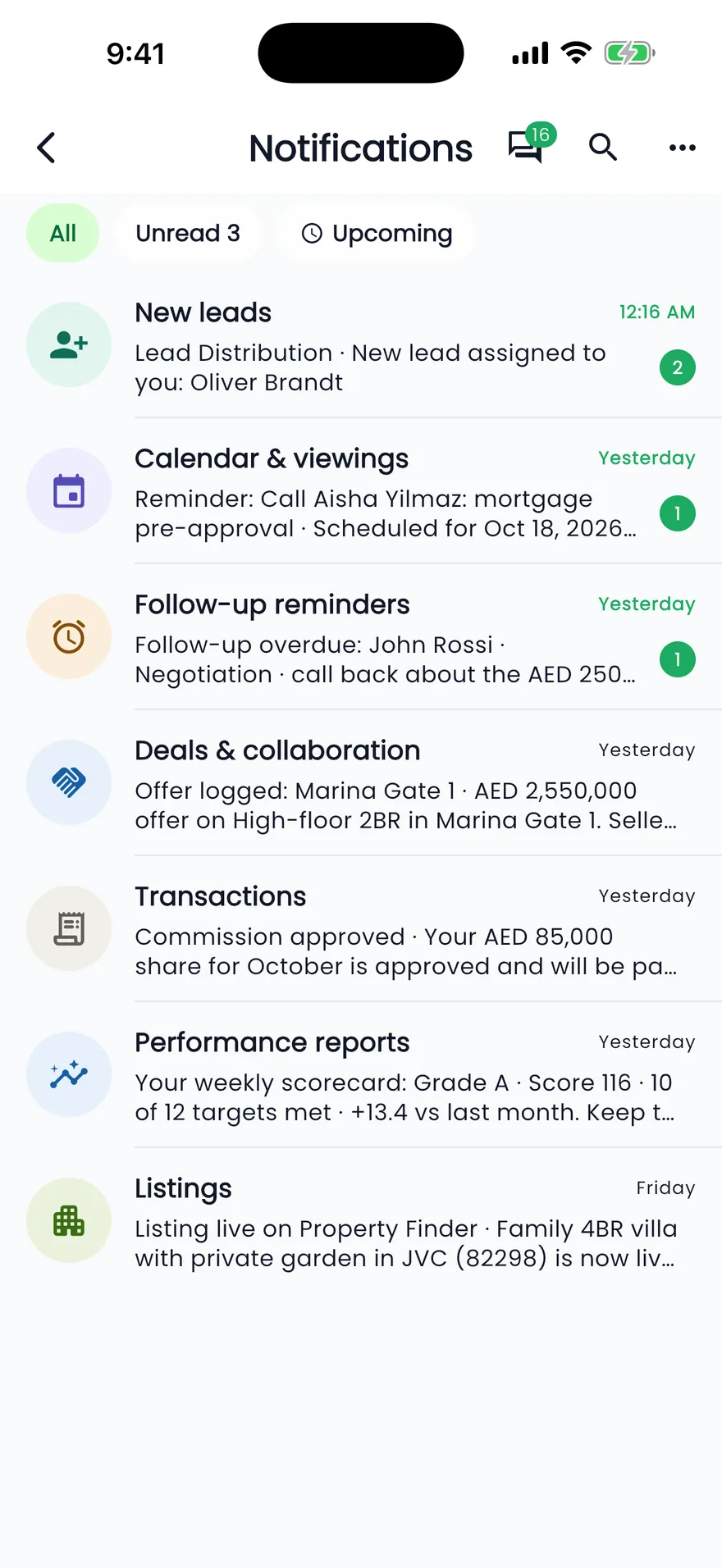
The Propfusion app notifies agents the moment a new lead is assigned to them or a colleague messages them.
Requests in one queue
Pending, approved and rejected portal requests, filtered by portal, agent or property ID.
Caught up, in one click
Mark every notification as read, or switch to unread only when you're busy.
FAQ
Communication questions
Which channels come into Propfusion?
Portal enquiries from Property Finder, Bayut and Dubizzle, Meta lead ads, your website, WhatsApp Business and company phone lines for clients, plus team chat, inbox threads and app notifications for your team. Email to clients goes out from the lead's Email button or as a Fusion Mails campaign.
Do agents use their personal WhatsApp?
No. WhatsApp conversations run through your WhatsApp Business number, so the history belongs to the brokerage and stays with the client’s record when people move on.
Can managers check that every lead got an answer?
Yes. Each lead shows who received the new-lead alert and when they opened it, and how long the agent took to respond and by which channel, marked on time or late against your target.
Does it work on the phone?
Yes. The Propfusion app notifies agents the moment a new lead is assigned to them or a colleague messages them, shows a brief of the day at first open, and carries the same team chat as the web.
Related features
Answer every client from one place
Bring portal leads, WhatsApp, calls and team messages into one CRM your whole brokerage shares.