Automation & workflows
Workflow automation that keeps leads moving
Automate lead assignment, follow-up reminders, WhatsApp messages and stage updates in Propfusion CRM. Set the rules once: every enquiry from the portals, Meta and your website reaches the right agent and gets an answer, so your agents spend their time closing deals.
7 days free · No card needed
- Round robin with weights and limits
- WhatsApp triggers by source and stage
- Rescue for leads nobody answered
How it works
Set the rules once
- 01
Pick the trigger
A lead arrives from Property Finder, Bayut, Dubizzle, Facebook or any source, a lead enters a stage, or a WhatsApp message comes in.
- 02
Decide what happens
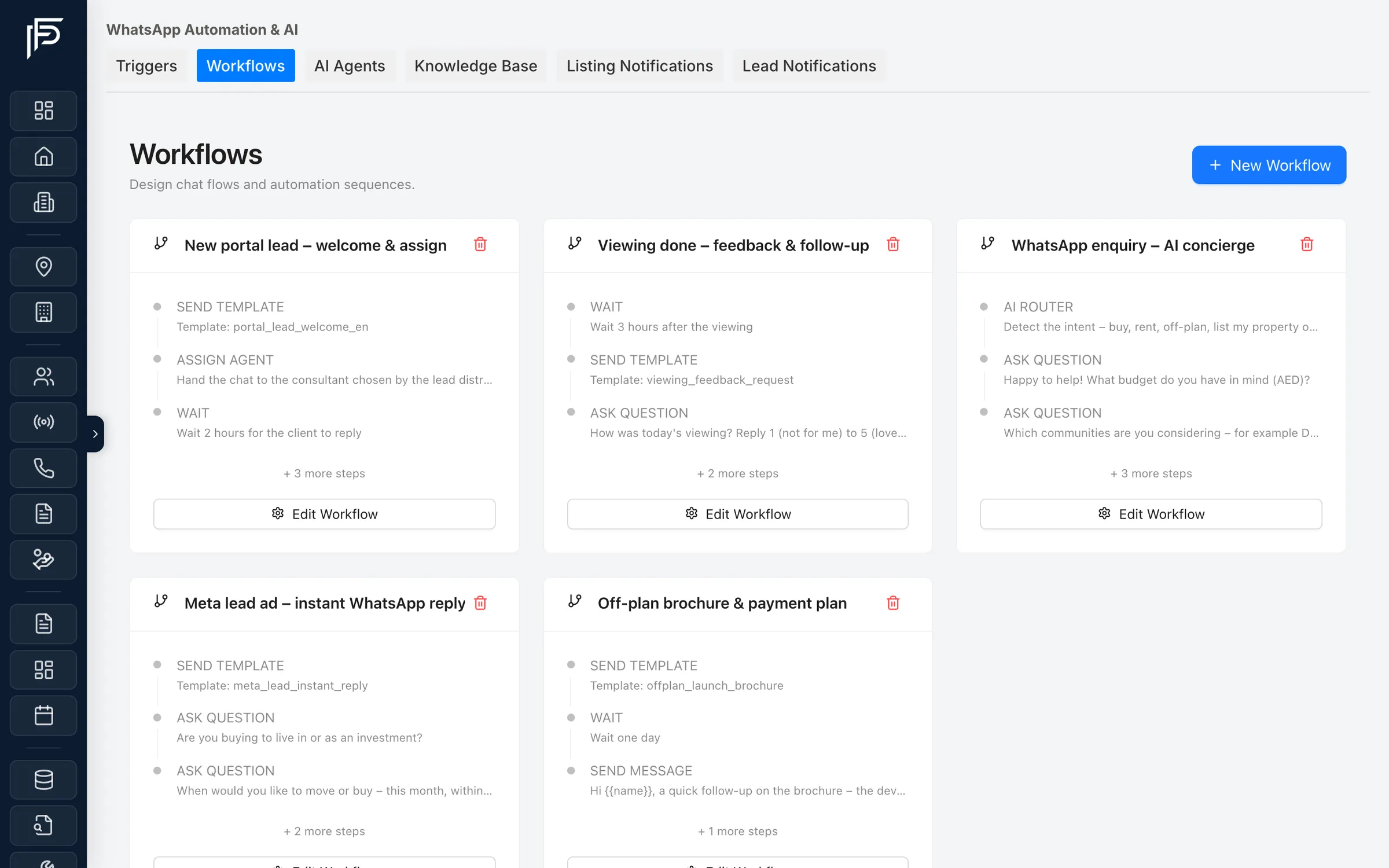
Assign the agent through a distribution plan, or let a workflow send a WhatsApp template, ask a question and wait for the answer, or have AI qualify the client.
- 03
Let it run
Distribution logs, analytics and inbox alerts show every assignment, escalation and rescue.
Automation built around how brokerages work
Lead routing, agent alerts, instant WhatsApp replies and deadlines, designed for portal leads that need an answer fast.
Lead distribution
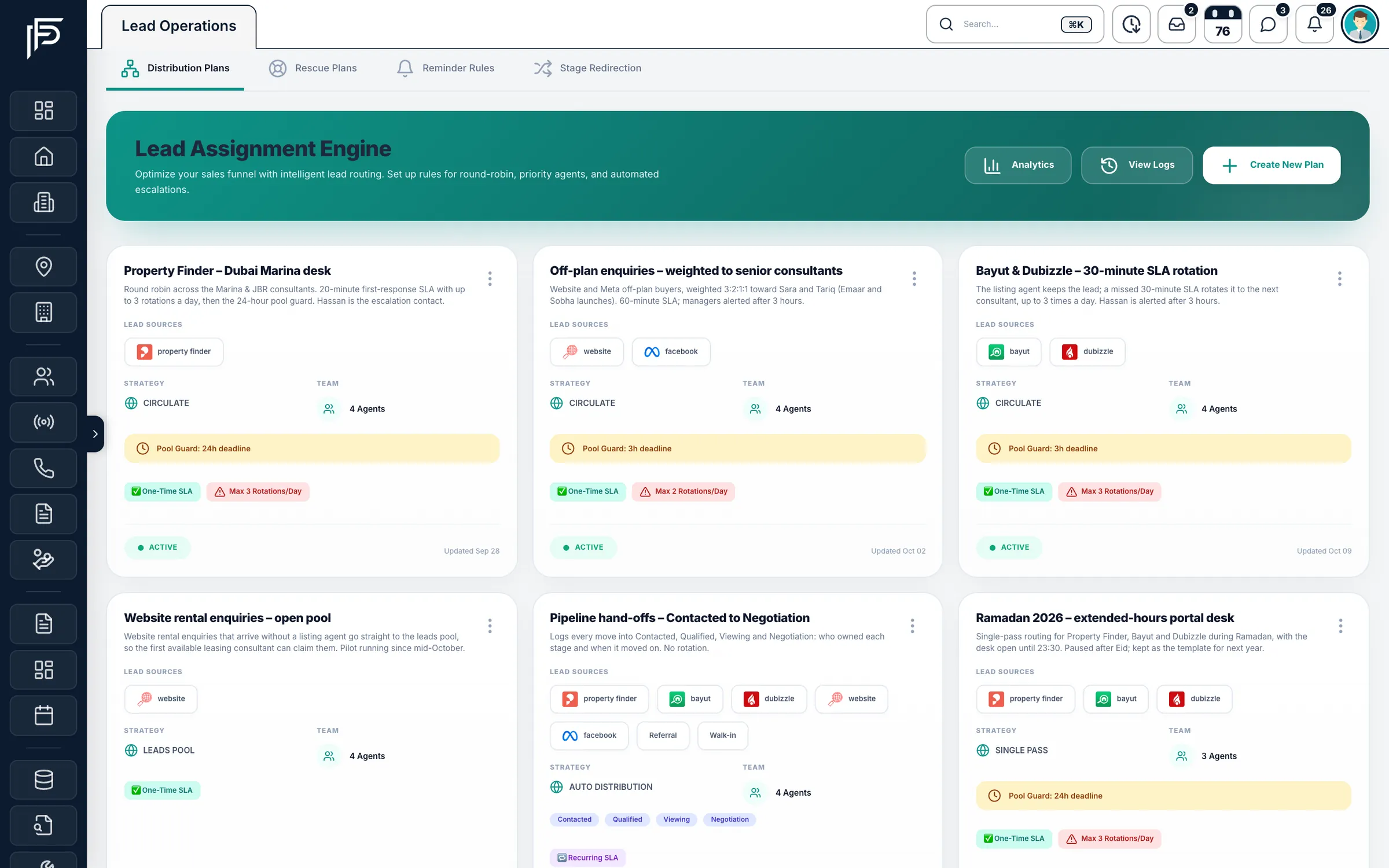
Every new lead reaches the right agent
- Round robin, weighted shares or an open leads pool, with limits on open leads
- A missed response deadline rotates the lead to the next agent, a set number of times a day
- Leads that name a property can stay with that listing's agent
Assignment alerts
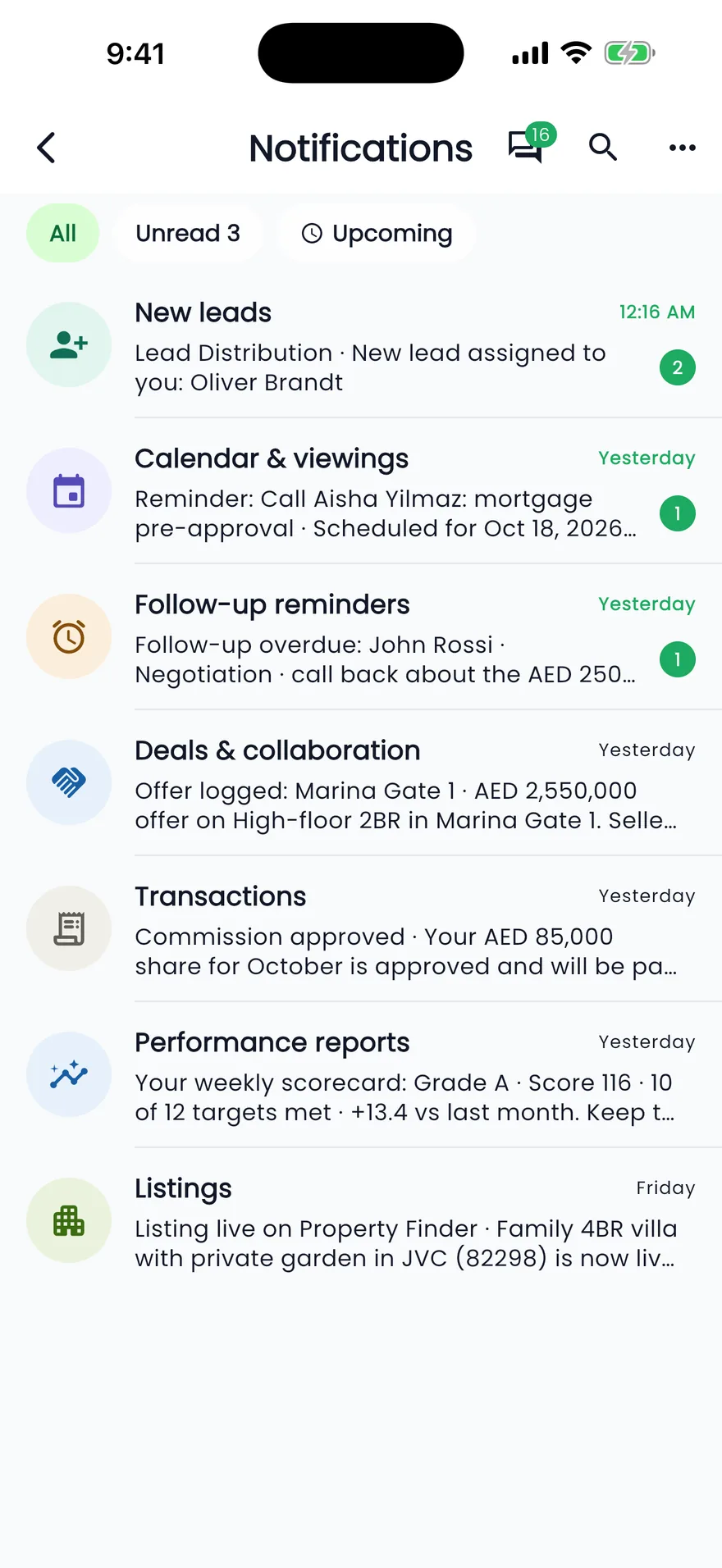
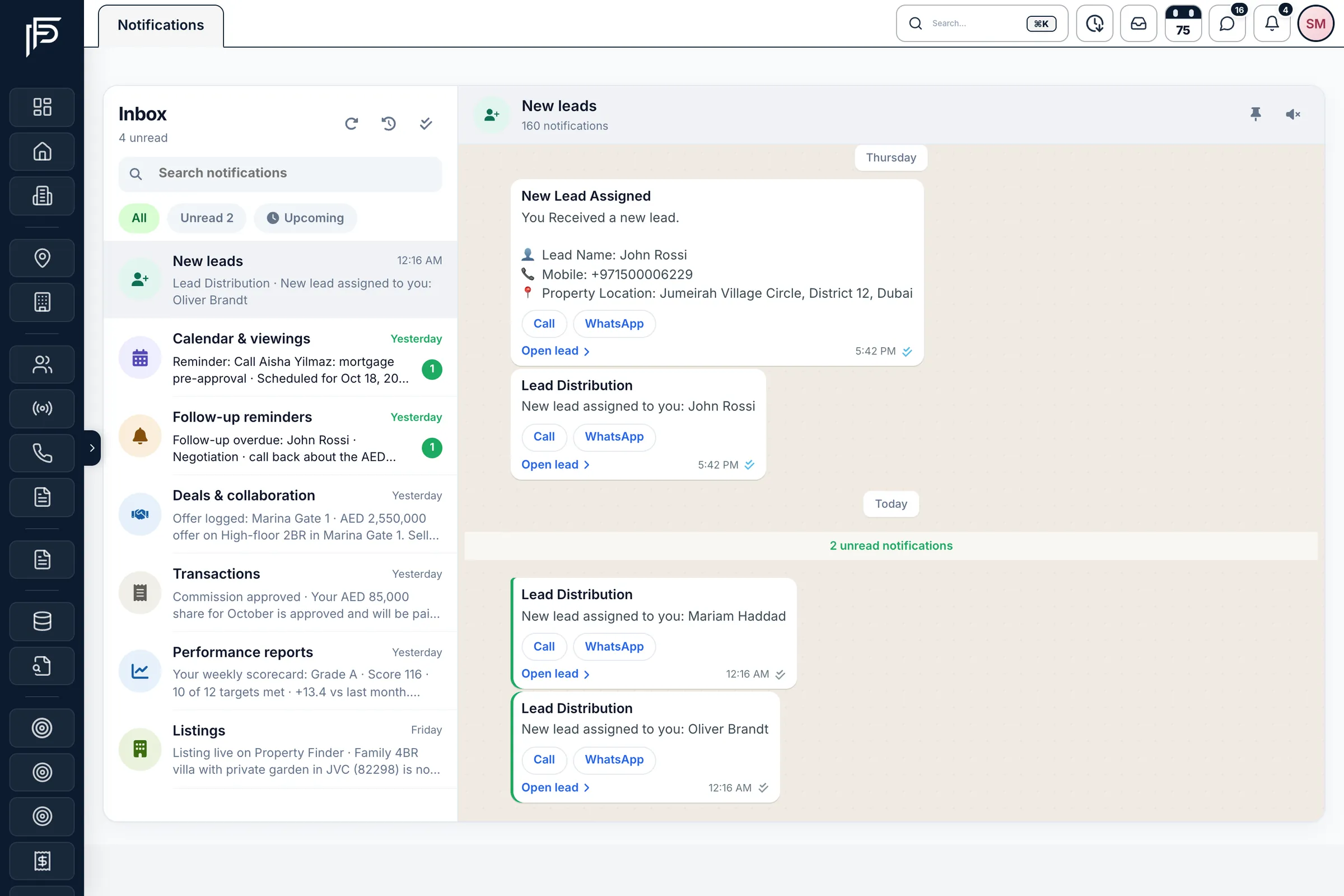
The agent hears about the lead the moment it is assigned
- Alerts grouped in a New leads thread, apart from reminders and deals
- The same alert on the phone through the Propfusion app
- Each lead records who received the alert and when they opened it
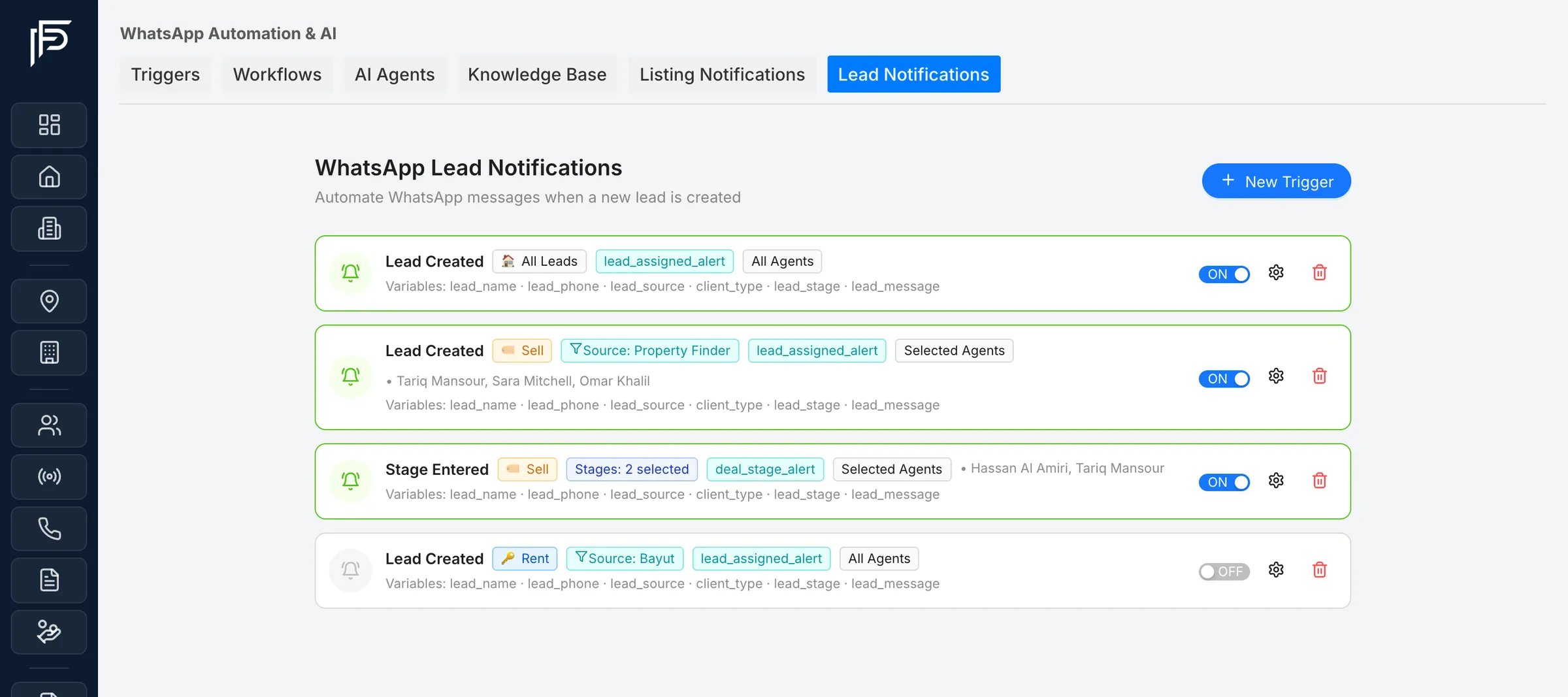
WhatsApp lead alerts
Agents get a WhatsApp the moment a lead arrives
- Trigger on a new lead, or on a lead entering the stages you choose
- Filter by client type (sell, rent or enquiry) and by lead source, such as Property Finder or Bayut
- Alert all agents or only the agents you pick, and switch each trigger on or off
AI replies and routing
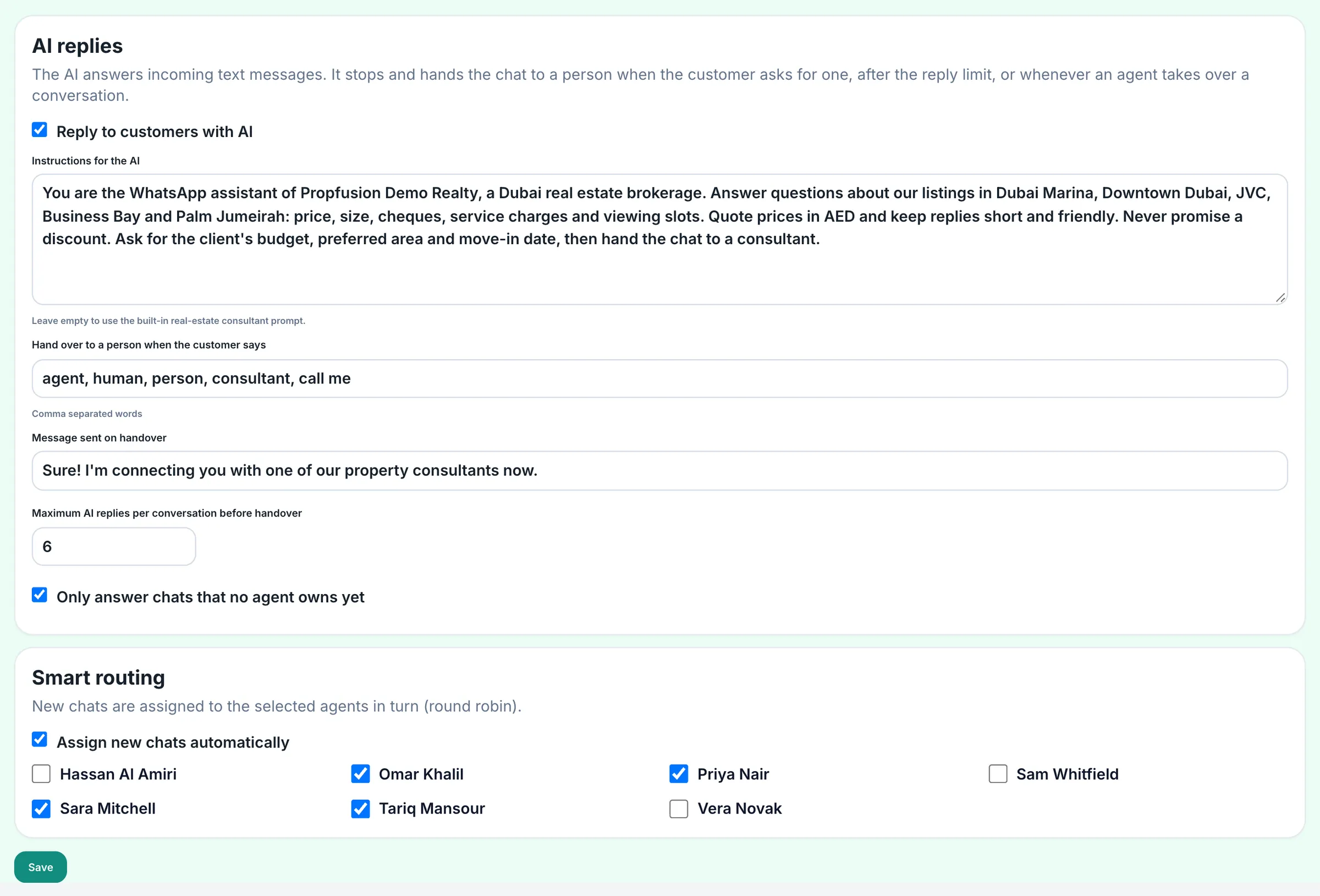
WhatsApp that replies before your agent picks up the phone
- Handover words, a handover message and a limit on AI replies per chat
- Smart routing shares new chats out to the agents you select, in turn
- Welcome, away and keyword auto-replies on the same number, not repeated within the cooldown you choose
Deadlines and rescue
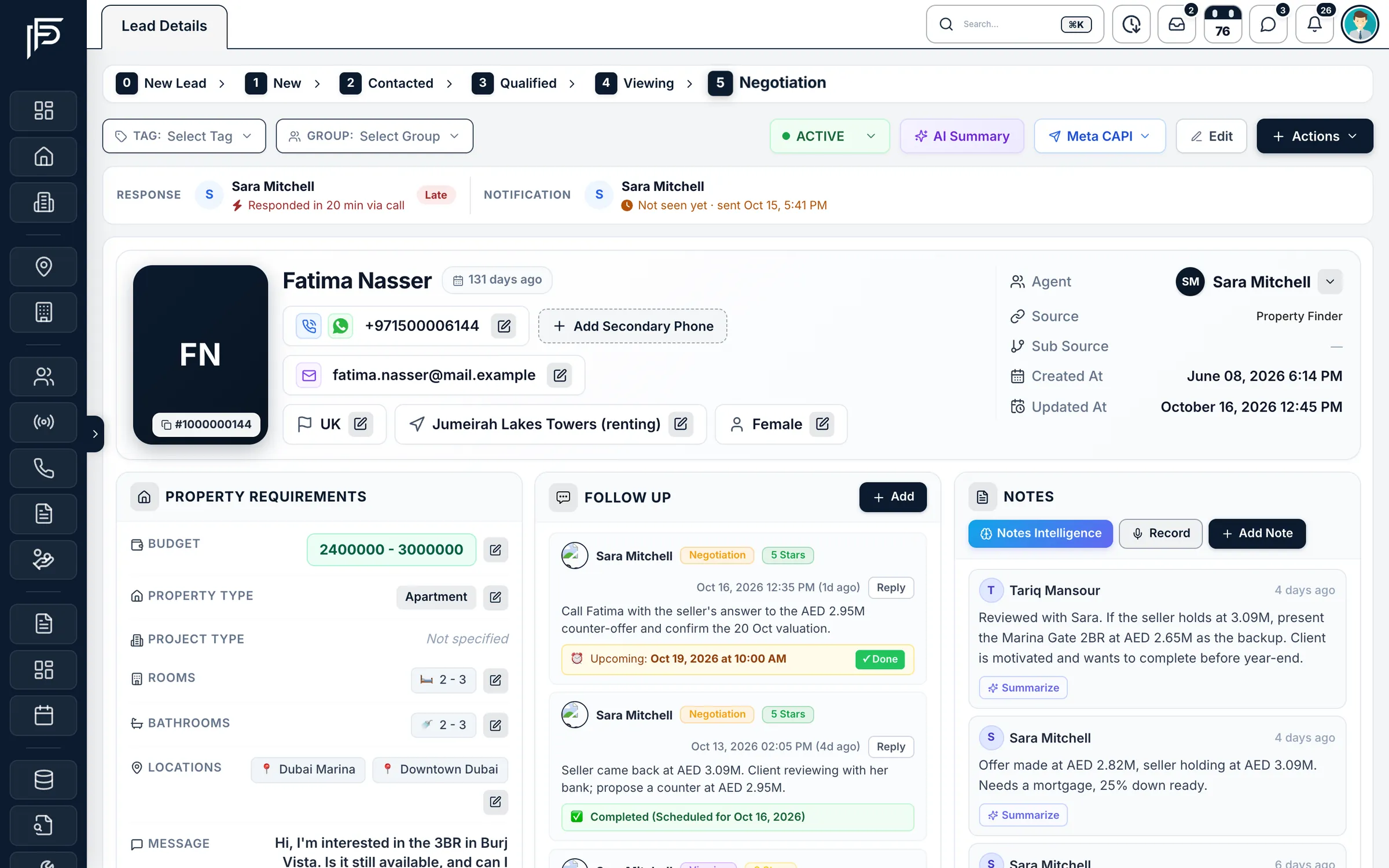
No lead sits untouched
- The lead page shows how fast the agent responded and by which channel, marked on time or late
- Escalation to the users you pick, or a move to the leads pool
- Rescue plans that run on a schedule, and reminder rules that notify the agent, their team leader or admins
Screens show the Propfusion Demo Realty sample workspace. All people, listings and numbers are fictional.
Also included
Small rules that save hours
Scheduled WhatsApp campaigns
Set a time for a template campaign to tagged contacts or a list of numbers, and it starts by itself, skipping contacts who unsubscribed.
New listing alerts
Tell all agents, or only the ones you pick, when a new listing is added.
Stage updates on reassignment
Move a lead to a chosen stage when it's reassigned or rotated to another agent.
WhatsApp activity to your webhook
Forward WhatsApp activity to your own webhook, and keep a log of WhatsApp events and alerts for 90 days.
Questions that fill in the lead
A workflow can ask the client a few questions and save the answers, such as budget, bedrooms and nationality, on the lead.
AI that qualifies the client
A workflow's AI reply asks for whatever is still missing, such as buy or rent, budget, property type and bedrooms, and saves each answer on the lead.
Escalation after rotation
When every agent on the plan has had a turn and nobody acted, the lead goes to the escalation users you pick, and they are all told.
Holidays and off-days
Pause distribution on public holidays and days the office is closed.
Sub-community targeting
Send leads for a sub-community to the agents who know it best.
FAQ
Automation questions
Do we need a developer to set up automations?
No. Workflows are built inside the CRM from steps such as send a WhatsApp message or template, ask a question and save the answer on the lead, wait for the reply, or let AI qualify the client. Distribution plans, rescue plans and reminder rules are set up in Lead Operations.
What happens if an agent doesn't respond in time?
Each distribution plan has a response deadline. When it passes, the lead can rotate to the next agent a set number of times a day, escalate to the people you choose or go back to the leads pool, and rescue plans re-assign leads that have been idle too long.
Can distribution pause for holidays and days off?
Yes. Plans can pause on public holidays and on the days your office is closed.
Can WhatsApp answer outside office hours?
Yes. Your company number can send a welcome to first-time contacts, an away message outside the business hours you set in Dubai time, and keyword replies. AI replies can answer first questions and hand the chat to an agent; they need an AI provider key.
Who receives the WhatsApp lead alerts?
Your agents. Each trigger sends a WhatsApp alert to all agents or to the agents you choose when a lead is created or enters a chosen stage, and can be filtered by client type and lead source. The alerts are for your team; they are not messages to the client.
What do the WhatsApp automations need?
A WhatsApp Business number connected through Meta's WhatsApp Cloud API, and templates approved by Meta for alerts and campaigns. Meta charges per message.
Let the CRM do the chasing
Route every lead, send the first WhatsApp and catch the ones that slip, automatically. Start a free trial or book a live demo.
7 days free · No card needed