WhatsApp, calls and team chat, saved on every lead
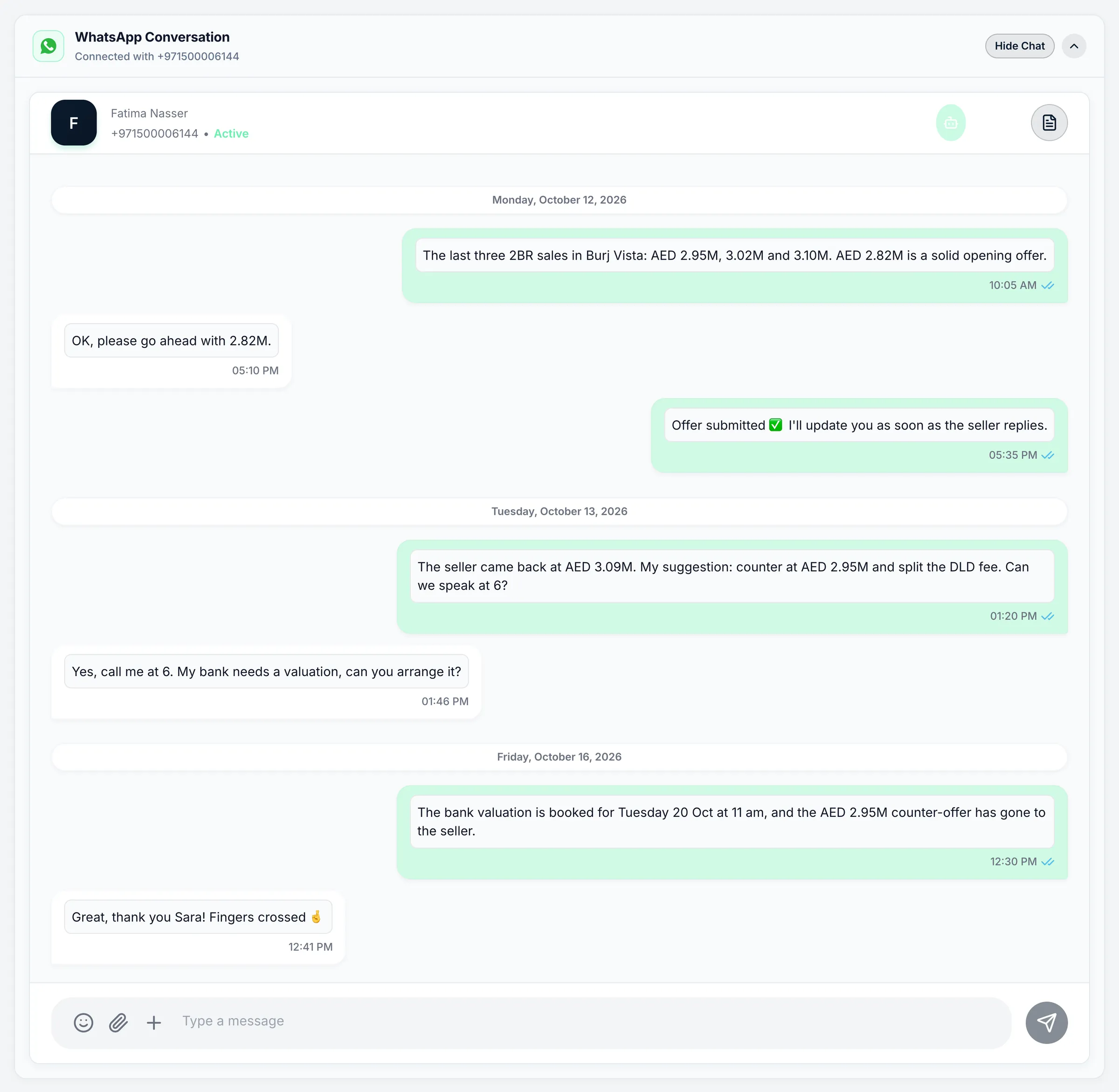
- Company WhatsApp, shared by the team
- Calls and recordings on the lead
- Team chat on web and app
How it works
One set of numbers. One history per client.
- 01
Connect your company lines
Link your WhatsApp Business number and your phone provider once. Agents use company numbers, not their personal phones.
- 02
Conversations find the right agent
New WhatsApp chats are shared out in turn, and any chat can be handed to a colleague in one click.
- 03
Everything stays on the lead
Messages, calls and recordings sit with the client's record, so the history stays with your company when people move on.
Talk to clients where they already are
WhatsApp, phone and in-app alerts, each with the tools a Dubai brokerage actually uses.
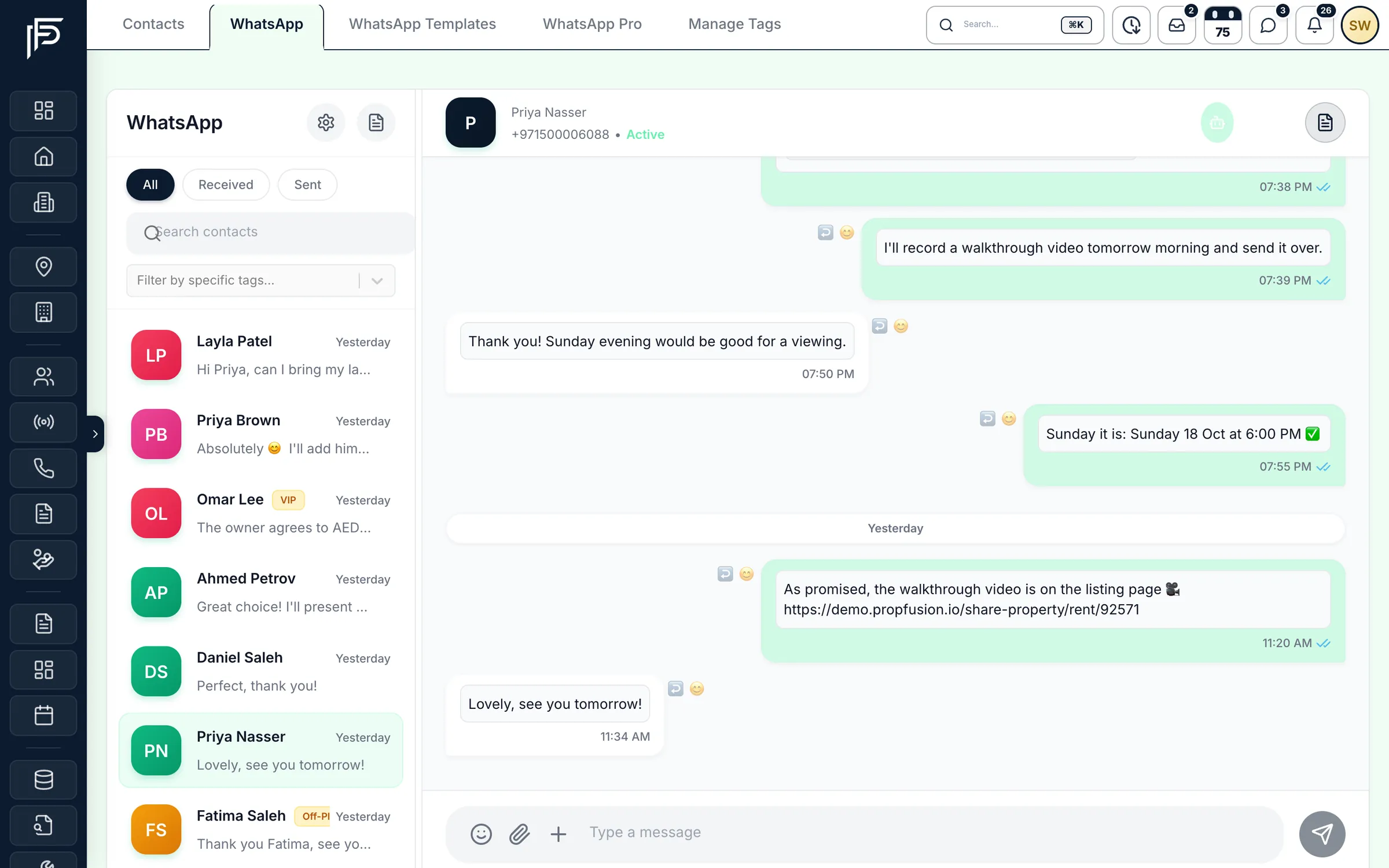
WhatsApp, on the company number, inside the CRM
- Send photos, PDFs, approved templates, reply buttons and property cards
- Transfer a chat to another agent, or search any conversation and filter by tag
- Each chat shows when WhatsApp's 24-hour reply window has closed and a template is needed
Calls
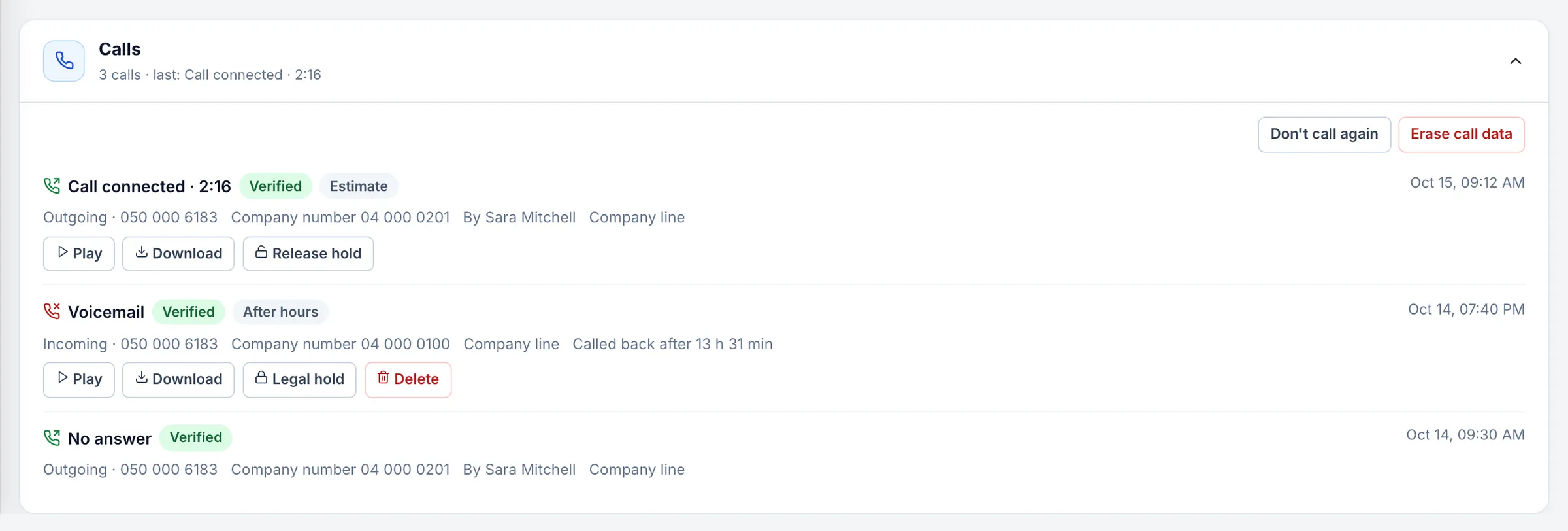
Every call logged against its lead
- Missed calls get a call-back deadline, and the manager is alerted if nobody calls back
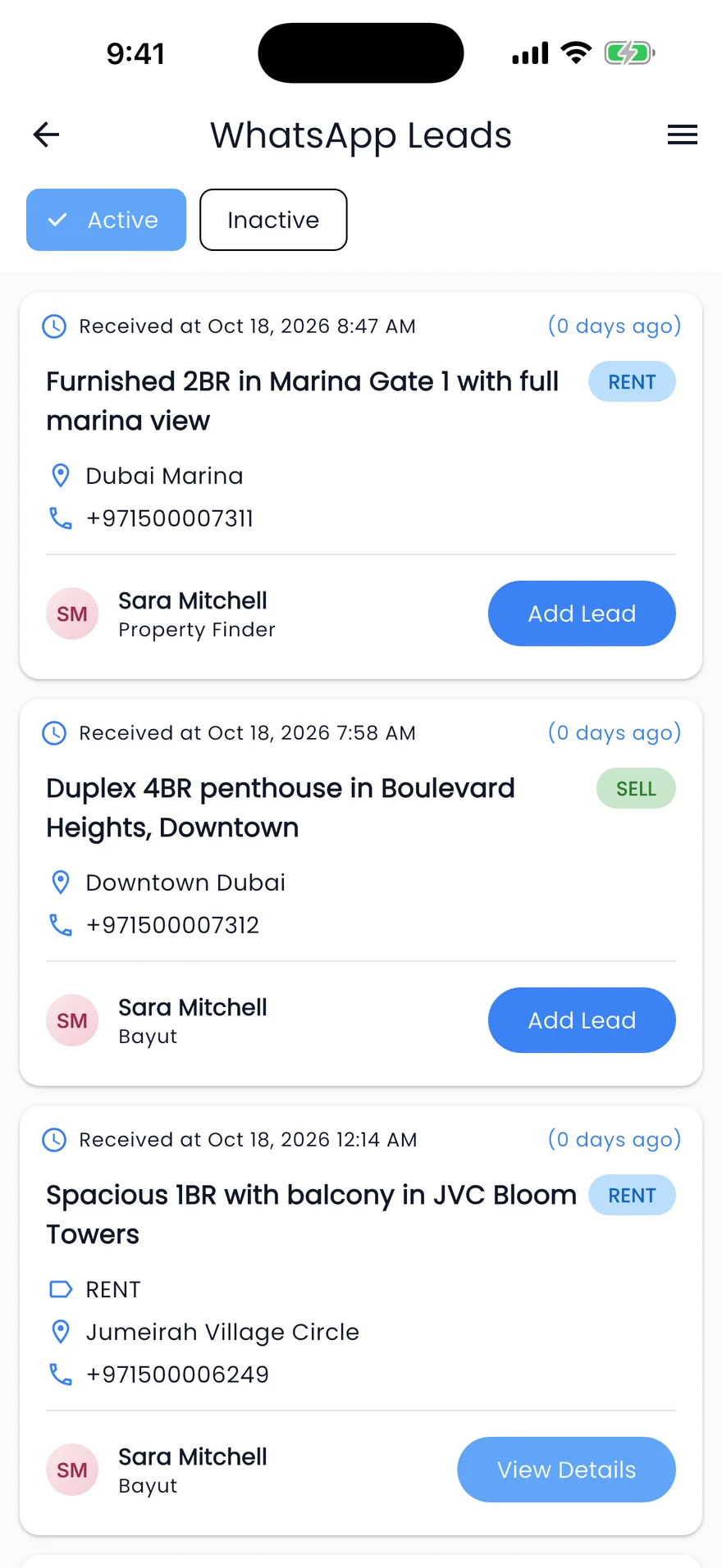
- Unknown callers can become new leads, tagged with the line's source
- Play or download recordings, kept from 30 days to two years, as you choose
Inbox
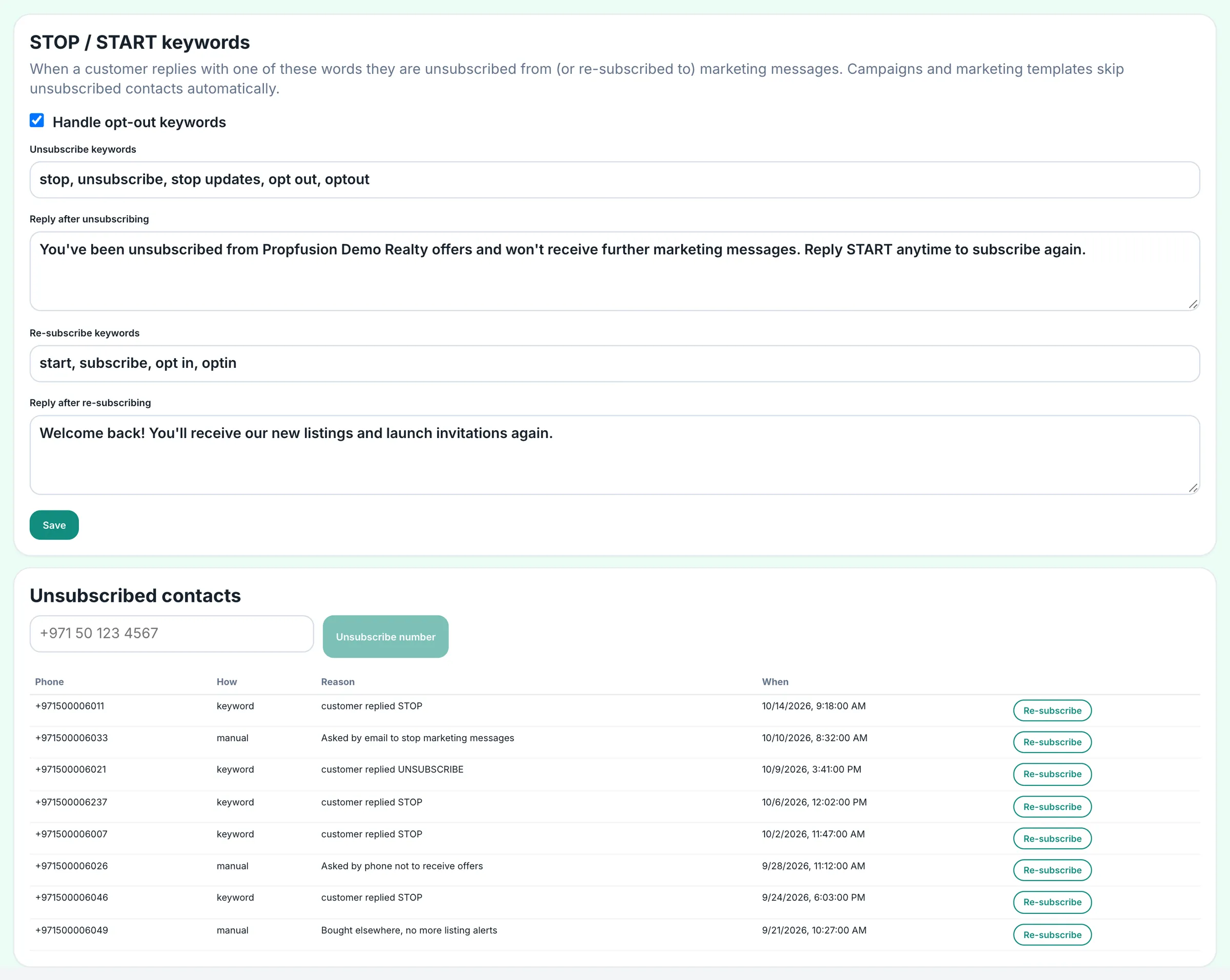
One inbox for the alerts that matter, with the call button on them
- Threads for new leads, follow-ups, calendar and viewings, deals, transactions and listings
- Weekly performance reports delivered to each person's inbox
- Managers approve agents' portal publishing requests from the same inbox
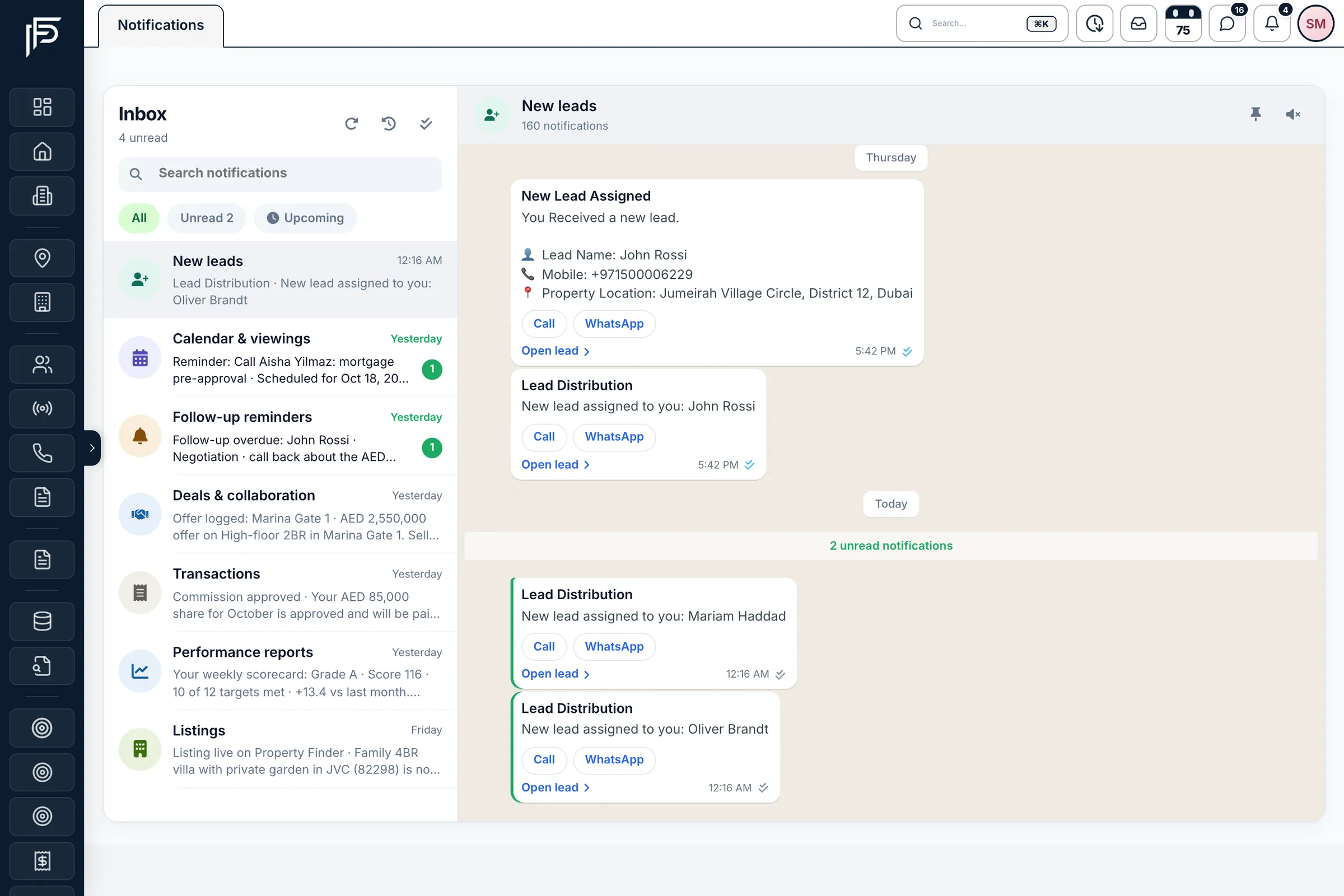
WhatsApp Pro
Auto-replies, AI and campaigns for the same number
Auto-replies
A welcome for first-time contacts, an away message outside business hours in Dubai time, and keyword replies.
AI with a handover
AI answers first questions and hands the chat to a person when the client asks or an agent steps in.
Campaigns
Send an approved template to a list of numbers or a tagged group, now or on a schedule.
Analytics and ads
Messages delivered, cost by category, each agent's first-reply time and the leads that came from ads.
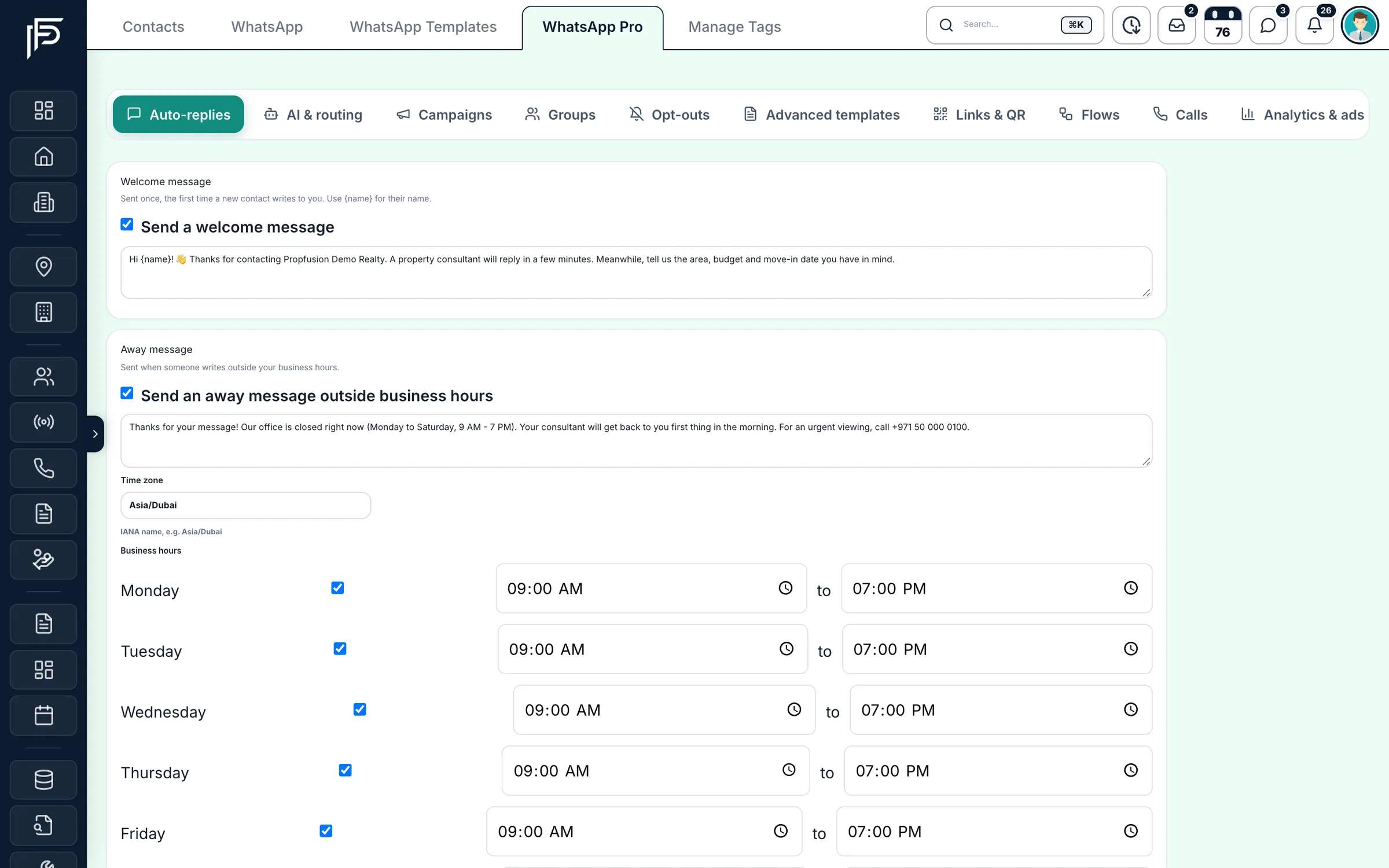
Template library
Start from a ready-made real estate template
- Write your own marketing, utility or authentication templates, with a text, image, video or document header and up to three buttons
- Submit each template to Meta and sync its approval status
- Send an approved template to one contact, to contacts with chosen tags, or to all contacts
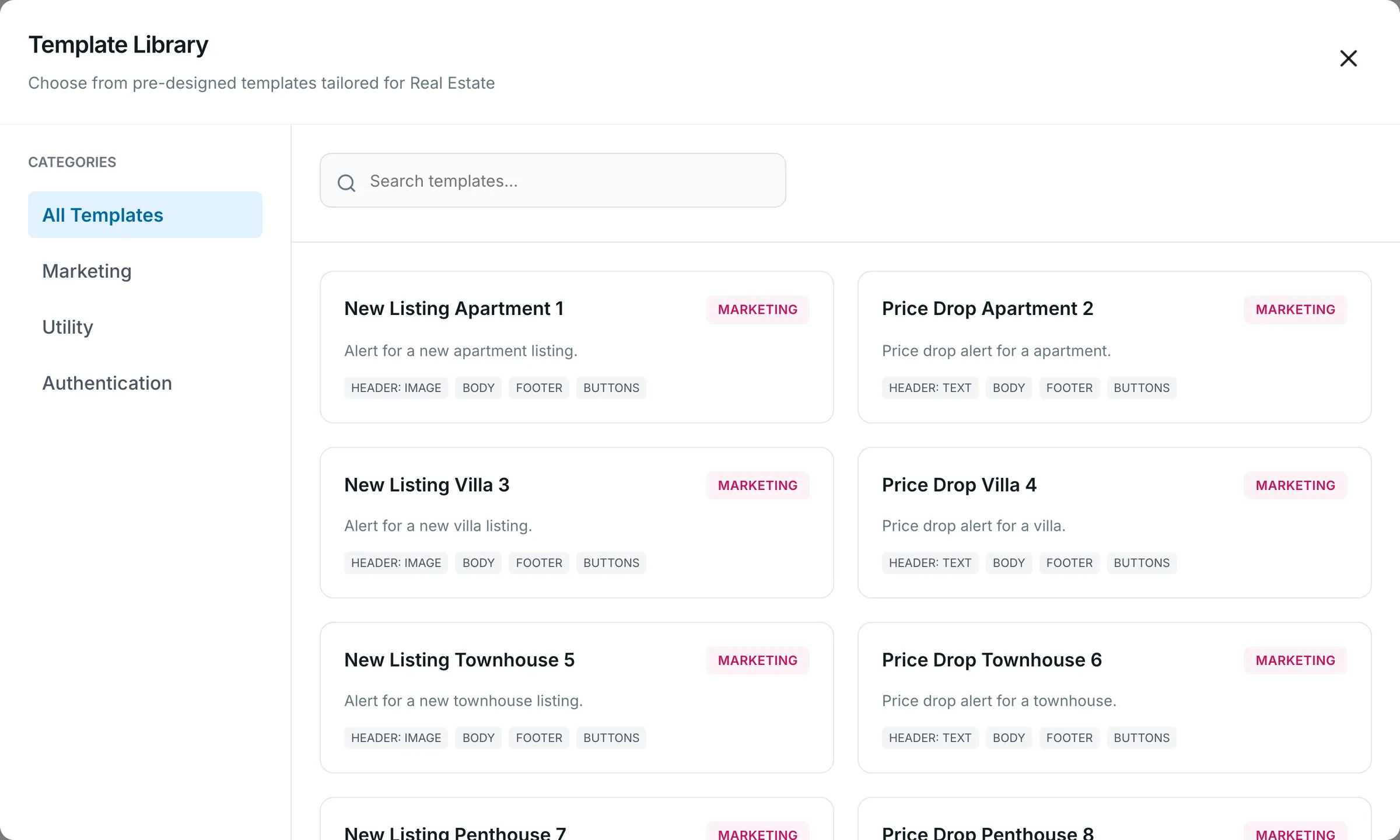
Opt-outs
STOP and START, honoured on every marketing send
- Set the STOP and START keywords and the reply the client receives
- See each unsubscribed number with how and when it opted out
- Campaign results count the contacts that were skipped
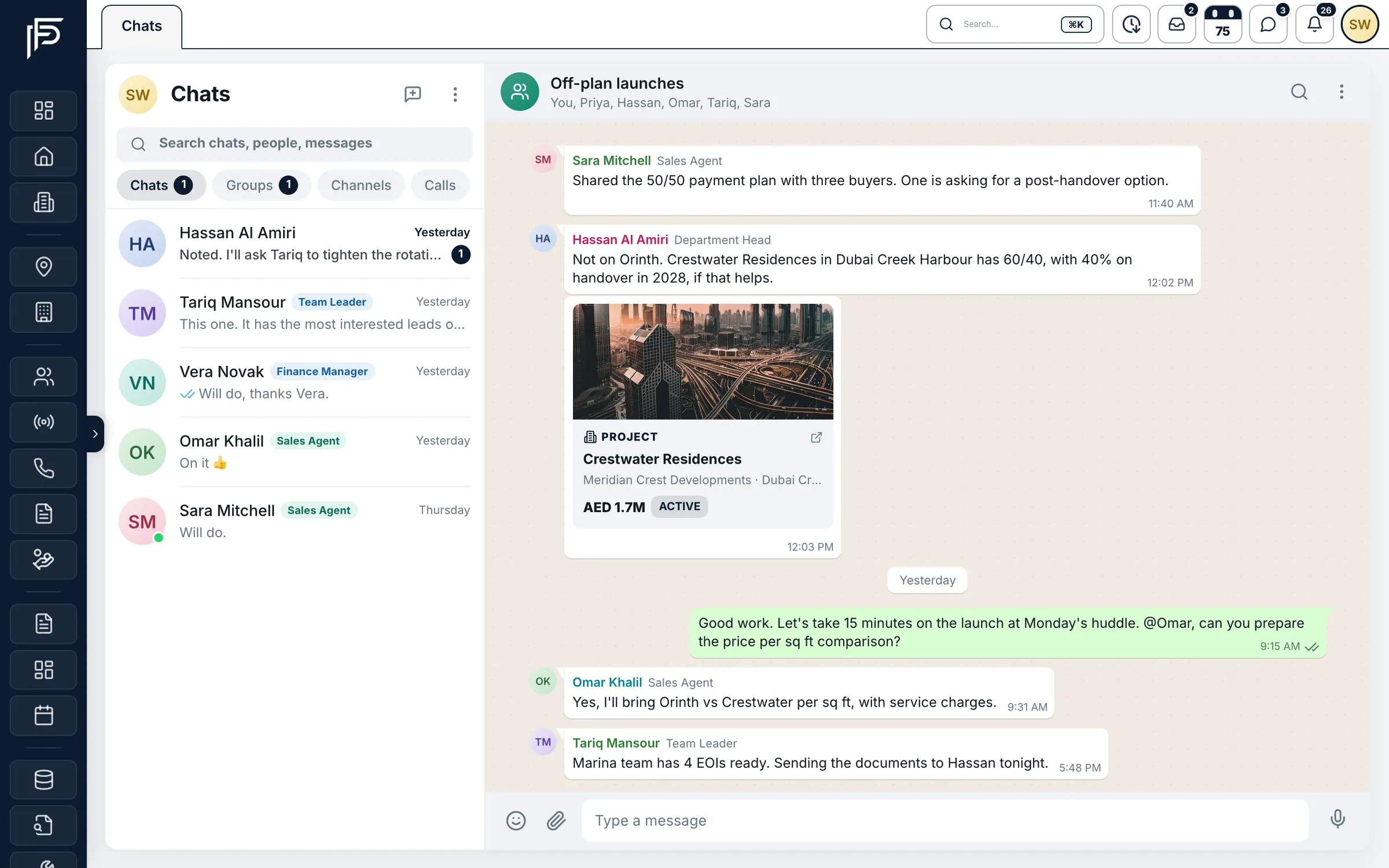
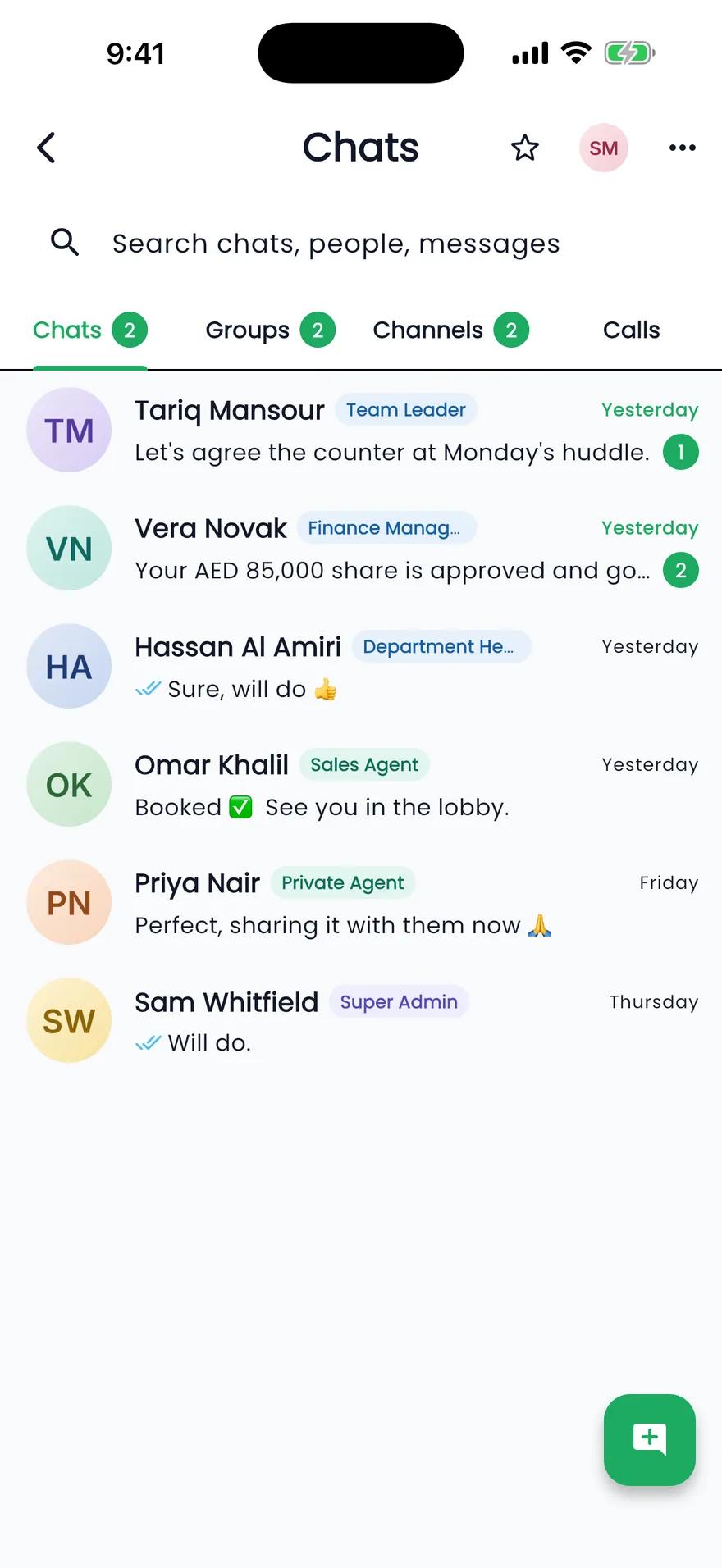
Team chat
Team chat that speaks CRM
- Mentions, reactions, pinned messages and search across chats
- Voice notes, plus one-to-one voice and video calls with screen sharing
- Channels where only admins post, for announcements and launches
Screens show the Propfusion Demo Realty sample workspace. All people, listings and numbers are fictional.
Also included
The details that save agents time
Email from the lead
Open a ready-written email to the client from their lead, logged on its timeline, or send a one-off email from SMTP Settings through your own SMTP or Amazon SES server.
Rich WhatsApp messages
Reply buttons, list menus, link buttons, contact cards and property cards, sent from any chat.
In-chat forms
WhatsApp Flows ask the client for details, such as budget and property type, without leaving the chat, and save the answers.
Click-to-chat links and QR codes
Put them on flyers, listings and emails. The first message is already written for the client.
A 90-day WhatsApp event log
WhatsApp events and alerts are kept for 90 days, and WhatsApp activity can be forwarded to your own webhook.
WhatsApp voice calls
Clients can call your WhatsApp number and agents answer in the browser.
First-reply time per agent
See how quickly each agent answers a new WhatsApp chat, measured from the CRM.
Leads from click-to-WhatsApp ads
Chats that start from a Facebook or Instagram ad are counted, so you can see what the ads bring in.
A do-not-call list
When a client asks not to be called again, add the number once and company calls respect it.
How the channels fit together
See where WhatsApp, calls, email, portal leads, reminders and team messages land, and how each one connects to the same client records.
- WhatsApp Business
- WhatsApp calls
- Company phone lines
- Portal calls
- Team chat
- Inbox alerts
FAQ
Communication tools questions
Do agents need their own WhatsApp numbers?
No. You link your WhatsApp Business number once and agents reply from the CRM on the company number. New chats are shared out in turn, any chat can be handed to a colleague, and the history stays with the client's record.
Which phone systems does call logging work with?
Propfusion connects to your phone provider or phone system. Incoming, outgoing and missed calls land on the client's lead with the agent and the duration, and with the recording when your phone system records calls.
What do we need to use WhatsApp in Propfusion?
A WhatsApp Business number connected through Meta's WhatsApp Cloud API. Templates are approved by Meta before they can be sent, and Meta charges per message. AI replies also need an AI provider key.
Does a new WhatsApp chat become a lead?
A chat to your company WhatsApp number creates a contact, and the conversation stays in the CRM. WhatsApp enquiries that come from the property portals become leads.
What happens when WhatsApp's 24-hour window closes?
The chat shows that the reply window has closed, and the agent sends one of your approved templates to start the conversation again.
How are opt-outs handled?
When a contact replies STOP they are unsubscribed from marketing messages, and START subscribes them again. Admins can also add or remove numbers by hand. Campaigns and bulk marketing-template sends skip unsubscribed contacts, and a do-not-call list keeps company calls away from numbers that asked.
Can agents email clients from the CRM?
Yes. Open a ready-written email to the client from their lead, logged on its timeline, or send a one-off email from SMTP Settings through your own SMTP or Amazon SES server.
Related features
- Automation and workflowsAssign leads automatically and alert agents on WhatsApp when a lead arrives or enters a stage.Explore
- Email marketingCampaigns and ready-made templates for buyers, tenants and investors.Explore
- Lead managementLeads from Property Finder, Bayut, Dubizzle, Meta and your website in one list.Explore
Give every client one clear conversation
Put WhatsApp, calls and team chat on company numbers, saved on the lead. Start a free trial or let us show you on a live demo.