Contact management for every buyer, seller, landlord and tenant
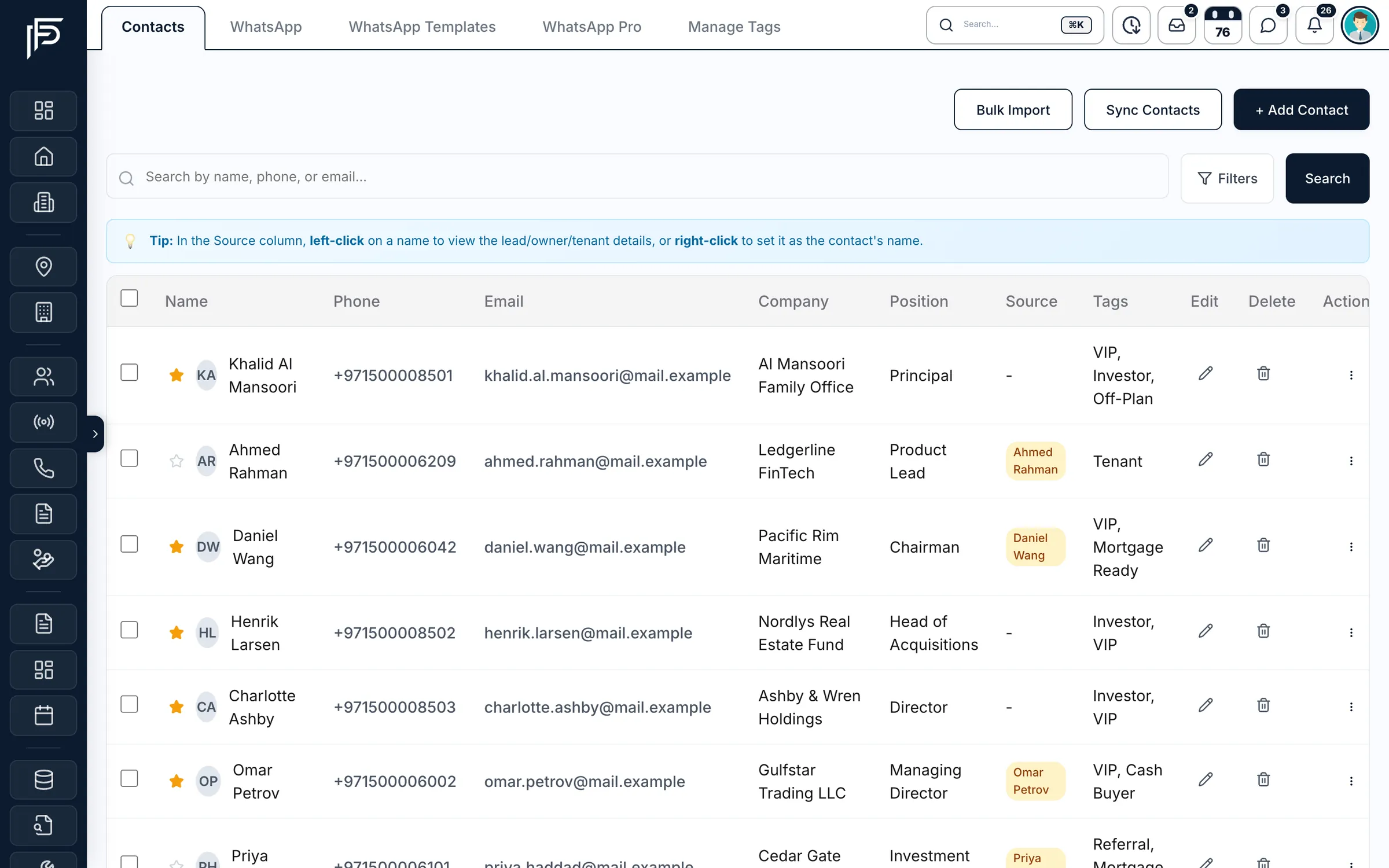
- Tags and starred contacts
- Excel import
- Lead, tenant or investor in one click
How it works
One home for every relationship
- 01
Bring everyone in
Import your contacts from Excel, pull clients across from your leads, or add them one by one.
- 02
Organise your way
Tag each person, star the ones who matter most, and give contacts synced from your leads a type such as buyer, seller, landlord or tenant.
- 03
Reach out in a tap
Call or email straight from the list, and turn a contact into a lead, tenant or investor when they are ready.
Know every client, and every conversation you’ve had
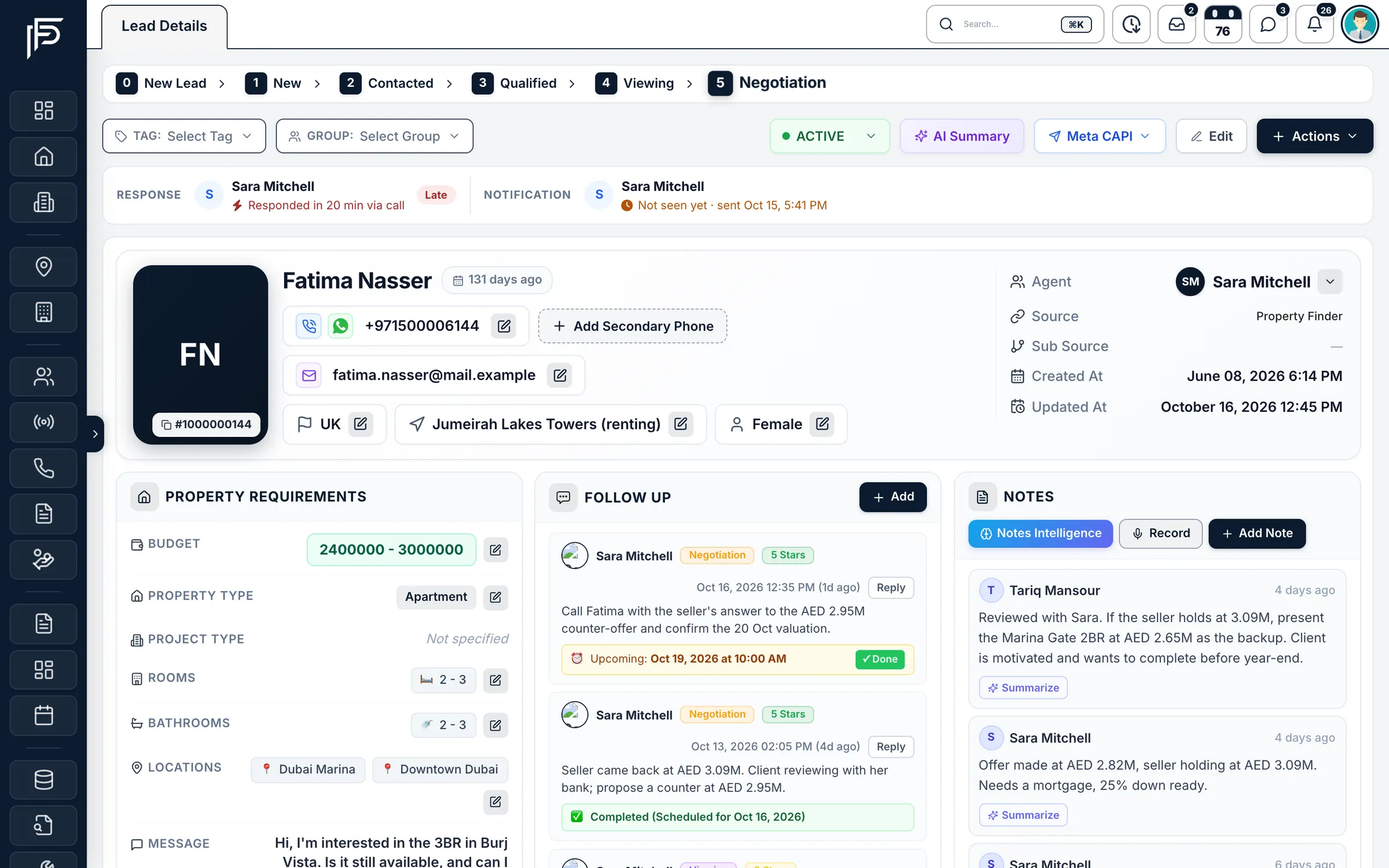
Contacts, leads, WhatsApp and owner records are connected, so the history follows the person.
From lead to client
Every conversation stays with the client
- Sync contacts from your leads by source and type, with suggested names
- Add as owner, tenant or contact straight from the lead
- Start a Dubai tenancy contract pre-filled from the lead
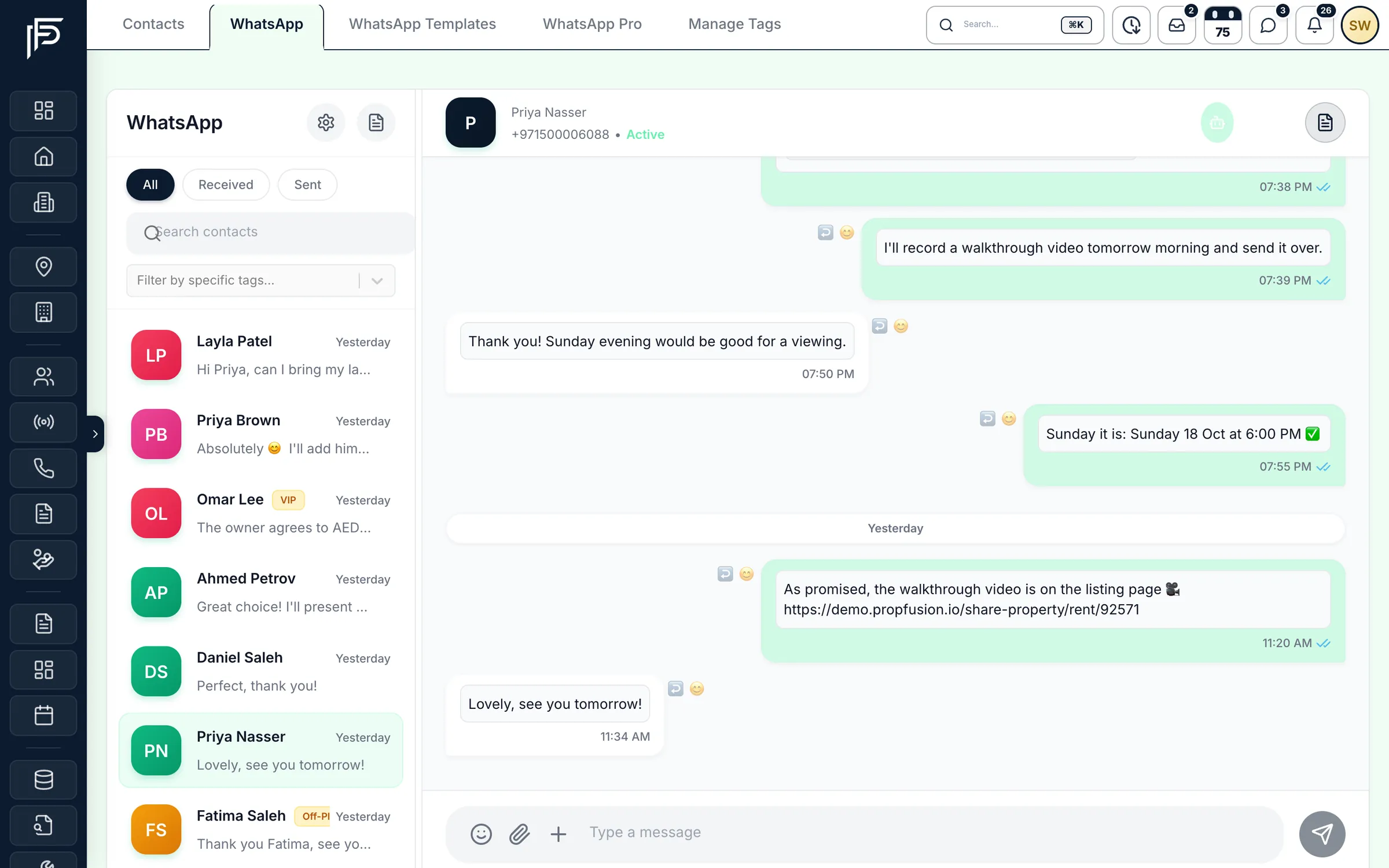
WhatsApp conversations, in context
- Two-way chats linked to the lead and its agent
- Filter chats by tags like VIP, Referral or Mortgage Ready
- Approved message templates for first contact and follow-ups
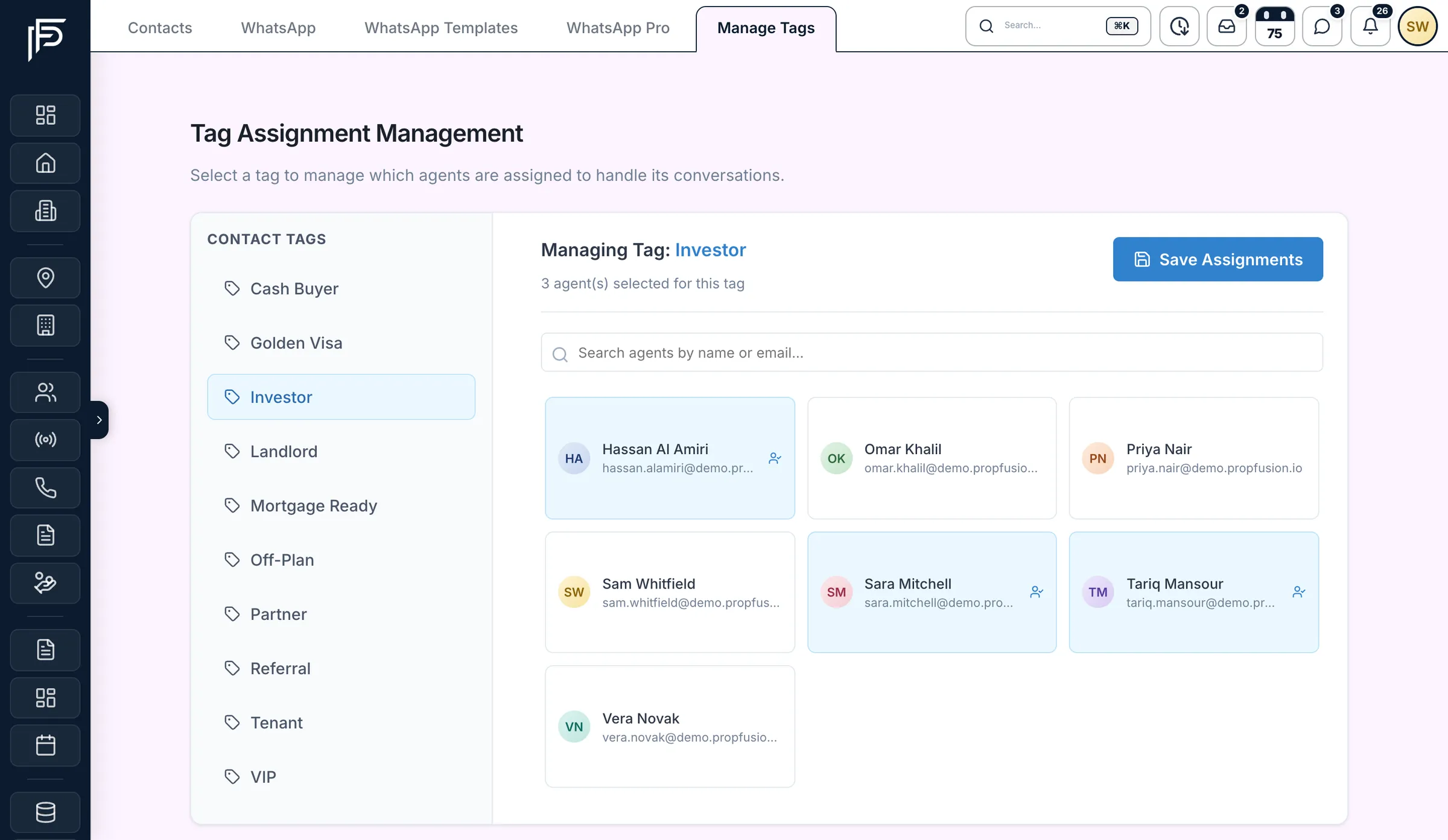
Tag assignments
Tags that send each conversation to the right people
- Create tags as you go, then filter contacts and WhatsApp chats by them
- Search agents by name or email and assign several to one tag
- Change the assignments whenever your team changes
Owners and investors
Owners and investors, with their papers in order
- Investor tiers from Bronze to Ultra, plus HNI, for your most valuable owners
- Upload and keep each owner’s documents in one place
- A portal invite by email, so each owner signs in to see their own account
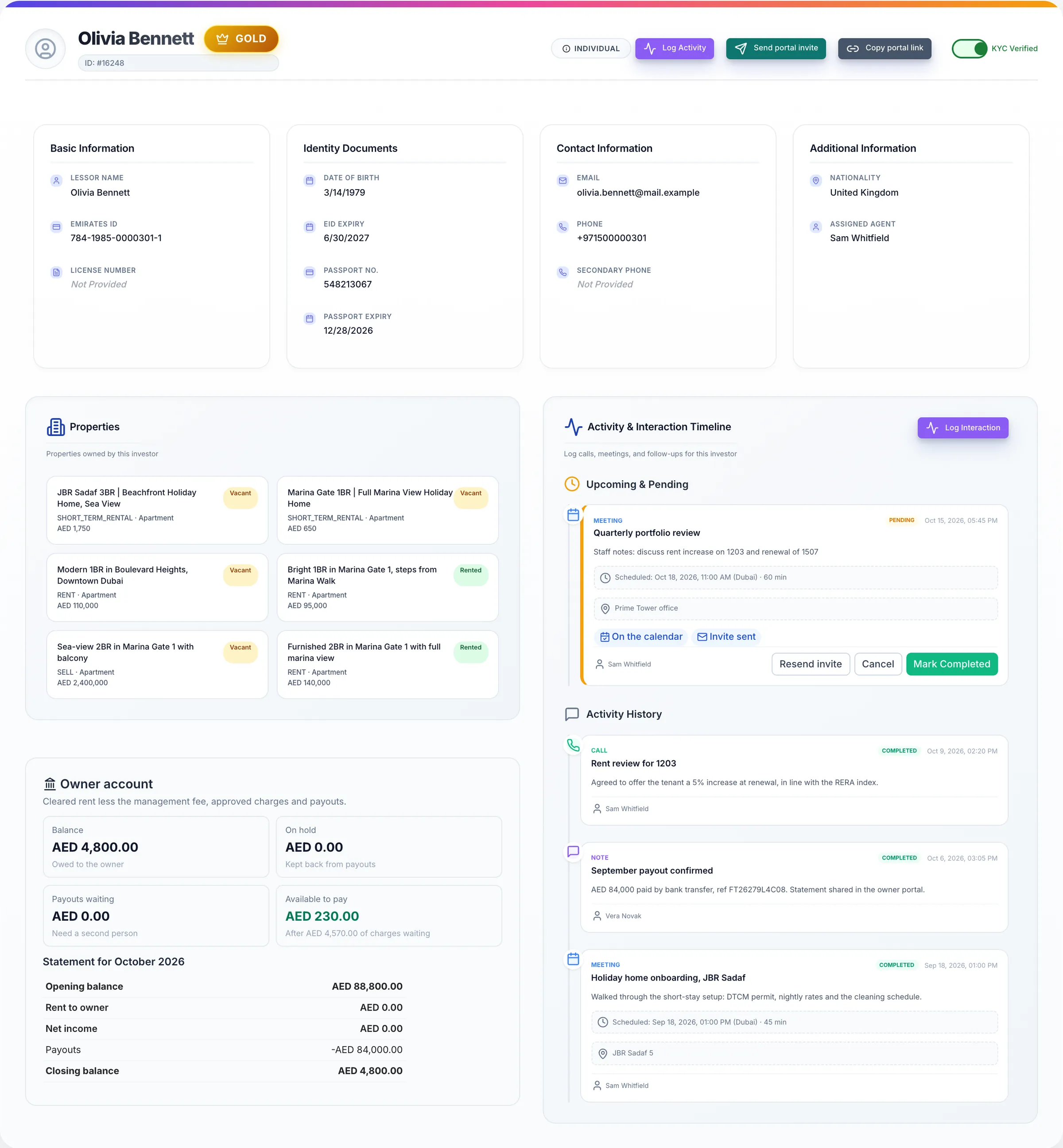
Screens show the Propfusion Demo Realty sample workspace. All people, listings and numbers are fictional.
Also included
Small things that save hours every week
Sync from leads
Scan your leads for people who aren’t contacts yet and add the ones you pick, with tags, in one go.
One-click conversion
Turn a contact into a lead, a tenant or an investor without retyping their details.
Search and filters
Search by name, phone or email, filter by company, job title or type, and include or leave out the tags you pick.
Starred contacts
Star the people you call every week and they are always one filter away.
Bulk import
Bring your contacts in from Excel with the ready sample sheet, tags included.
Call and email in a click
Phone numbers and emails in the list are links, so reaching a client takes a single click.
Expiry dates on file
Owner profiles keep Emirates ID, passport and trade licence numbers with their expiry dates; tenant profiles keep their ID details.
Access by role
Roles and permissions decide who can see, edit, assign or delete leads and client records.
FAQ
Contact management questions
Can we import the contacts we already have?
Yes. Use Bulk Import with the ready Excel sample sheet, or use Sync Contacts to scan your leads, owners and tenants for people who aren’t contacts yet and add the ones you pick.
What is the difference between a contact and a lead?
A contact is anyone in your network: a buyer, seller, landlord, tenant, investor or partner. A lead is an active enquiry with a budget, a stage, follow-ups and a log. You can turn a contact into a lead, a tenant or an investor in one click, and a lead into an owner, tenant or contact without retyping anything.
Can tags decide who answers a client on WhatsApp?
Yes. Tag assignments let you choose which agents handle the conversations for each tag, so VIP or investor chats reach the right people.
Who can see and change client records?
Roles and permissions decide who can see, edit, assign or delete leads and client records, so each person sees what their job needs.
Bring your contacts home
Import your list in minutes and see every client, conversation and document in one place. Start a free trial or book a live demo with our team.