Lead management
Real estate lead management that keeps every enquiry moving
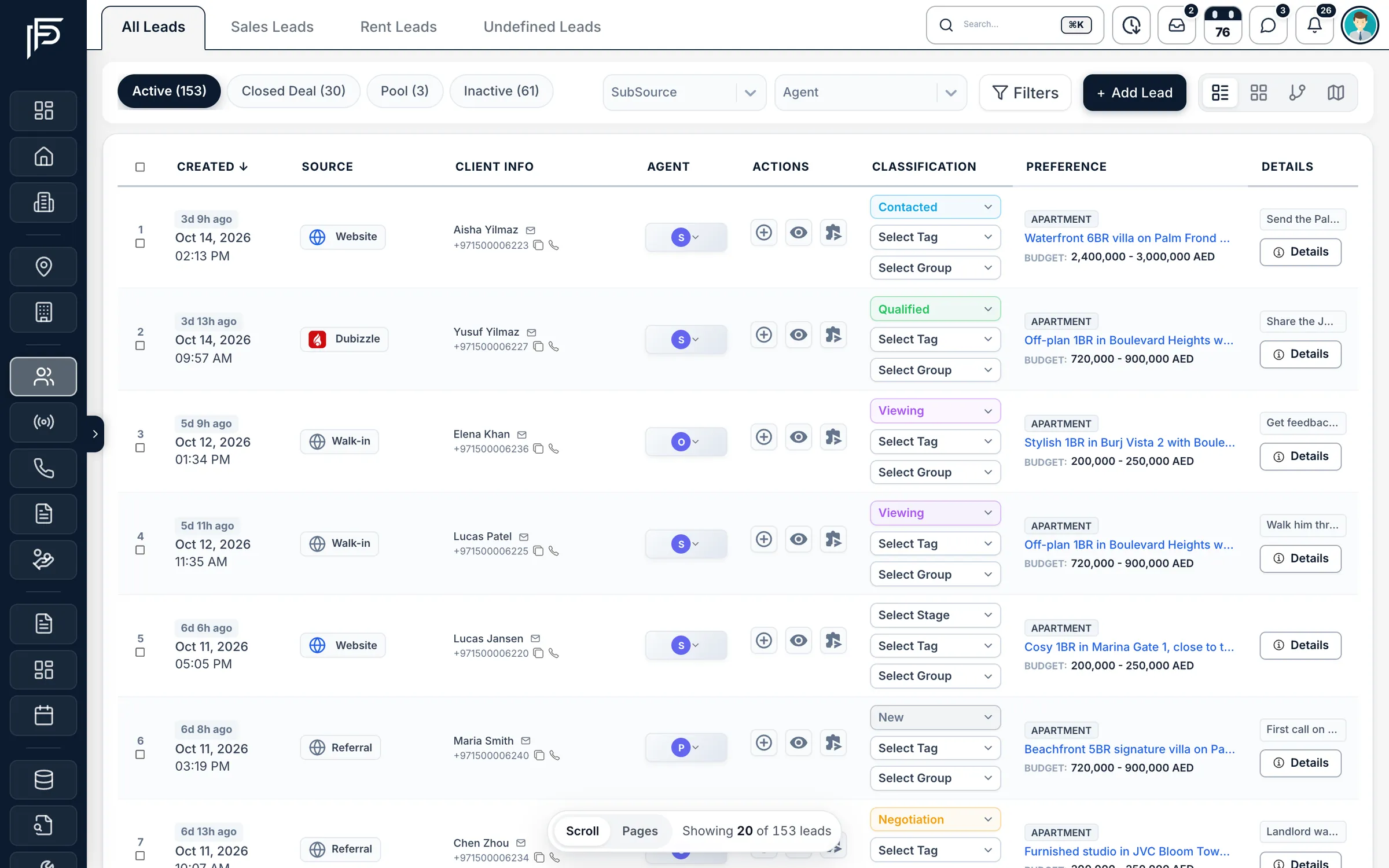
Leads from Property Finder, Bayut, Dubizzle, Meta and your website land in one list. Propfusion assigns each one to the right agent, times the first response and puts the next follow-up in front of them, on the web and in the app.
7 days free · No card needed
- Portal leads in one list
- Auto-assign with response deadlines
- Call and WhatsApp from the lead
How it works
From first enquiry to first call, without the copy and paste
- 01
Leads arrive on their own
Property Finder, Bayut, Dubizzle, Meta lead forms, your website and WhatsApp feed one list, each lead marked with where it came from.
- 02
The right agent gets it
Distribution plans assign each new lead by source, lead type and sub-community, and start the clock on the first response.
- 03
Nothing goes cold
Agents call or WhatsApp from the lead, note what happened and set the next follow-up. Ignored leads are rescued.
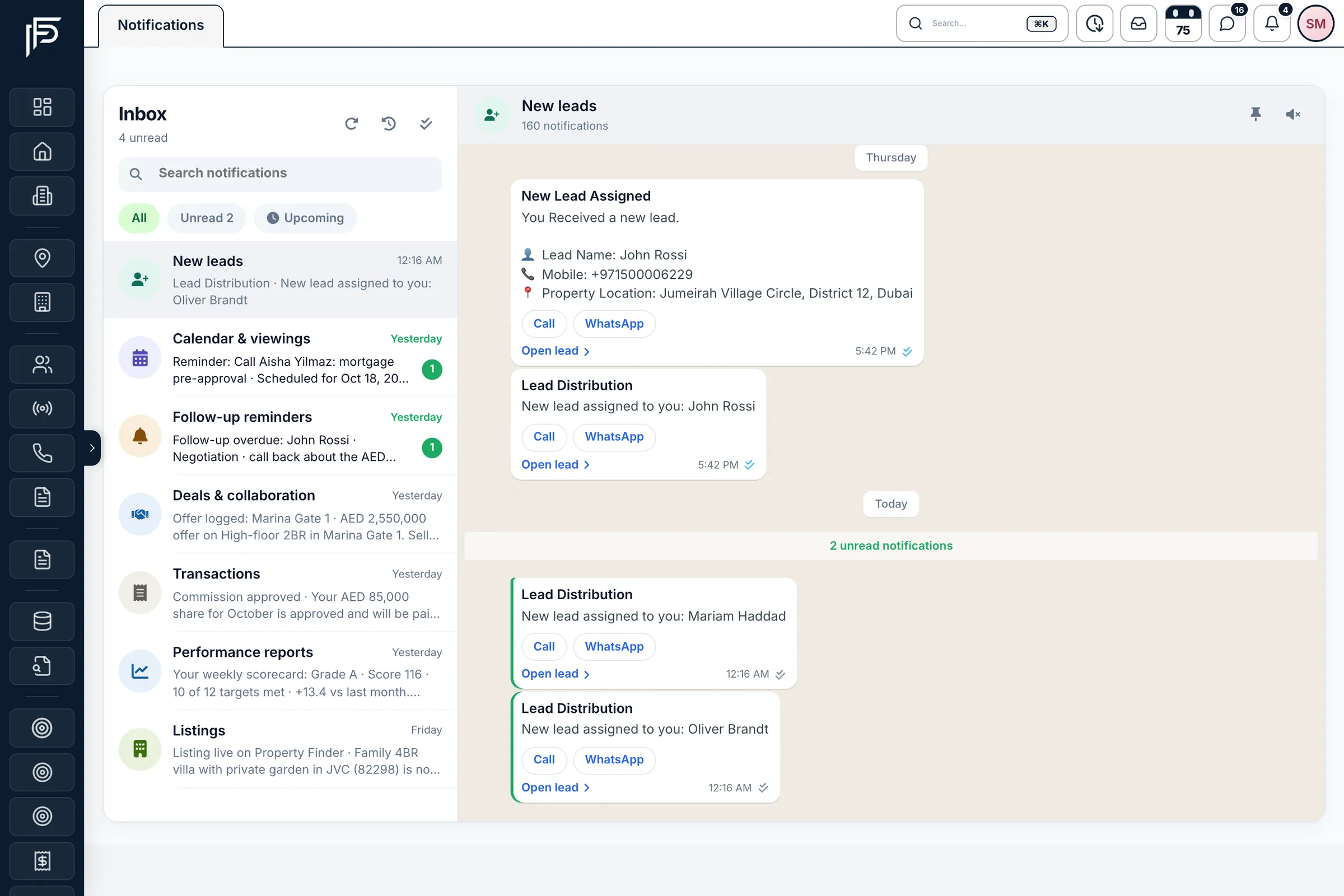
New lead alerts
The agent knows before the client has put the phone down
- A New leads alert with the client’s name, mobile and the location they asked about
- Call, WhatsApp and Open lead buttons on the alert itself
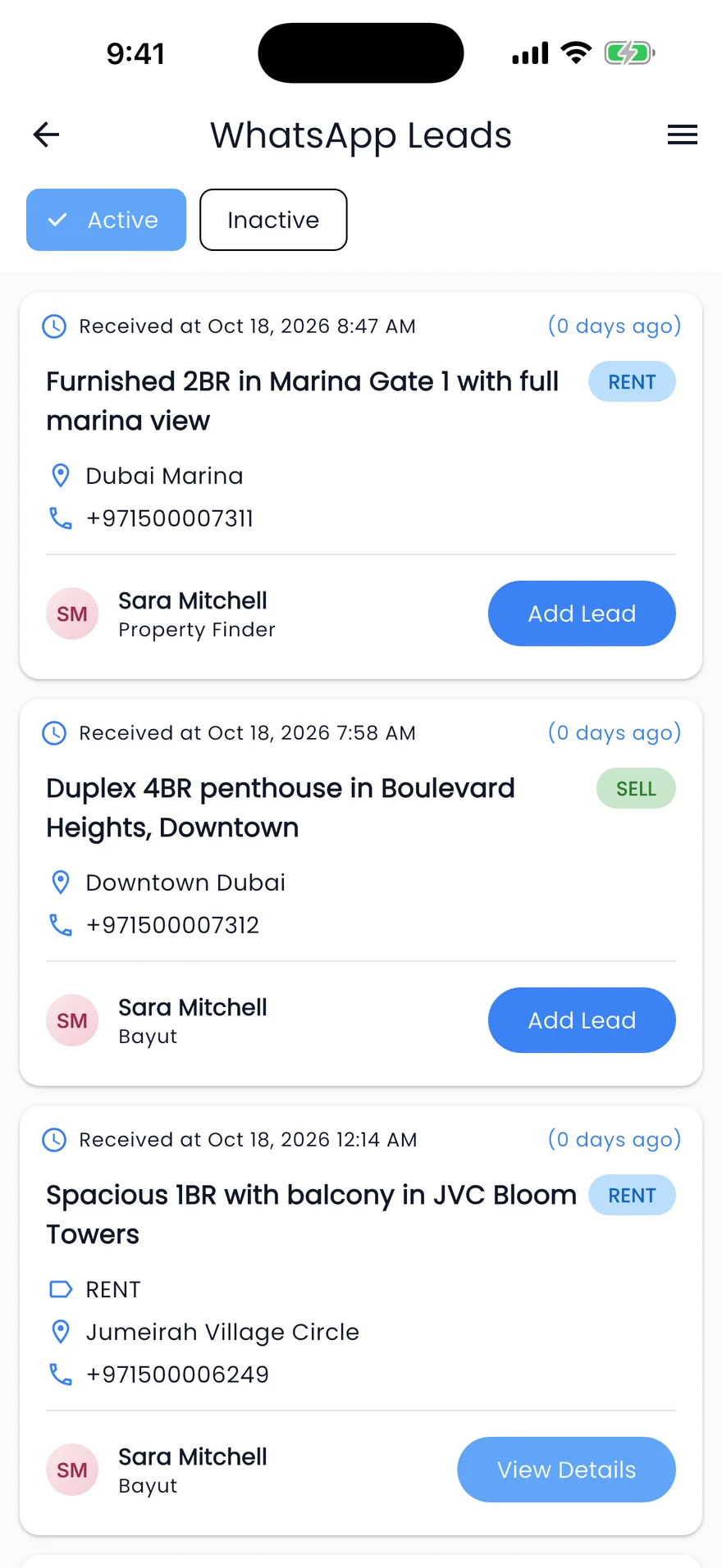
- In the app, WhatsApp enquiries from Property Finder and Bayut, each with View Details if it is already a lead or Add Lead if not
Built for how Dubai brokerages actually get leads
Portal enquiries, Meta campaigns, website forms, WhatsApp messages and calls, all handled in one place.
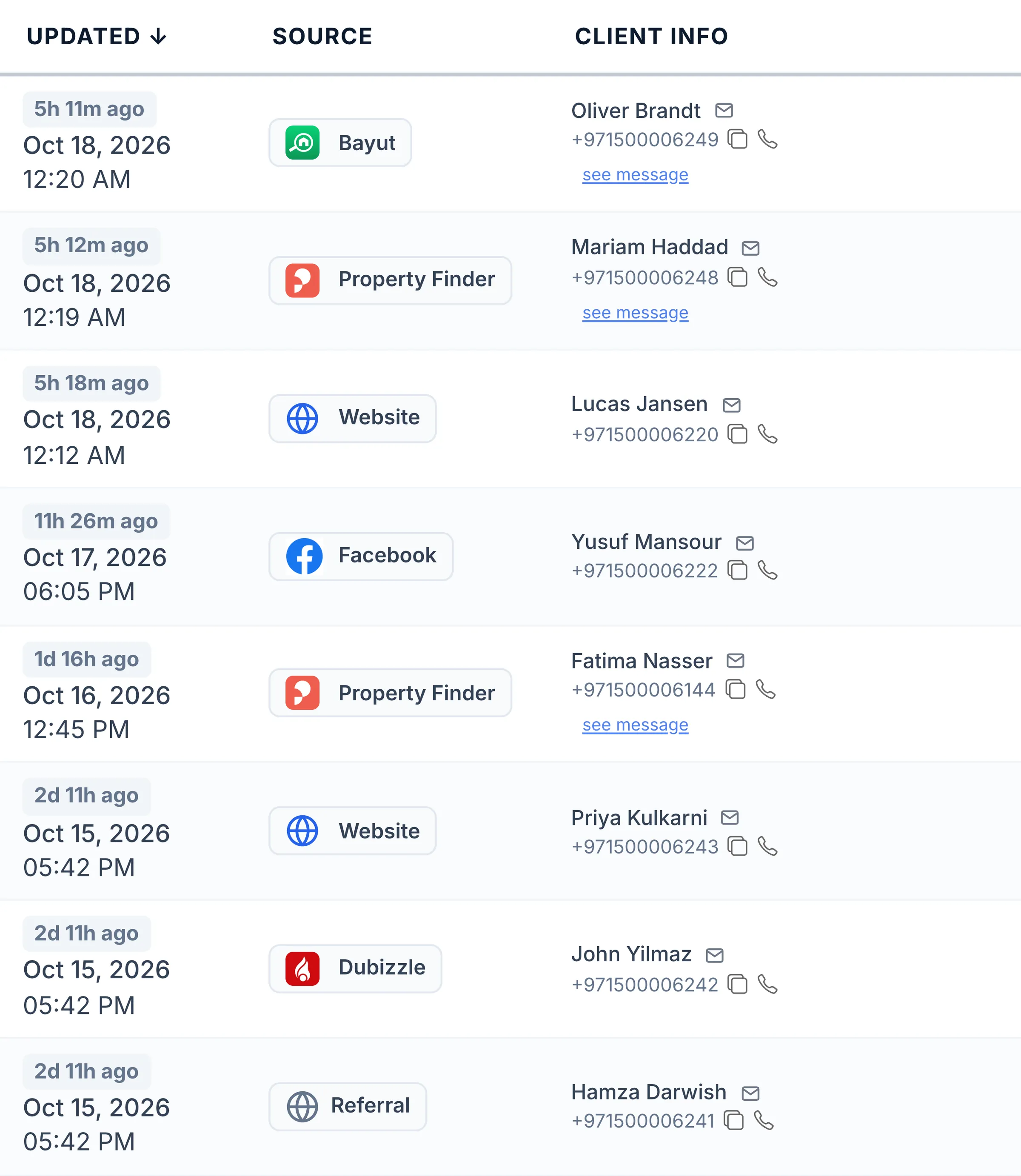
One list
Every enquiry, from every portal, in one place
- Open the message the client sent on the portal straight from the row
- Copy the number or call the client in one click
- Switch between table, cards, pipeline and map views, and filter by agent, stage, source, community or your own fields
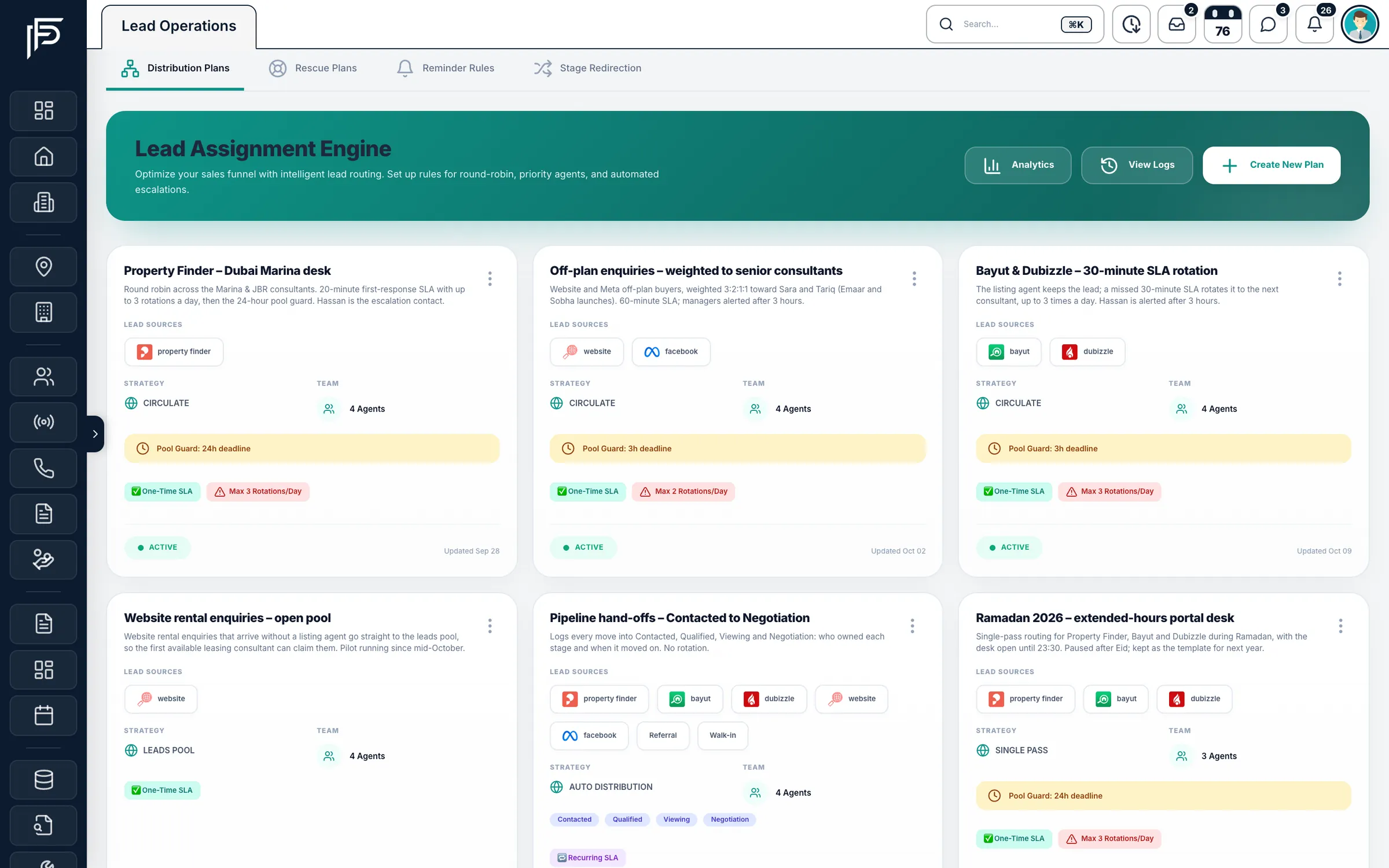
Lead distribution
Assigned the moment it lands, and watched after that
- Set a response deadline, and choose what counts as a response: a stage move, a note or any update
- When the deadline passes, reassign the lead, move it to the shared pool or alert managers
- Working days, holidays and a preview of the next assignments before a plan goes live
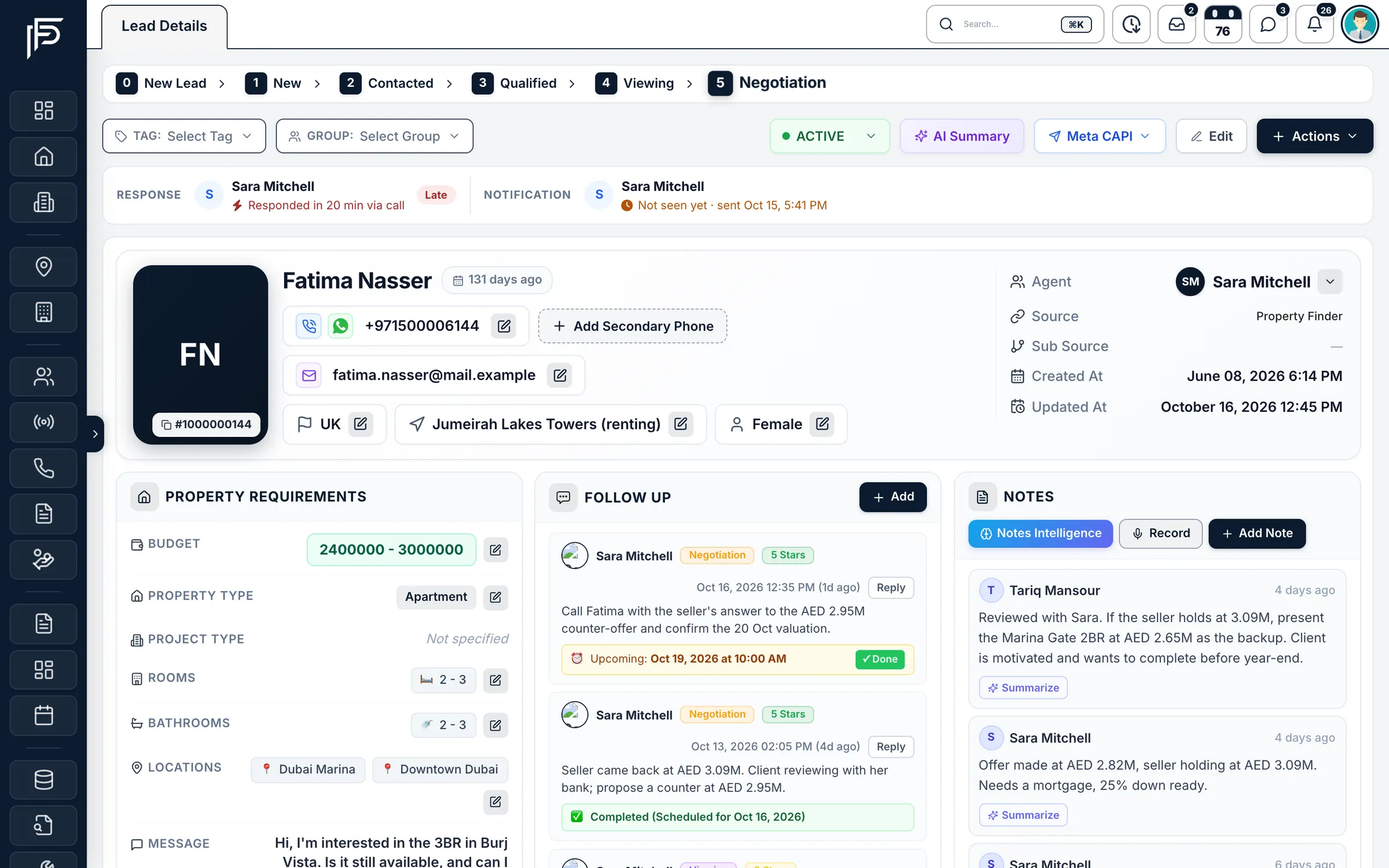
Lead profile
The whole client on one page
- Move the stage in one click, then set the next follow-up straight away
- WhatsApp conversation and call history right beside the lead
- Turn the lead into an owner, tenant or contact, or start a Dubai tenancy contract from it
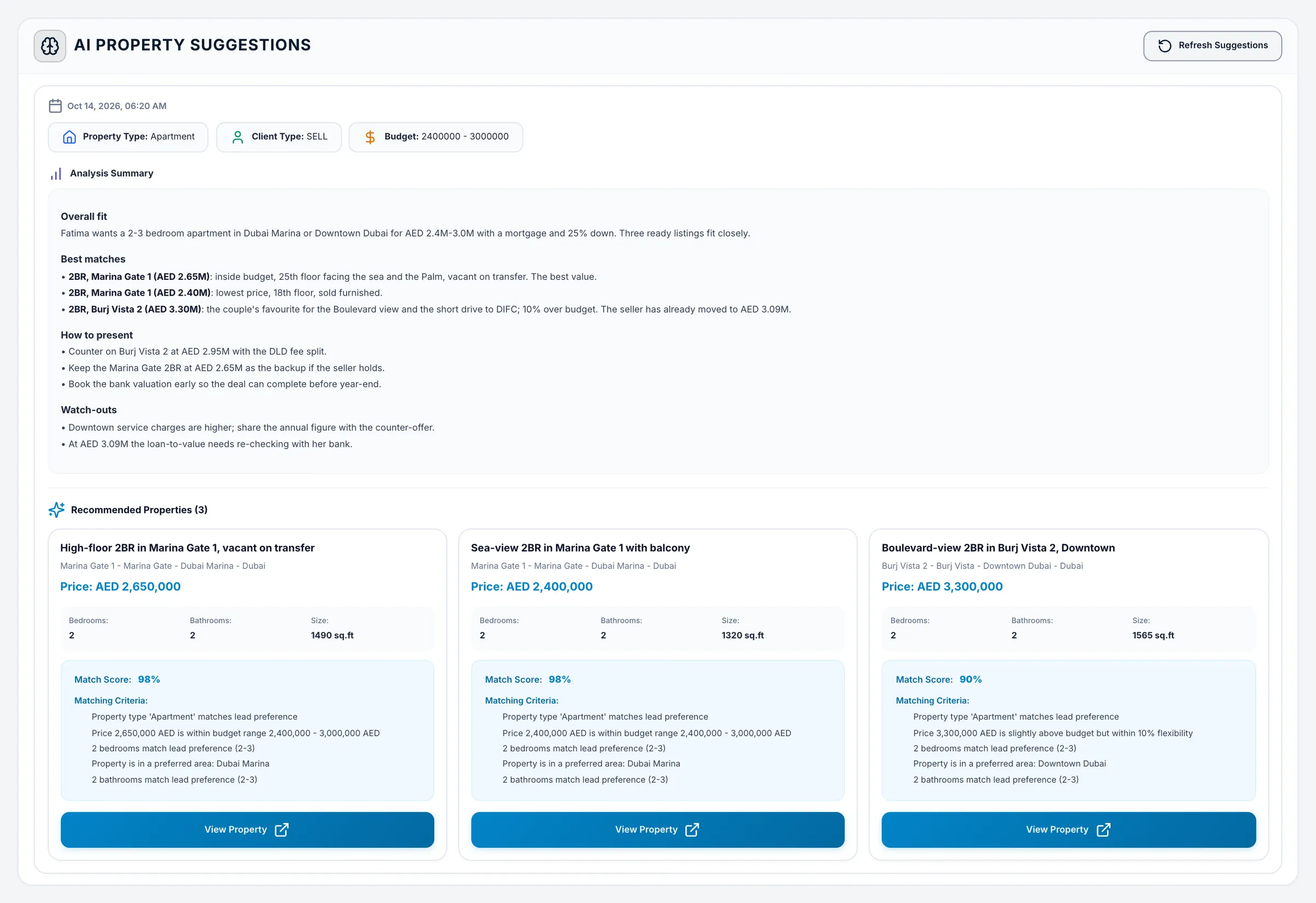
AI property suggestions
The listings that fit, and why they fit
- A match score and the matching criteria on every suggested listing
- An analysis summary: overall fit, best matches, how to present and watch-outs
- Refresh the suggestions when the client’s brief changes
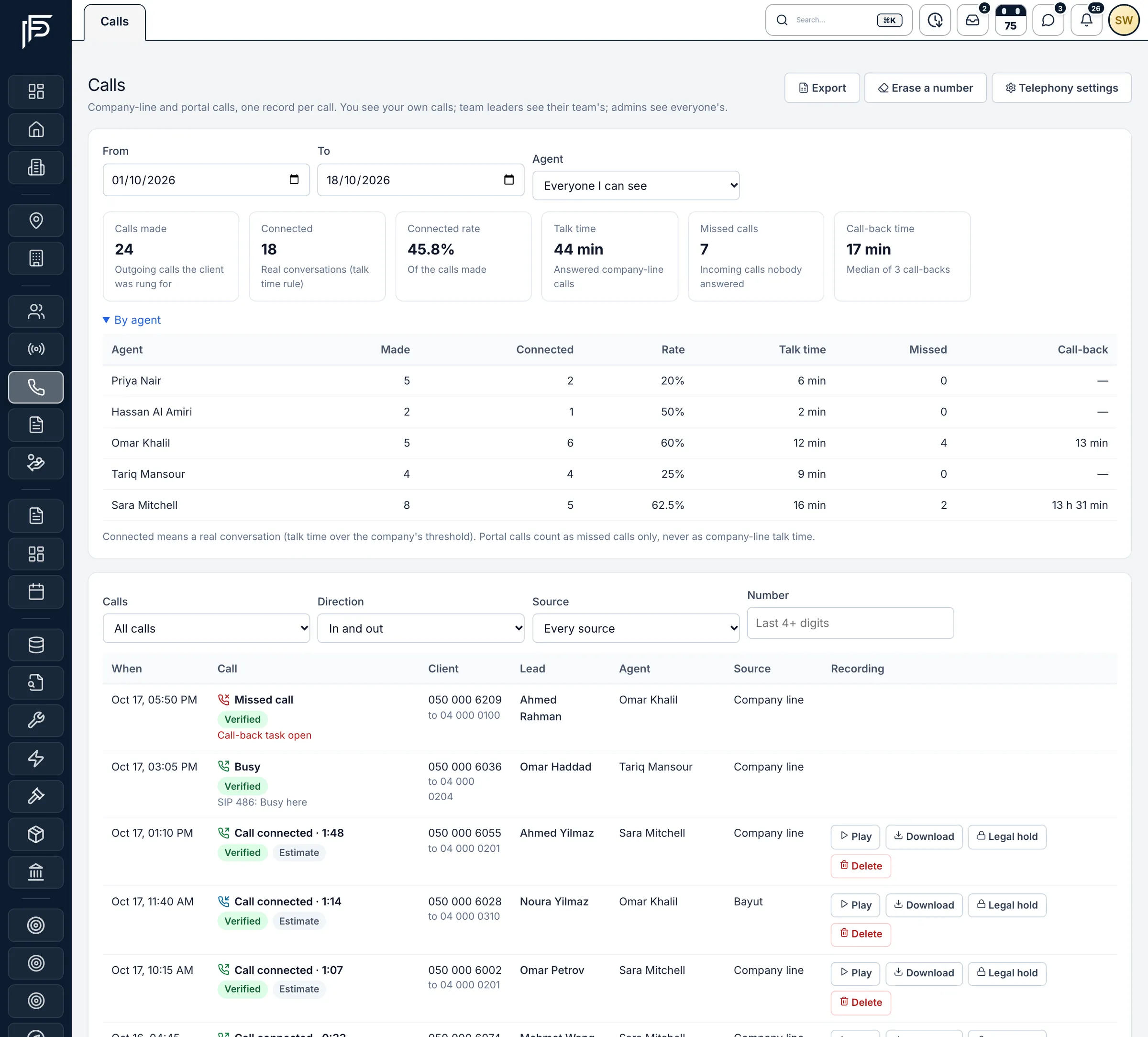
Calls
Every call logged against the right lead
- A missed call opens a call-back task, and managers are alerted if nobody rings back
- Play, download or put a recording on legal hold, when your phone system records calls
- Agents see their own calls, team leaders their team’s, admins everyone’s
Screens show the Propfusion Demo Realty sample workspace. All people, listings and numbers are fictional.
Also included
The details that stop leads slipping through
Meta lead ads
Facebook and Instagram form leads land in the same list, and you can send Meta a signal when a lead books a viewing or buys.
Duplicate check
When the same client enquires twice, Propfusion flags it and shows the other entries, so two agents don’t chase one buyer.
Shared lead pool
Unassigned and rescued leads wait in a pool that agents can claim, so good enquiries never sit idle.
Response target
Set how fast your team should respond. A call, WhatsApp or email tap from the lead, a stage move or a note counts as the response.
Excel import and export
Bring in your existing leads from Excel, assigned to chosen agents or spread round robin, and export them whenever you need.
Your own fields
Add the fields your brokerage tracks, like move-in date or mortgage pre-approval, and filter the list by them.
Tags, groups and ratings
Tag and group leads your way and give each a rating, so the team knows who to call first.
Map view
See leads on a map of Dubai by the location they are looking in, and spot where demand is.
AI lead summary
One click reads the lead, its notes and recent follow-ups, and tells the agent who the client is, what they want and what to do next.
FAQ
Lead management questions
Which lead sources can feed Propfusion?
Property Finder, Bayut, Dubizzle, Facebook and Instagram lead forms, your website and WhatsApp all feed the same leads list, and you can import existing leads from Excel or add them by hand. Every lead keeps the source it came from.
How are new leads assigned to agents?
Distribution plans assign each new lead by source, sub-source, lead type and sub-community. A plan can rotate leads round robin or in a single pass, weight your best closers and cap the open leads each agent can hold. If the agent misses the response deadline, the lead is reassigned, moved to the shared pool or escalated to managers.
Can we bring in the leads we already have?
Yes. Import them from Excel, assigned to the agents you choose or spread round robin, and export the list whenever you need it.
What stops two agents chasing the same buyer?
When the same client enquires twice, Propfusion flags the duplicate and shows the other entries, so the team can see who already owns the conversation.
Can agents work their leads from their phones?
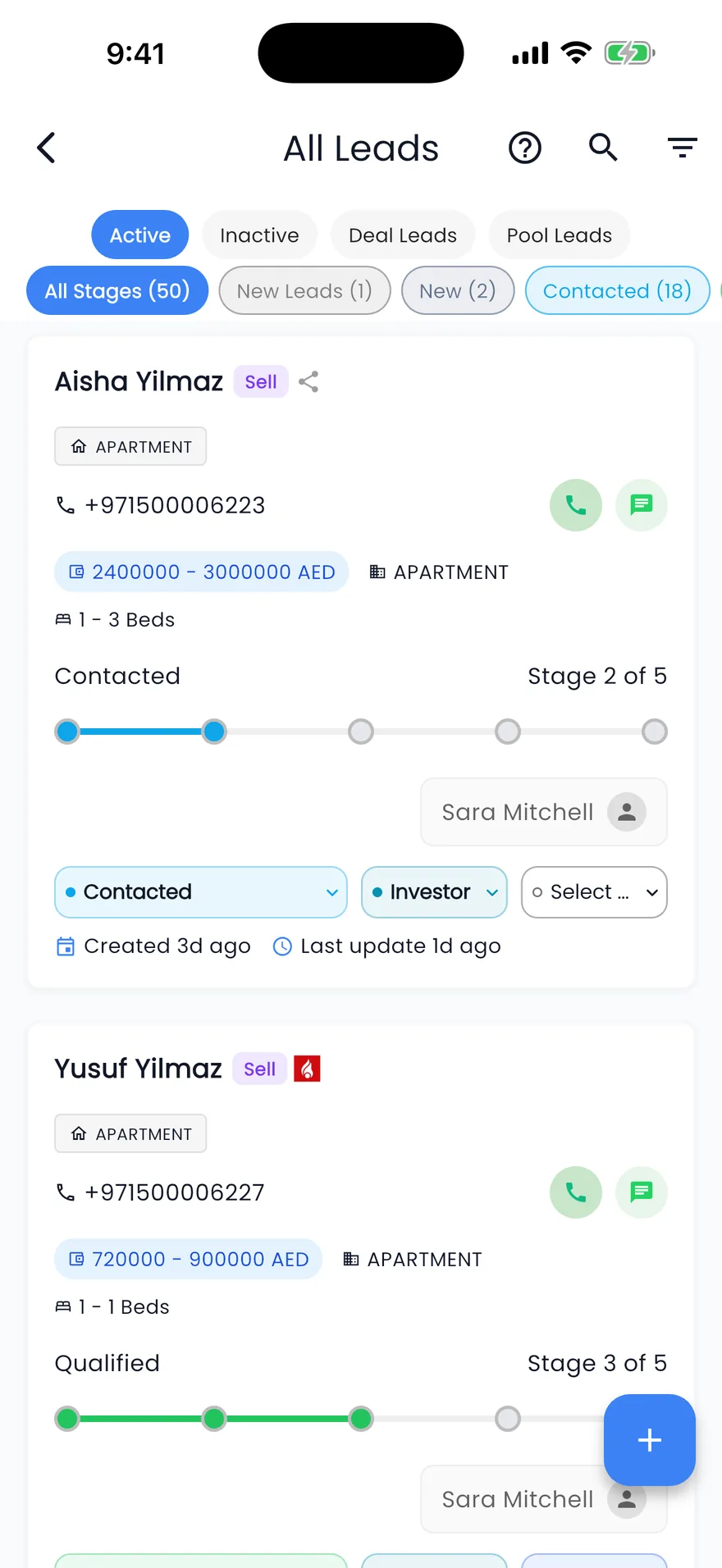
Yes. The Propfusion app has the leads list, each lead with call, WhatsApp and follow-up actions, and new-lead alerts, plus a list of the WhatsApp enquiries from Property Finder and Bayut.
Related features
See your own leads in Propfusion
Connect your portals and watch new enquiries arrive, assigned and ready to call. Start a free trial or book a live demo with our team.
7 days free · No card needed