Contract management for Dubai real estate
- Nine contract templates
- End dates counted down
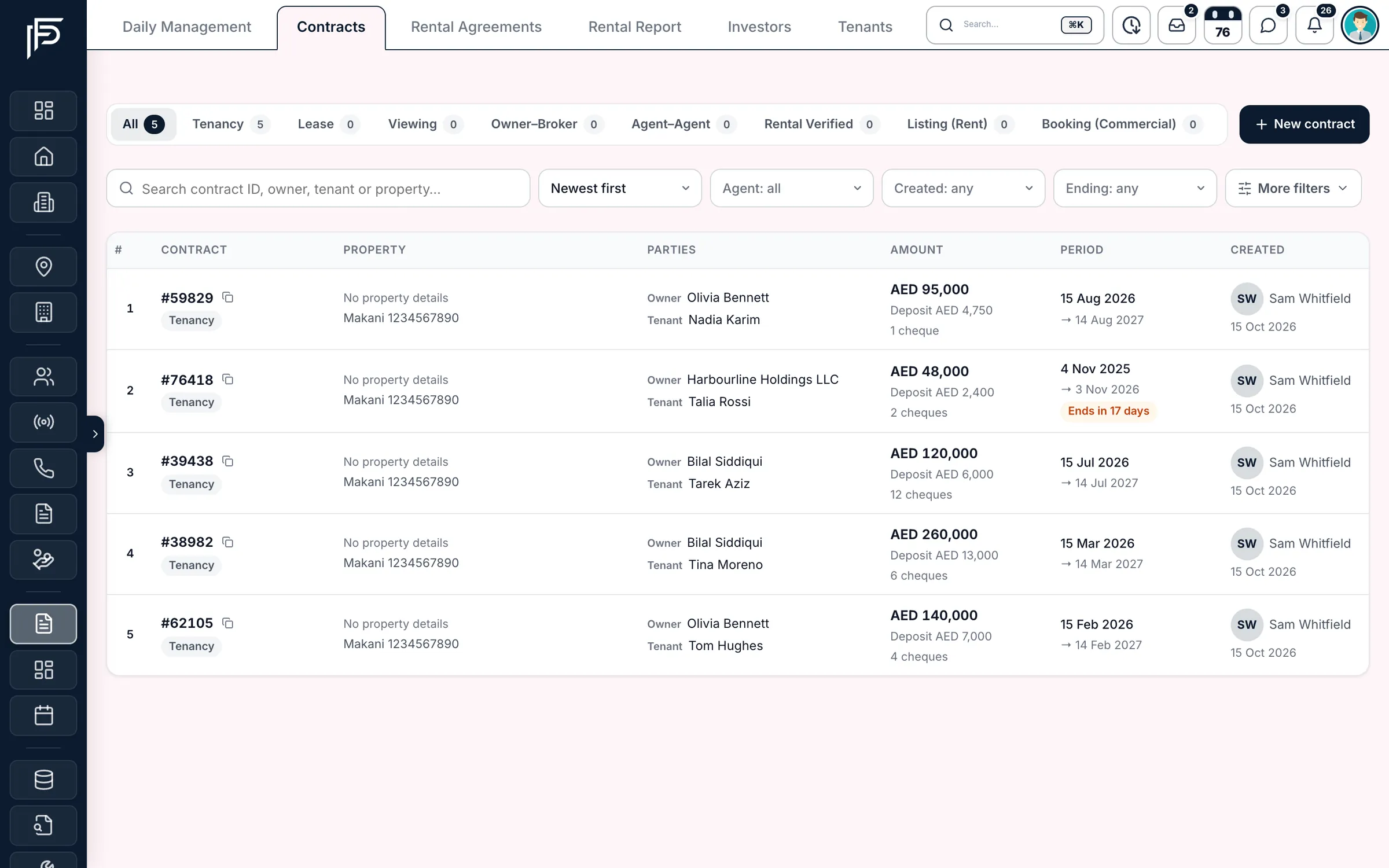
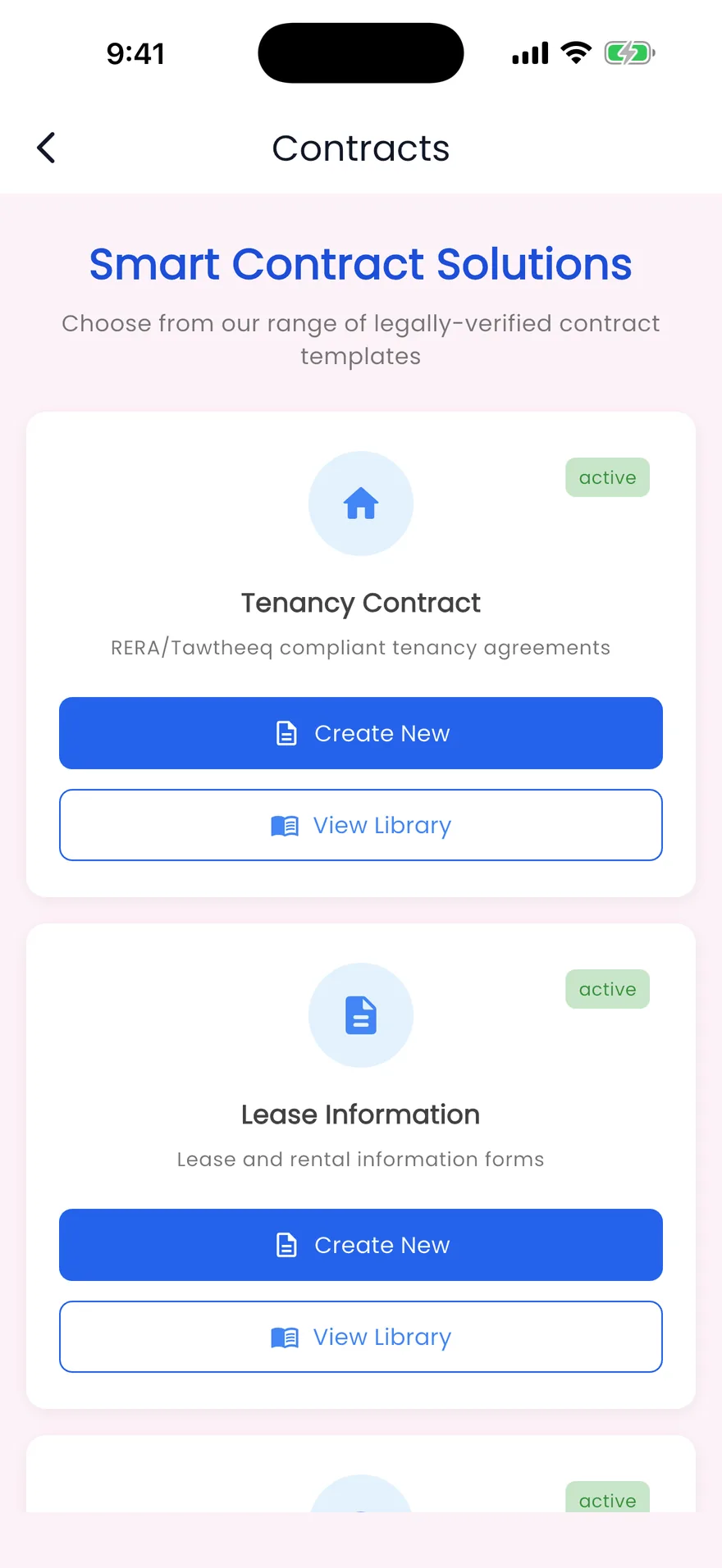
- Contract list in the app too
How it works
From template to signed contract
- Step 1
Pick a template
Choose from nine ready contracts, from a Dubai tenancy contract to a residential booking form.
- Step 2
Fill it from the CRM
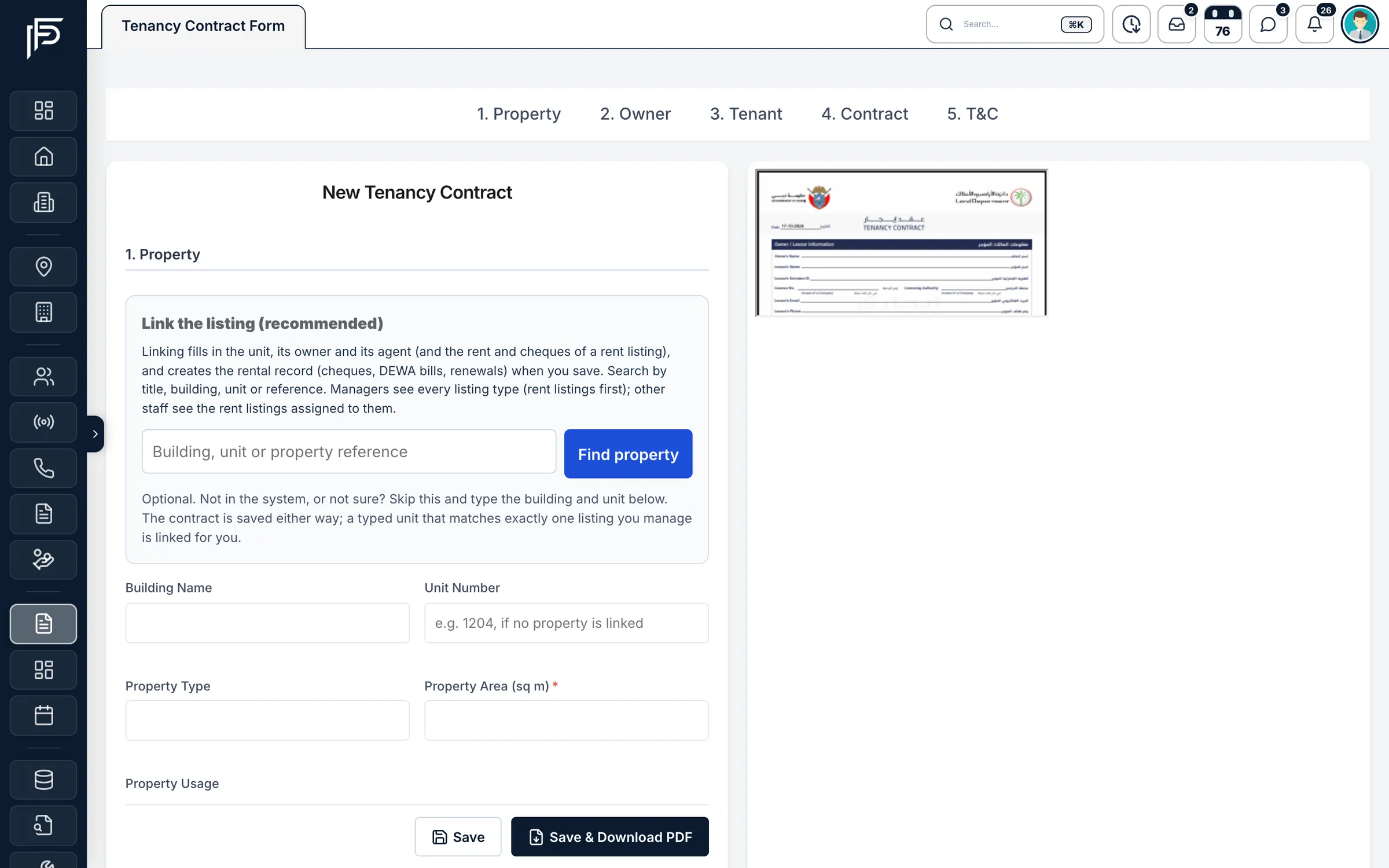
On a tenancy contract, link the listing and its unit, owner and rent terms come with it. Search the tenant, or add a new one.
- Step 3
Download and file
Download the PDF for signing, then attach the signed copy and the Ejari certificate to the contract.
Contracts that keep working after they are signed
Write the tenancy contract once, and the agreement, its cheques and its renewal follow from it.
Dubai tenancy contract
A tenancy contract in five short sections
- Up to 12 cheques, with the first cheque number, bank and name on the cheques
- Security deposit at 5% or 10% of the annual rent in one click
- Your own additional terms, printed on the contract
Rental agreements
Signed today, managed for the whole lease
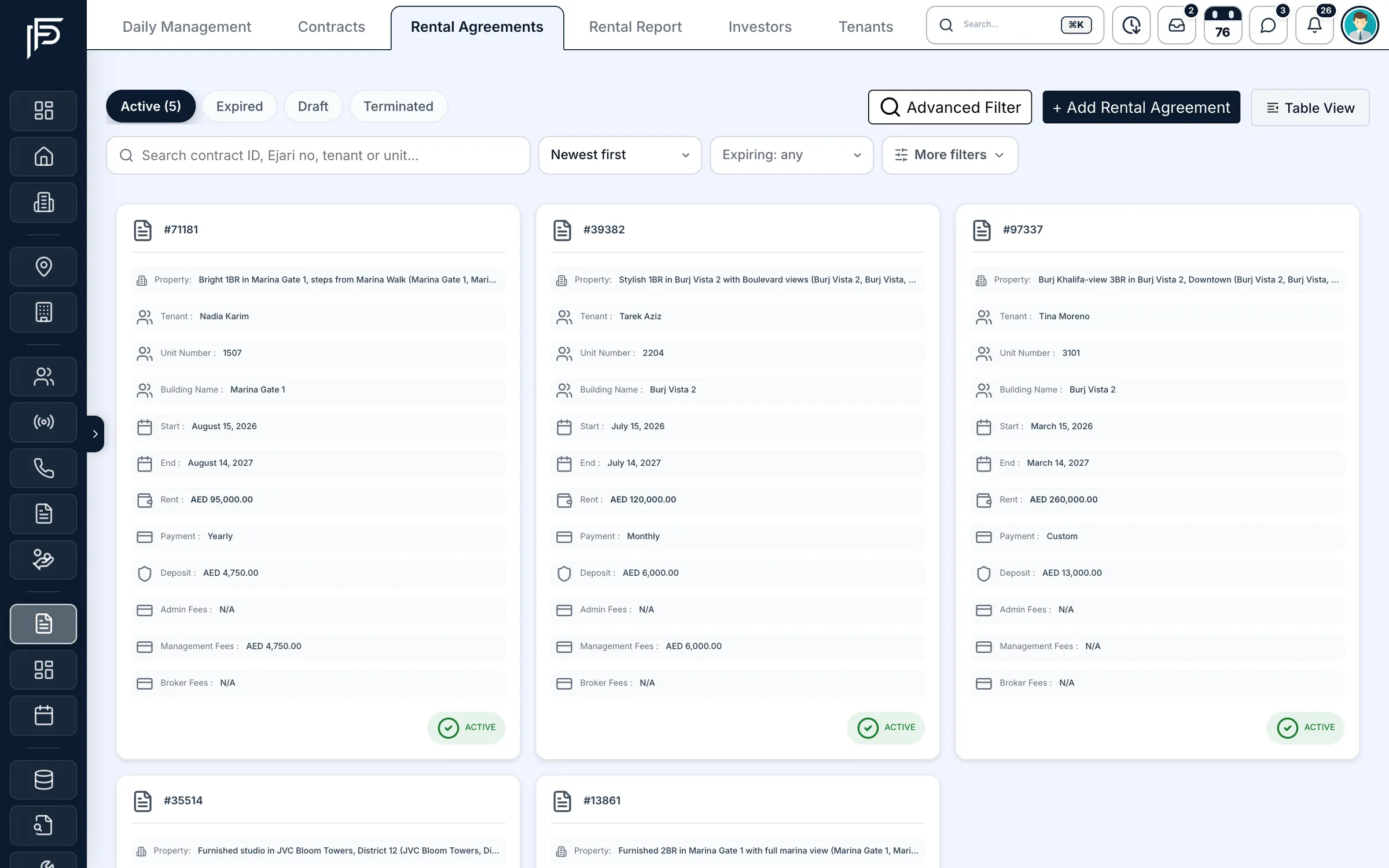
- Rental agreements created from the contract, not typed twice
- Active, expired, draft and terminated tenancies on their own tabs
- Rent, deposit, payment frequency and fees on every agreement
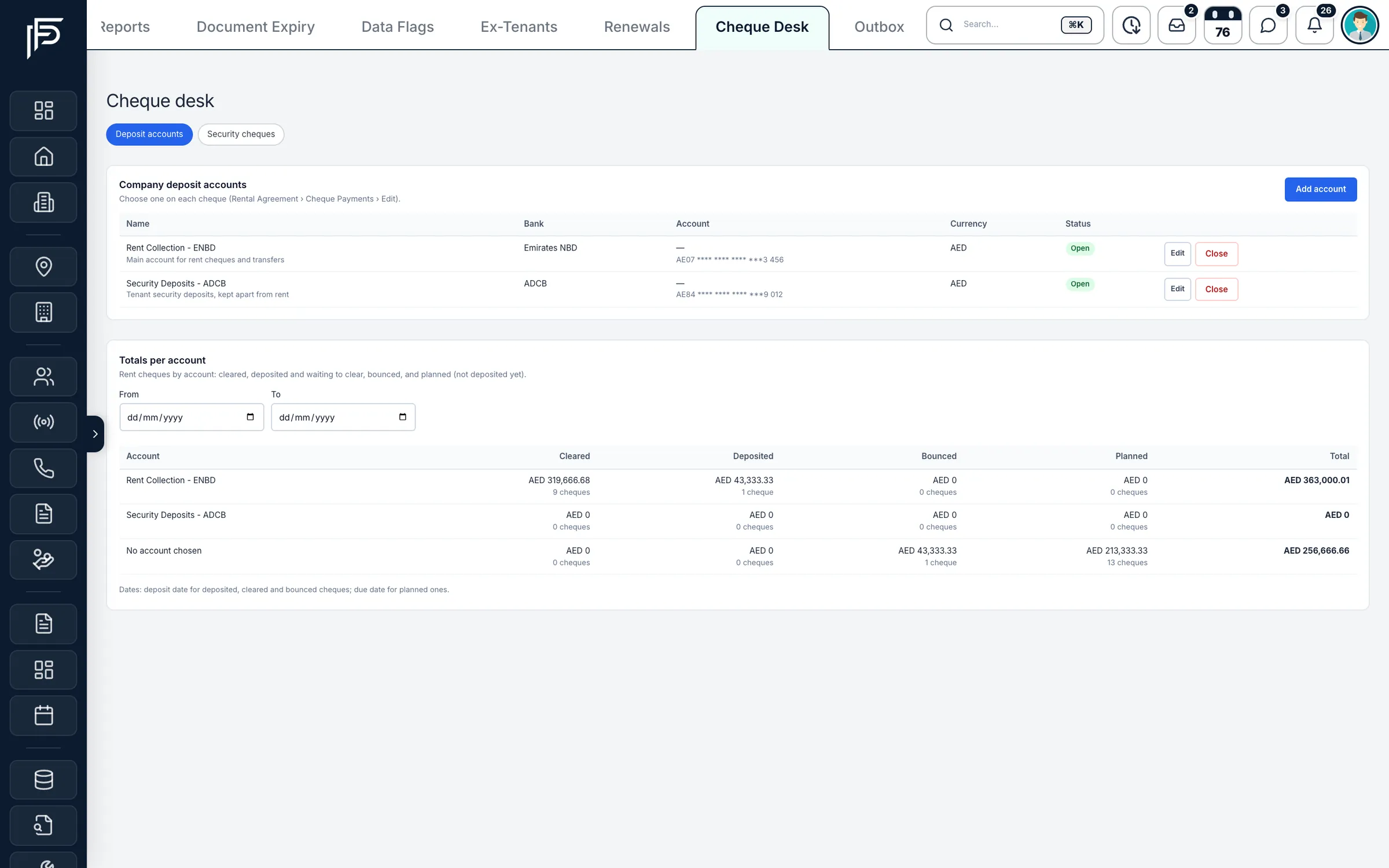
Cheque desk
Every rent cheque, from planned to cleared
- Cleared, deposited, bounced and planned totals per account
- Mark a cheque bounced, add the replacement, or hold it as security
- Security deposit cheques kept apart from rent
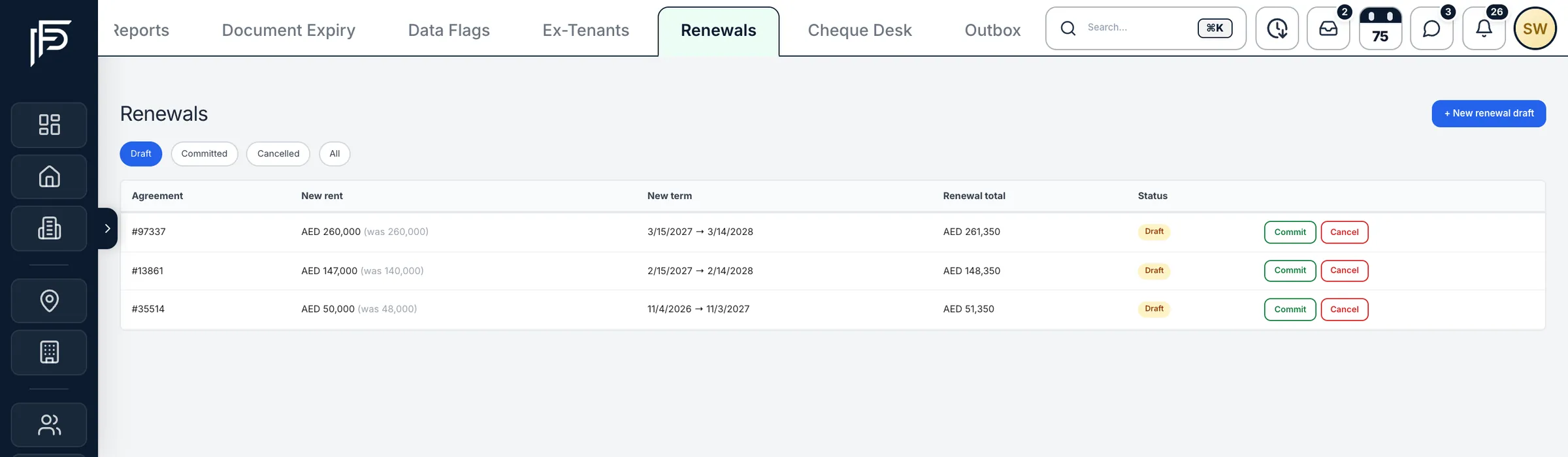
Renewals
Renew a lease without starting again
- The new rent shown against the current one
- Draft, committed and cancelled renewals in one report
- Signed copies stay with the old term; the new contract is signed fresh
Screens show the Propfusion Demo Realty sample workspace. All people, listings and numbers are fictional.
Templates
Nine contracts, ready to fill
The tenancy contract fills itself from the linked listing, owner and tenant. Every template downloads as a PDF for signing.
Leasing
Tenancy Contract
Residential or commercial lease agreements with your own terms.
Listing Form, Rent
The listing agreement between a landlord and the broker for a rental.
Rental Verified
A verified rental details certificate with your company branding.
Brokerage
Lease Contract
The lease brokerage agreement between the broker and the tenant.
Owner and Broker
The lease brokerage agreement between the owner and the broker.
Agent to Agent
An agreement between two collaborating agents.
Property View Contract
A viewing agreement for property viewings and partnerships.
Booking
Booking Form, Residential
A booking and reservation form for residential units.
Booking Form, Commercial
A booking and reservation form for commercial units.
Tenant portal
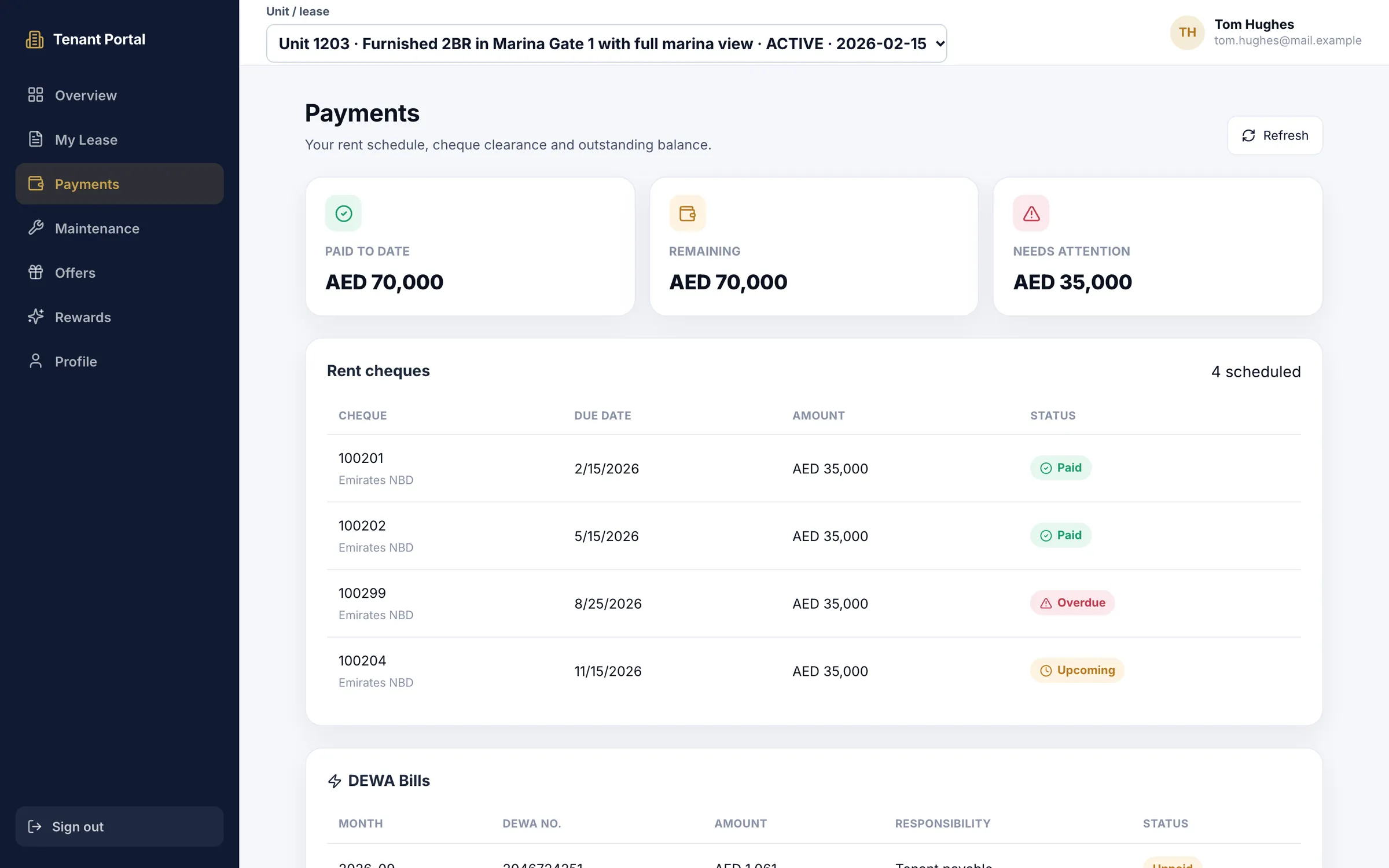
The tenant sees the same schedule you do
Send the tenant their portal login from the tenants list and they can check their lease and every rent cheque themselves: what is paid, what is due next and what needs attention, with the DEWA bills below.
- Paid to date, remaining and needs-attention totals at the top
- Each cheque with its number, bank, due date and status
- Maintenance requests and offers in the same portal
After signing
The rest of the lease, handled
WhatsApp reminders to tenants
Cheque-due and renewal reminders on approved WhatsApp templates, on the days before you choose.
Leasing email outbox
Cheque due, deposit confirmation, overdue, renewal proposal and tenancy expiry emails, with a preview of each one.
Renewal milestones
Three renewal notice milestones and the lease expiry tracked on each agreement, with reminders sent automatically or by hand.
Owner notices
Owners can get a notice before a cheque is due and a confirmation when it is deposited.
Ejari and management fees
Fees recorded on tenancy contracts and renewals can be posted to company income.
Protected once registered
A contract registered with Ejari, or with a payment recorded, cannot be deleted by mistake.
Which contracts can we create in Propfusion?
Nine templates: the Tenancy Contract, Listing Form for rent and Rental Verified certificate for leasing; the Lease Contract, Owner and Broker, Agent to Agent and Property View contracts for brokerage; and residential and commercial booking forms.
What happens when we save a tenancy contract?
If it is linked to one of your rent listings, Propfusion creates or updates the rental agreement, adds the tenant if they are new, and lays out the cheque schedule and DEWA bills, so nothing is typed twice.
Can tenants and owners sign online?
Contracts download as a PDF for signing; Propfusion does not send e-signature links. The listing, booking and rental-verified forms take a signature drawn or uploaded in the form, and the signed copy and the Ejari certificate are then attached to the contract.
Can we add our own clauses?
Yes. The tenancy contract has an additional terms section, and whatever you write there is printed on the contract.
Can agents create contracts from their phone?
Partly. For staff whose role allows it, the Contracts screen in the Propfusion app lists your contracts and records a lease, property view, owner and broker, agent-to-agent or rental verified contract with its parties, value, dates and unit. Tenancy contracts, which link to a listing and a tenant, and the filled-in PDFs are made on the web.
Can a contract be deleted by mistake?
Not once it matters. A contract registered with Ejari, or one with rental history or a payment recorded against it, cannot be deleted.
Write your next tenancy contract in Propfusion
Start a free trial, or book a live demo to see the contracts hub and tenancy form in a working CRM.