Document management for every tenancy, deal and owner
- Private contract and tenancy files
- Emirates ID and passport expiry report
- PDF, Word and photo uploads
How it works
Documents that stay with the deal
- Step 1
Upload it where it belongs
Drop PDFs, Word files or photos on the contract, tenancy, deal or listing they belong to, and PDFs or photos on an owner or tenant record.
- Step 2
Kept private
Contract and tenancy files open only for signed-in staff, or for the owner or tenant in their own portal.
- Step 3
Watched for expiry
The expiry report flags Emirates IDs and passports before they lapse, so renewals start on time.
The paperwork of a Dubai brokerage, organised
Tenancies, owners and deals each carry their own documents, so nobody searches a shared drive again.
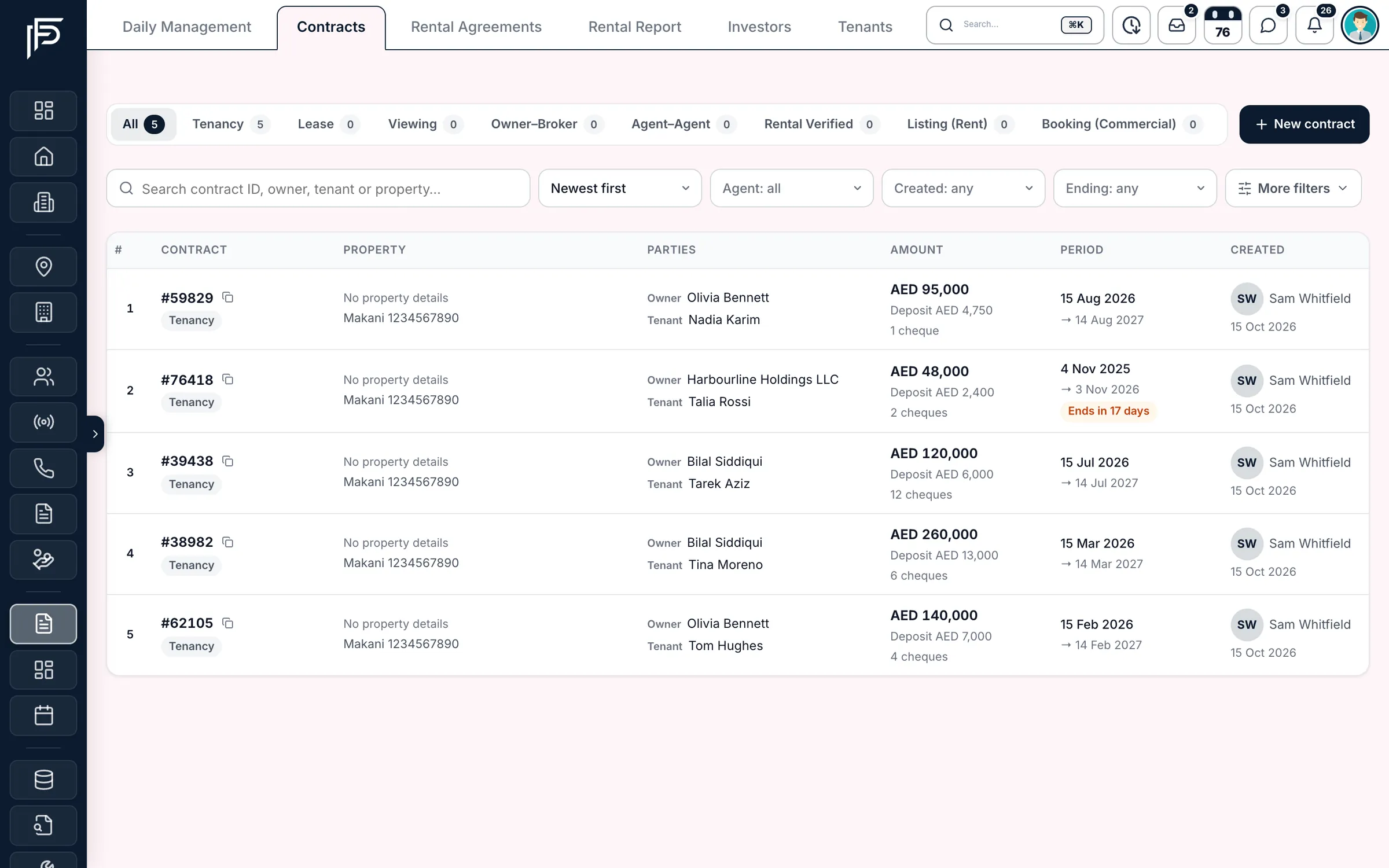
Tenancies
Every tenancy keeps its own paperwork
- Upload several documents at once: PDF, Word or images
- A receipt on every rent payment
- Lease expiry countdown on the agreement
Owners
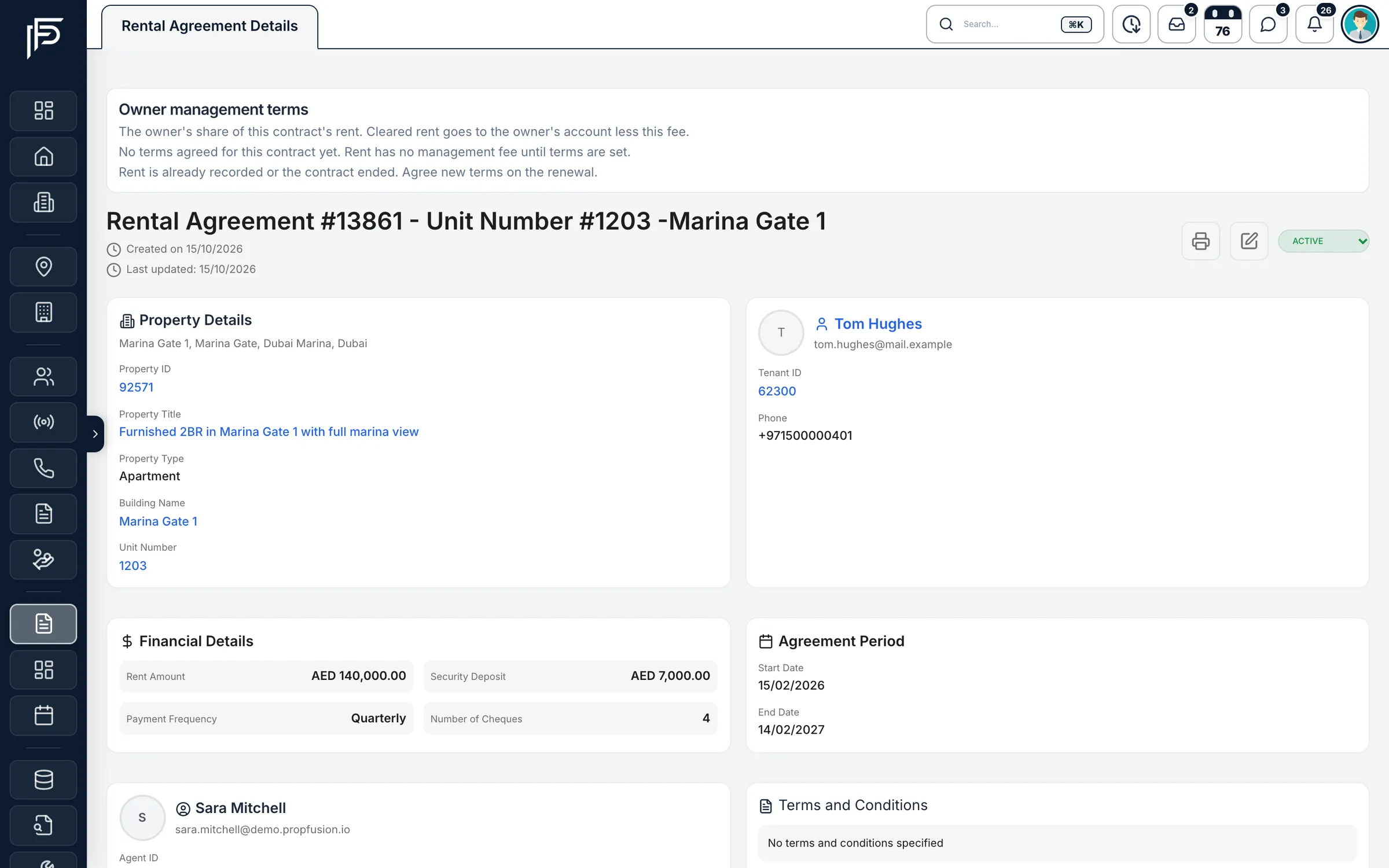
Owner identity documents, with their expiry dates
- Emirates ID, passport and trade licence expiry dates
- Signatory Emirates ID and passport for company owners
- Owner documents uploaded and opened from the owner record
Deals
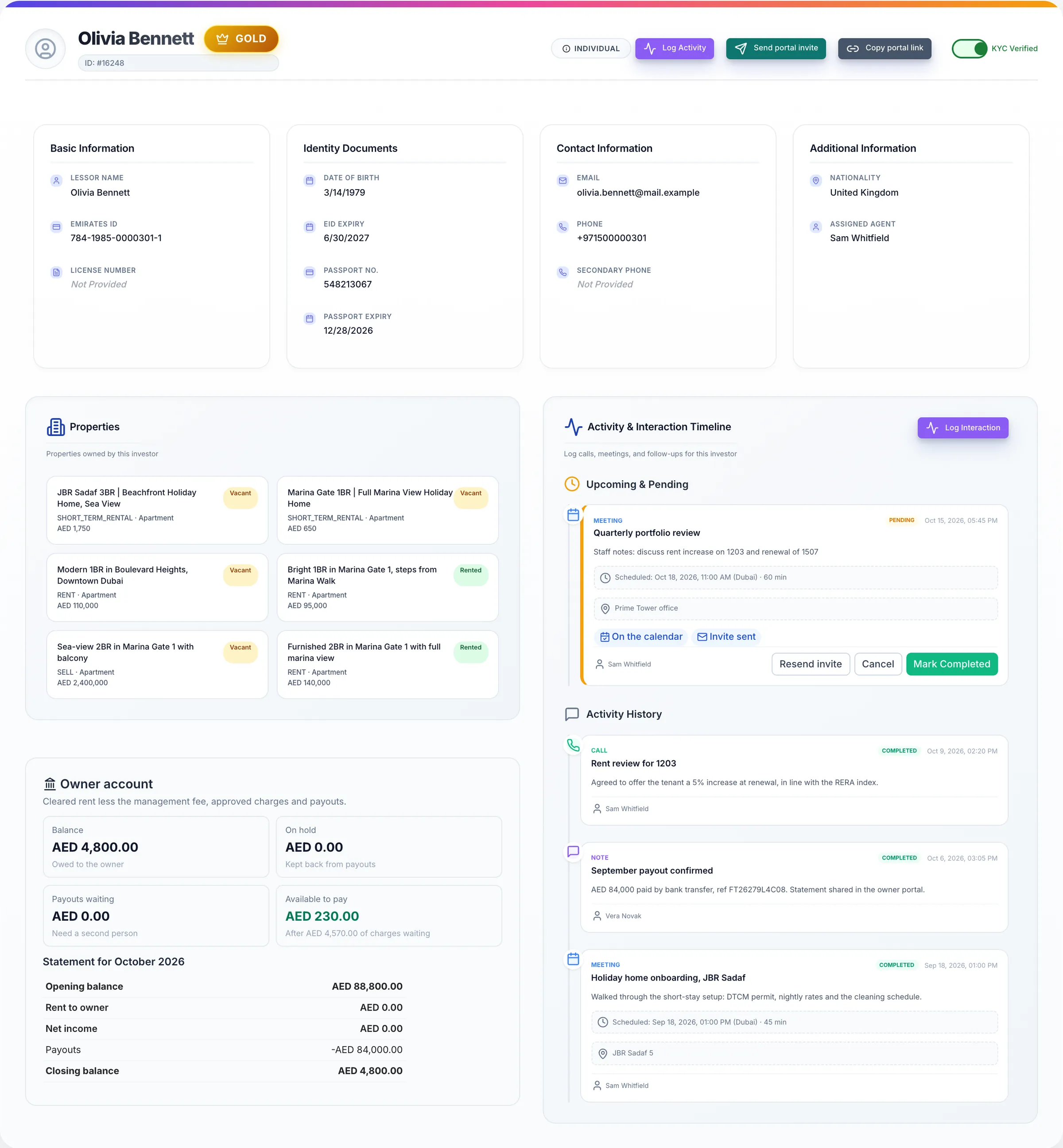
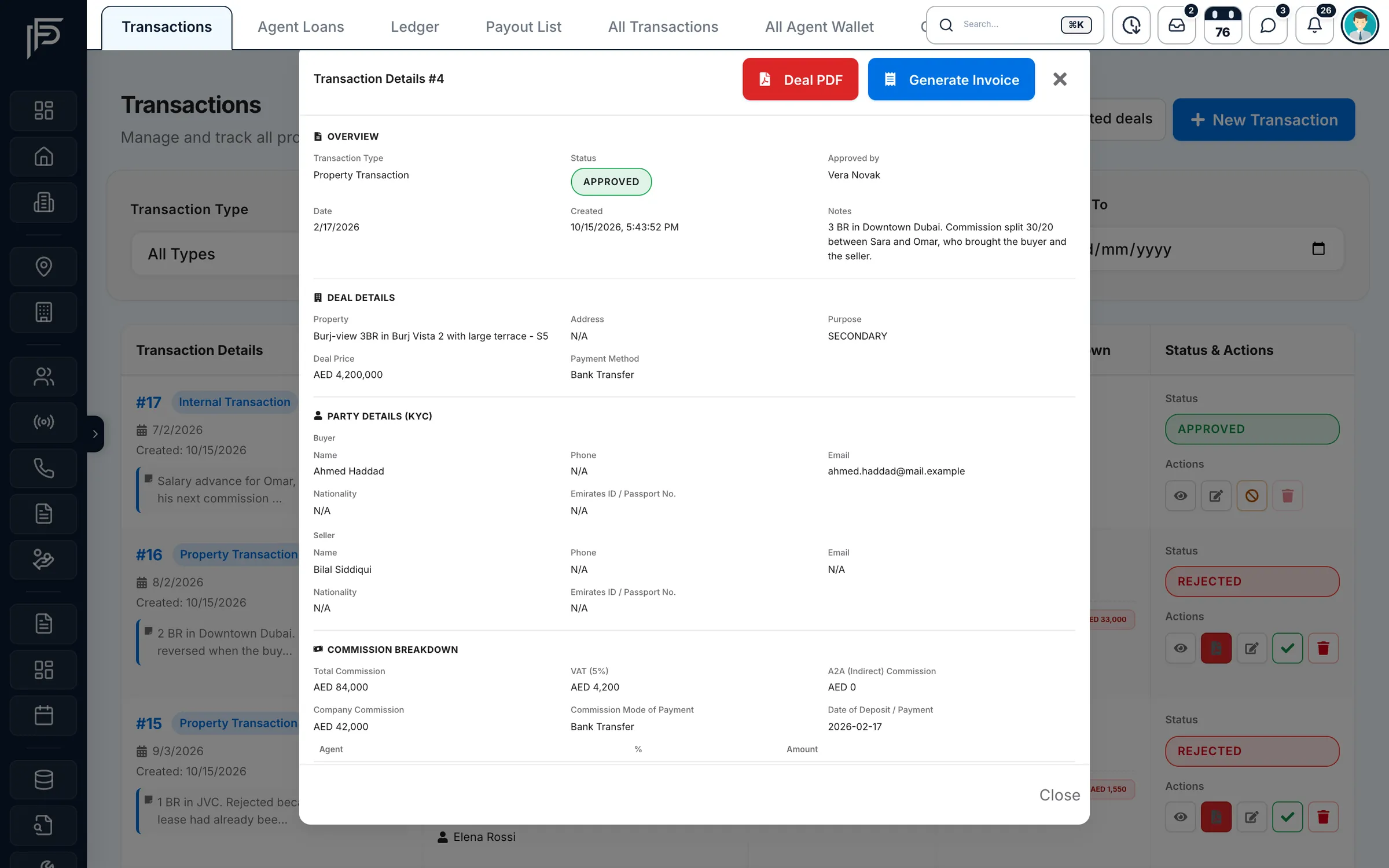
KYC and paperwork on every deal
- Party details with nationality, Emirates ID or passport number
- Deal PDF and tax invoice in one click each
- An AML pack PDF with the risk rating, PEP status and the sanctions check you recorded
Screens show the Propfusion Demo Realty sample workspace. All people, listings and numbers are fictional.
Document expiry
Know which IDs expire before your tenants do
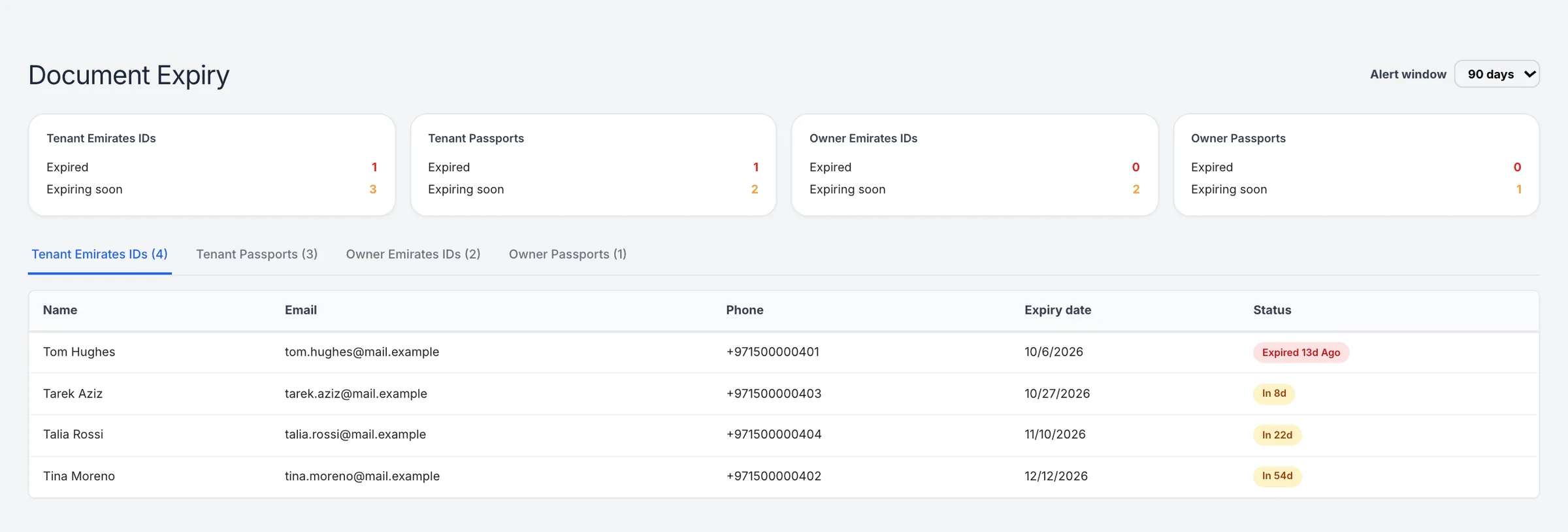
The document expiry report looks 7, 30, 60 or 90 days ahead and lists everyone whose Emirates ID or passport has expired or is about to, so you can ask for the new copy today.
- Emirates IDs and passports of your tenants
- Emirates IDs and passports of your owners
- Each name listed with email, phone, expiry date and days left
The leasing outbox can also send document expiry emails, alongside cheque, renewal and tenancy expiry notices.
Owner portal
Owners find their agreements without asking you
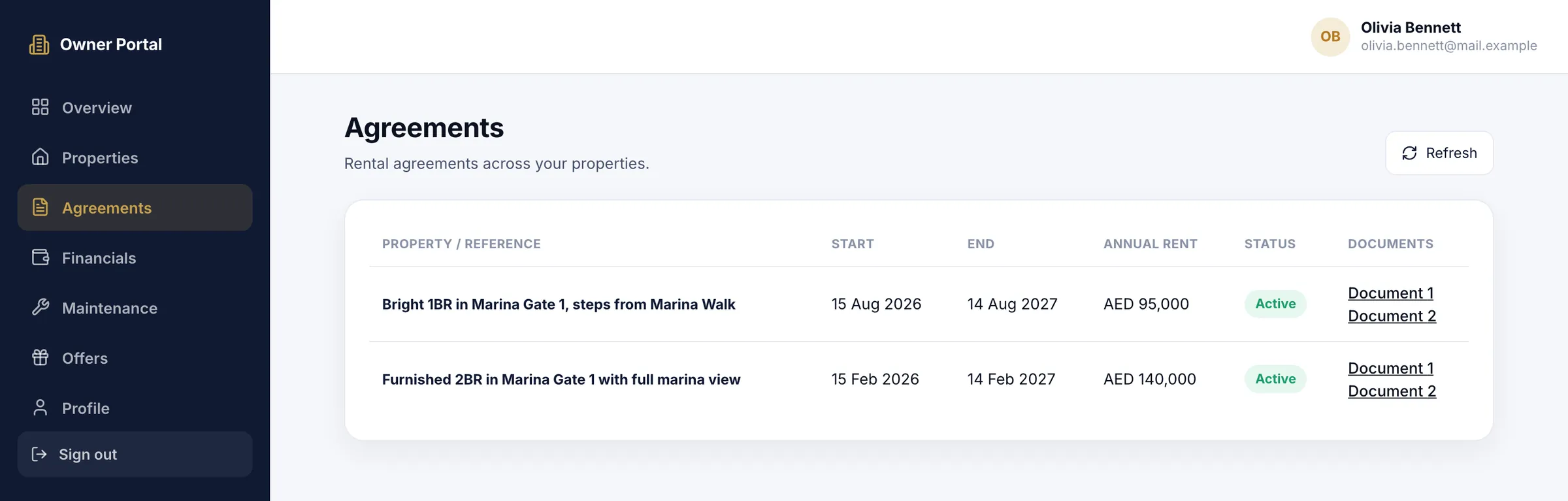
Owners sign in to their own portal and see their properties, their rental agreements with the documents attached, their financials, maintenance approvals and offers. The copy they open is the one on the agreement in your CRM.
Also included
Everything else your documents need
Document tools sit in every part of the CRM, and Propfusion connects to the portals and tools you already use. View all integrations
The formats you use
PDF, Word, JPG, PNG, GIF, WEBP and HEIC files on contracts and tenancies, up to 30 MB each. Owner and tenant records take PDFs and photos.
Bulk uploads
Pick many files at once. Large selections upload in batches of up to ten.
Listing documents and permit QR
Upload the owner's documents, such as the title deed, passport and Emirates ID, and the permit QR code with each listing.
Developer documents
Keep each developer's files on the developer's page, with a PDF preview in the browser.
Mortgage client uploads
Send a mortgage client their portal link and they upload their own documents and message you there.
Tenant records
Each tenant's record keeps their documents, ready for the next lease or renewal.
AML records
The payment method, risk rating, PEP status and whether the parties were screened against sanctions lists, recorded on the deal.
Printable PDFs
Contracts, deal slips, tax invoices and AML packs generated from the data you already entered.
Contract documents panel
Open any contract to preview it, download it, and add the signed copy, Ejari, IDs or cheques.
Which files can we upload?
On contracts and tenancies: PDF, Word, JPG, PNG, GIF, WEBP and HEIC files, up to 30 MB each. Pick many at once and large selections upload in batches of up to ten. Owner and tenant records take PDFs and photos.
Who can open a tenancy or contract file?
Signed-in staff who can see that record, and the owner or tenant it belongs to in their own portal. The files are not shared as public links.
How does the expiry report work?
It looks 7, 30, 60 or 90 days ahead and lists every tenant and owner whose Emirates ID or passport has expired or is about to, with their email, phone, expiry date and days left.
Where do the documents of a listing go?
On the listing: the owner's documents, such as the title deed, passport and Emirates ID, and the permit QR code are uploaded with it, next to its photos.
Can owners and tenants get their own copies?
Yes. Tenants see their lease and payments in the tenant portal, and owners see their properties and agreements, with the documents attached, in the owner portal.
Related features
Put every document on the right record
Start a free trial, or book a live demo to see tenancies, owners and deals with their documents.