Email marketing for real estate, inside your CRM
- Templates in ten real estate categories
- CSV audiences with merge fields
- Sent from your own mail server
How it works
From contact list to sent campaign
- 01
Build an audience
Upload a CSV with an email column or paste addresses, and give the list a type such as buyers or investors. An address listed twice still gets one copy of each send.
- 02
Write it once
Start from a ready-made real estate template or one of your own, add {{name}} so each client on your CSV list sees their own name, and save it to reuse next time.
- 03
Send and follow up
Press Send Email, choose which of your mail servers sends it and submit, then follow every recipient in the send log.
Campaign editor
Write the email once, personal for every reader
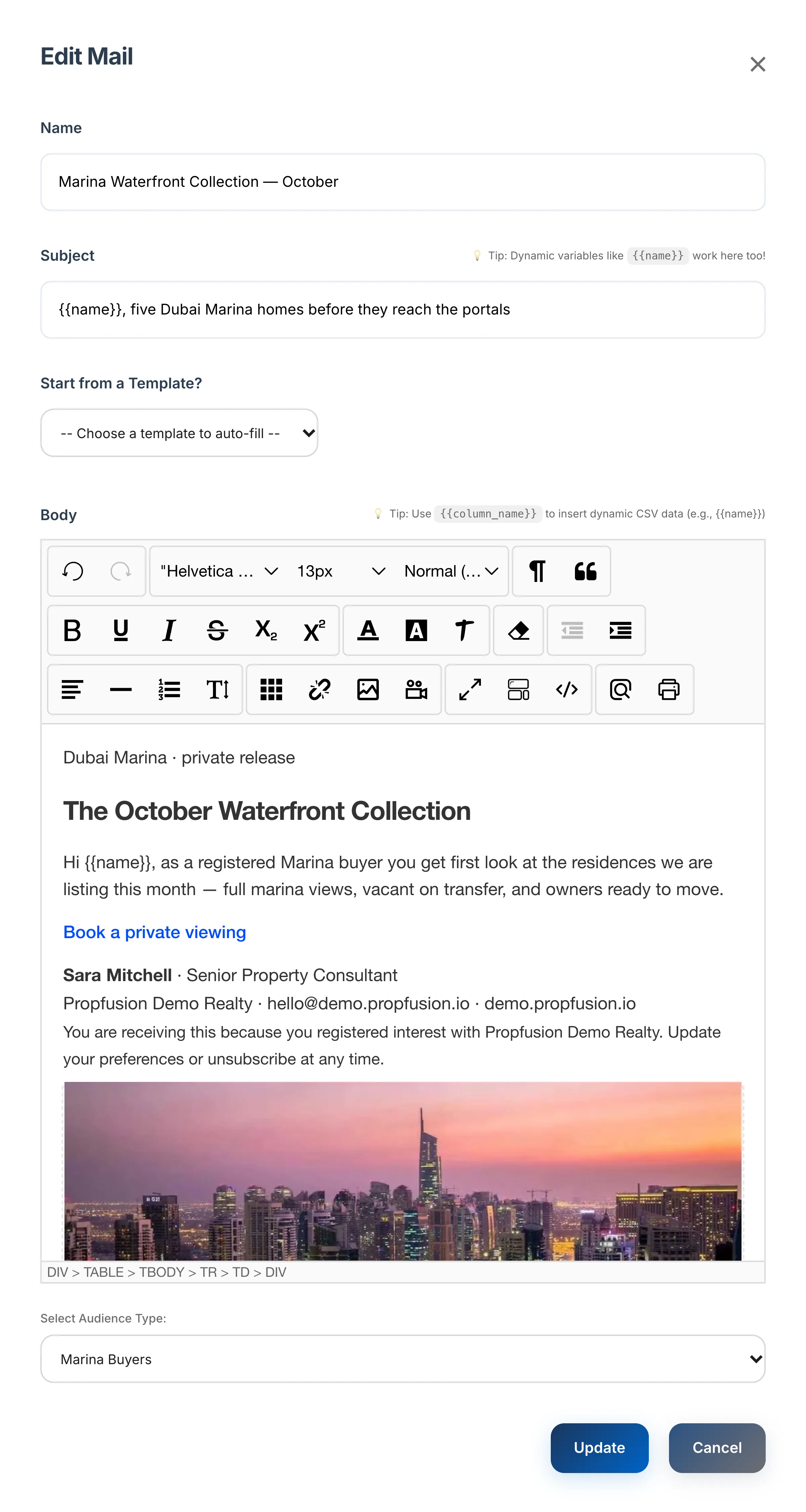
Give the campaign a name and a subject, then design the body or fill it from a saved template. Put {{name}} or any other column from your audience file in the subject and the body, and each recipient gets their own values.
{{name}}and any other column from your audience CSV, in the subject and the body- Start from a Template? fills in the subject and body from one of your saved templates
- A rich-text editor with photos, tables and links, plus an HTML code view for designed emails
- Choose the audience type the campaign goes to, such as Marina Buyers
Subject as written
{{name}}, five Dubai Marina homes before they reach the portals
Subject as Abdulla Al Ketbi receives it
Abdulla Al Ketbi, five Dubai Marina homes before they reach the portals
{{name}} fills in from its name column. Any other column works the same way.Campaigns, templates and audiences
Everything a brokerage needs to stay in touch with past and future clients, without a separate email tool.
Campaigns
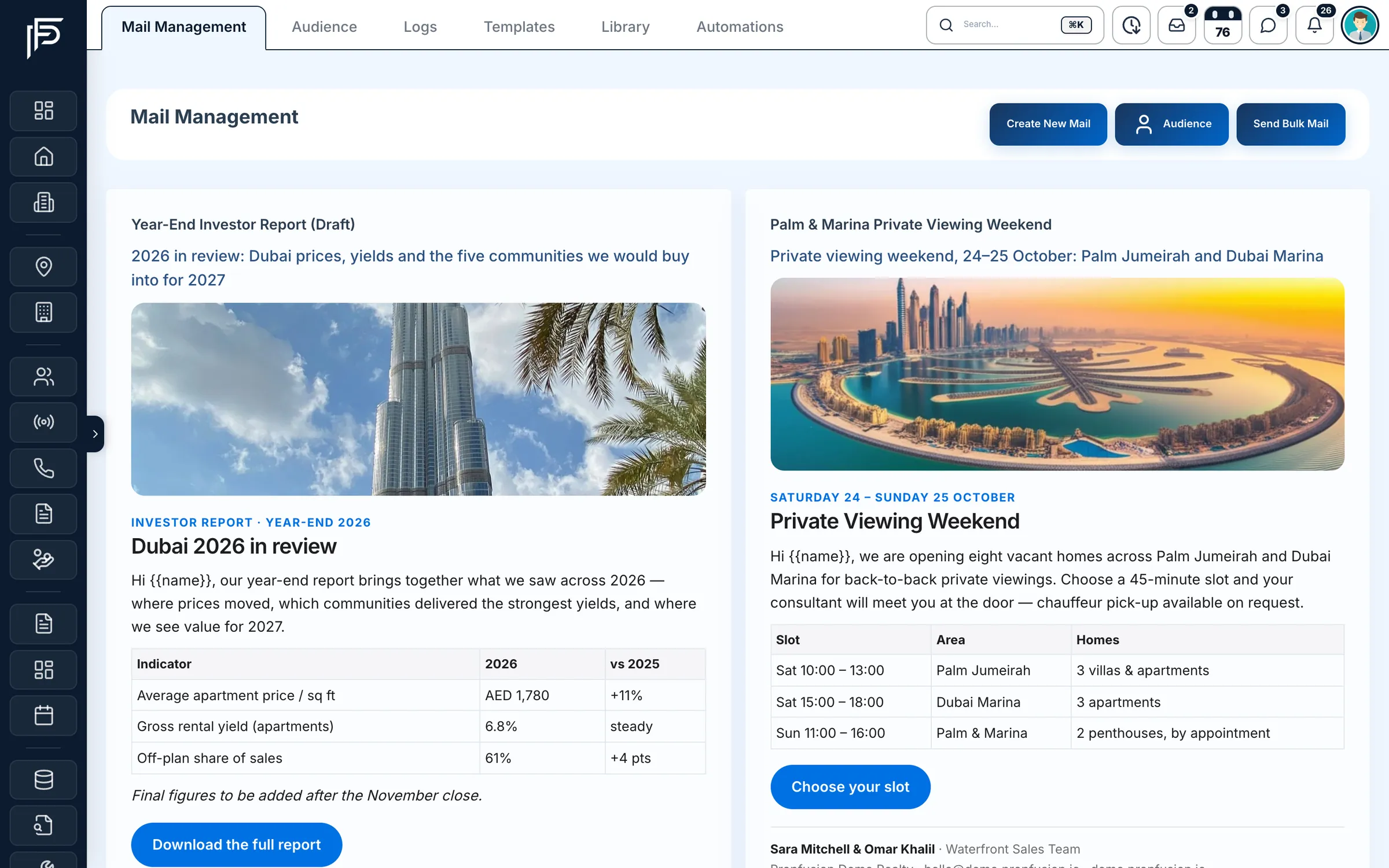
Every campaign on one board, ready to send
- Create and save a campaign first, then send it when it is ready
- Delivered, opened, clicked and bounced totals when you send through Amazon SES
- On a plain SMTP server you see the sent count and any failed sends
Templates
Templates written for property, not for retail
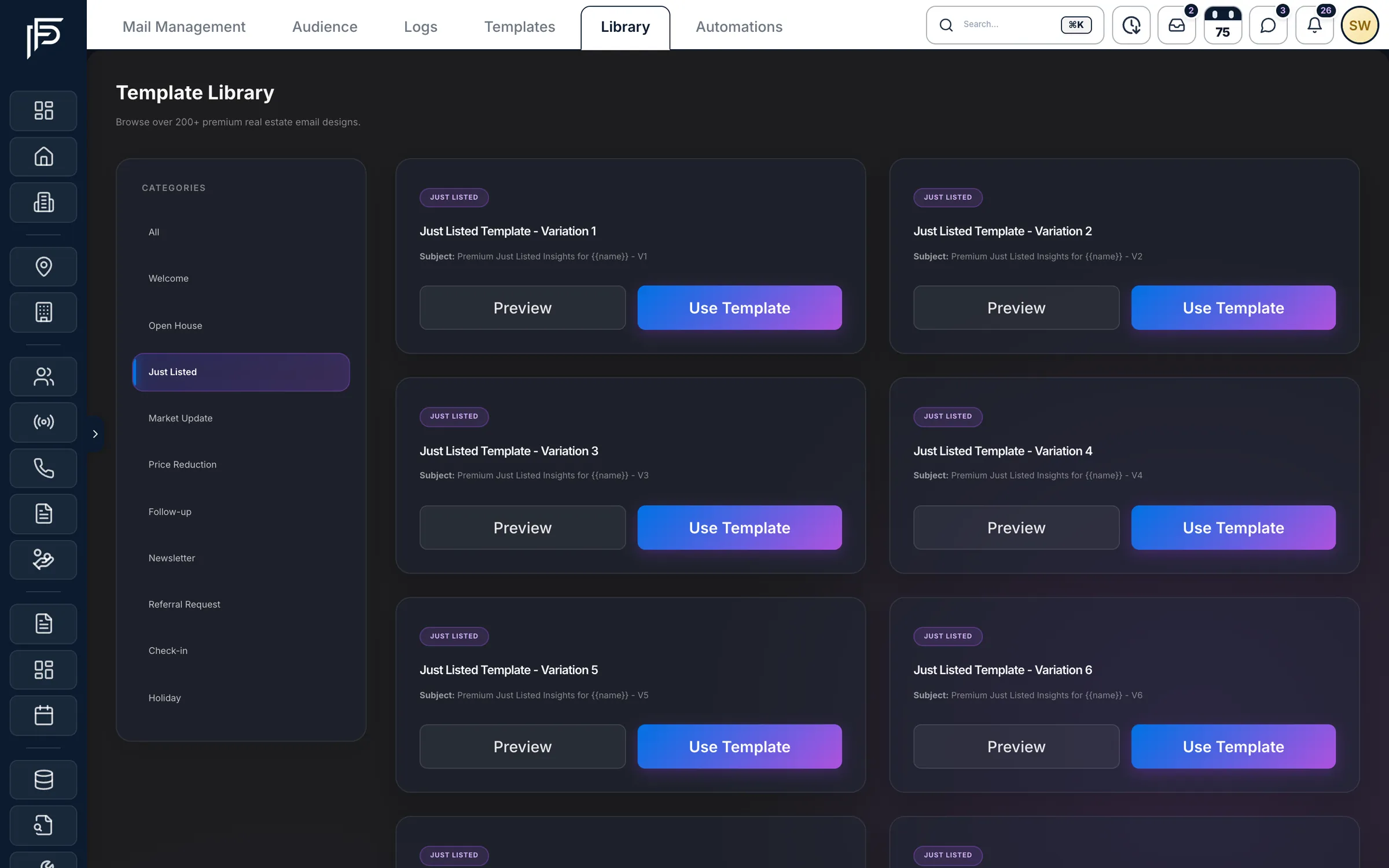
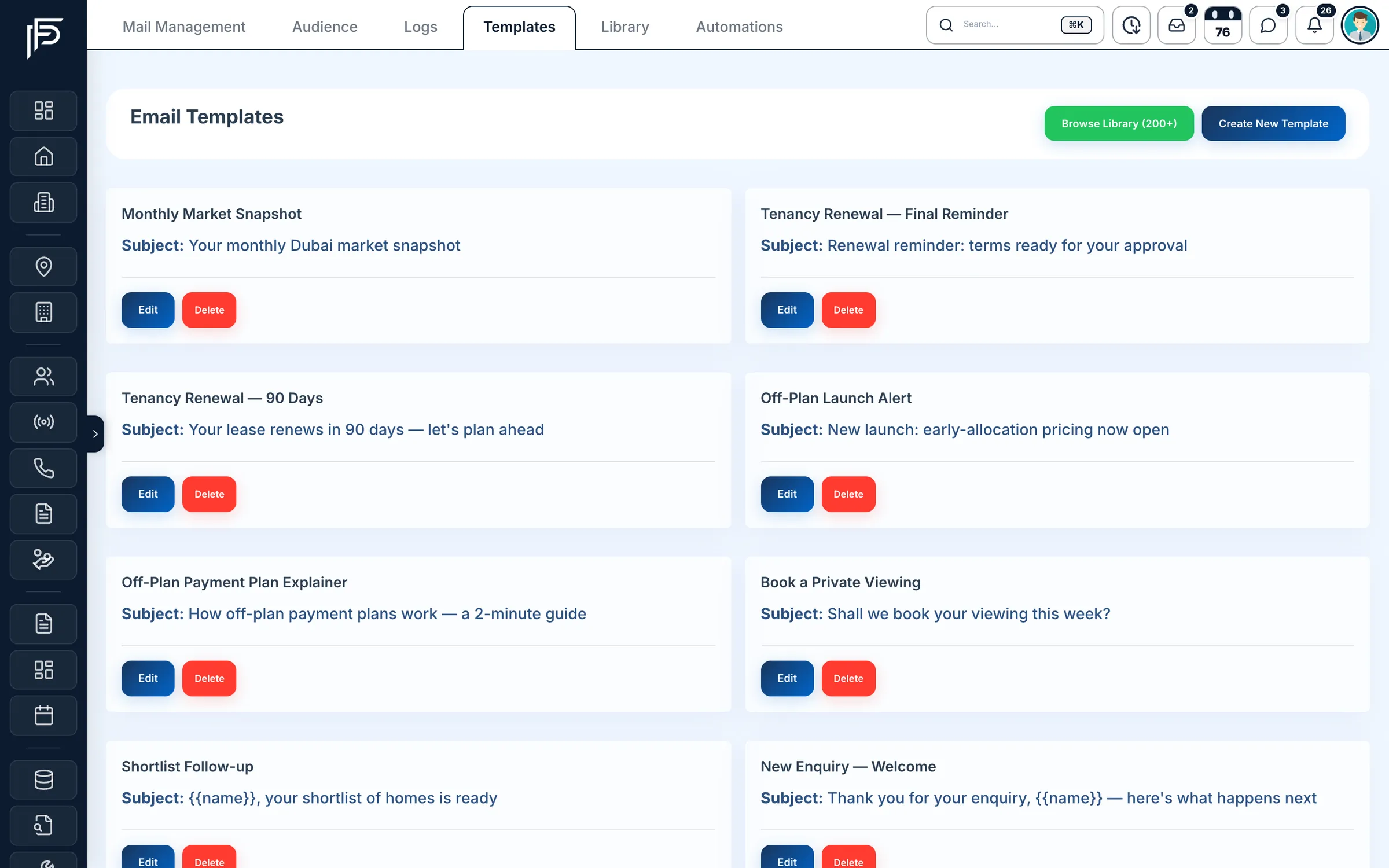
Fusion Mails comes with a ready-made template for each of ten real estate categories. Use one as it is, adjust the wording to your brokerage, or design your own and keep it in your template list.
- Welcome
- Just Listed
- Open House
- Price Reduction
- Market Update
- Newsletter
- Follow-up
- Check-in
- Referral Request
- Holiday
- Your own templates kept next to the ready-made ones
- Edit the subject, wording and design before you save
- Use Template opens a library email in the campaign editor with your company name filled in
Audiences
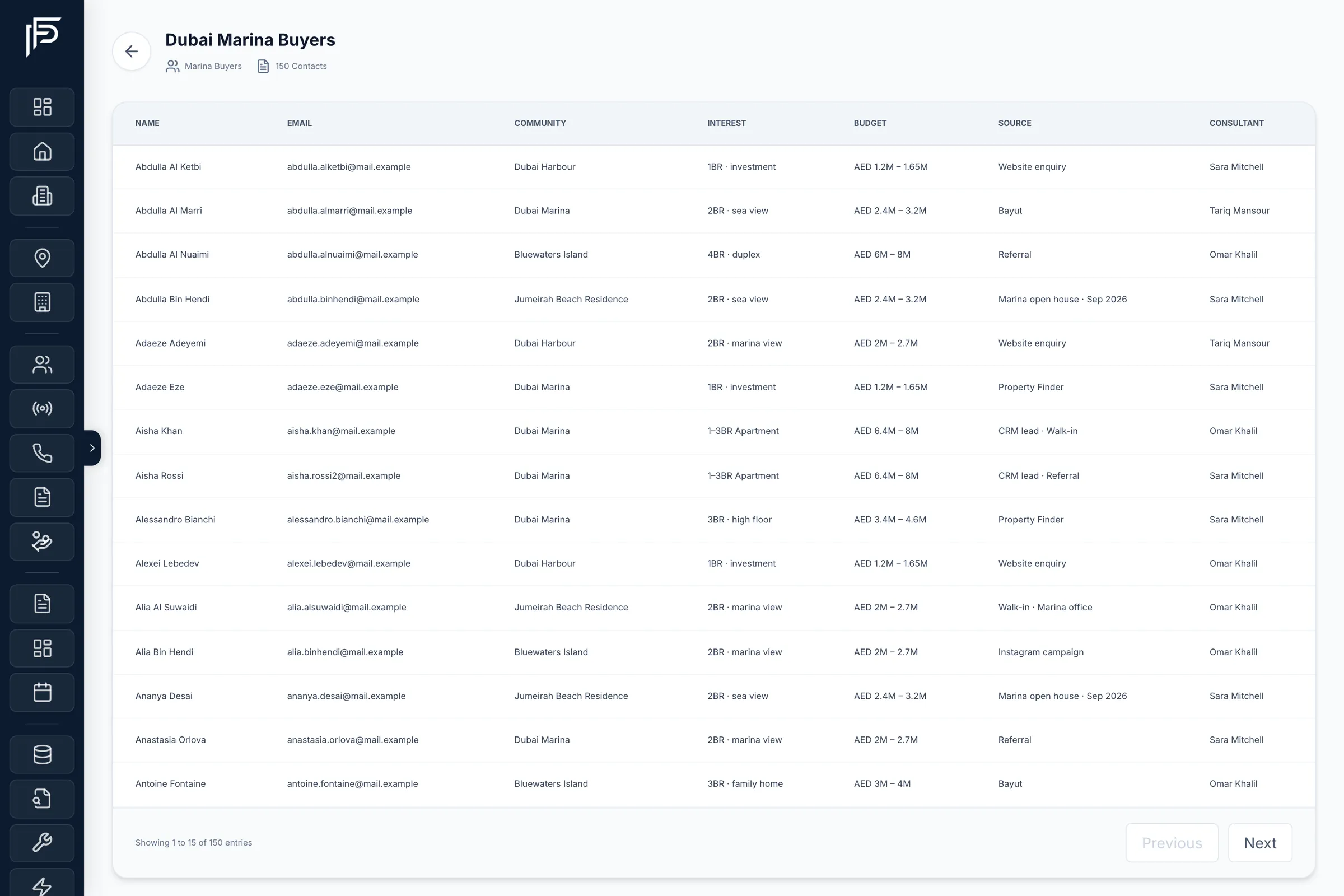
Lists for buyers, tenants and investors
- An audience type for each list, such as buyers, investors or tenants
- CSV upload with an email column; an address listed twice still gets one copy of each send
- Open an audience to see its contact count and every column you uploaded
Email logs
A record of every email you send
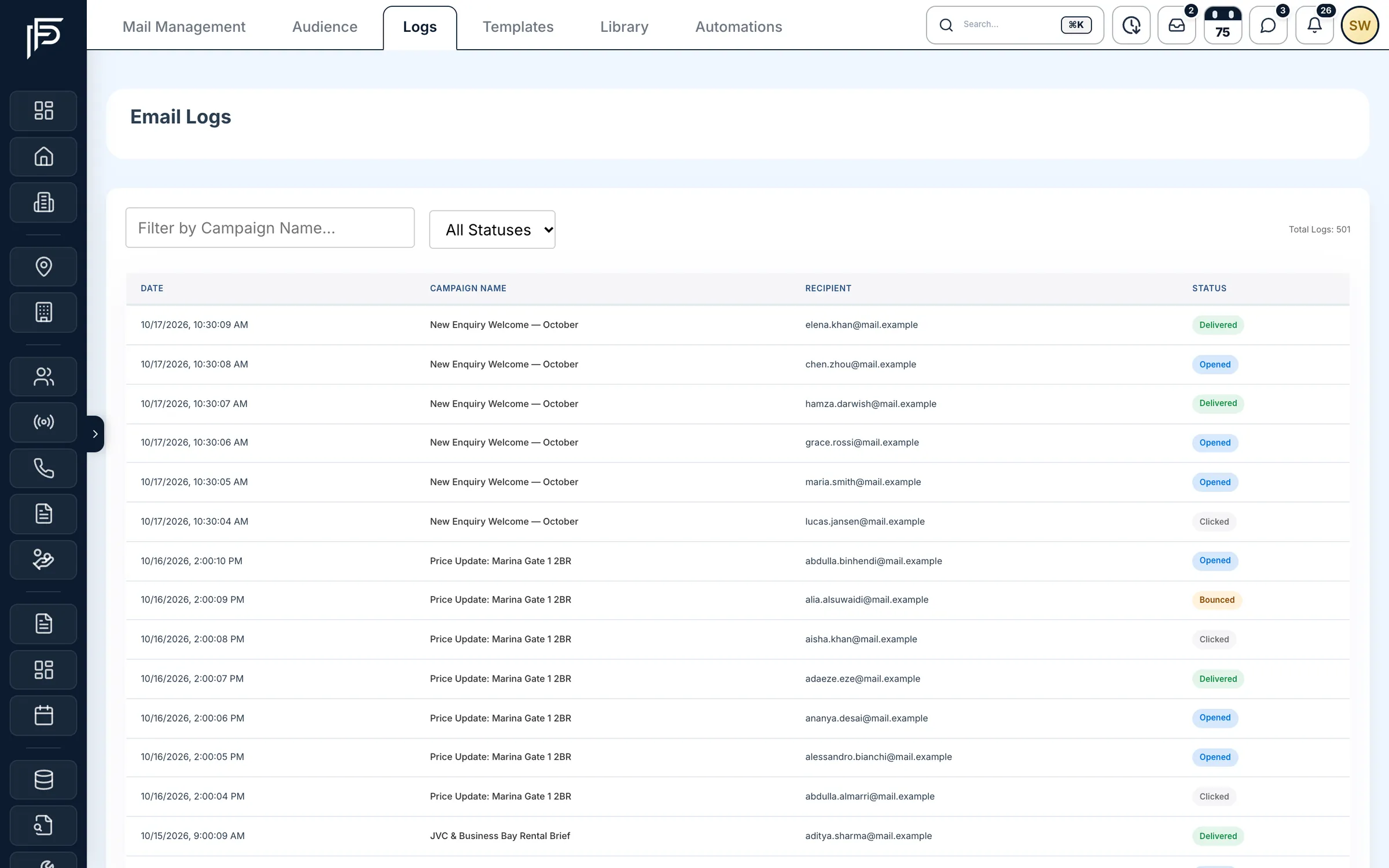
- Date, campaign, recipient and status for every email
- Each email marked sent or failed, and delivered, opened, clicked or bounced when you send through Amazon SES
- Filter by campaign or status when a client says it never arrived
Screens show the Propfusion Demo Realty sample workspace. All people, listings and numbers are fictional.
Also included
The practical details
Your own mail server
Send through any SMTP server or Amazon SES, from your own address.
A sender for each send
Keep several mail server accounts and choose which one sends each campaign.
Campaigns from the app
Users with email access can create, edit and send campaigns from Profile > Mail Management in the Propfusion app.
Paste addresses too
No CSV to hand? Type or paste addresses into an audience; invalid ones and ones already added are left out. Merge fields such as {{name}} need a CSV.
One-off emails
Send a single email to one client from SMTP Settings, using the mail server you choose.
Rich HTML emails
Photos, tables and buttons in the email itself, such as a year-end market report with its price and yield table and a download button.
FAQ
Email marketing questions
Do we need a separate email marketing tool?
No. Fusion Mails is part of Propfusion CRM: campaigns, ready-made templates, audiences and send logs sit next to the leads and contacts you already have.
Which mail server sends our emails?
Your own. Connect any SMTP server or Amazon SES and send from your own address. You can keep several mail server accounts and choose which one sends each campaign.
How do we send a campaign?
Press Send Email on the campaign's card, choose one of your company's saved mail servers and press Submit. An admin adds the mail servers once, in SMTP Settings.
How do merge fields work?
Type {{name}}, or the name of any other column in your audience CSV, into the subject or the body. Each recipient gets their own values: {{name}} fills in from the name column of the audience.
What templates are included?
The library has a ready-made real estate template for each of ten categories: Welcome, Just Listed, Open House, Price Reduction, Market Update, Newsletter, Follow-up, Check-in, Referral Request and Holiday. Use one as it is, or edit it and save it as your own.
Can we see who opened our emails?
Yes, when you send through Amazon SES with event notifications switched on: each campaign shows delivered, opened, clicked and bounced counts, and the log shows every recipient's status. On other mail servers you see what was sent and any failures.
How do we build an audience?
Upload a CSV with an email column or paste addresses. An address listed twice still gets one copy of each send, and the other CSV columns, like name or company, become merge fields you can use in the email. Pasted addresses have no merge fields.
Can we send campaigns from the mobile app?
Yes. Users with email access can open Profile > Mail Management in the Propfusion app to list, create, edit, delete and send email campaigns through one of your saved mail servers.
Related features
Stay in touch with every buyer and investor
Send campaigns from the CRM that already knows your clients. Start a free trial or book a live demo.