Enterprise security and data protection for your brokerage
- Permissions grouped by area
- Lead views and changes logged
- A separate database per agency
How it works
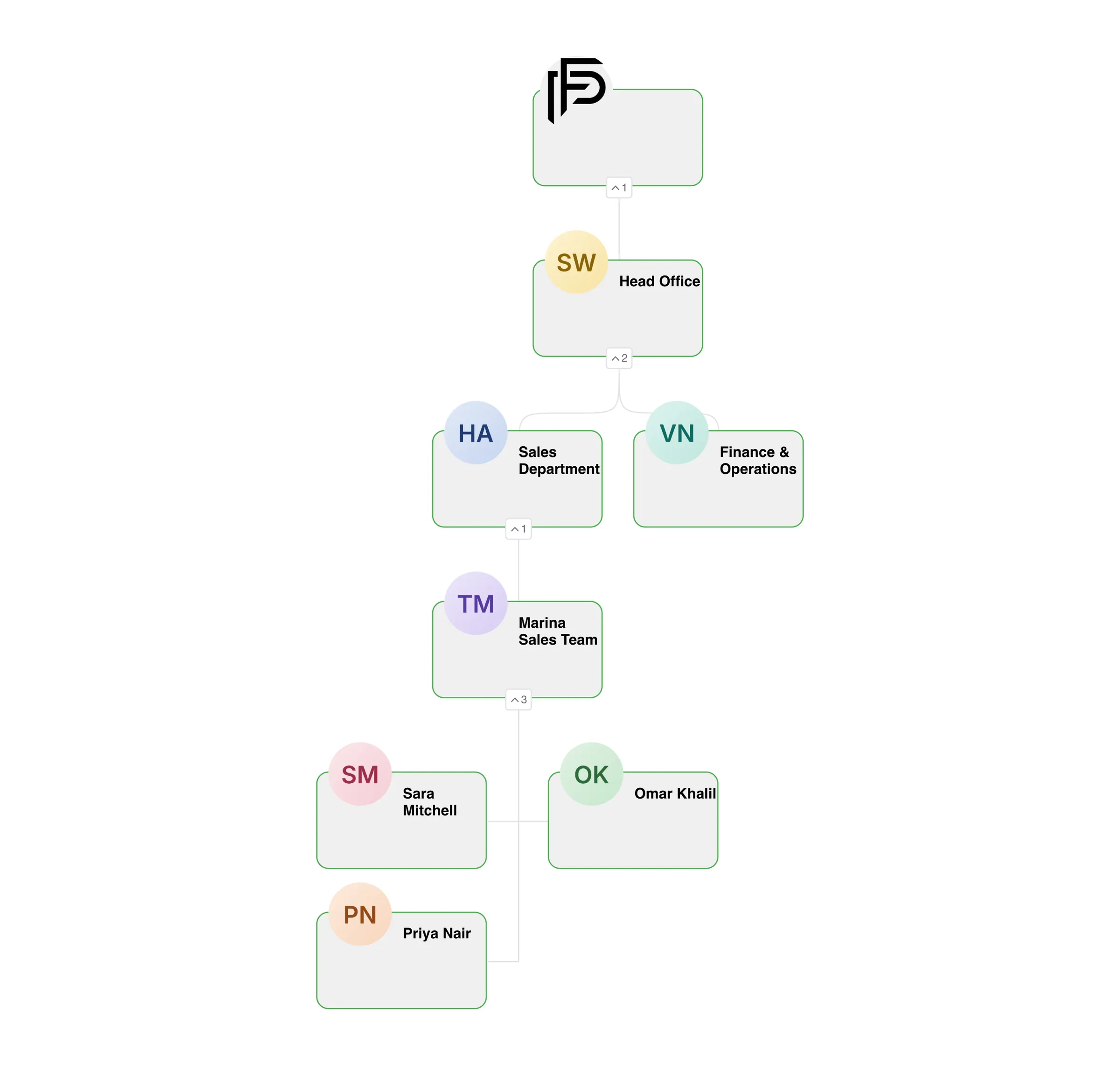
Access that matches your org chart
Set it up once when you onboard, then adjust it as the team grows.
- 01
Build your roles
Start from your departments, such as agents, team leaders, finance and admin, and tick what each role can see and do.
- 02
Add your people
Create each staff account with their BRN, department and team, then give them one or more roles.
- 03
Review and adjust
Activity reports show which leads each person opened and how long they were active each day, so you can tighten access where it matters.
Control who sees what, and know what happened
Roles, activity, staff accounts and company settings: the four places admins keep client data where it belongs.
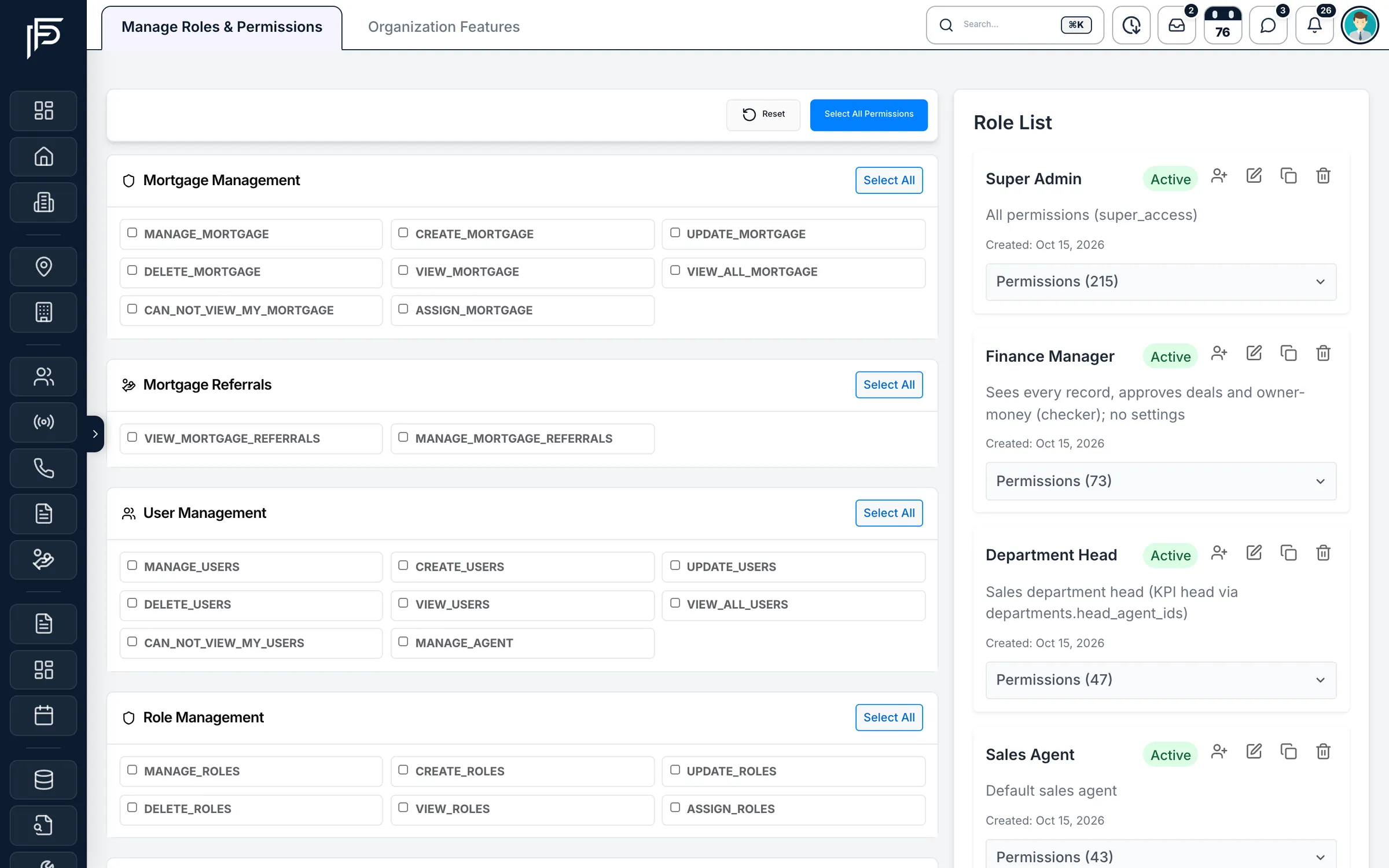
Roles & permissions
Decide exactly who sees and does what
- Own records or everyone's, set separately for leads, listings, deals and more
- Separate rights to publish listings, assign leads, approve deals and export reports
- Self-registration links can never hand out an admin role
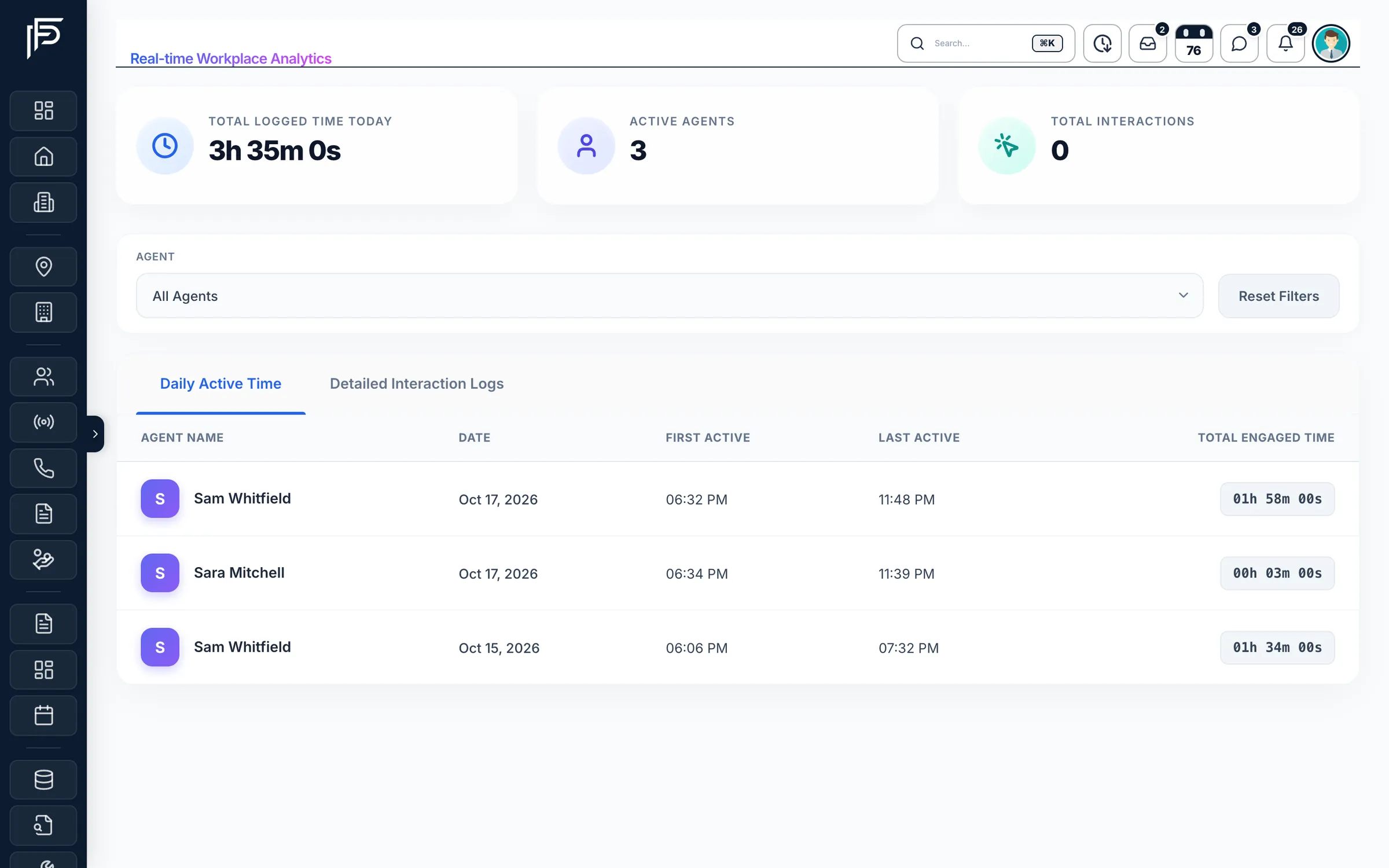
Activity reports
See who opened a lead, and what changed on it
- Filter the log by agent
- First active, last active and total engaged time for each day
- Each lead keeps its own history of changes, calls and reassignments
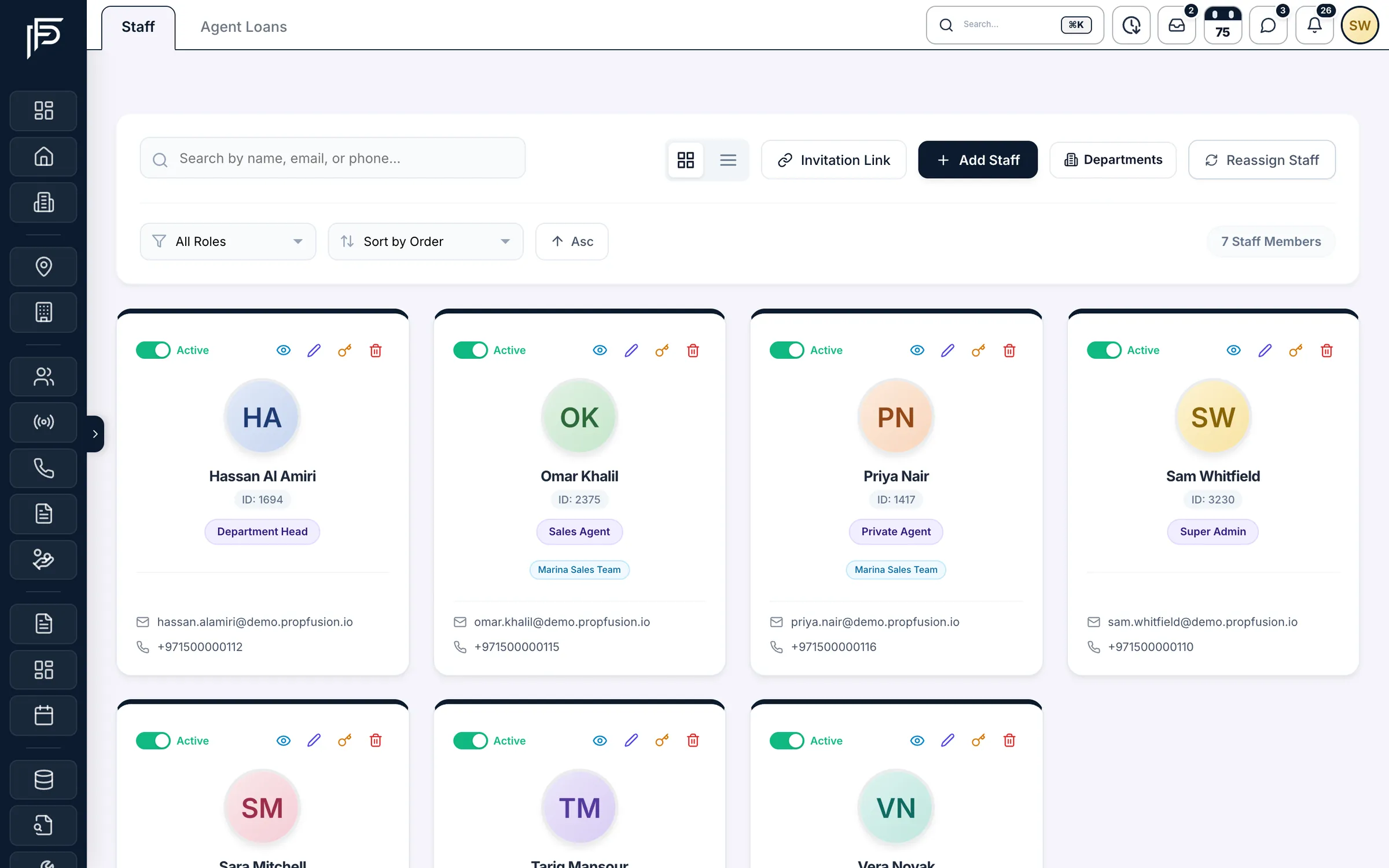
Staff accounts
Onboard quickly, offboard without losing a lead
- An inactive account loses access on its next request, on web and in the app
- Reassign a departing agent's leads and properties to the agents you choose
- Admins reset passwords from the staff list
Company settings
Company-wide rules in one place
- Role-based or team-based access for the whole company
- Country spaces: UAE by default, extra markets per staff member
- Licence details and branding kept with your company profile
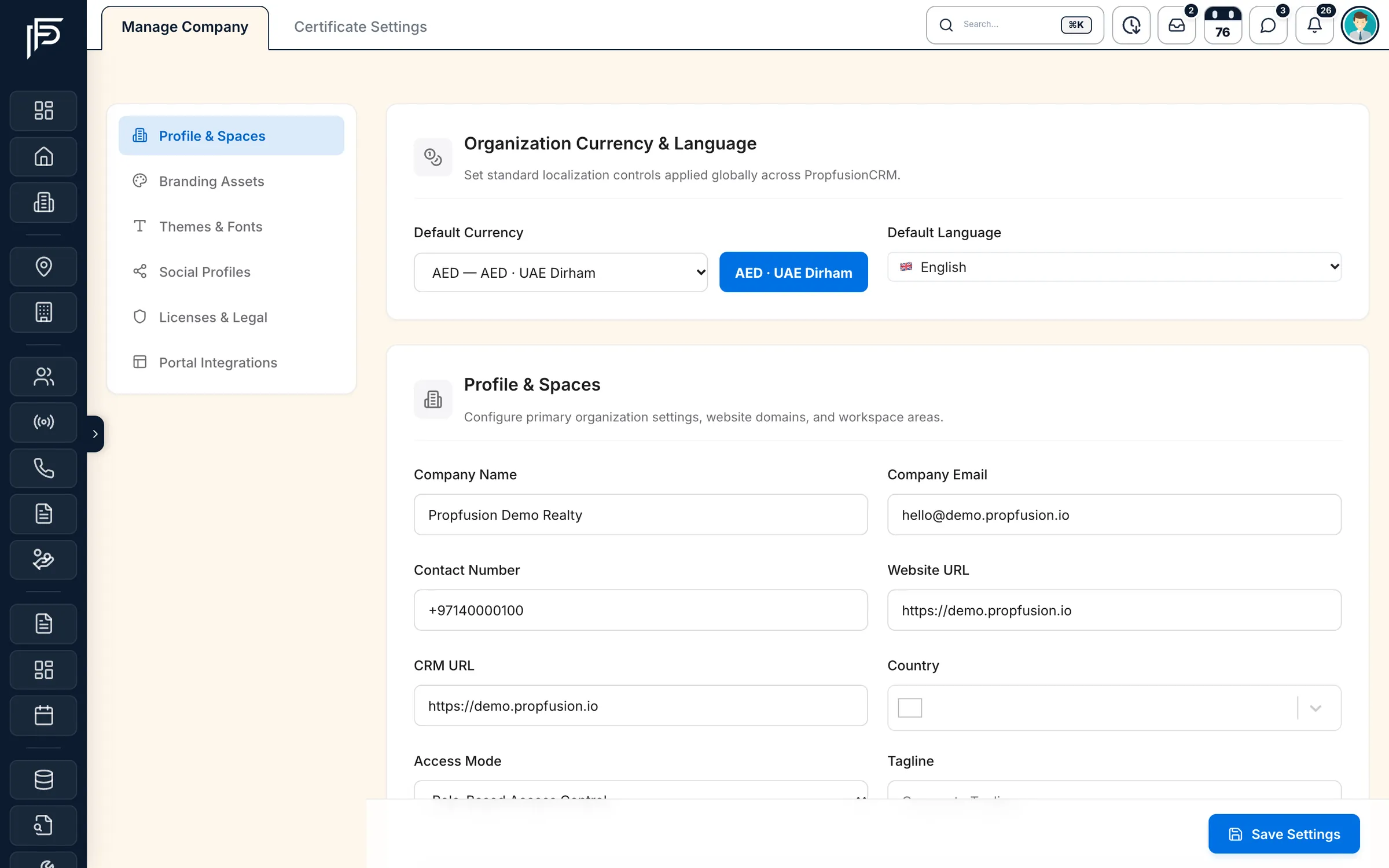
Screens show the Propfusion Demo Realty sample workspace. All people, listings and numbers are fictional.
Under the hood
Security built into every request
The rules your admins set are enforced by the server, not just hidden in the screens. More detail is in our security overview.
A database per agency
Each brokerage's leads, listings and deals are stored in their own database, never mixed with another company's.
Sign-ins tied to your company
A login issued for one agency is refused by every other agency's CRM.
Offboarding that takes effect at once
Inactive, suspended or deleted accounts are checked on every request, so access ends straight away.
Hashed passwords
Passwords are stored as bcrypt hashes, never as readable text.
Maker-checker for owner money
Owner charges and payouts wait for a second person to approve them before money moves.
Approvals before it counts
Approving deals is its own permission, and listing requests can wait for a manager before going live on the portals.
Separate owner and tenant portals
Owners and tenants sign in to their own portals, with access limited to their units, contracts and payments.
API tokens you can revoke
Admins issue named API tokens with an expiry date and can revoke them at any time. See the API
Encrypted connections
The web CRM, the mobile app and the API connect over HTTPS.
Is our data kept apart from other agencies?
Yes. Each brokerage's leads, listings and deals are stored in their own database, and a sign-in issued for one agency is refused by every other agency's CRM.
Do we have to use fixed roles like Agent or Manager?
No. You build your own roles from permissions grouped by area, copy a role to start the next one, and assign it to staff. For leads, listings, deals and other records, a role sees either its own or everyone's.
What happens to access when someone leaves?
Mark them inactive and their access ends on their next request, on the web and in the app. Reassign Staff then hands their leads and listings to the colleagues you choose.
Can new staff sign themselves up?
Yes, with an invitation link or QR code tied to the role you pick. New accounts start inactive until an admin activates them, and admin-level roles can never be given out this way.
Can we switch off modules we don't use?
Yes. Organization Features turns whole modules such as contracts, owners, tenants or hospitality on or off for the company. A menu item only appears when its module is on and the person's role allows it.
How are passwords and connections protected?
Passwords are stored as bcrypt hashes, never as readable text, and admins reset them from the staff list. The web CRM, the mobile app and the API all connect over HTTPS.
Related features
Grow the team without losing control of your data
Set up roles, departments and access with our team in a live session, or start a free trial and explore the settings yourself.