Targets & performance
Agent KPIs and targets that keep score for you
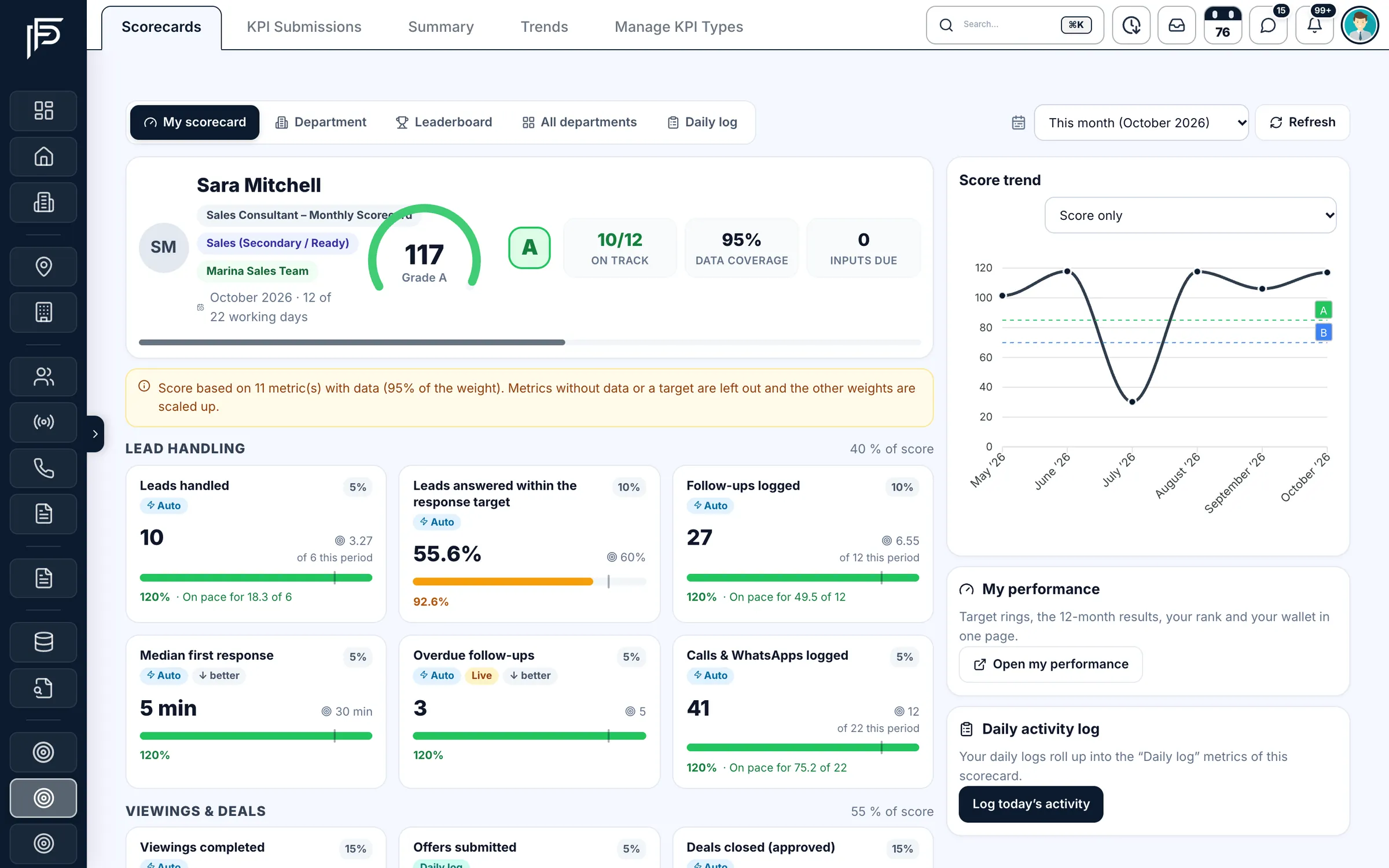
Set a monthly target for every consultant and Propfusion scores them from real CRM work: leads answered on time, viewings completed, deals approved and commission earned. Agents see their own scorecard and grade. Managers see the leaderboard, every month's result and each person's wallet.
7 days free · No card needed
- Scored from live CRM data
- A to D grades every month
- On the web and in the app
How it works
From target to result, without a spreadsheet
- Step 1
Pick a scorecard per department
Start from ten ready templates, from Sales and Leasing to Off-plan, Finance and Customer support. Tune each metric's weight and AED target.
- Step 2
Plan the month's targets
Set targets per person in one grid. Team leaders can propose changes, and a manager approves or rejects them.
- Step 3
Let the CRM keep score
Most metrics count themselves from leads, viewings and approved deals. When the month ends, it closes and the result is frozen.
Staff targets & performance
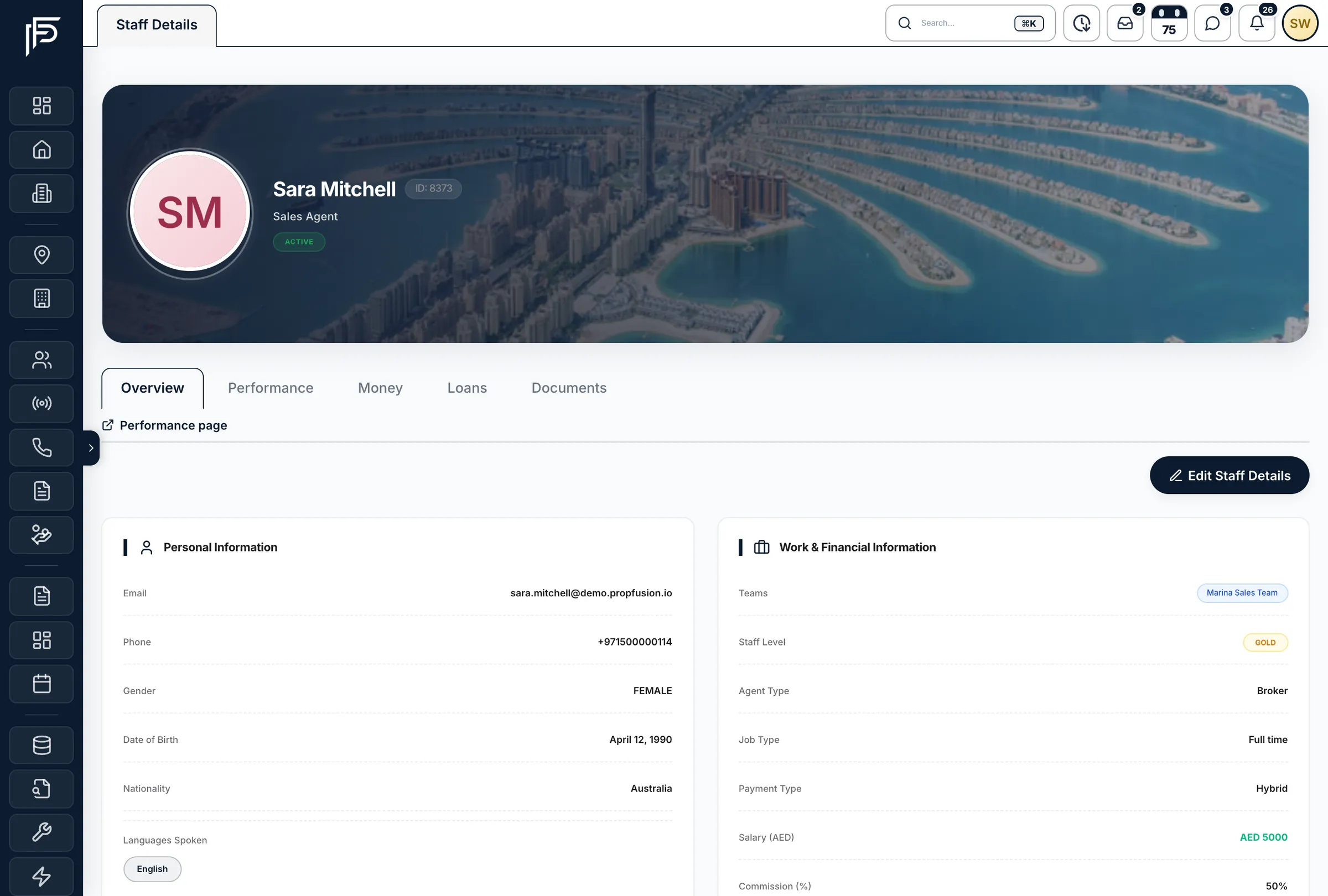
A Targets & Performance tab on every staff profile
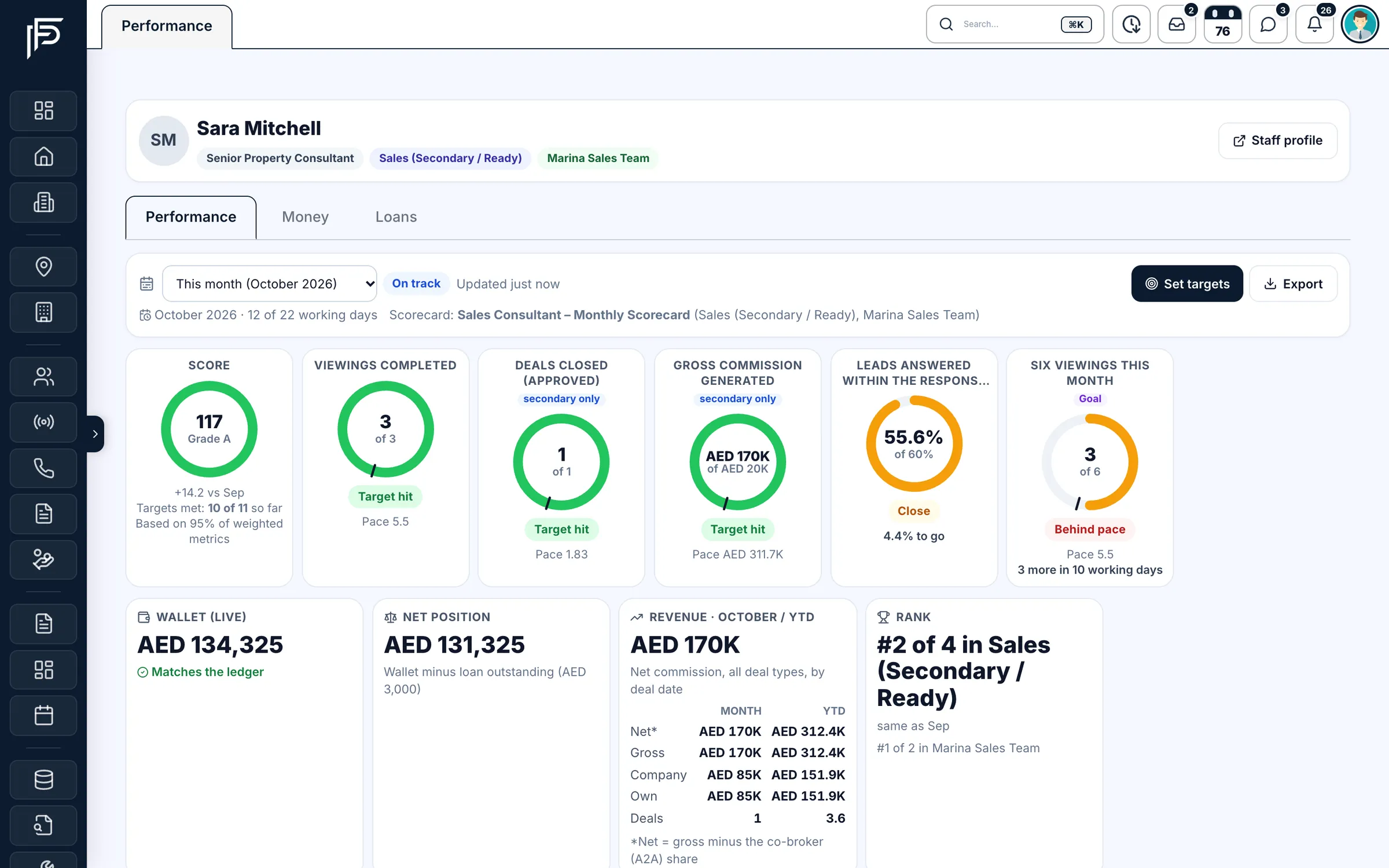
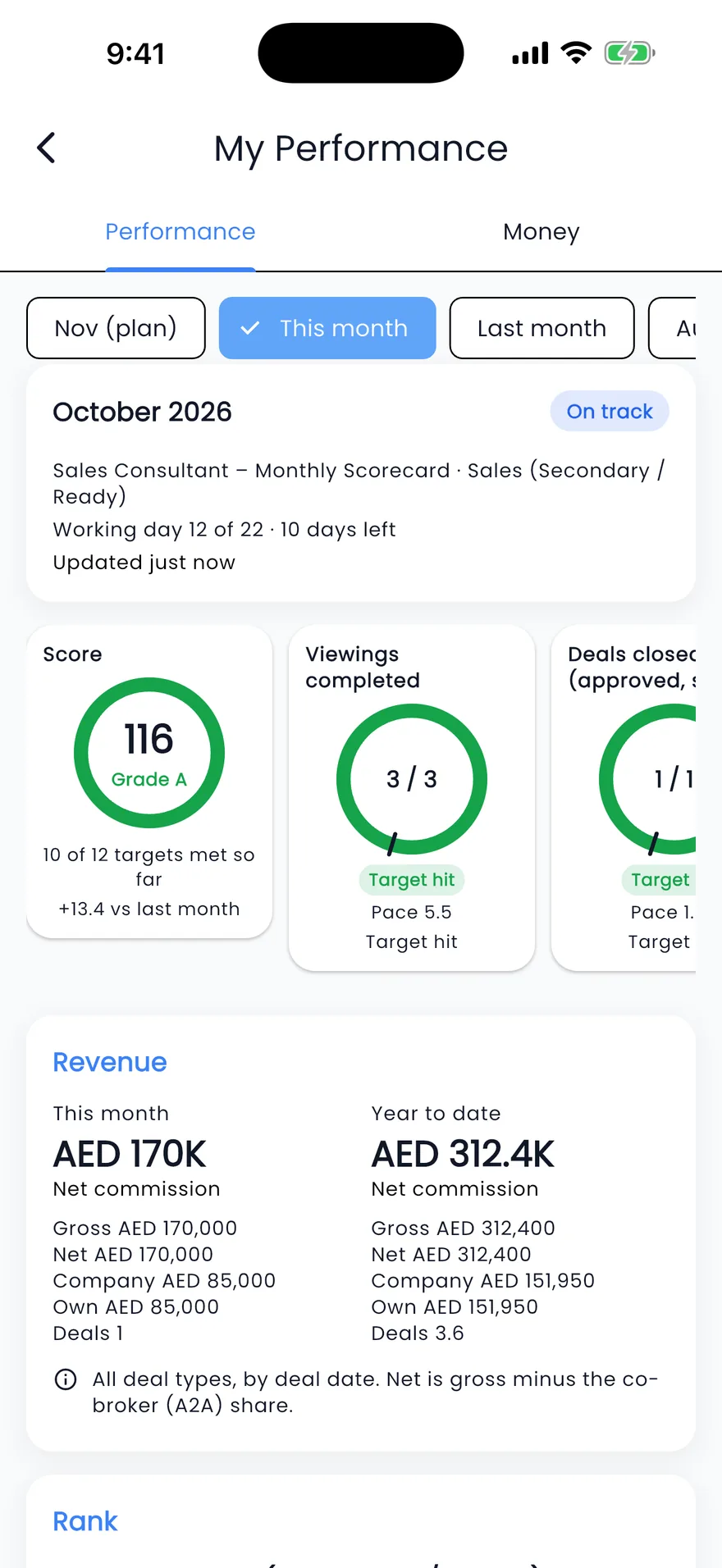
Open anyone on your team and their month is on one page: what they were set, whether they are on pace, what they hit or missed in each of the last twelve months, and what they have earned.
This month's targets
A ring for every headline target: hit, close or behind pace, and how many more are needed in the working days left.
Twelve months, hit or missed
A heatmap of Hit, Near and Missed for each of the last twelve months, frozen as each month closes.
The records behind each number
Open the leads, viewings and deals that make up a score, so a result can be checked rather than argued about.
Live wallet and net position
The wallet balance, checked against the ledger, and what is left after any loan outstanding.
Revenue, month and year to date
Net, gross, company and own commission, with the number of deals, for the month and the year so far.
Rank and badges
Rank in the department and in the team next to last month's, plus badges such as Target hit and hit streaks.
Who sees it
Open with the right people, private from the rest
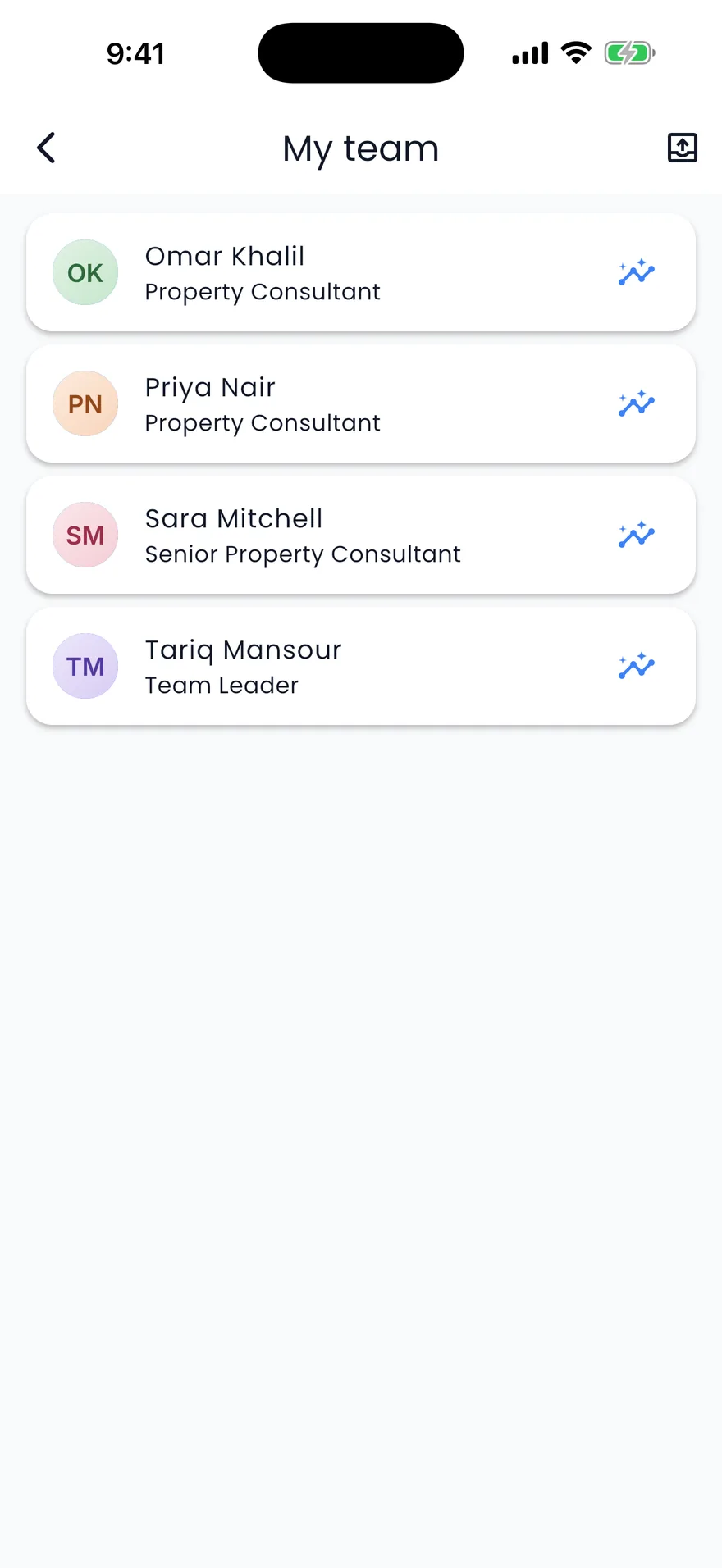
Team leaders carry their team in their pocket: My team in the Propfusion app lists each consultant with a link to their performance, and every view follows the roles you set.
- Each person sees their own page under My performance, on the web and in the app
- Their team leader, department head and KPI admins open it from the staff page
- Wallet, loans and payouts are shown only to the person, finance and admins
- Badges stay private unless an admin shows them to colleagues, and even then without the numbers
Everything a sales manager needs to run the month
Built around the questions you ask every week: who is on pace, who needs help, and what did we actually close?
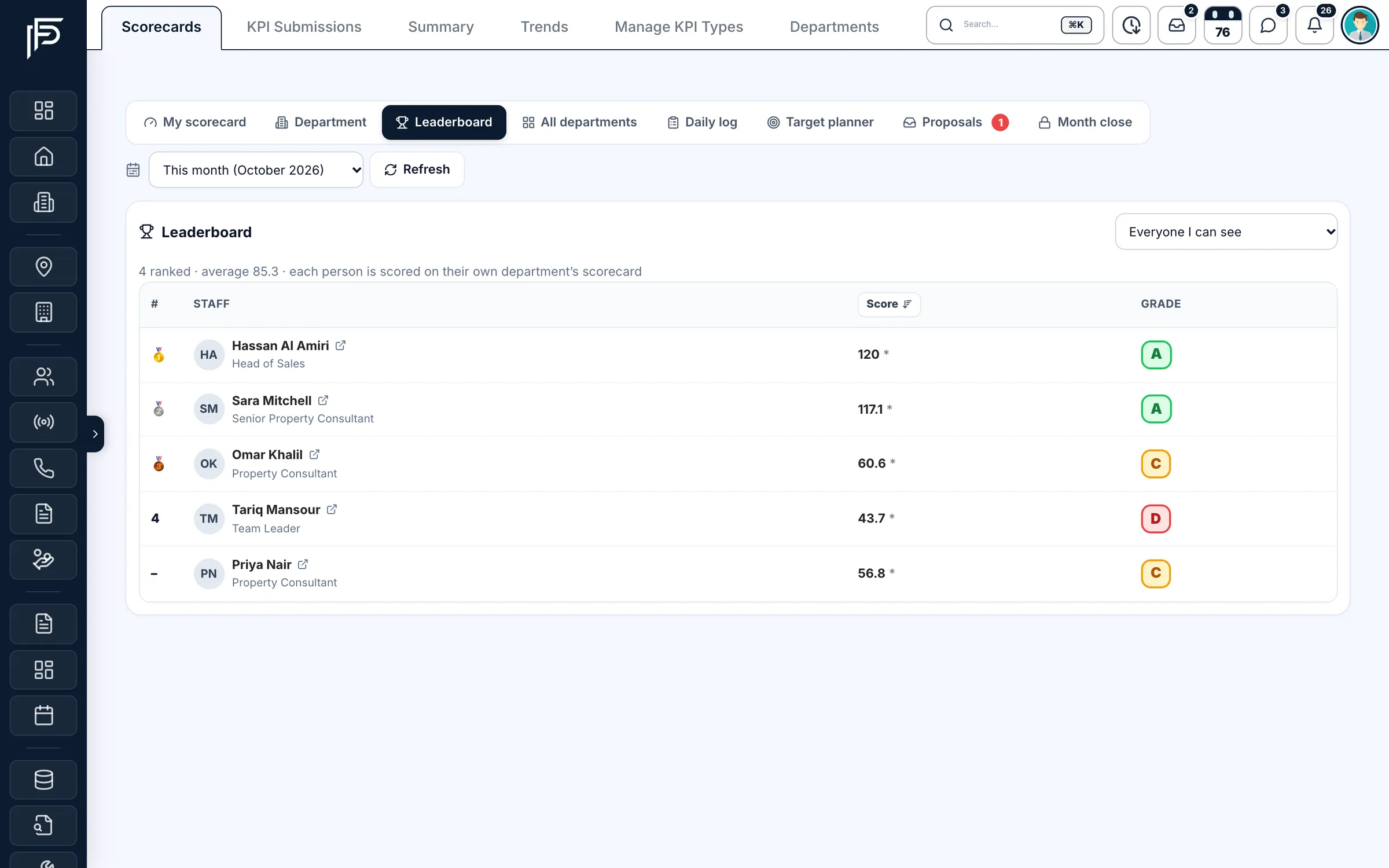
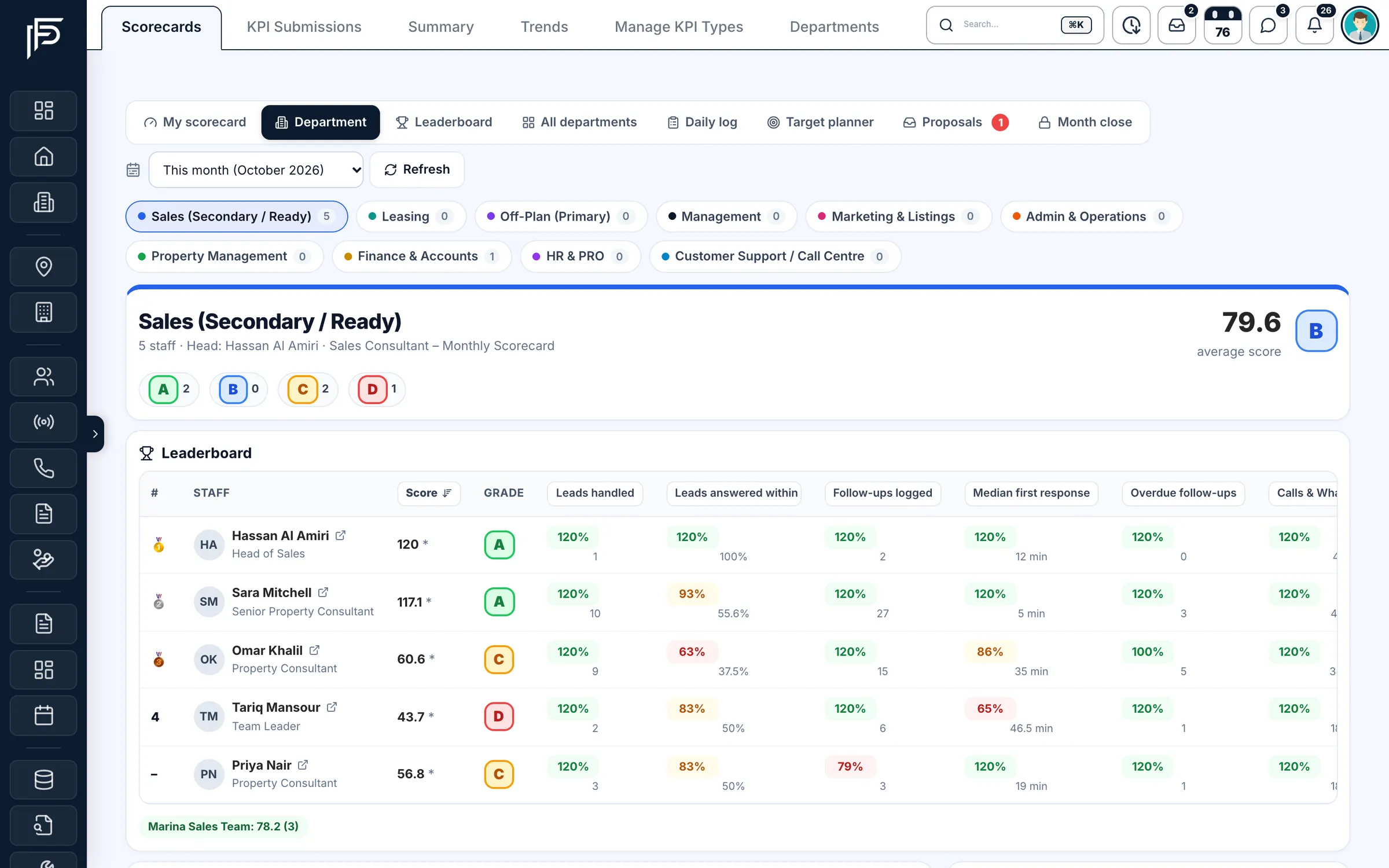
Leaderboard
One leaderboard across every department
- Medals for the top three and an A to D grade next to every name
- Open anyone's performance page straight from the list
- You decide whether agents see their colleagues' names in the ranking
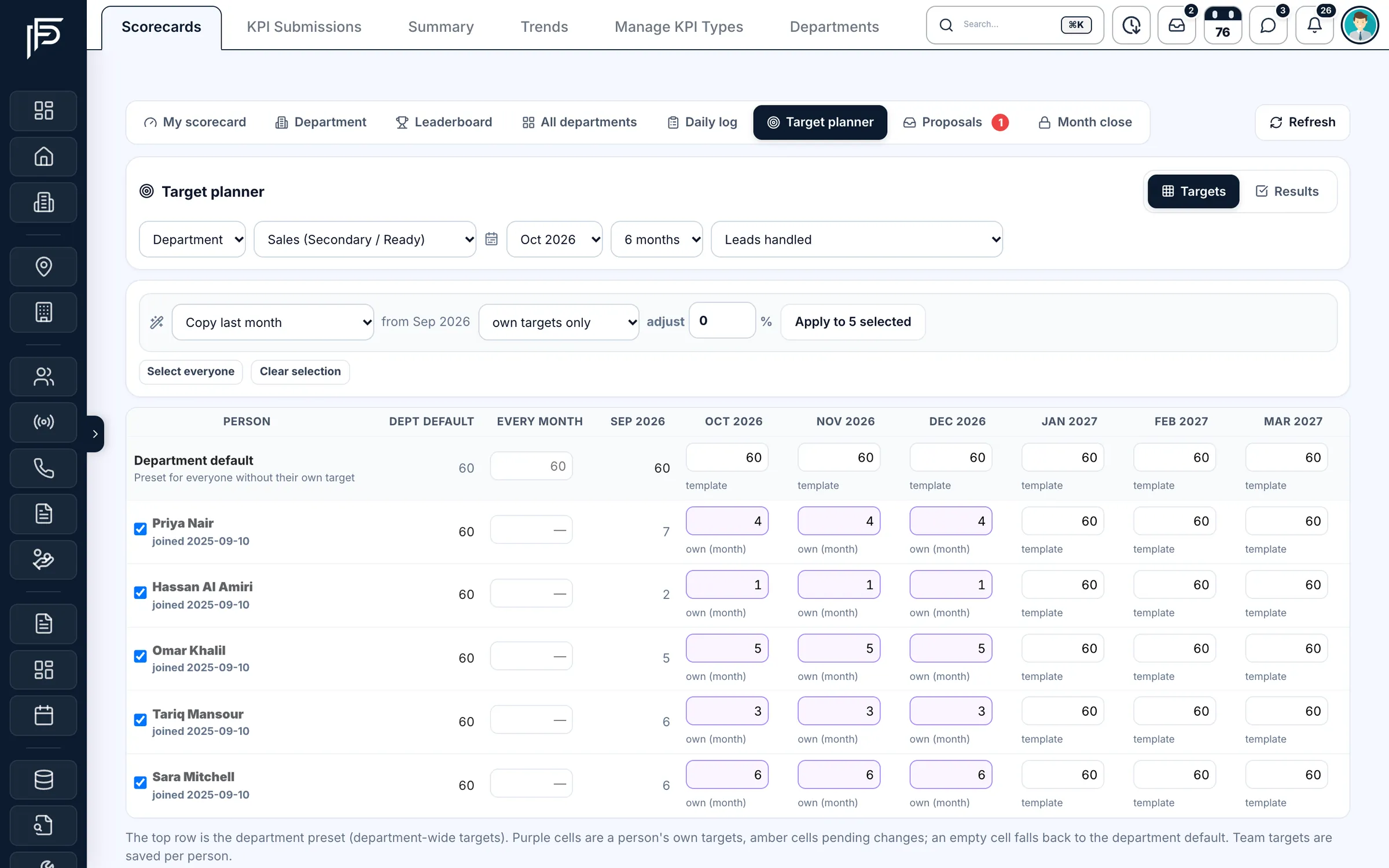
Target planner
Plan the whole team's targets in one grid
- Copy last month to everyone selected, or adjust it by a percentage
- Department defaults for everyone without a target of their own
- A new-joiner ramp that builds targets up month by month
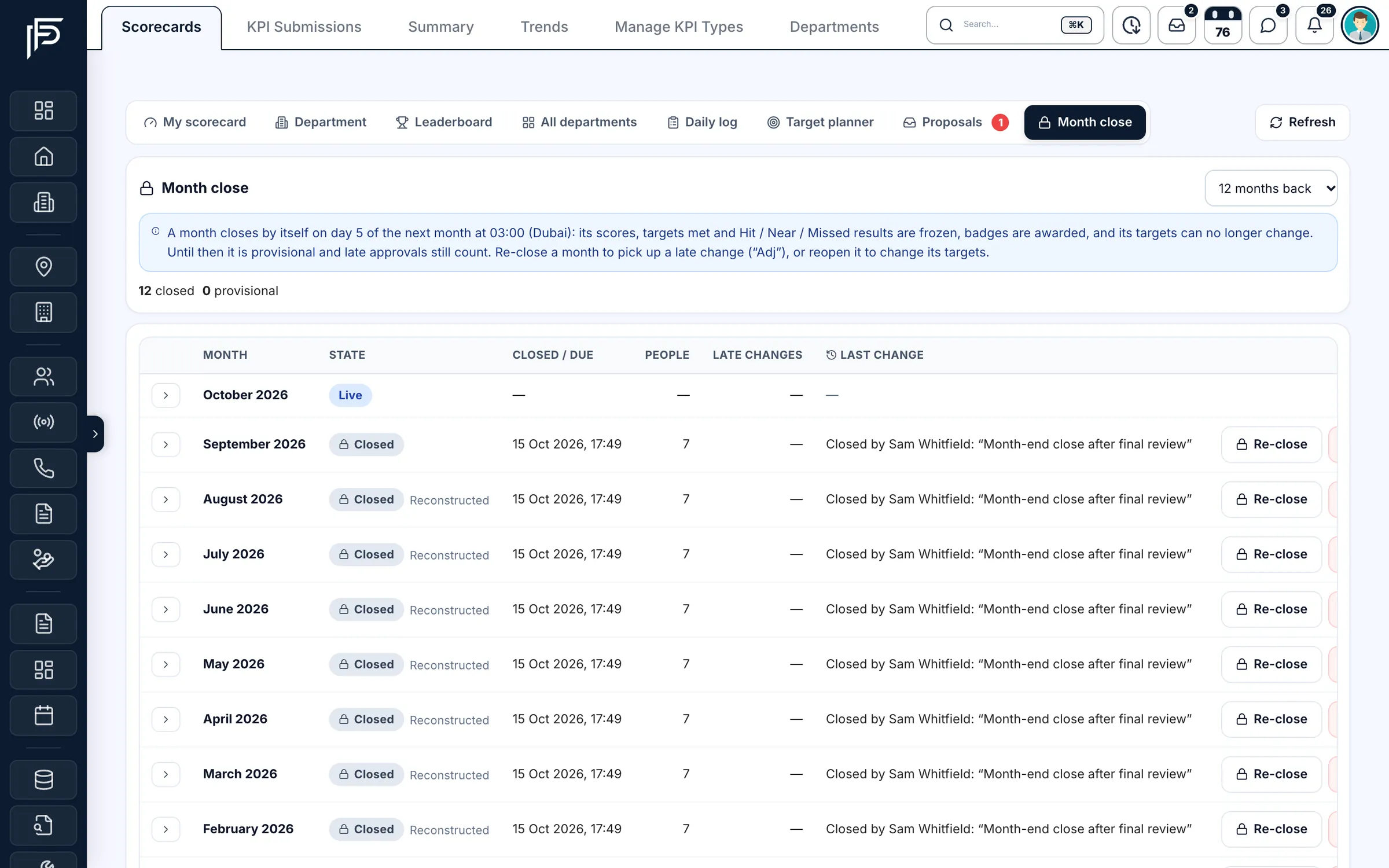
Month close
Close the month and the result stays put
- Live and closed months side by side, up to twelve months back
- Re-close a month to pick up a late change, marked “Adj” on the result
- Reopening or re-closing asks for a reason, kept in the month's history
Daily log & trends
The work the CRM can't see, logged every day
- Totals for every metric above the chart
- Today, this week, this month or any date range
- Each day's submissions listed, with a report you can export
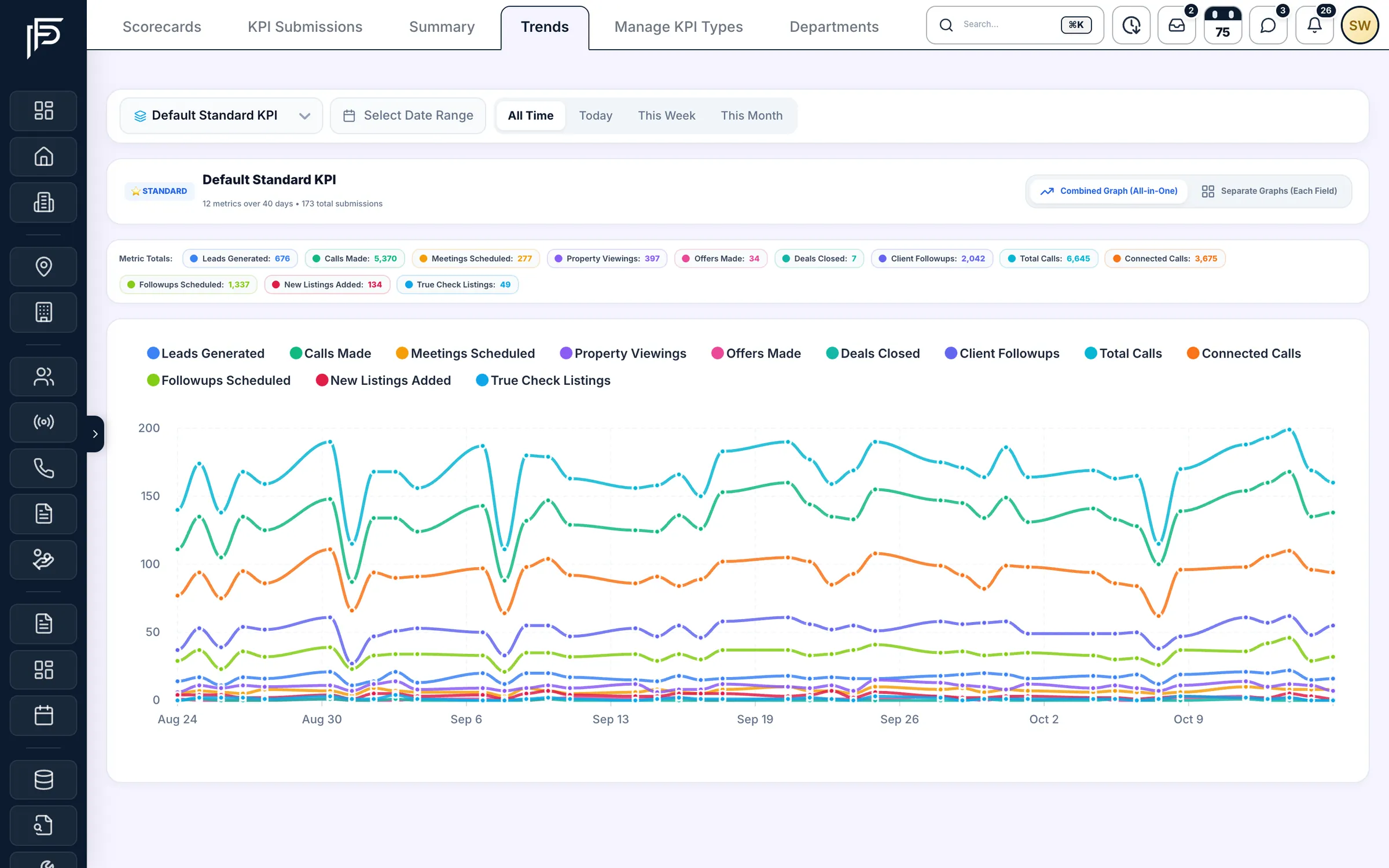
Screens show the Propfusion Demo Realty sample workspace. All people, listings and numbers are fictional.
Department scorecards
A scorecard for every department, not just sales
KPIs are set per department, so a leasing consultant is never judged on off-plan bookings. Each scorecard is weighted, graded and pro-rated by UAE working days while the month is still running.
Department heads see the team's average score and how many people sit in each grade, then a leaderboard with a column for every metric. Sort it by score or by any metric to see who needs help.
Sales
Leads answered on time, viewings completed, deals closed, gross commission
Leasing
Rental deals closed, annual rent closed, renewals signed, Ejari within 7 days
Off-plan
Project presentations, site visits, EOIs collected, bookings closed
Team leaders
Team average score, team deals and commission, 1:1 coaching sessions
Marketing & listings
Portal leads, cost per paid lead, live listings with a Trakheesi permit
Admin & operations
Deal files created, deals with full party KYC, Ejari registrations
Property management
Cheques collected, leases renewed, occupancy, maintenance completed
Finance
Commission received, month-end close days, VAT filings on time, payouts
HR & PRO
Attendance, valid Emirates ID and passport, brokers with a RERA BRN
Customer support
Leads qualified, median first response, CSAT, call QA score
Example metrics from the ready templates. Change any target, weight or metric to fit your brokerage.
Targets & performance
Coach the team before the month is lost
The details that make a scorecard fair, and that keep agents looking at it every day.
Scored from CRM data
Leads, follow-ups, viewings, listings and approved deals feed the scorecard. Other metrics come from a daily log, a formula or a manager.
Weighted scores, A to D grades
Each metric has a weight and a cap (120% by default), so one big deal can't hide the rest of the month.
Pace, not just totals
Every metric shows whether the agent is on pace for the month, pro-rated by UAE working days.
Behind-pace alerts
On working days you choose, agents behind pace get a nudge and team leaders get a daily digest.
Streaks and badges
Target hit, hit streaks, Top 3 in the department, Fast responder and Personal best, earned month by month.
Ask the AI assistant
Ask “Who is behind pace this month?” or “How is Sara doing against target?” and Propfusion AI answers from the live scorecard.
Target proposals
Team leaders propose target changes. Managers approve or reject them with a note, from one inbox.
Team leader scorecards
Leaders are scored on their team's average score and results, plus their own coaching and deals.
Export to CSV
Download a person's targets and monthly heatmap exactly as shown, ready for an appraisal.
Team & HR
Staff records, roles and attendance in the same place
Each staff page keeps the person's work details next to their results: teams, staff level, agent type, salary and commission percentage, with Performance, Money, Loans and Documents one tab away. Roles decide who sees which leads, deals and scorecards, so HR records and KPIs never drift apart.
- Roles such as Finance Manager or Department Head, each with exactly the permissions you tick
- Check-in and check-out from the mobile app, with a monthly attendance view
- Leave (annual, sick, unpaid and more) on the HR calendar, with balances on the staff page
Where do the scores come from?
Most metrics count themselves from CRM records: leads answered on time, follow-ups, viewings, listings and approved deals, with deals credited by each agent's share of the split. Work outside the CRM comes from the agent's daily log, a formula or a manager's entry.
Who can see an agent's performance?
The agent, their team leader, their department head and KPI admins. Wallet, loans and payouts are limited to the person, finance and admins, and you decide whether agents see colleagues' names on the leaderboard.
Can agents change their own targets?
No. Admins and department heads set targets. Team leaders can propose changes, which a manager approves or rejects with a note, and nobody edits their own.
What happens when the month ends?
From the 1st, last month is provisional so late approvals still count. On the 5th at 03:00 Dubai time it closes: scores, targets and each Hit, Near or Missed result are frozen and the month's badges are awarded. An admin can re-close or reopen a month, giving a reason.
Do agents get alerts about their targets?
Once an admin switches alerts on for a department. Agents behind pace then get a nudge on the working days you choose, people hear when every target is hit, and team leaders and department heads get a daily team digest.
Is it in the mobile app?
Yes. Agents see My performance in the Propfusion app with their score, targets, pace and revenue, and team leaders open each person's performance from My team.
Related features
Works with the rest of Propfusion
Transactions & finance
Approved deals credit each agent's wallet and feed the commission metrics on every scorecard.
Learn moreAnalytics & reports
Pipeline, source and listing reports for the questions a scorecard doesn't answer.
Learn moreLead management
Response times and follow-ups start here, on every Property Finder, Bayut and Meta lead.
Learn more
Learn more
Guides and use cases
From the blog
Give every agent a clear target this month
Start a free trial, load the ready department scorecards and see your first leaderboard on your own data. Or book a demo and we'll walk you through it.
7 days free · No card needed