Brochures, video tours and links your clients open
- 4 brochure designs
- Video tours in 4 formats
- Client links open without a login
How it works
From the listing page to your client’s phone
Propfusion prepares the brochure, video or story card. Your agent sends it from their own accounts.
- 01
Start from the listing
Press “Share or Download PDF” on the listing page, or “Create video tour” in its menu. In the app, tap the share button on the listing.
- 02
Make it yours
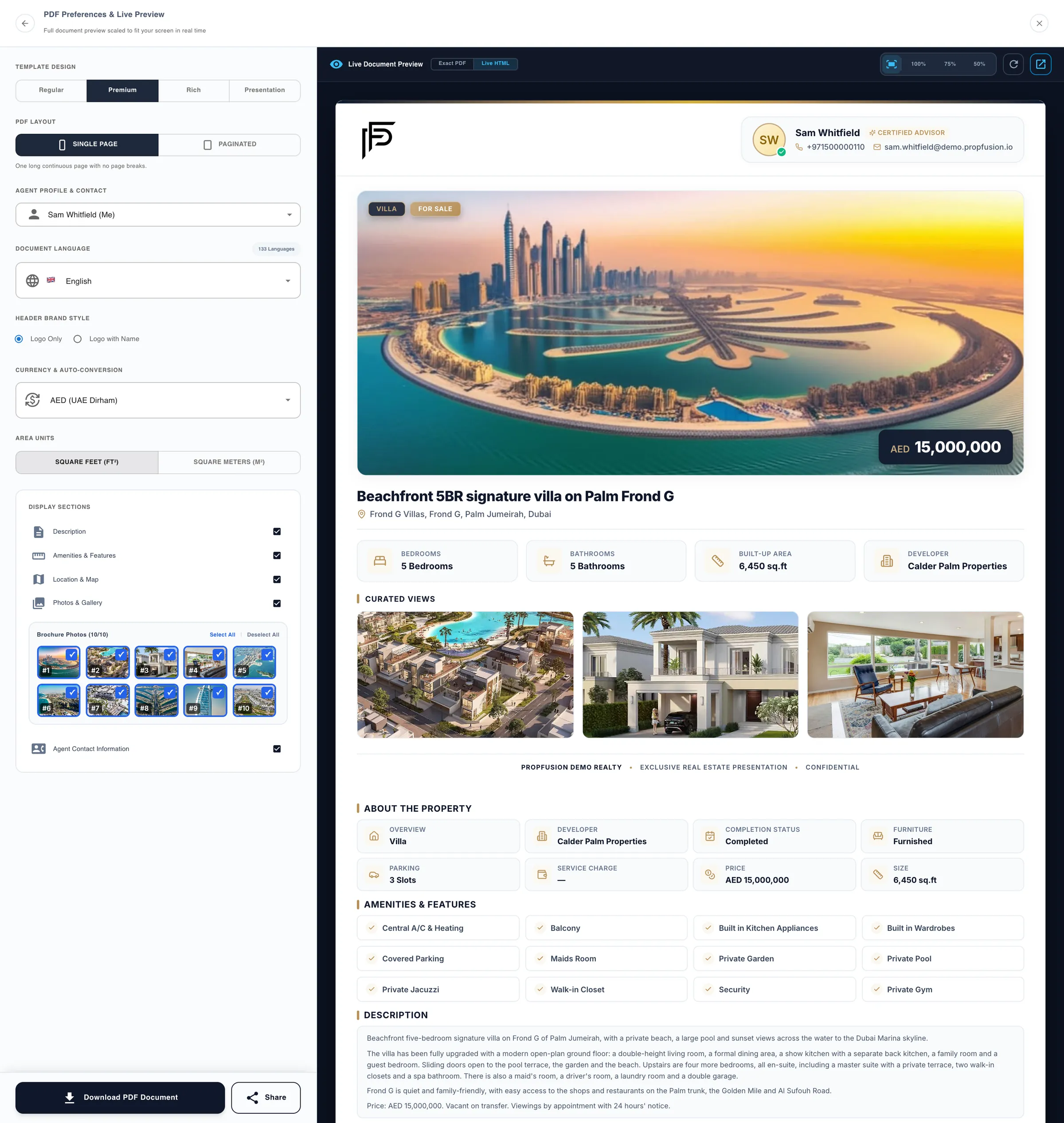
Choose the design, language, currency, sections, photos and the agent shown, with a live preview of the brochure as you go.
- 03
Send it from your own accounts
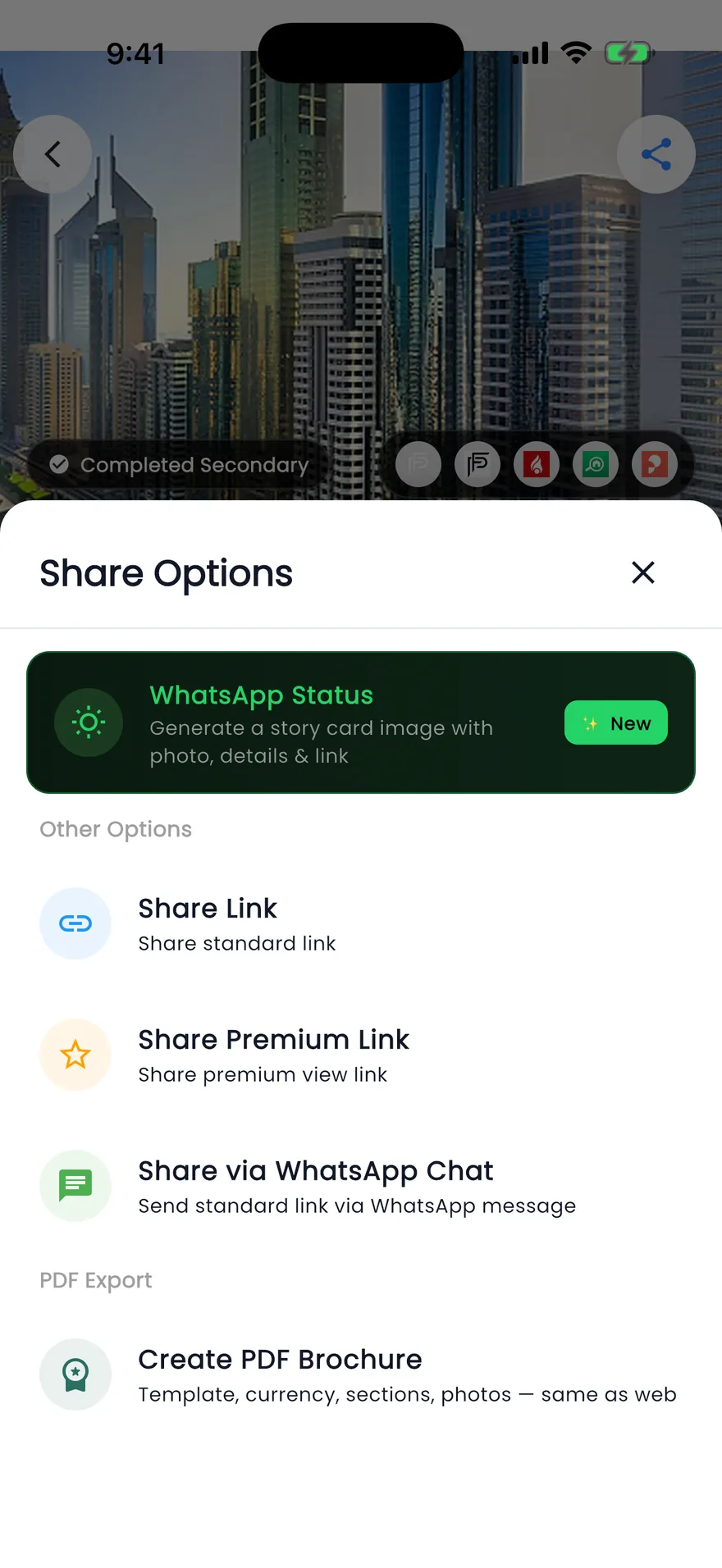
Send the link by WhatsApp, Telegram, SMS or email, or post it from your own Facebook, X or LinkedIn. Clients open it in a browser, no login needed.
Listing content ready for your agents to send
Brochure links and video tours on the web, story cards in the app, made from the listing’s own photos and details.
Brochure links
A branded brochure, sent as a link to any channel
- One tap sends the link by WhatsApp, Telegram, SMS or email
- Facebook, X, LinkedIn, Pinterest and Reddit open their own share window, so you post from your own account
- Copy link for Instagram, TikTok or any other app
- Your client opens the link in a browser without logging in, and can view and download the brochure
Video tours
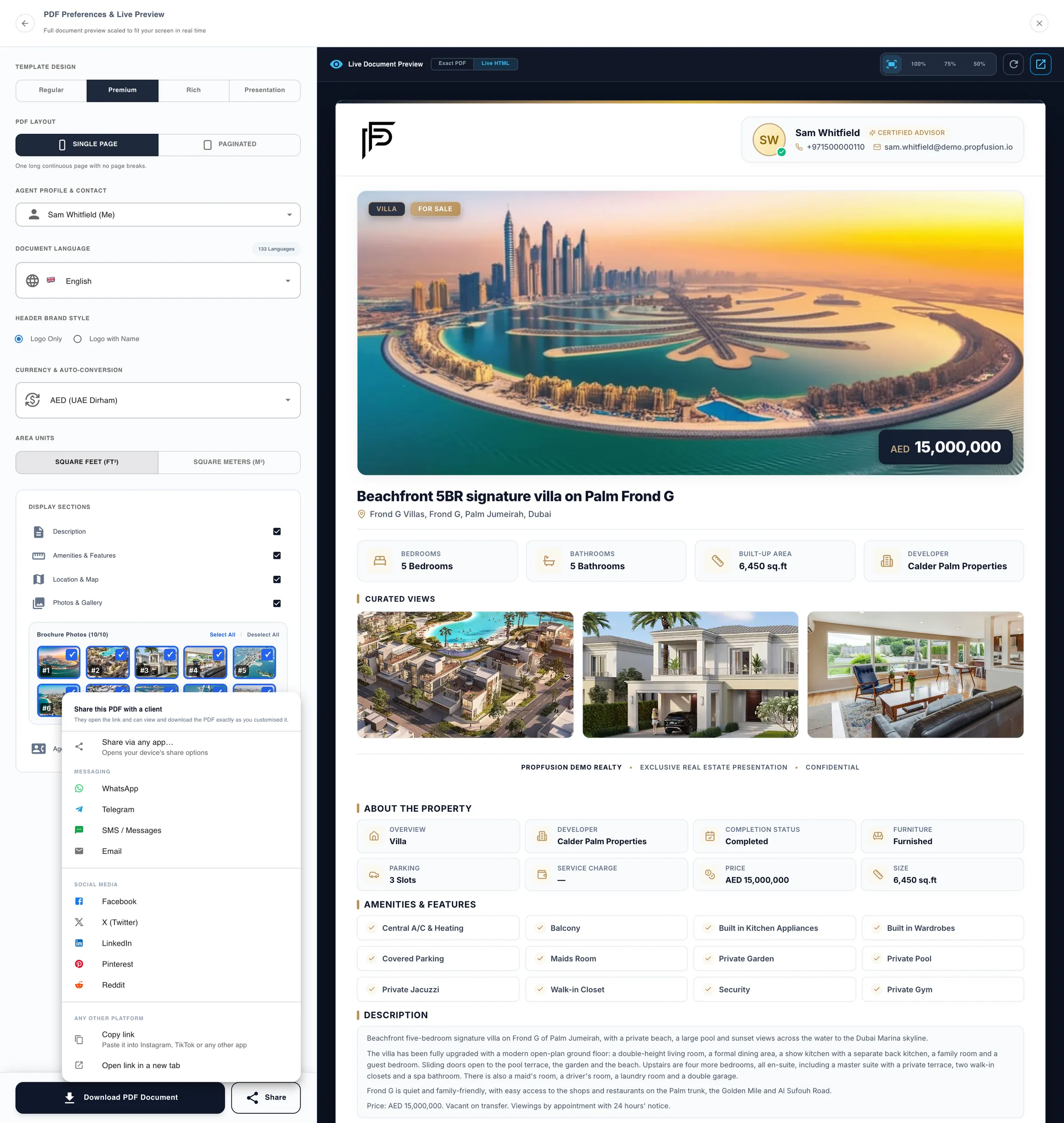
A video tour made from the listing’s own photos
- Reels 9:16, Wide 16:9, Square 1:1 or Portrait 4:5
- Fade, Slide, Zoom or Cut transitions between photos
- A seconds-per-photo slider, with an estimate of the video’s length as you set it
- An optional title-and-price card and agent card
- Download the MP4 or use it as the listing’s video, then post it to your social networks yourself
In the app
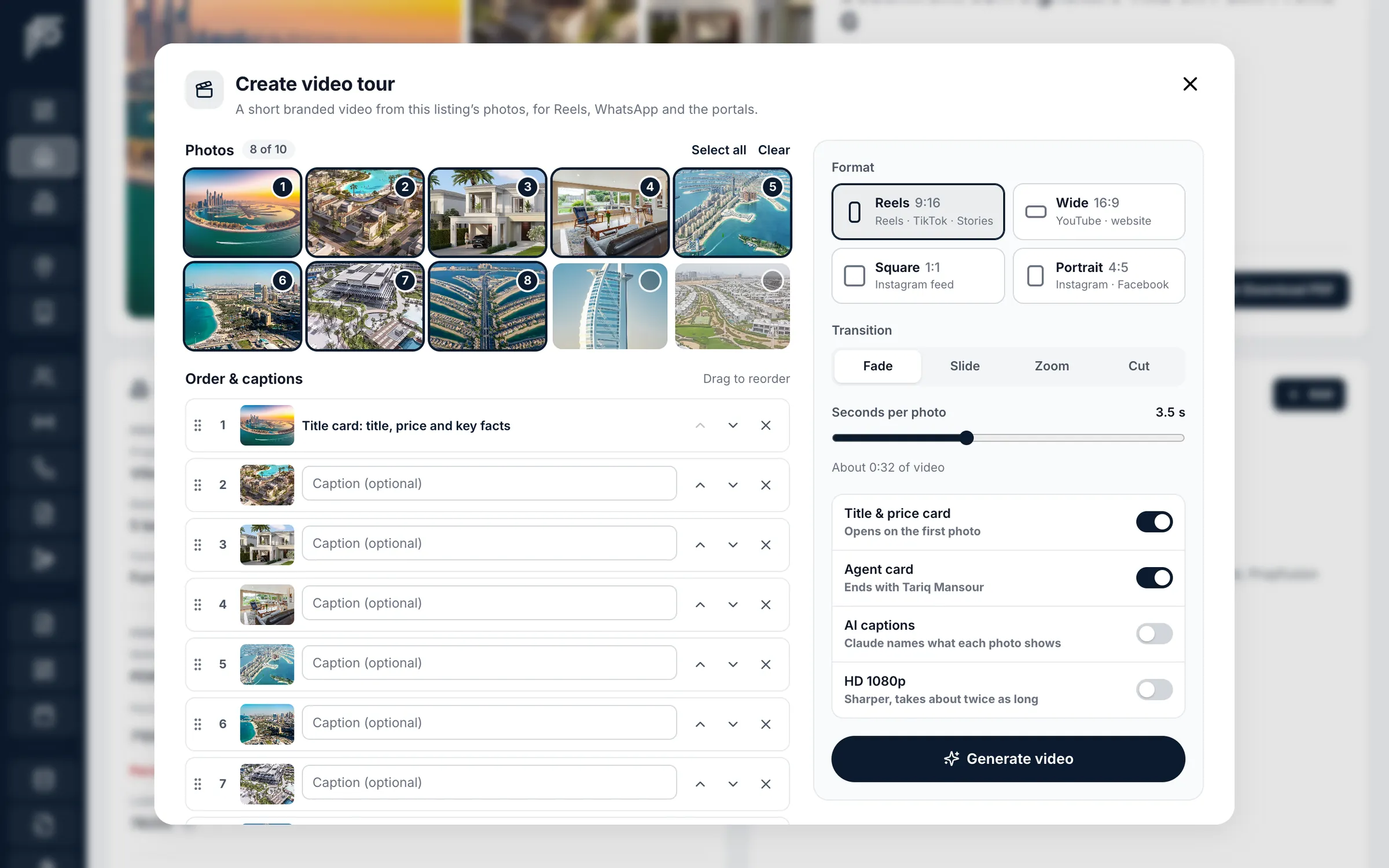
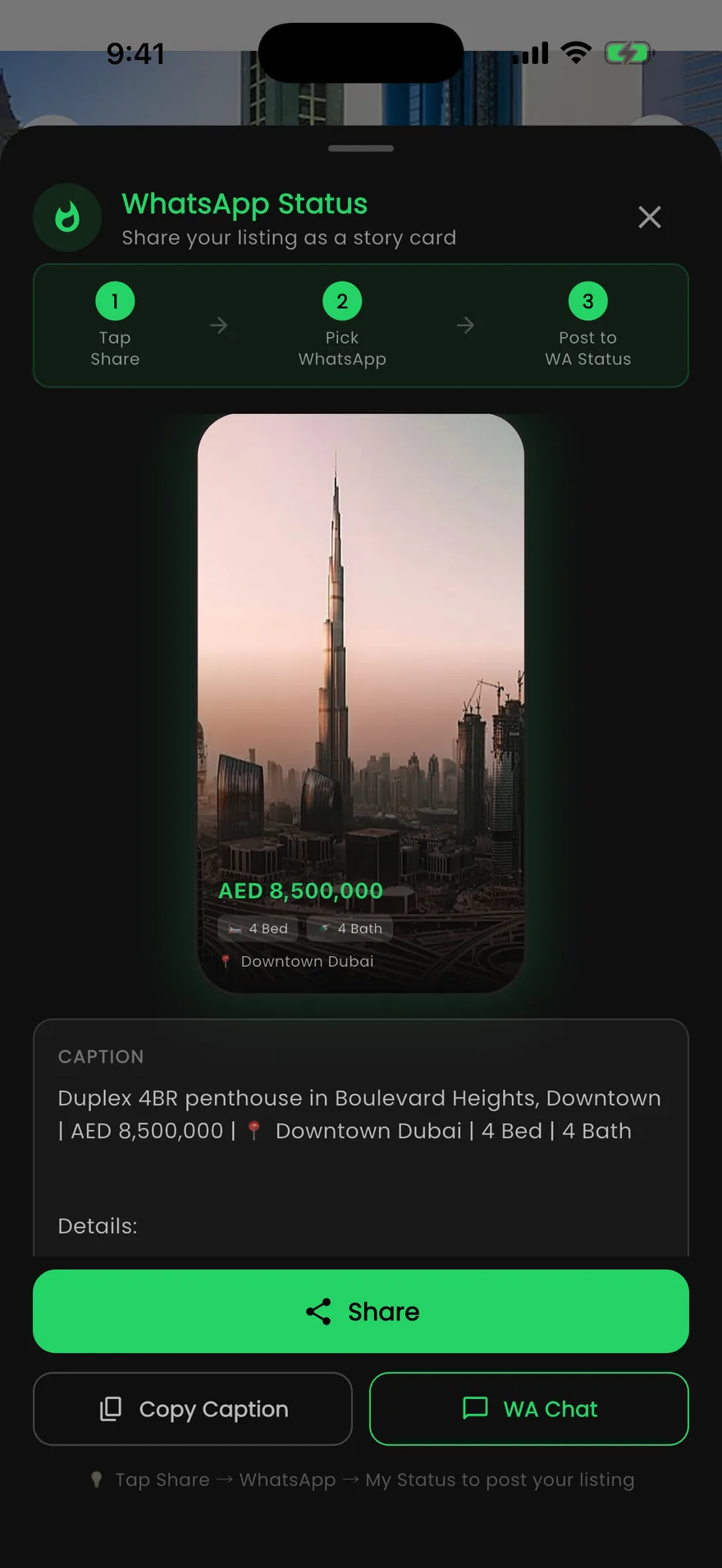
A WhatsApp Status story card, made on the phone
- Share a standard or premium link, or send the link in a WhatsApp chat
- Create a PDF brochure from the same templates as the web, with template, currency, area unit, sections and photos
- Projects use the same Share Options, with links, WhatsApp chat and a project brochure
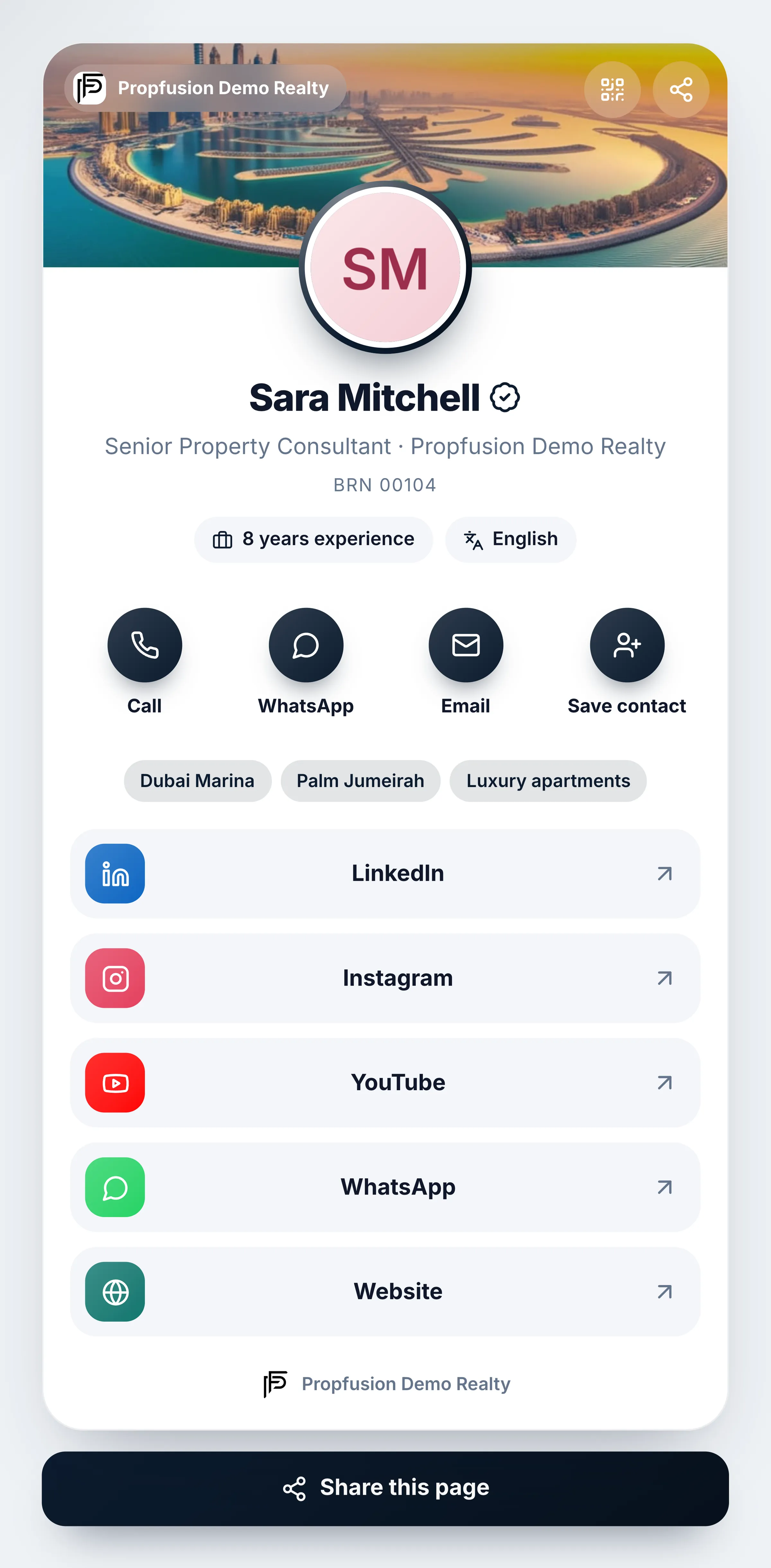
Agent link page
A link page for every agent
- Photo, title, and Call, WhatsApp, Email and Save contact buttons
- All of the agent’s social links on one page
- Shared as a link or as a QR code
- A public page, so clients open it without an account
Screens show the Propfusion Demo Realty sample workspace. All people, listings and numbers are fictional.
Also included
The details behind every share
Small things that make sharing a listing quick for the agent and clear for the client.
Brochures in your client’s language
Choose from 133 brochure languages, with the listing title and description machine-translated. The brochure’s fixed labels are built in for 16 of them, including Arabic, Russian, Chinese, Hindi and Urdu.
Portfolio links
Select two or more listings in the listings list and press Share to send them as one premium portfolio link.
Brochure shares on the record
Each brochure download or link share from a listing’s brochure studio is logged in that listing’s activity, and link shares show the channel used.
Project brochures too
Projects in your own list get the same brochure studio, with Regular, Premium and Presentation designs. A project from the pool gets it once you claim it.
Your brand and your agent
Head every brochure with your logo alone or with your company name, and choose which agent’s details the client sees.
The device’s own share menu
Where the browser supports it, Share via any app opens the device’s share options, next to Copy link and Open link.
Listing sharing questions
- Who posts the content on social media?
- Your agents, from their own accounts. Propfusion prepares the brochure link, video tour or story card. The brochure Share menu opens the share window of Facebook, X, LinkedIn, Pinterest or Reddit, Copy link covers Instagram, TikTok and any other app, and video tours are downloaded and posted by hand.
- Do clients need an account to open a brochure link?
- No. The client opens the link in a browser without logging in, and can view and download the brochure. The same goes for each agent’s link page.
- Which languages can a brochure be in?
- You choose from 133 languages in the brochure studio, and the listing title and description are machine-translated into the one you pick. The brochure’s fixed labels are built in for 16 languages: English, Arabic, Russian, French, Chinese, German, Spanish, Italian, Portuguese, Turkish, Hindi, Urdu, Persian, Dutch, Japanese and Korean. In the other languages those labels stay in English.
- How long can a video tour be?
- Up to 60 seconds, made from up to 15 of the listing’s photos. You set how long each photo shows, and if the photos would run past a minute, each one is shortened so the video stays under 60 seconds. It comes as an MP4 in Reels 9:16, Wide 16:9, Square 1:1 or Portrait 4:5, ready to download or use as the listing’s video.
- Can agents share listings from their phones?
- Yes. In the Propfusion app for iPhone and Android, the share button on a listing opens Share Options: a standard or premium link, the link in a WhatsApp chat, a PDF brochure from the same templates as the web, or a WhatsApp Status story card.
- Can we see what was shared?
- For brochures, yes. Each brochure download or link share from a listing’s brochure studio on the web is logged in that listing’s activity, and each link share shows the channel it went out on.
Related features
Keep exploring
Give every listing a brochure, a video and a link
Start a free trial, or book a live demo to see the brochure studio, video tours and the app’s Share Options in action.