The real estate CRM mobile app for agents on the move
Your leads, follow-ups, listings and off-plan projects, on the phone in your pocket. Call or WhatsApp a client in one tap, log the follow-up before you leave the viewing, and get an alert the moment a new Property Finder or Bayut lead lands.


- iPhone and Android
- Same workspace as the web CRM
- Push alerts for new leads
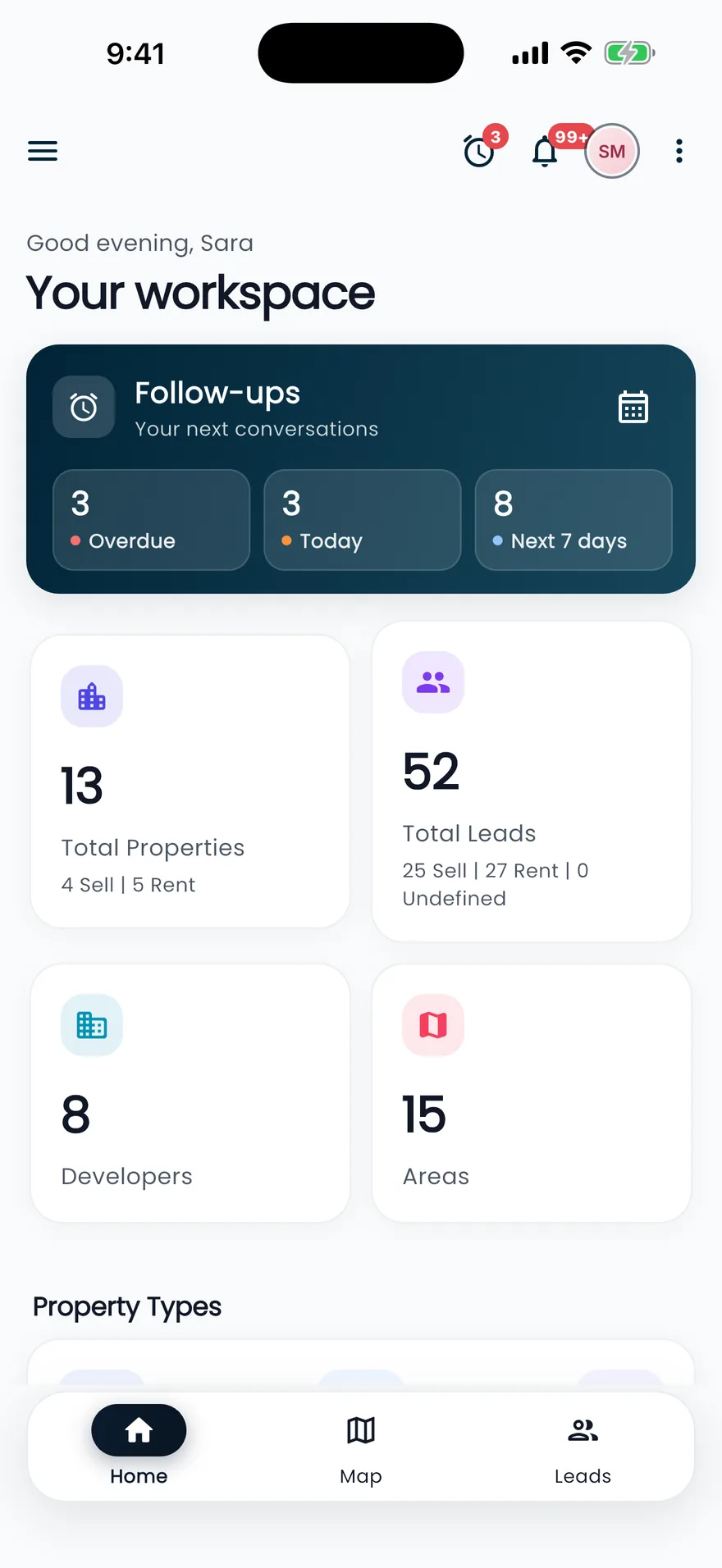
The CRM, shaped for a phone
Not a shrunken website: screens designed for one hand, between viewings, in the car park.
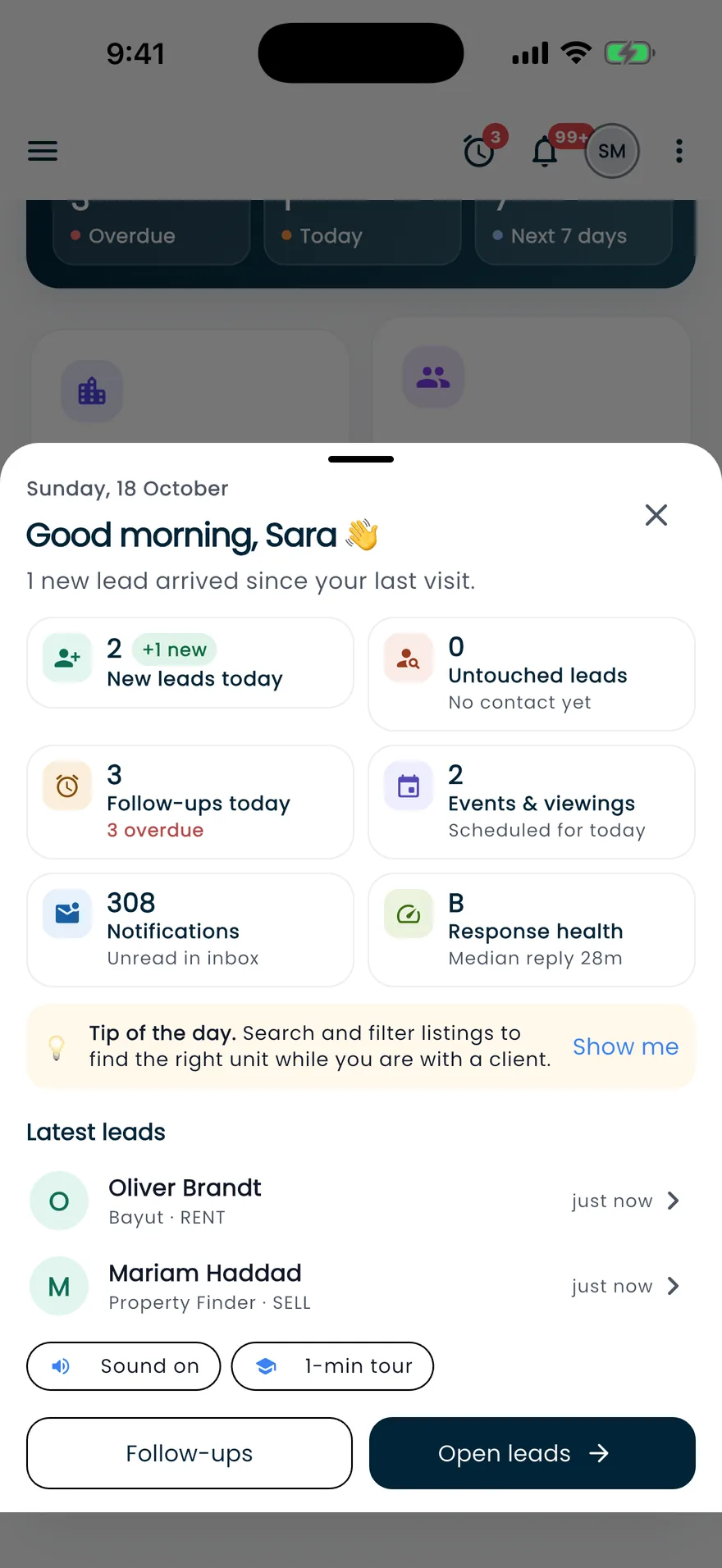
Morning brief
Start the day knowing who to call first
- Follow-ups for today and overdue, with the first one up
- New and untouched leads, plus your median reply time
- Unread inbox items and a tip of the day
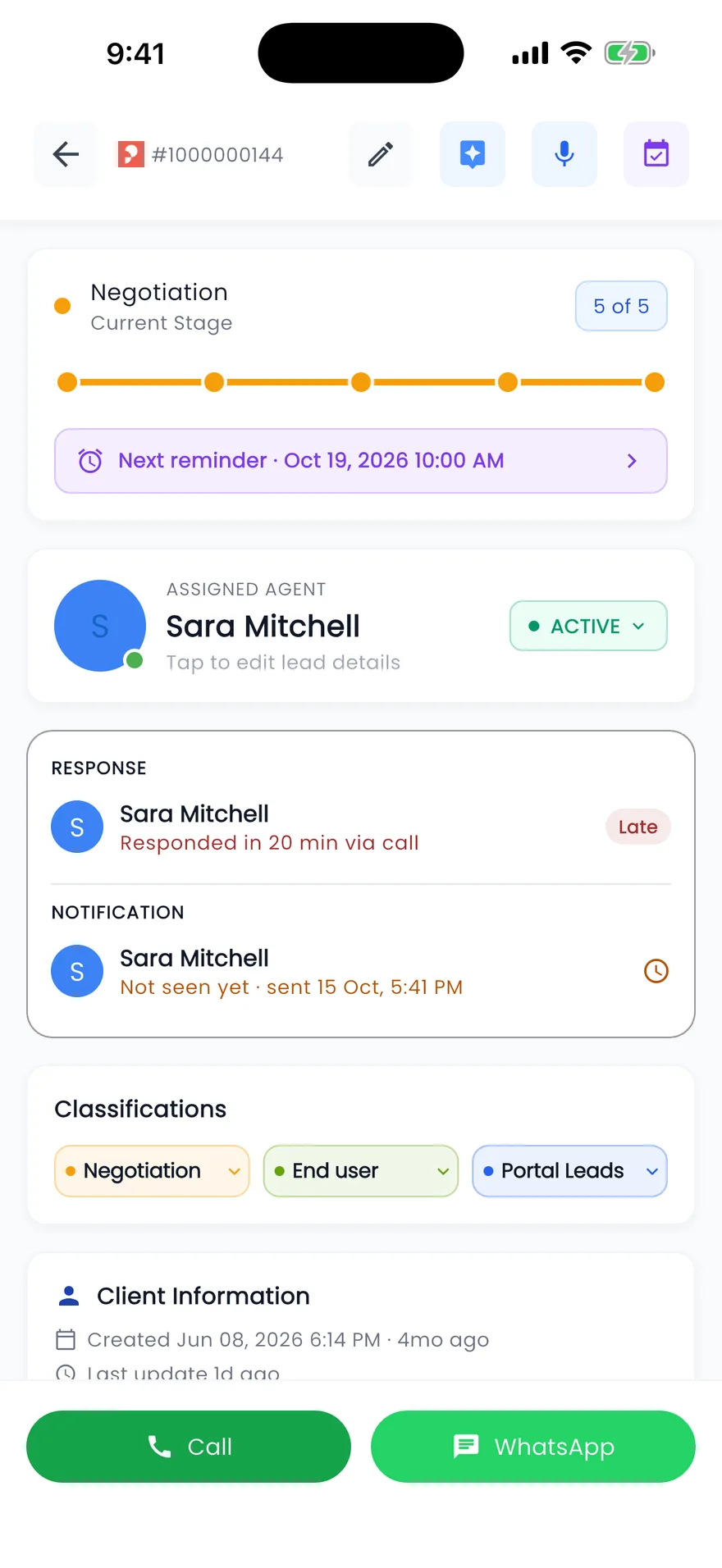
Leads
Call, WhatsApp and log it in one tap
- Stage progress and the next reminder at the top
- How fast the agent responded, and whether they've seen the alert
- Voice notes and an AI summary, one tap each
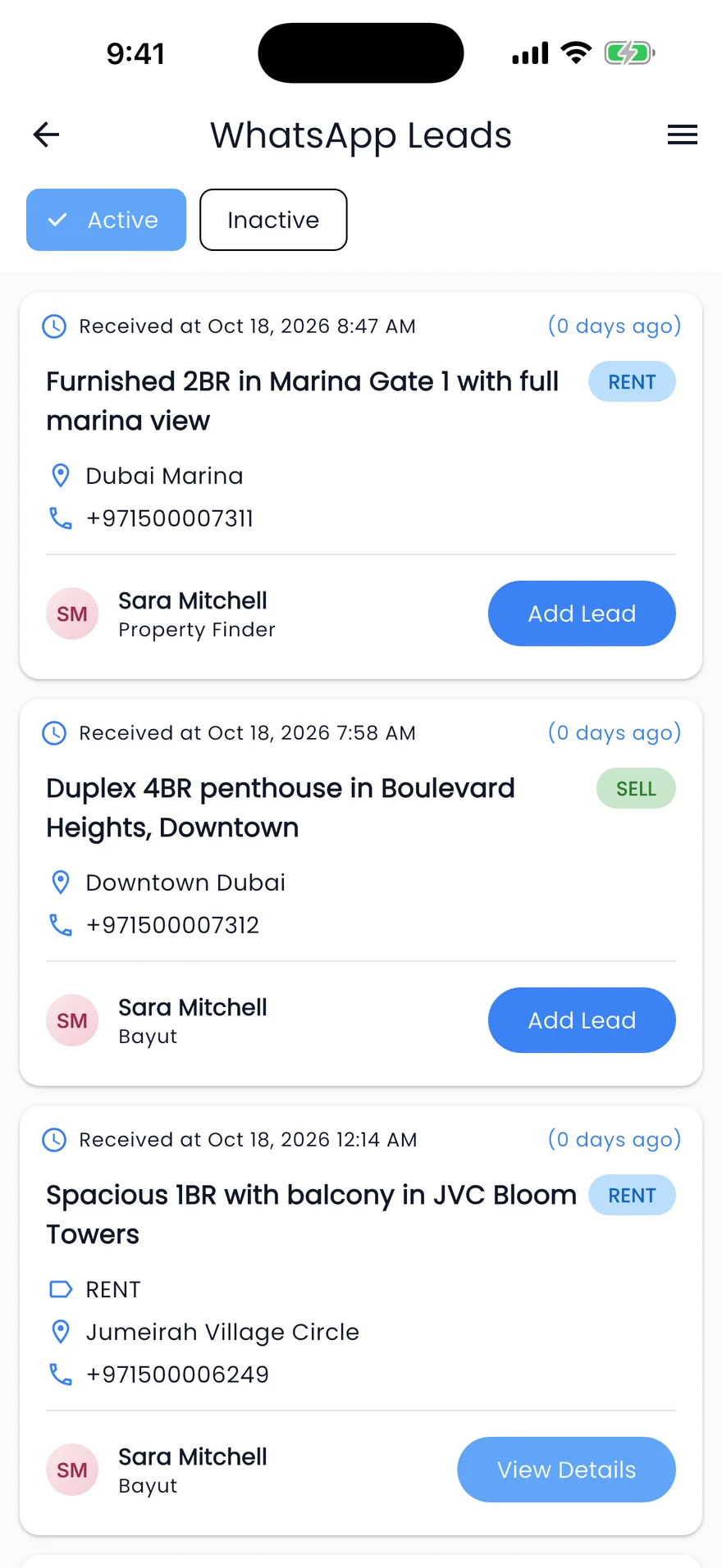
WhatsApp leads
Portal WhatsApp enquiries, one tap from a lead
- When each enquiry arrived, and how long ago
- Rent or sale, the listing and the area at a glance
- Active and inactive enquiries on separate tabs
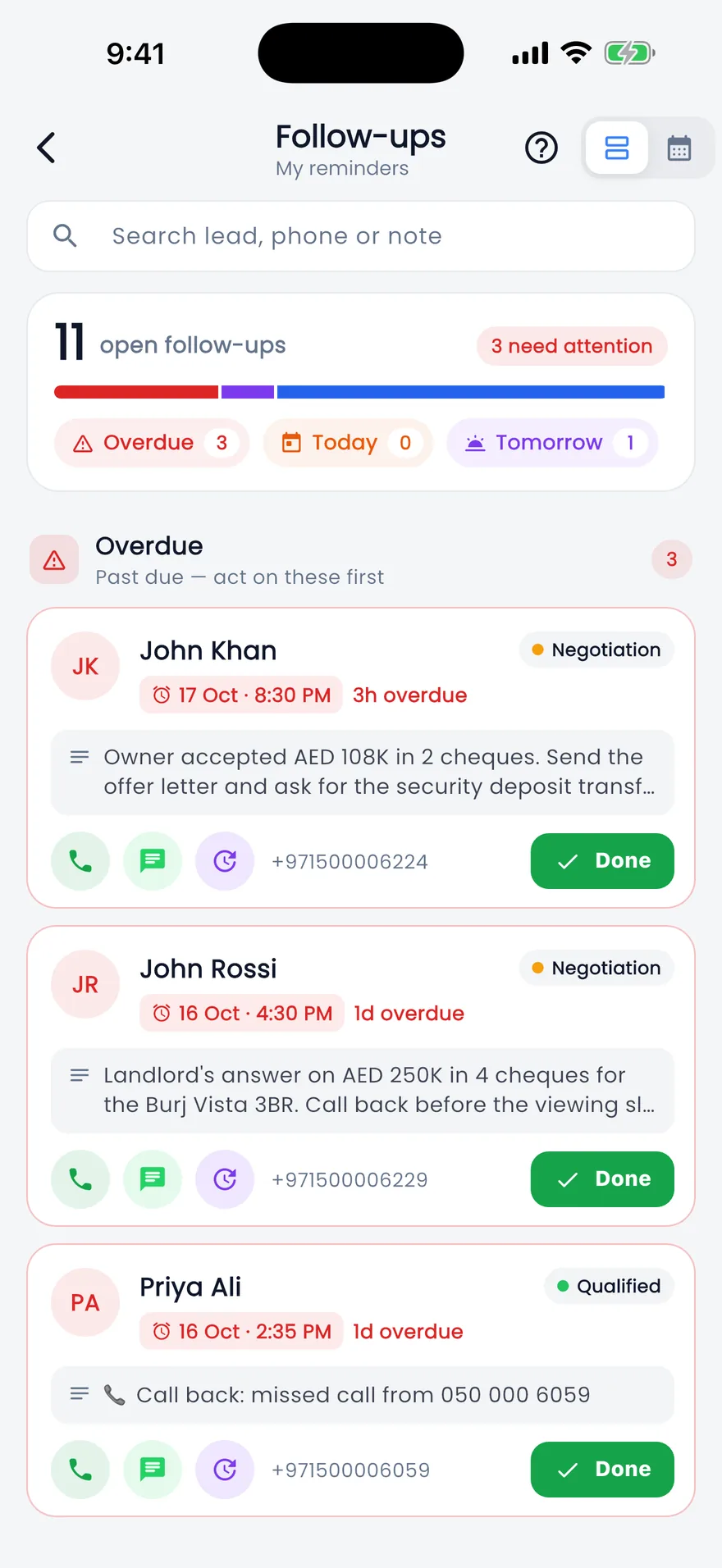
Follow-ups
A follow-up list you clear with a swipe
- Swipe right to mark done, left to reschedule
- Quick picks: in an hour, this evening, tomorrow, in a week
- Managers can open any agent's follow-ups
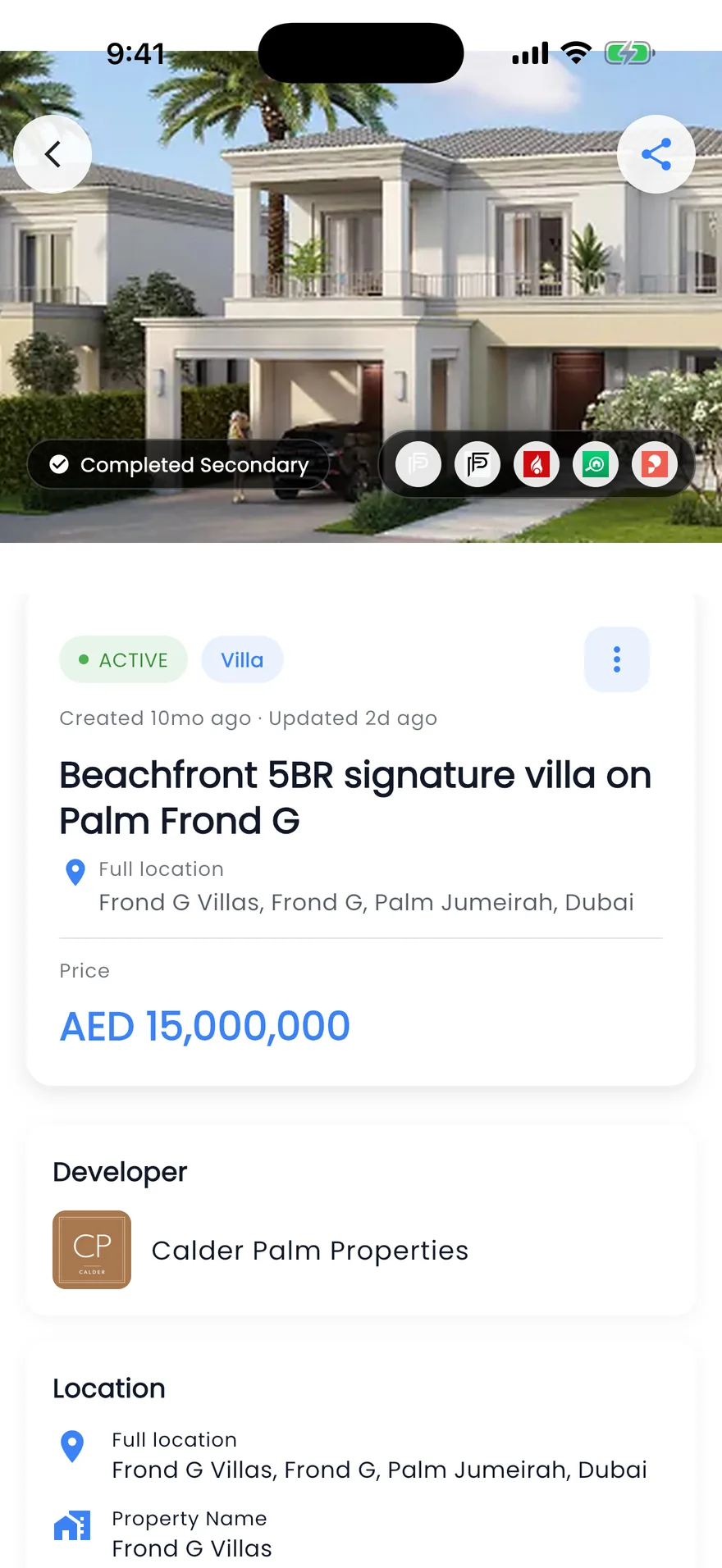
Listings & projects
Send the right listing before the call ends
- Share links, WhatsApp messages and property PDFs
- Add a listing with photos straight from the phone
- Payment plans split into down payment, during construction and after handover
Screen by screen
A closer look at the app
Real screens from the Propfusion app, working on the same leads, listings and team as the web CRM.
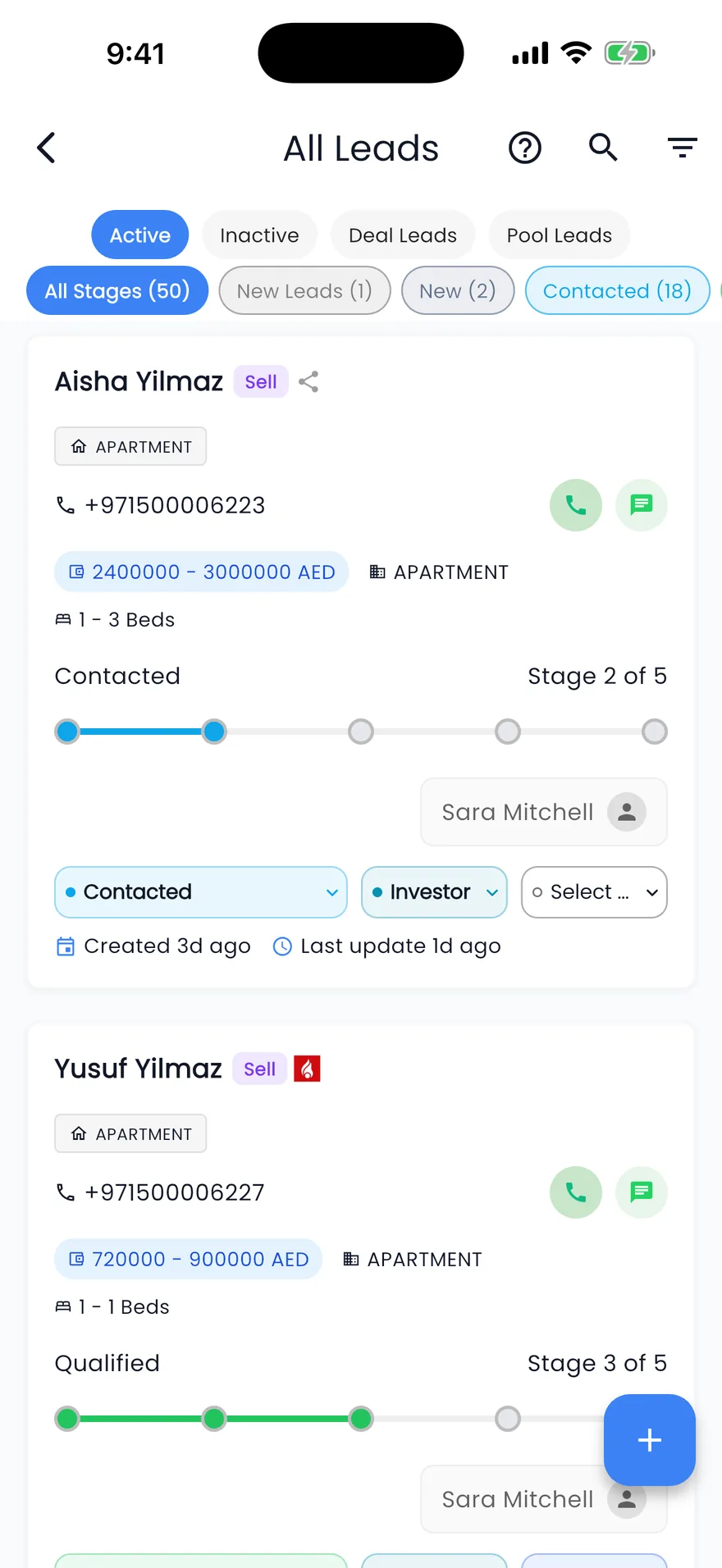
Leads by stage
Active, pool and deal leads by stage, with call and WhatsApp on every card.
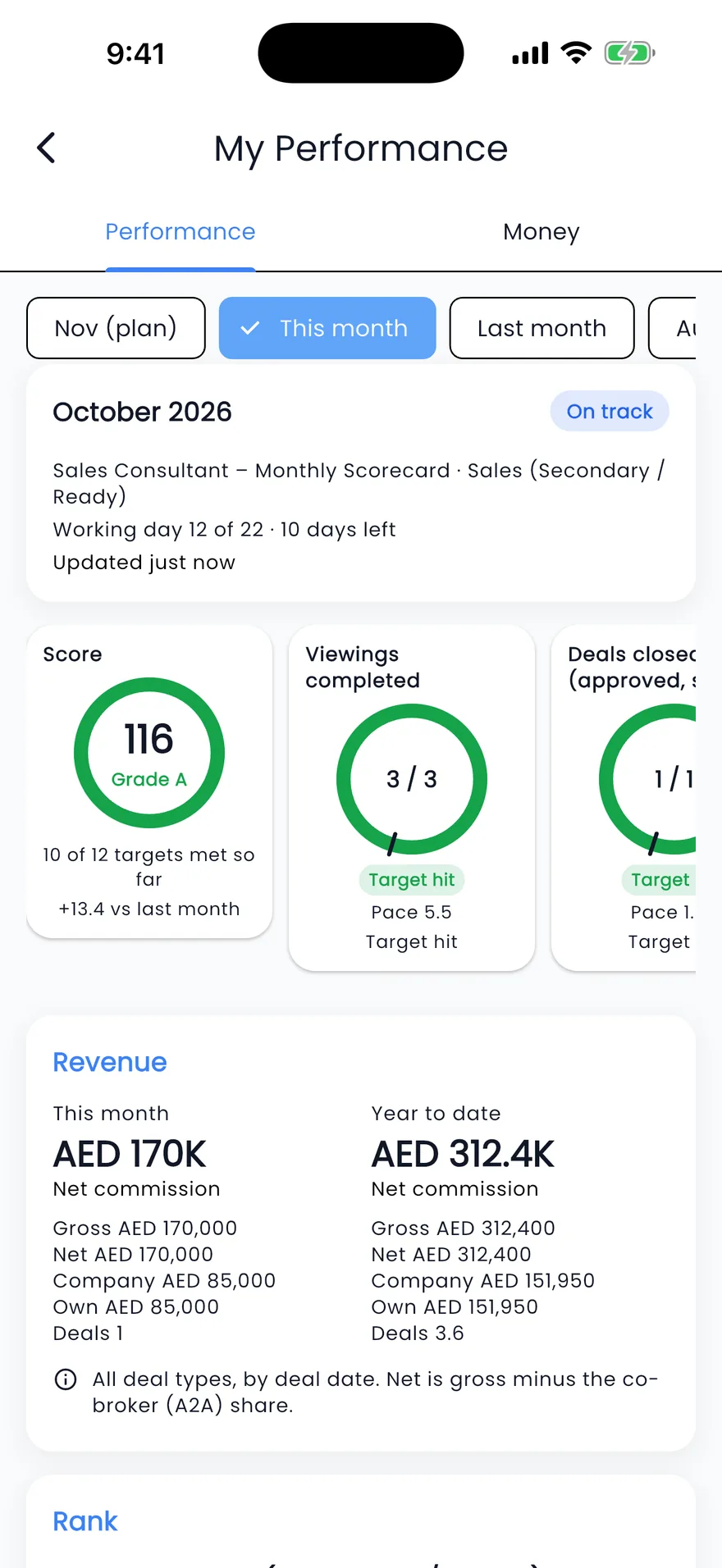
My performance
Monthly targets, whether you're ahead of pace, and the deals and commission behind them.
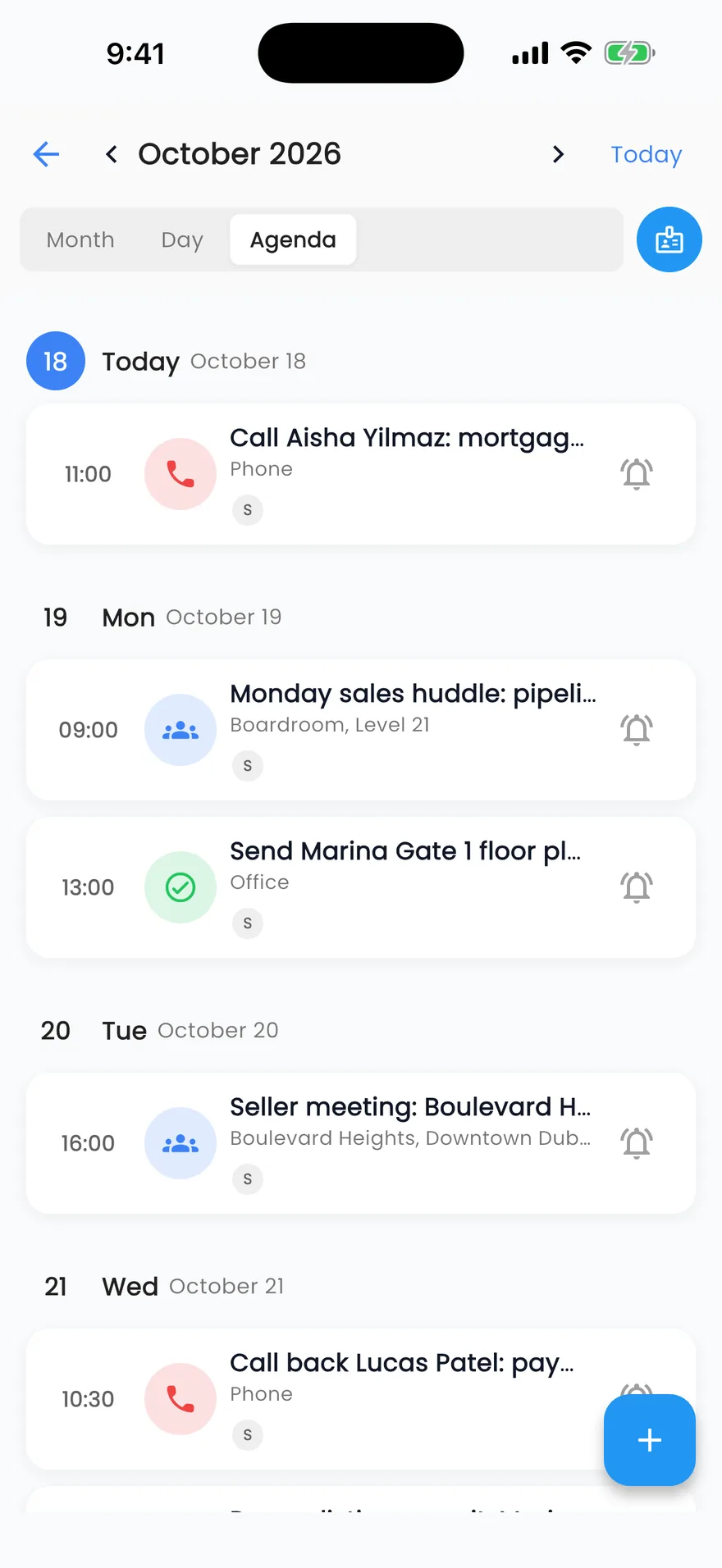
Calendar
Viewings, meetings and events for the day or the month.
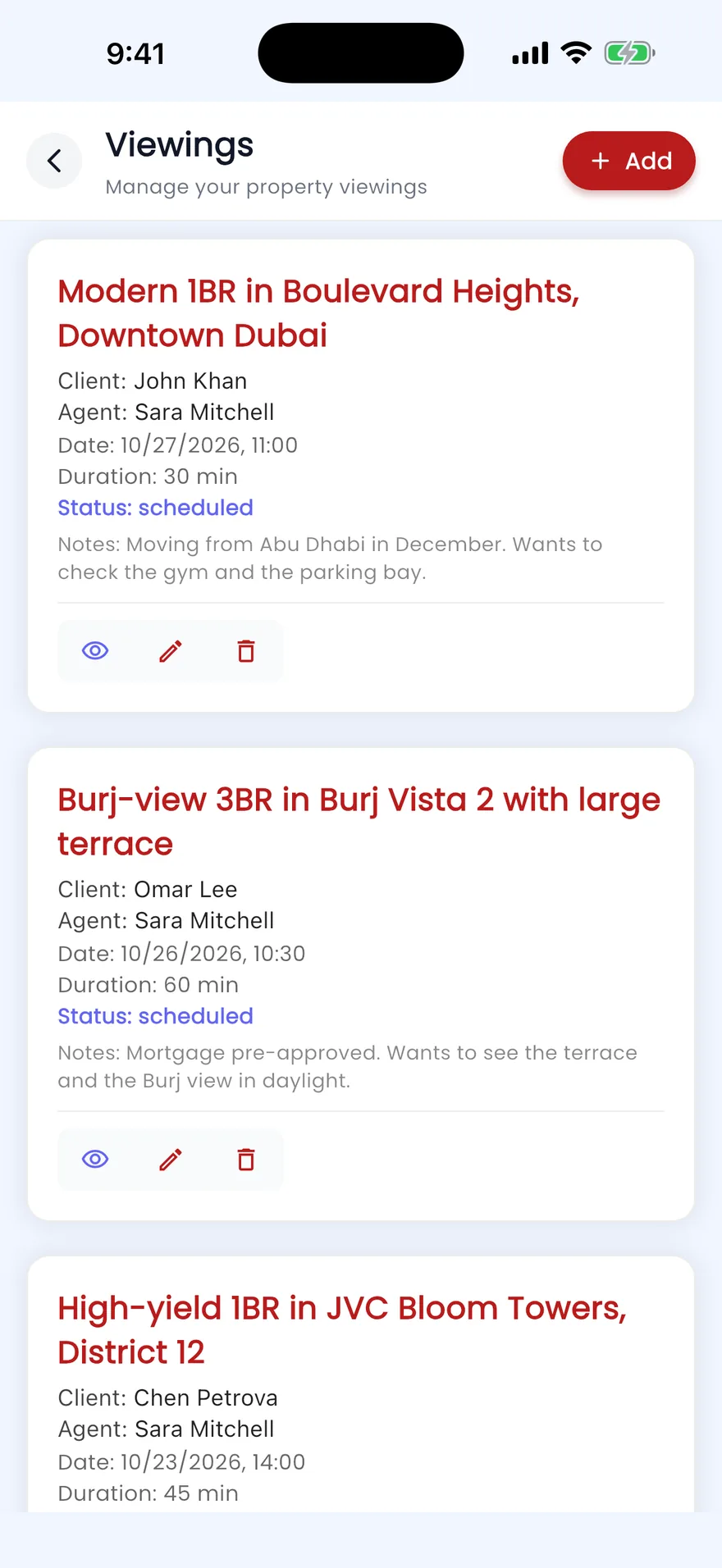
Viewings
Each viewing with its listing, client, time and notes.
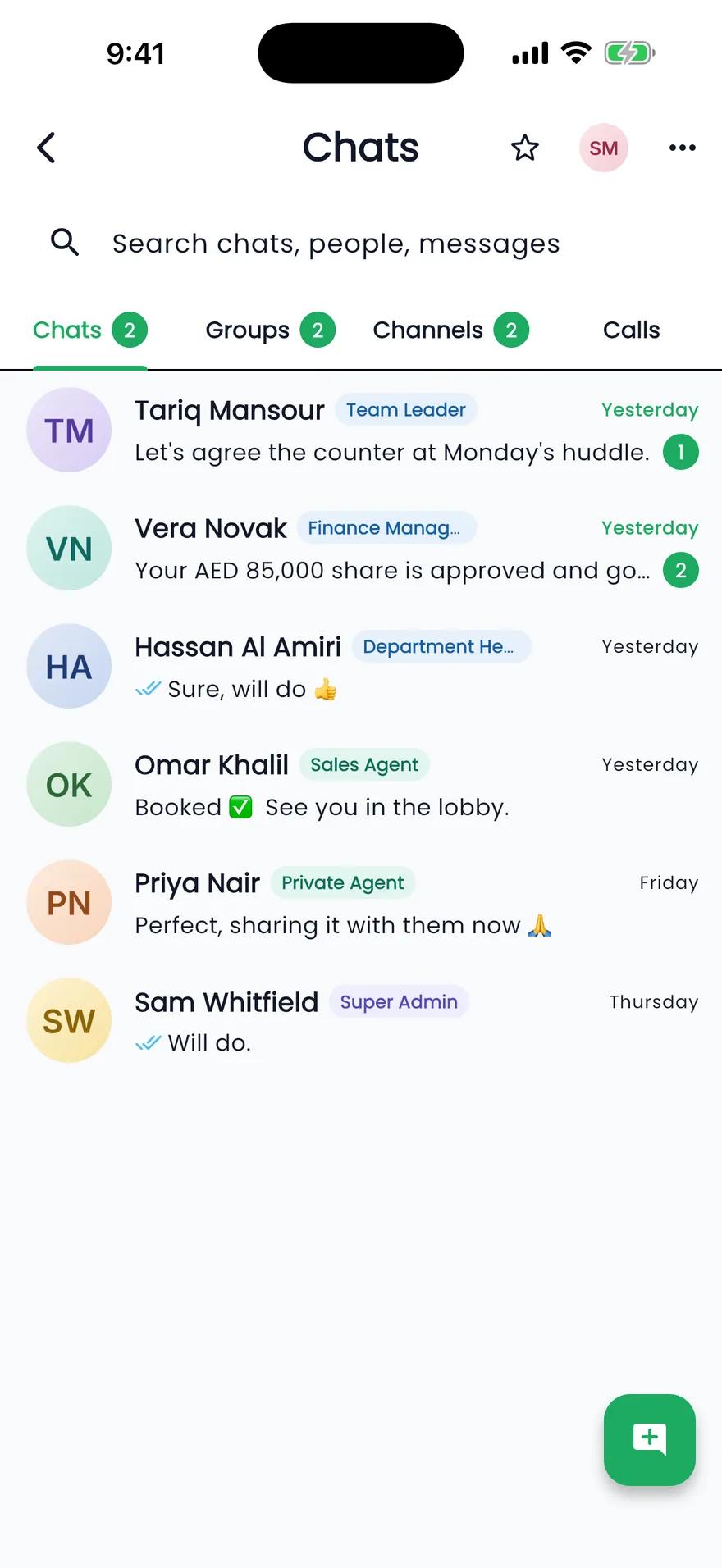
Team chat
Chats, groups and channels, with leads and listings shared as cards.
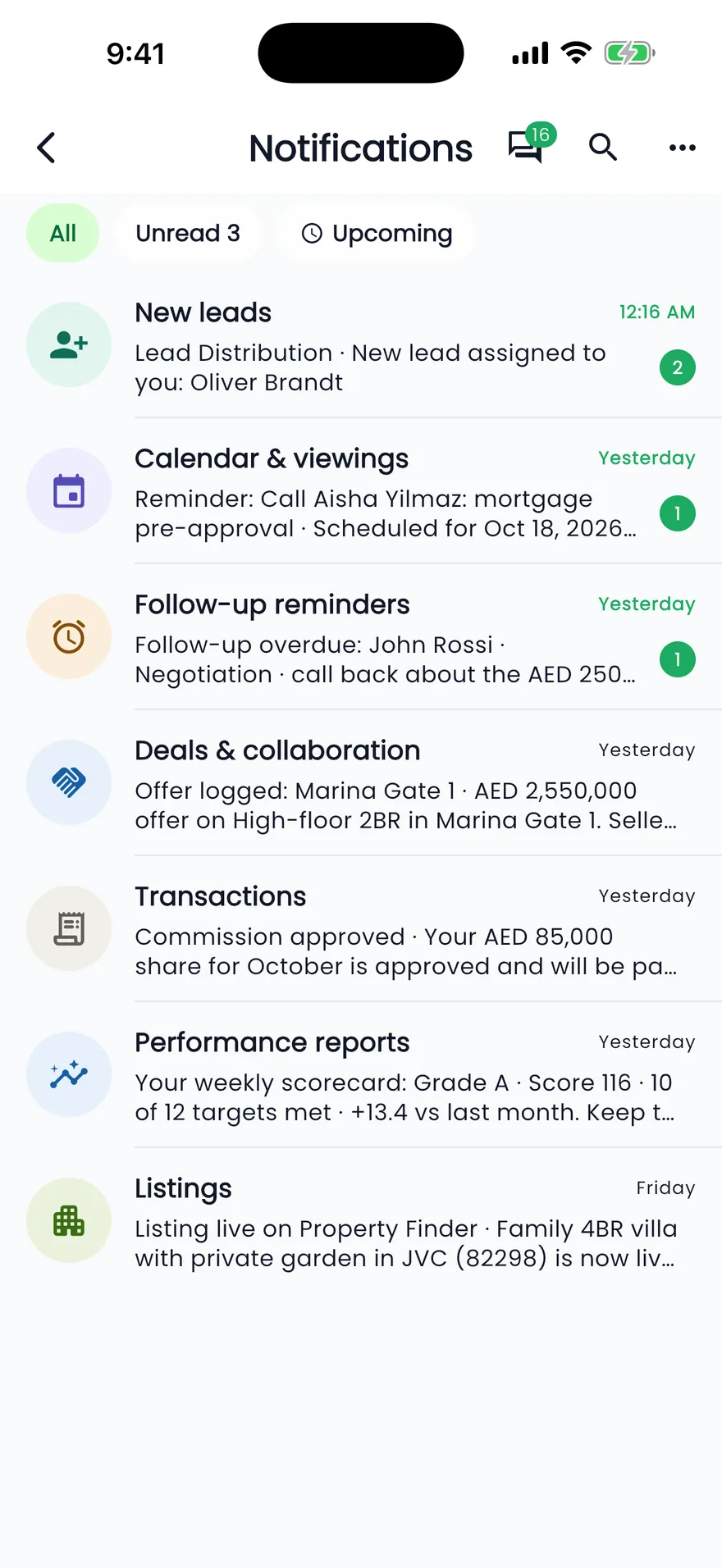
Notifications
New leads, reminders and approvals the moment they happen.
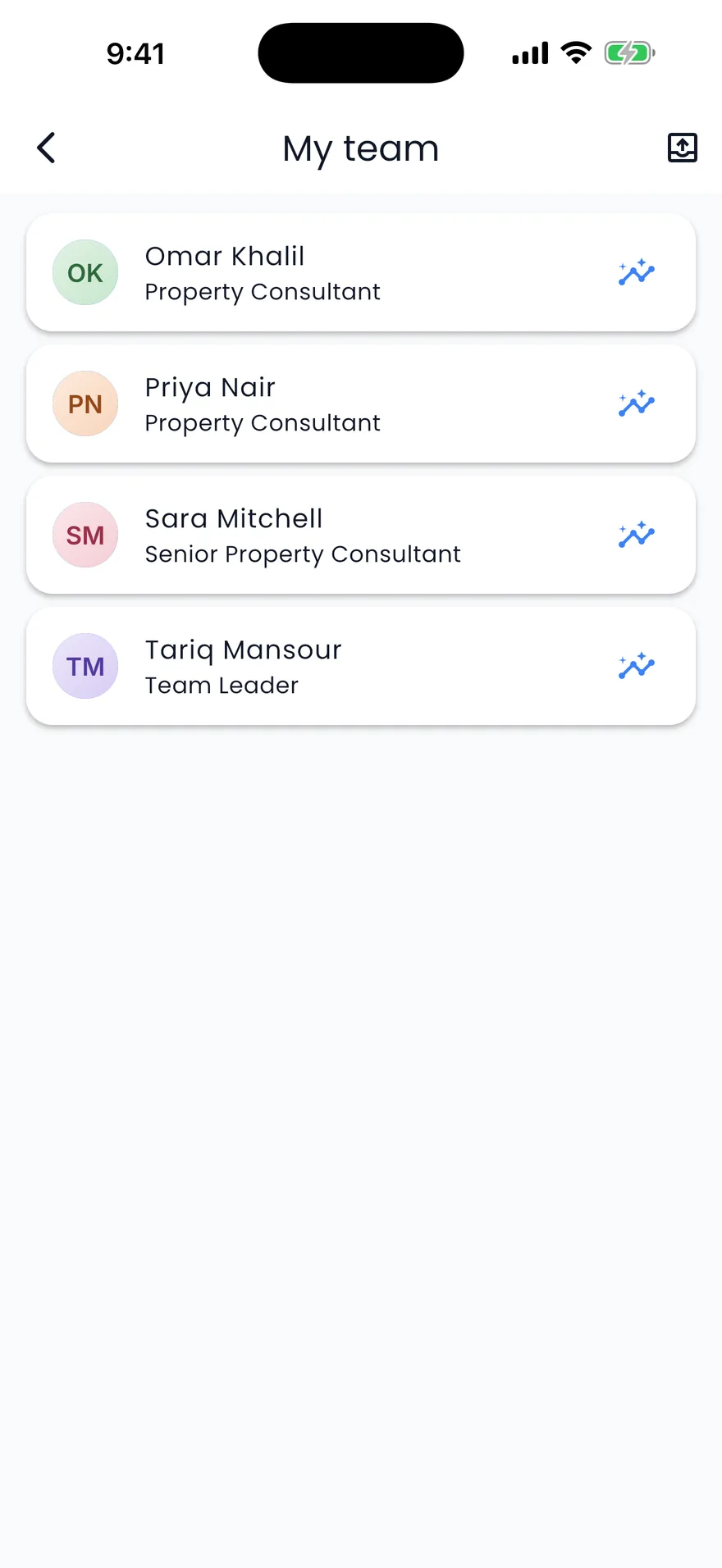
My team
Team leaders open each person's performance and their target proposals.
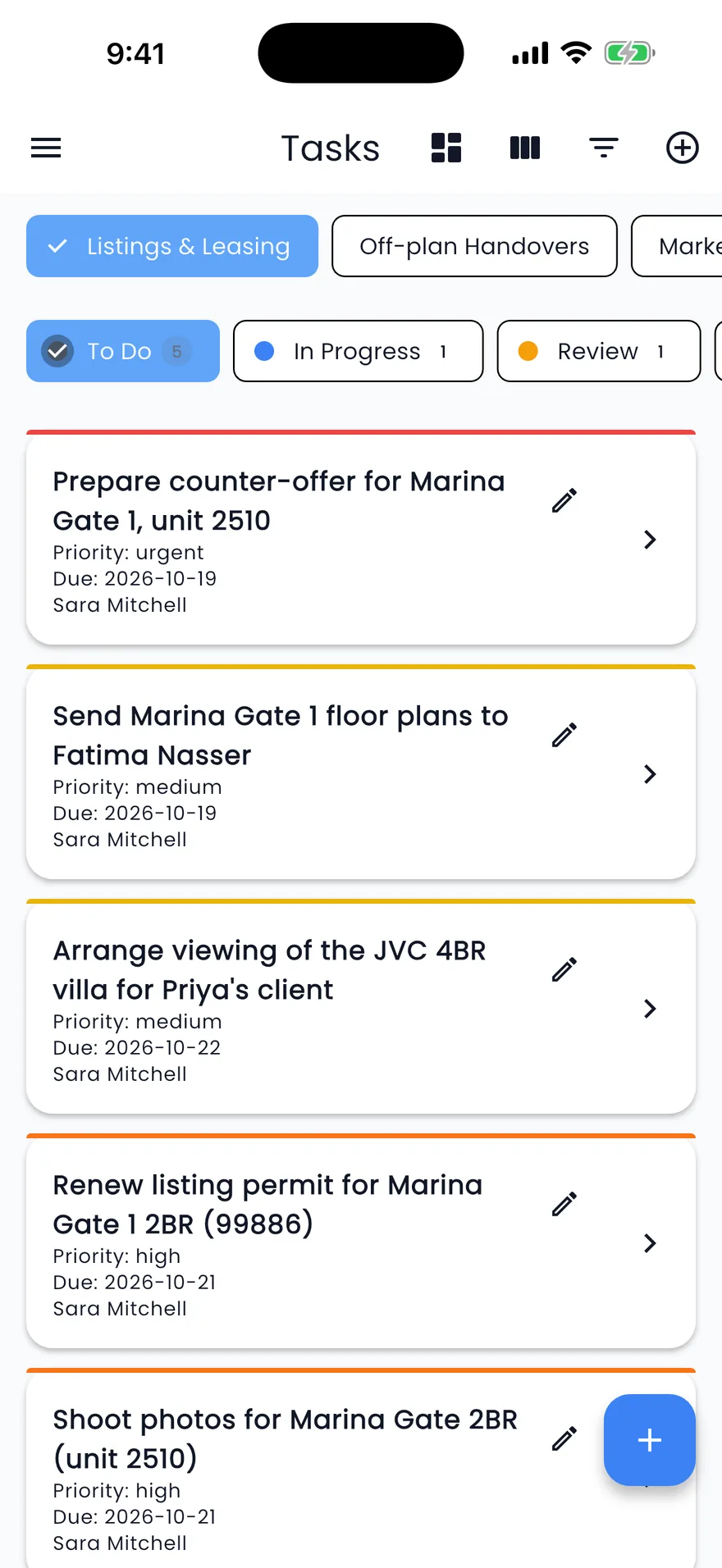
Tasks
Your tasks by space and stage, with the detail one tap away.
Screens show the Propfusion Demo Realty sample workspace. All people, listings and numbers are fictional.
Also in the app
The rest of the office, in your pocket
Leads from WhatsApp, contracts, attendance and more, with the same roles and permissions you set on the web.
Voice and video calls
Call a colleague over Propfusion Chat, by voice or video, without leaving the app.
Approvals on the go
Approve listing requests from the inbox, and the listing goes live on the portals it asked for.
Add leads and listings
Create a lead, or a listing with its photos, without opening a laptop.
Contract library
Staff with access see the company's contracts and record a lease, viewing, owner and broker, agent-to-agent or rental verified contract.
Projects on a map
Off-plan projects pinned on a map of the UAE, marked with their developer's logo.
Check-in and attendance
Check in and out from the app, with your location and an optional photo.
Agent wallet
See your wallet balance and its transactions, and request a payout, from your profile.
Owners and tenants
Look up an owner with their Emirates ID, KYC status and assigned agent, or a tenant with their Emirates ID and KYC status.
Light and dark mode
Switch with one tap from the top bar.
Get the app
Ready on your phone in a minute
The Propfusion app is on the App Store and Google Play. Every staff member signs in with their own CRM login, so the roles and permissions you set on the web apply in the app as well.
1.Download
Install Propfusion from the App Store or Google Play.
2.Enter your company name
Your admin gives it to you. It connects the app to your company's CRM.
3.Sign in
Use the same email and password as the web CRM.
Which phones does the app run on?
iPhone and Android. Download Propfusion from the App Store or Google Play and sign in with your company's details.
Do agents need a separate login?
No. They enter your company's organisation name, as your admin gives it, then the same login they use on the web CRM.
Does the app follow the roles we set on the web?
Yes. Every screen and action follows the person's role, and anything their role doesn't allow is hidden from the menu.
Can one person work for more than one company?
Yes. Add another account from the menu, sign in to the second company, and switch between them with a tap.
Will agents get an alert when a new lead arrives?
Yes. Once notifications are allowed, the app sends push alerts for new leads, reminders and approvals, and each person can mute categories in Notification Settings.
What stays on the web CRM?
Company settings, data imports and the shared WhatsApp Business inbox are on the web, and deals and tenancy contracts are created there. The app covers the day out of the office: leads, follow-ups, listings, projects, calendar, chat, tasks and targets.
Related features
Put leads, listings and follow-ups in every agent's pocket
Start a free trial and install the app the same day, or book a live demo and see the app and the web CRM side by side.