Off-plan and new projects, with every payment plan to hand
- Payment plans before and after handover
- Floor plans with sold-out units
- Instalment reminders
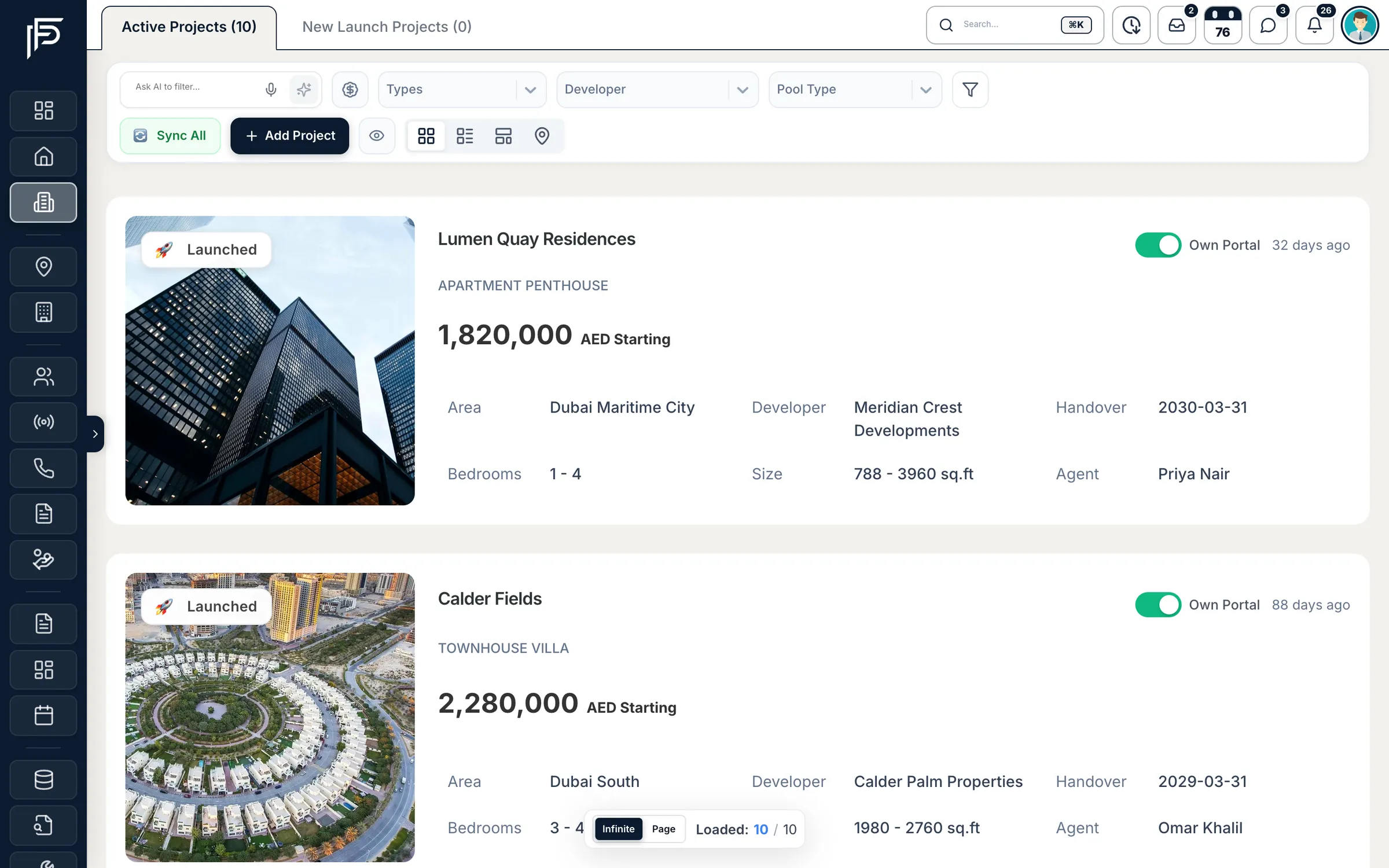
How it works
From launch to handover
Step 1: Add or claim the project
Add it in seven steps, from location to payment plan and portals, or claim a New Launch project that a developer publishes on Propfusion.
Step 2: Match and share
Filter by price, bedrooms, handover year or payment plan, then send the buyer a branded sales offer or a project page.
Step 3: Close and collect
Fill an off-plan deal's instalment schedule from the project's payment plan, and agents are reminded before each due date.
UAE coverage
Off-plan projects from across the UAE
Propfusion keeps its own public directory of off-plan projects and developers on propfusion.io. Its projects are in all seven emirates, mostly Dubai (counted 18 October 2026).
- 1,893off-plan projects in the propfusion.io directoryBrowse projects
- 97developers in the directoryBrowse developers
All seven emirates
- Dubai
- Abu Dhabi
- Sharjah
- Ras Al Khaimah
- Umm Al Quwain
- Ajman
- Fujairah
Every workspace also shares Propfusion's UAE location list: the seven emirates plus Al Ain, with 509 communities and 5,634 sub-communities (counted 18 October 2026).
Directory counts from propfusion.io, 18 October 2026. The directory is Propfusion's own and is not loaded into a new workspace: your CRM holds the projects your agency adds, claims from New Launch or a company admin imports.
New Launch
Claim new launches from developers on Propfusion
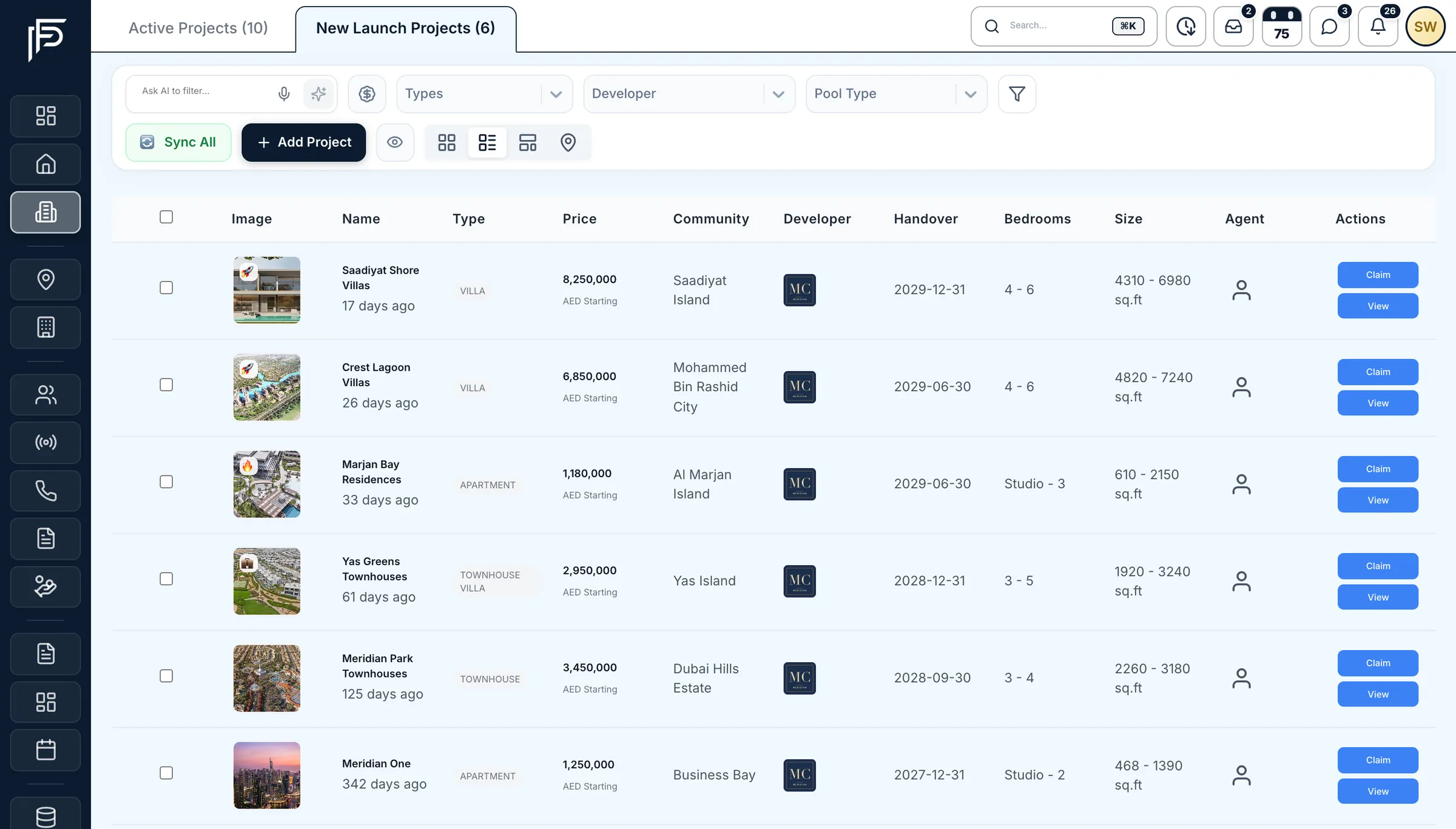
When a developer company publishes a project on Propfusion, it shows in your New Launch Projects tab until your agency claims it. One click adds it to your own project list.
Launches you don't have yet
The New Launch Projects tab lists projects that developer companies publish on Propfusion and that your agency does not have.
Claim makes it yours
Claim adds the project to your agency's list and makes the person who claimed it the assigned agent.
Several at once
In table view, tick the projects you want and Claim Selected adds them all. Agents can claim from the app too.
Built for off-plan sales in Dubai
Projects, developers, payment plans and sales offers in one place, and the instalments still tracked after the deal.
Payment plans
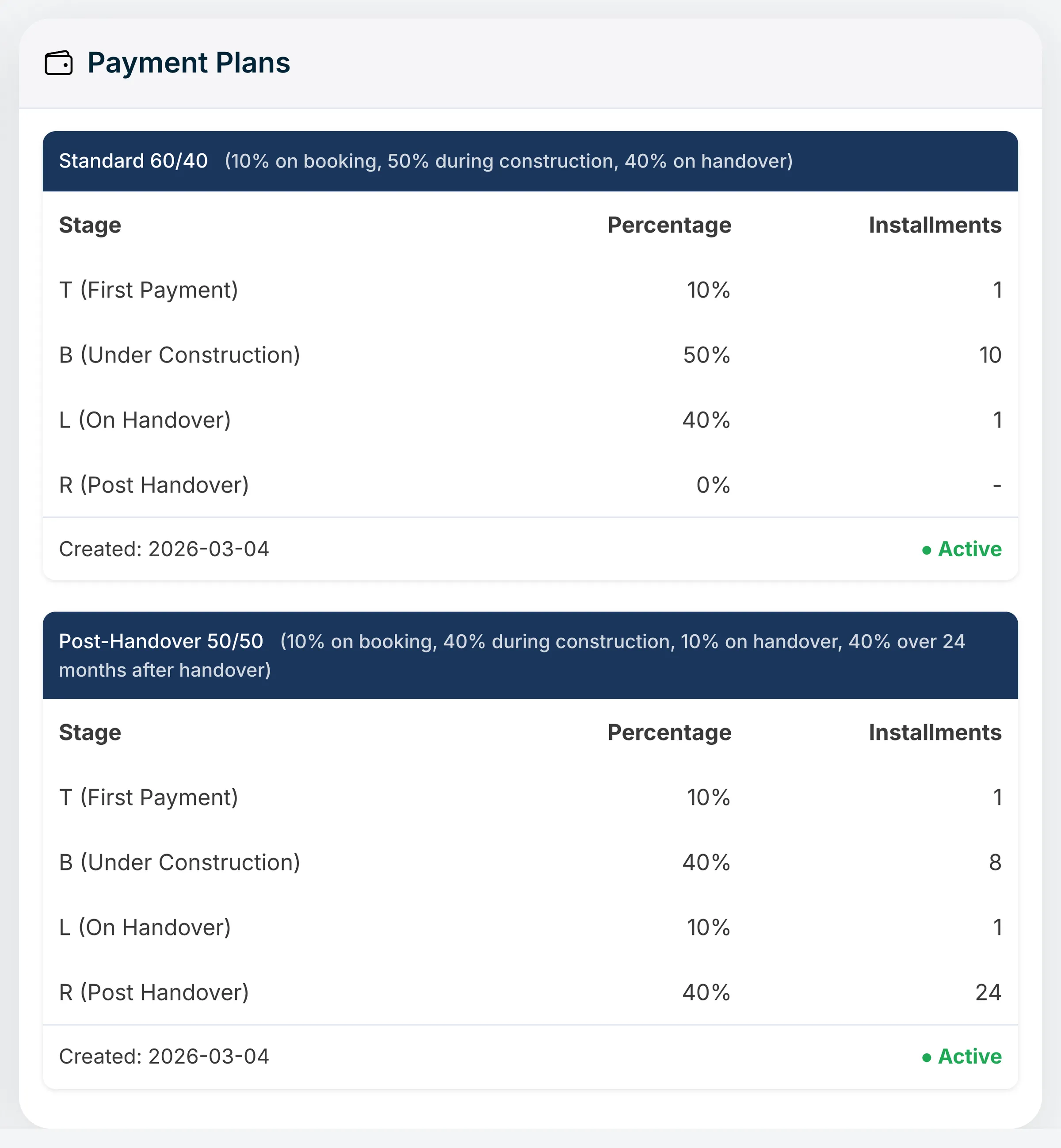
Payment plans a buyer can follow
- Several plans per project, each with a name and description, switched on or off
- Filter projects by the most that is due before handover, or by post-handover plans
- The plan goes out on the standard and premium project pages you share
Project page
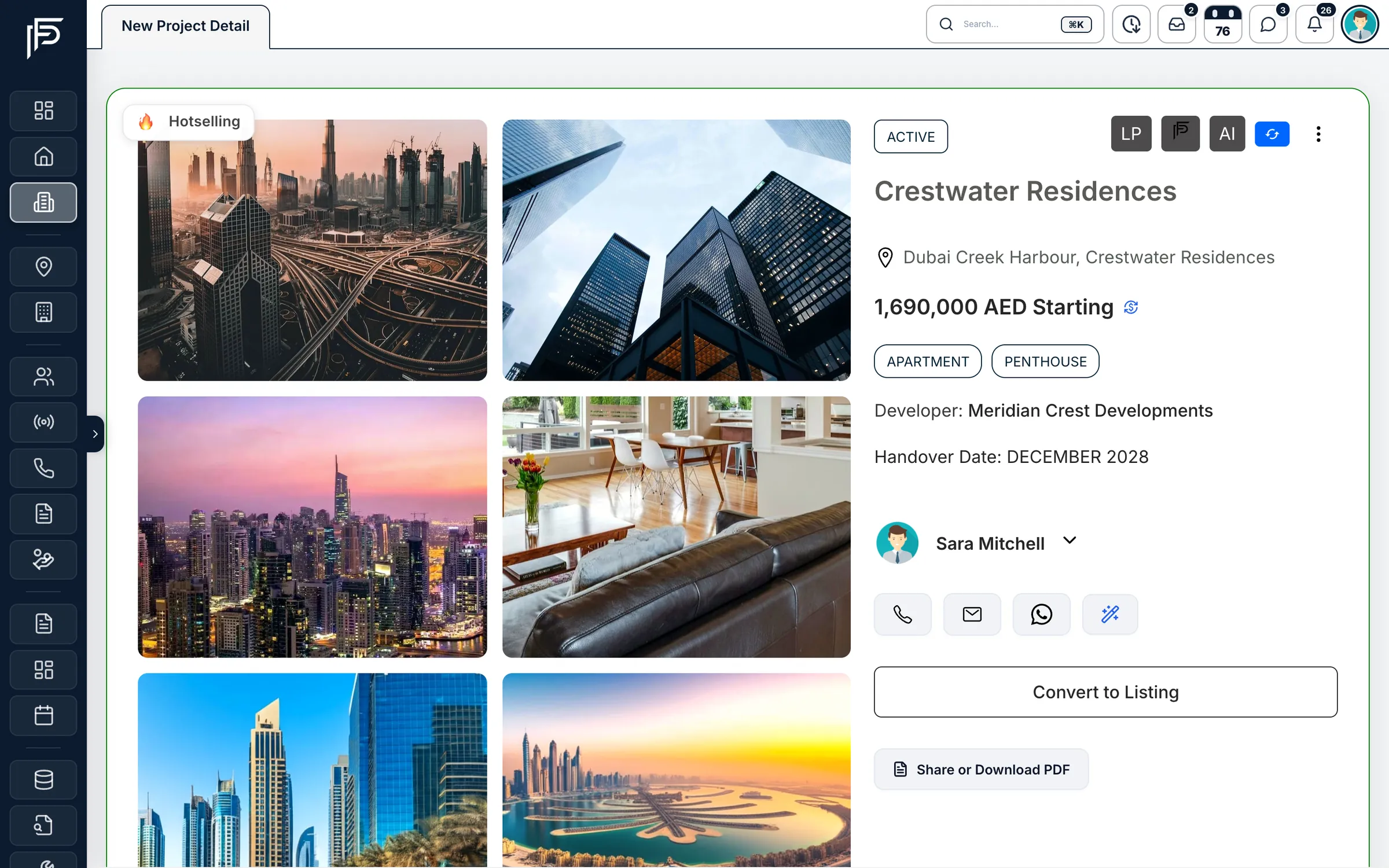
Everything a buyer asks about, on one page
- Share or download the project as a PDF, or send a premium project page
- Unit types with bedrooms, bathrooms, size, price, tower, layout images and a sold-out flag
Sales offers
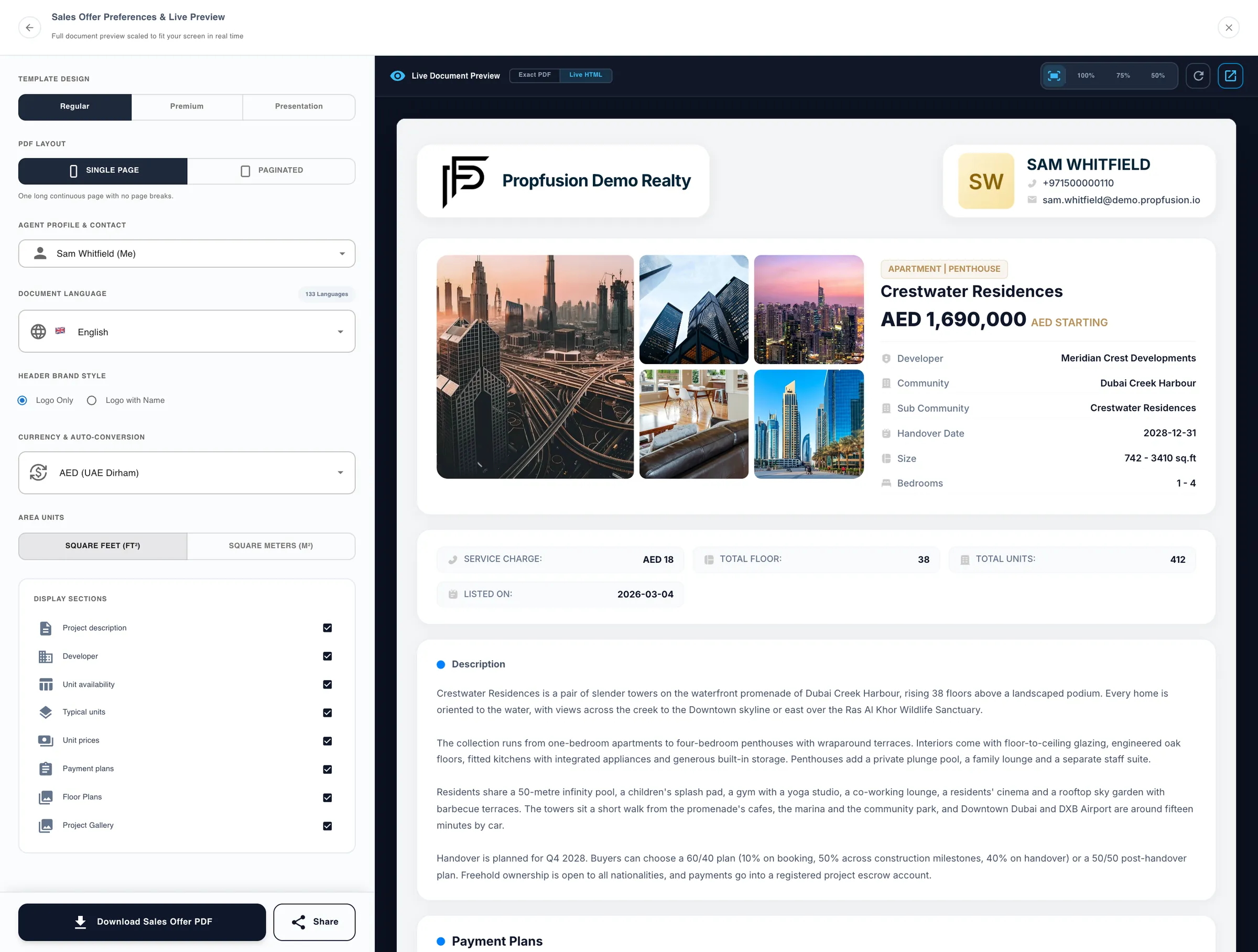
A branded sales offer, previewed as you build it
- On the Regular template, choose sq ft or m² and whether to show the description, payment plans, floor plans and gallery
- The Presentation template comes in many languages, machine-translated beyond its built-in labels, with your logo style and photos
- Share the link by WhatsApp, Telegram, SMS, email or social media
Developers
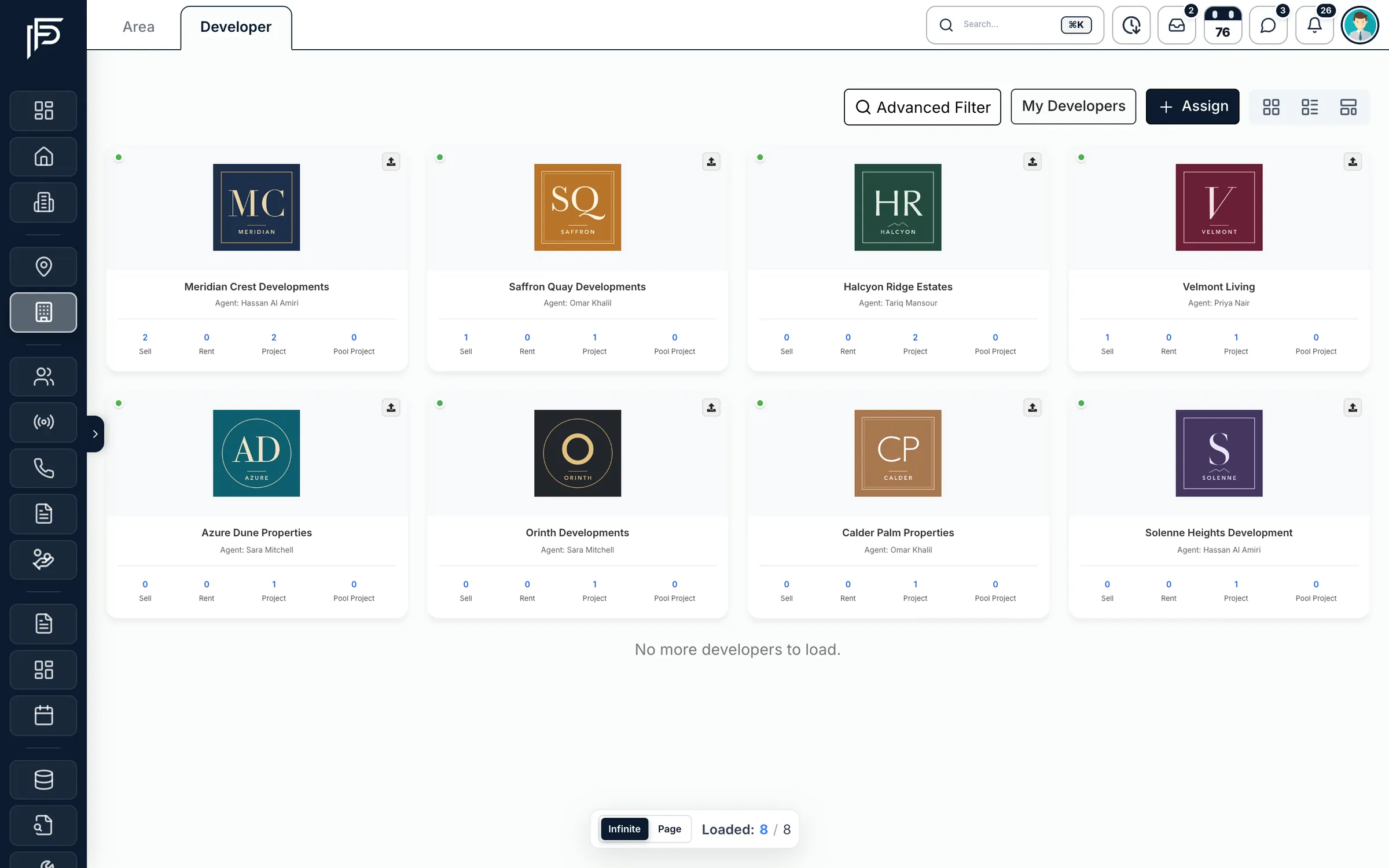
The developers you sell for, and their documents
- Assign agents to a developer, one by one or in bulk
- Open a developer for their projects, starting prices and average commission
After the sale
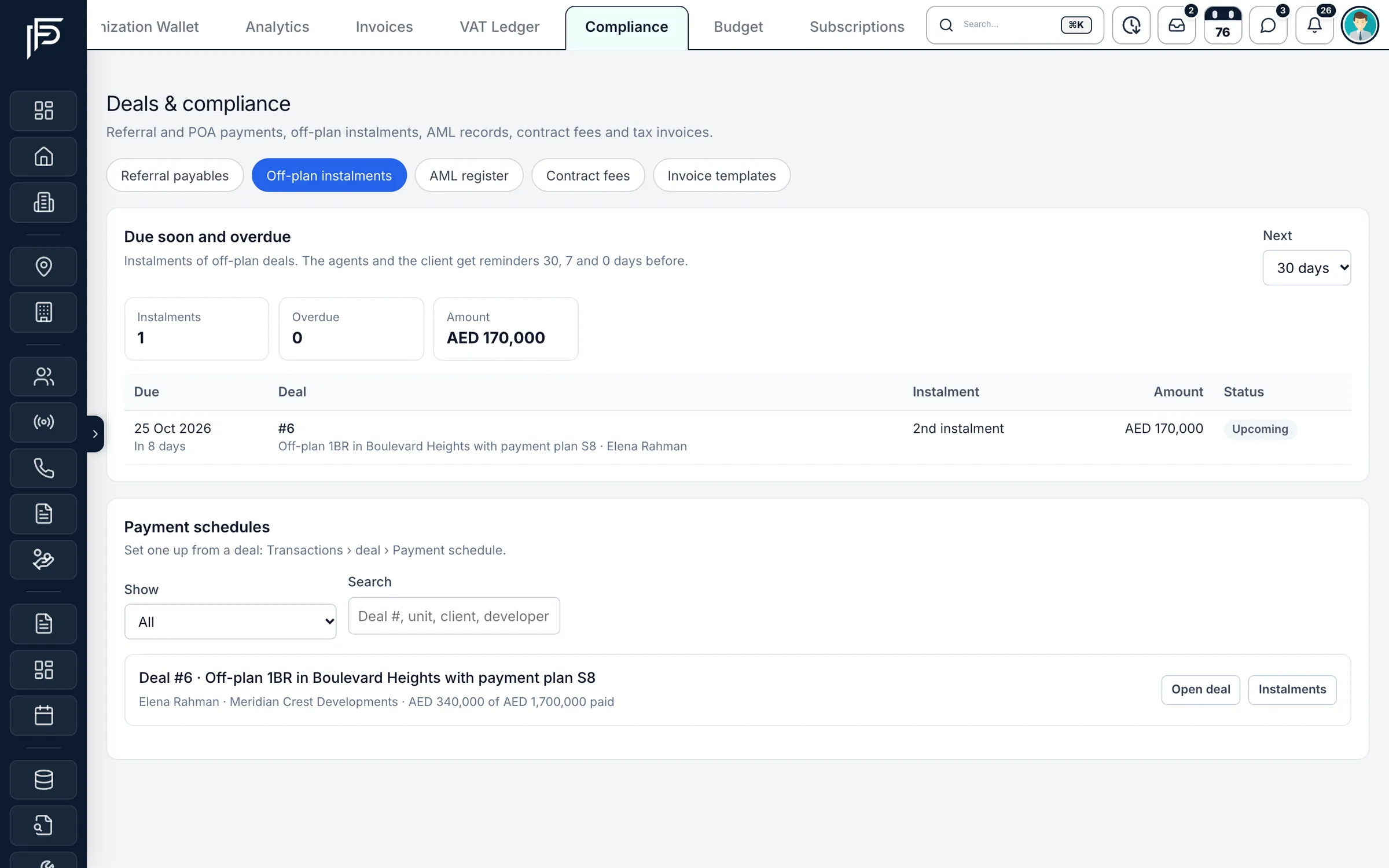
Off-plan instalments, tracked to handover
- Mark each instalment paid, or waived, as the developer confirms it
- Developer invoice templates for your commission invoices
- An AML register built from the KYC checks on each deal
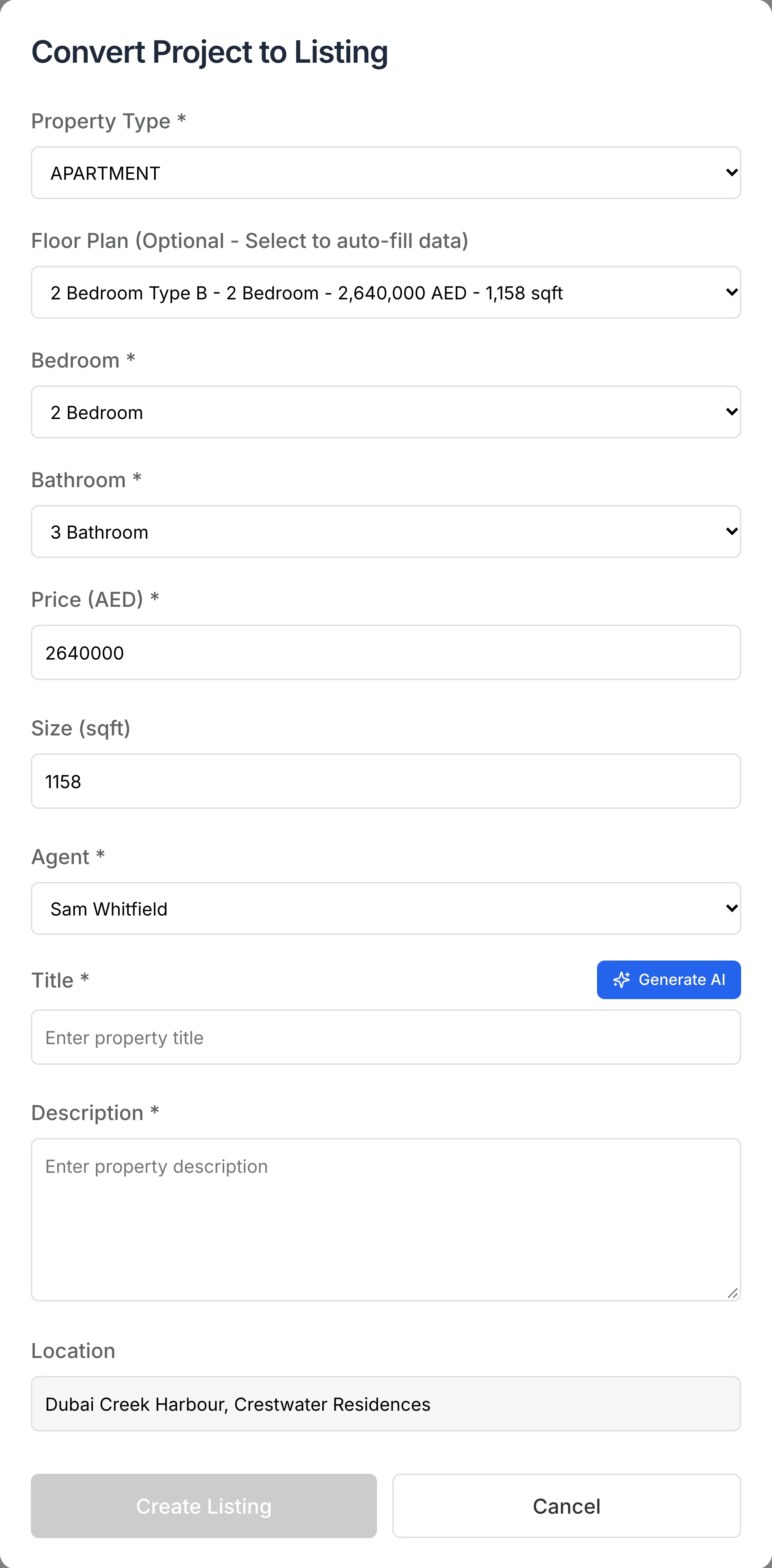
Convert to Listing
From a unit type to a sale listing, in one form
On the web, Convert to Listing turns a unit type of a project into a sale listing, without retyping what the project already holds.
- Pick a floor plan and the bedrooms, price and size fill in
- AI can suggest the listing's title and description
- The project's photos come with it
Convert to Listing is in the web CRM only, not in the mobile app.
More of new projects
Reports, floor plans and developer profiles
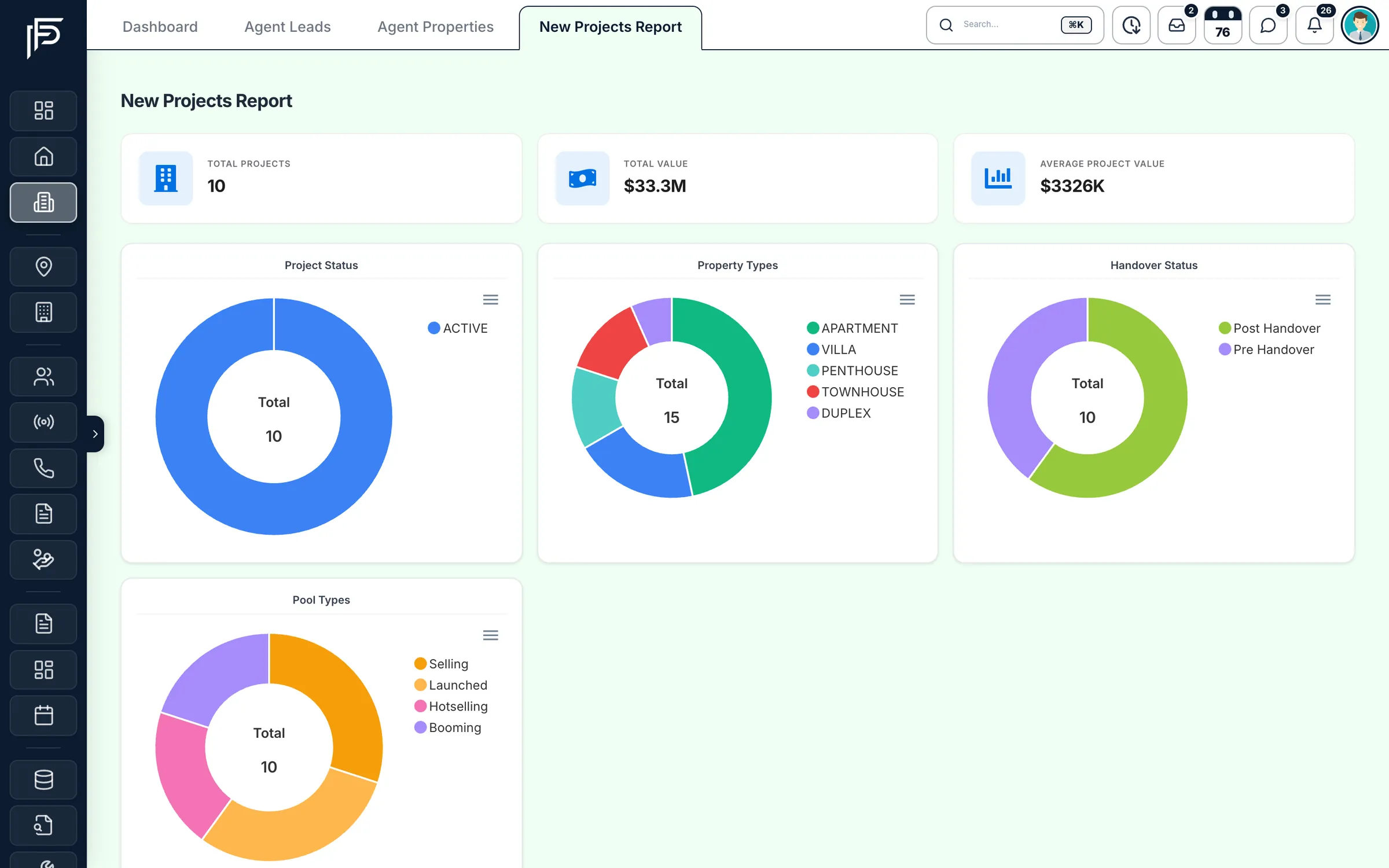
Screens show the Propfusion Demo Realty sample workspace. All people, listings and numbers are fictional.
Also in new projects
The details off-plan buyers care about
Seven-step project form
Location, information, description, photos, floor plans, payment plan and portals.
Construction progress
Record how far construction has got, as a percentage, next to the handover and sale-start dates.
Projects on a map
Company admins can see projects on a Google map and switch to those currently selling.
Premium and presentation pages
A premium page with the gallery, floor plans and payment plan, and a presentation page led by the photos, with a floor plan when the project has one.
Service charge on file
Record the service charge with each project, and it shows on the project page next to the unit and floor counts.
Own Portal switch
Mark each project that should show on your own website with its Own Portal switch.
Filter and view
Filter by developer, property type, price, bedrooms, location, handover year or payment-plan split, as cards, a table or an interactive view.
Ask AI to filter
Type “2-bed in Dubai Hills under AED 2M” and AI fills in the type, price, bedrooms, location and developer filters.
In the buyer's language
Make the Presentation sales offer in the buyer's language, machine-translated beyond its built-in labels, with prices in their currency and sizes in sq ft or m².
Mobile app
Offers and new launches, from your phone
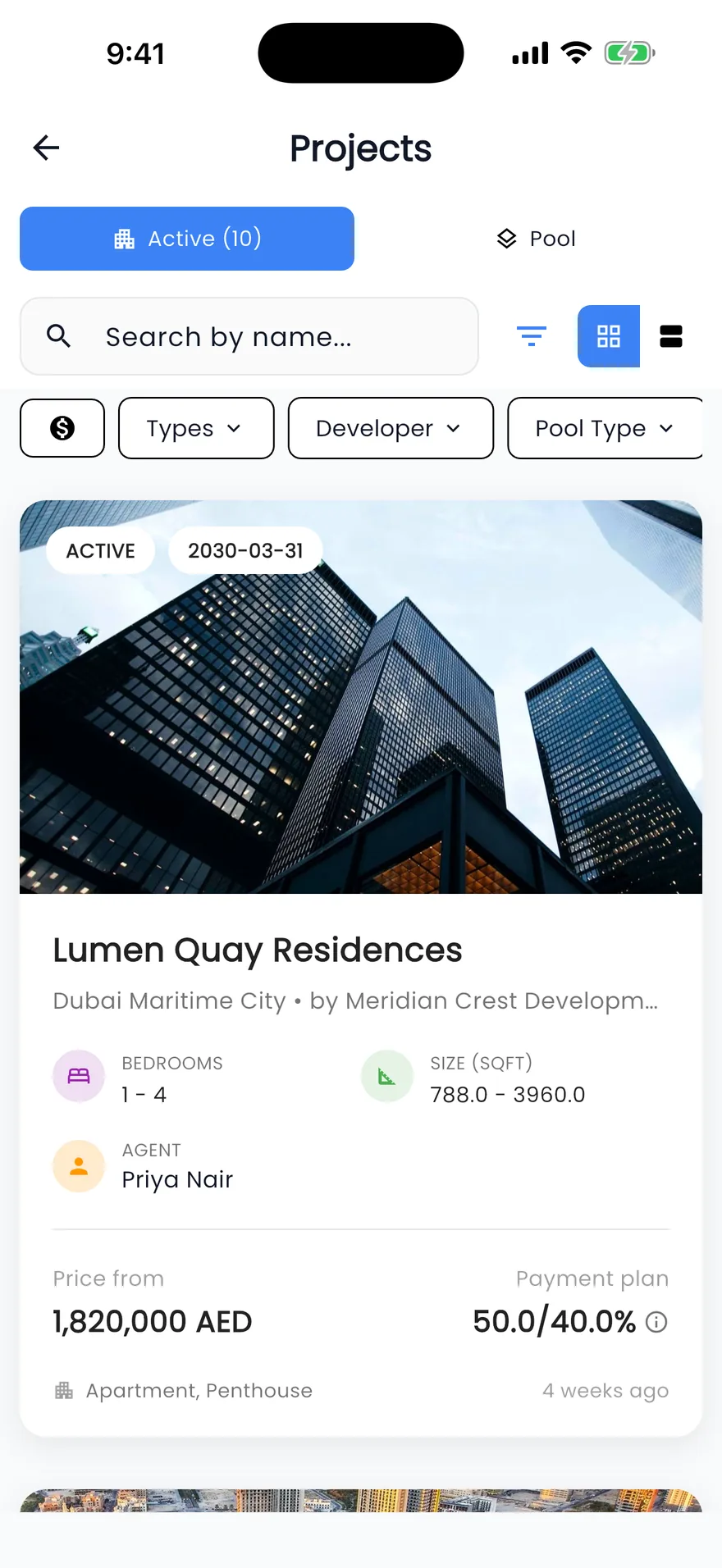
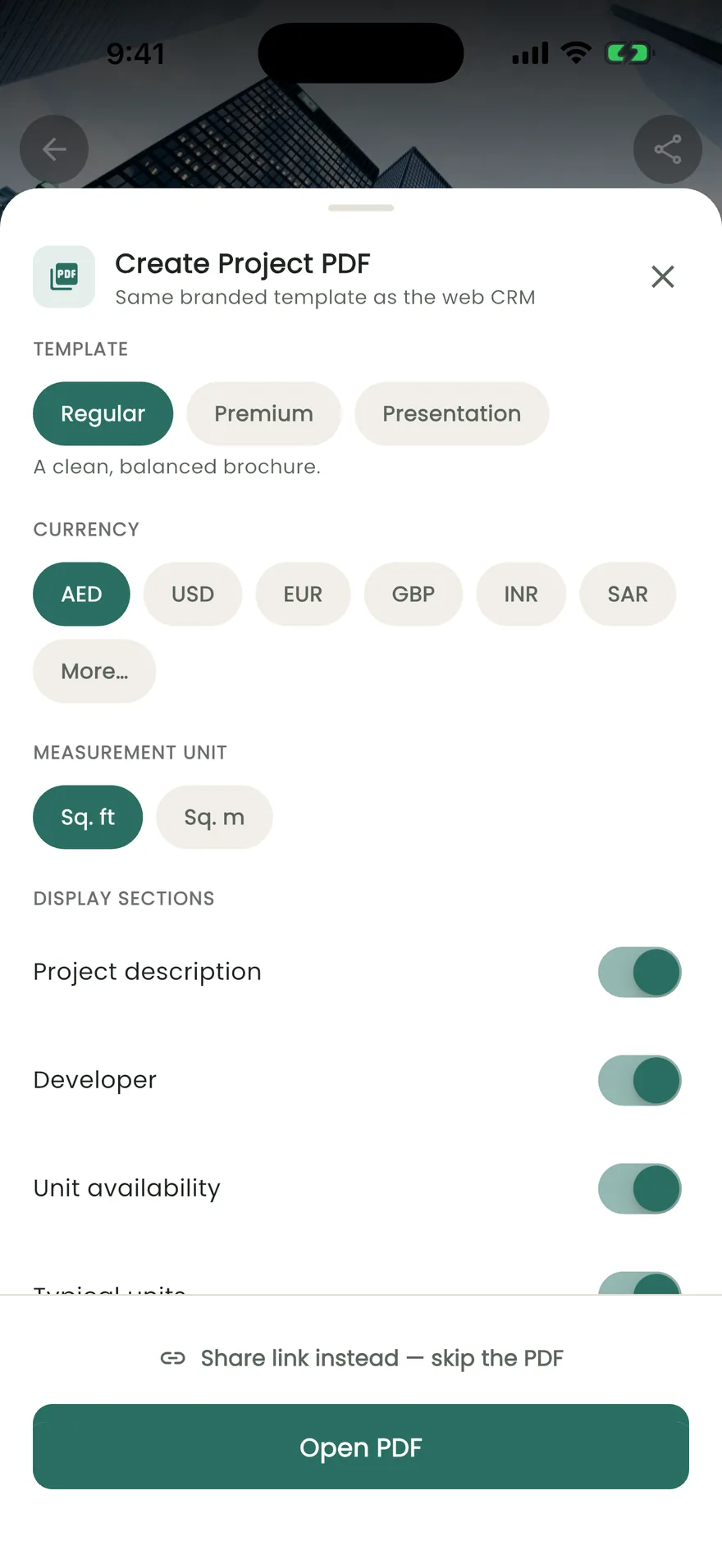
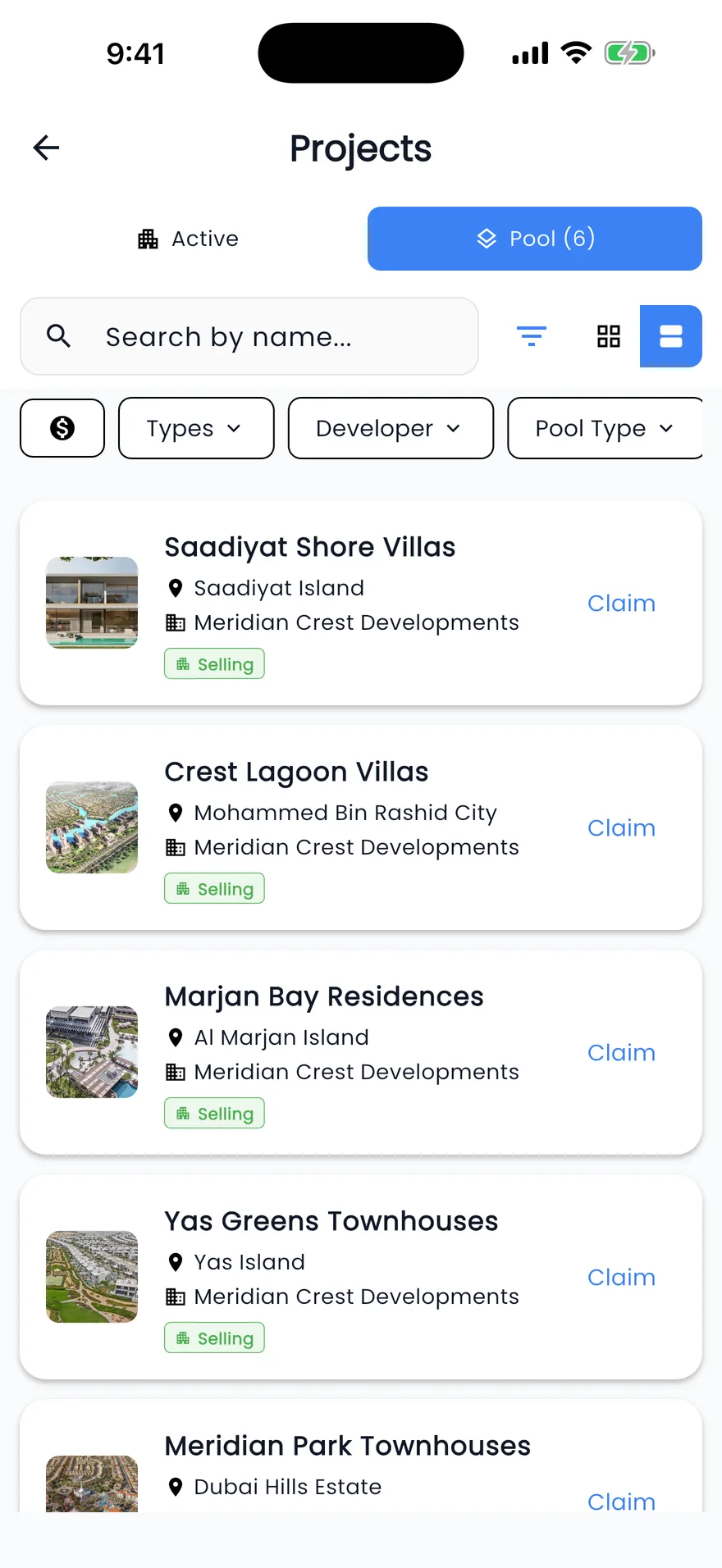
Agents at a launch or a client meeting open the same projects in the Propfusion app, make a project PDF for the client and claim new launches on the spot.
- Active and Pool lists, filtered by area, developer, price, payment plan, bedrooms or handover year
- A project page with payment plans, floor plans, brochure, map and Call, Email and WhatsApp buttons
- A project PDF from the Regular, Premium or Presentation template in your currency, with sq ft or m², sections and photos on the templates that use them
- Share a standard or premium project link, or send it on WhatsApp
The app's PDF has no language or agent choice; those, and Convert to Listing, are on the web.
Questions
Off-plan projects questions
- Can a project have more than one payment plan?
- Yes. Each project can carry several payment plans, each with a name and description, switched on or off. A plan is split into the first instalment, payments during construction, on handover and after handover, with a percentage and a number of months for each stage.
- Can I filter projects by payment plan?
- Yes. Filter projects by the most that is due before handover, or show only projects with a post-handover plan.
- How do I send a project to a buyer?
- On the web, build a sales offer from the project page: pick the Regular, Premium or Presentation template, the currency and the agent shown, then download the PDF or share a link by WhatsApp, Telegram, SMS, email or social media. The Presentation template also comes in the language you pick. In the app, share a standard or premium link, send it on WhatsApp, or create a project PDF.
- What are New Launch projects?
- Projects that developer companies publish on Propfusion and that your agency does not have yet. Claim adds one to your list and makes the person who claimed it the assigned agent. In table view, Claim Selected adds several at once.
- Are the projects on propfusion.io already in my CRM?
- No. The project and developer directory on propfusion.io is Propfusion's own, with projects in all seven emirates, mostly Dubai (counted 18 October 2026). Your workspace holds the projects your agency adds, claims from New Launch or a company admin imports.
- Are off-plan instalments tracked after the sale?
- Yes. When an off-plan deal closes, you can fill its payment schedule from the project's plan, then mark each instalment paid or waived. Deals & compliance lists every instalment that is due soon or overdue, the agents are reminded 30, 7 and 0 days before each one, and the buyer gets an email too when your company has email set up.
- Can a project become a listing?
- Yes, on the web. Convert to Listing turns a unit type of the project into a sale listing. Pick a floor plan and the bedrooms, price and size fill in, AI can suggest a title and description, and the project's photos come with it. Convert to Listing is not in the mobile app.
- Are projects in the mobile app?
- Yes. The Propfusion app has Active and Pool project lists, filtered by area, developer, price, payment plan, bedrooms, handover year or community. A project page shows the photos, developer, handover date, payment plans, floor plans, brochure and map, with Call, Email and WhatsApp buttons. Agents can also create a project PDF and claim pool projects from the phone.