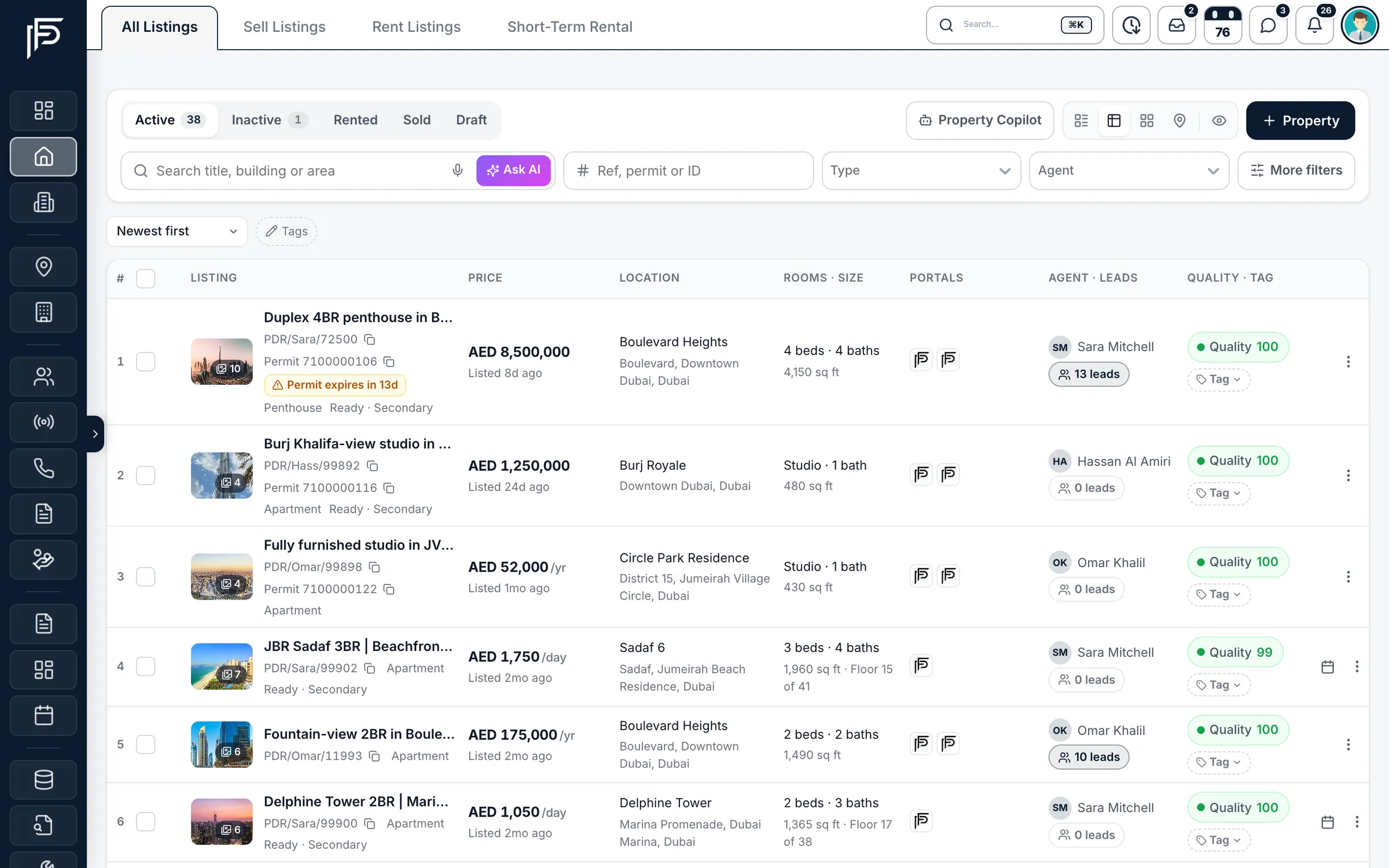
Every listing in one property database, ready for the portals
- Property Finder, Bayut & Dubizzle
- Permit check before you publish
- A quality score on every listing
How it works
From new instruction to live listing
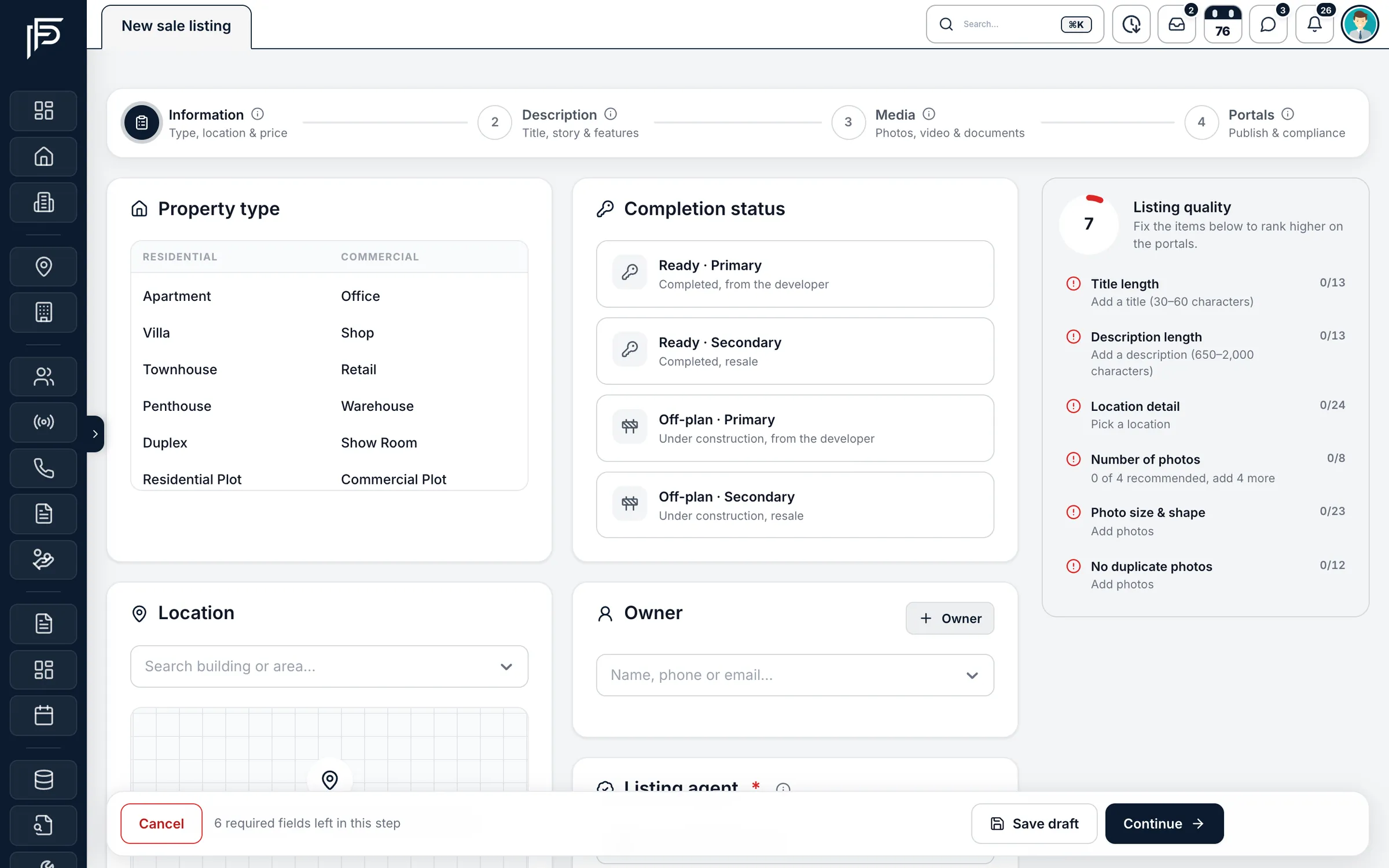
Step 1: Add the listing
Four guided steps: information, description, media and portals.
Step 2: Check it before it goes live
A permit lookup and a quality score show what to fix before the portals see it.
Step 3: Publish and follow the leads
Switch on Property Finder, Bayut or Dubizzle, then track leads, viewings and follow-ups per listing.
Built for how Dubai agents list
Permits, portals, photos and owners in the same place, so a listing goes live right the first time.
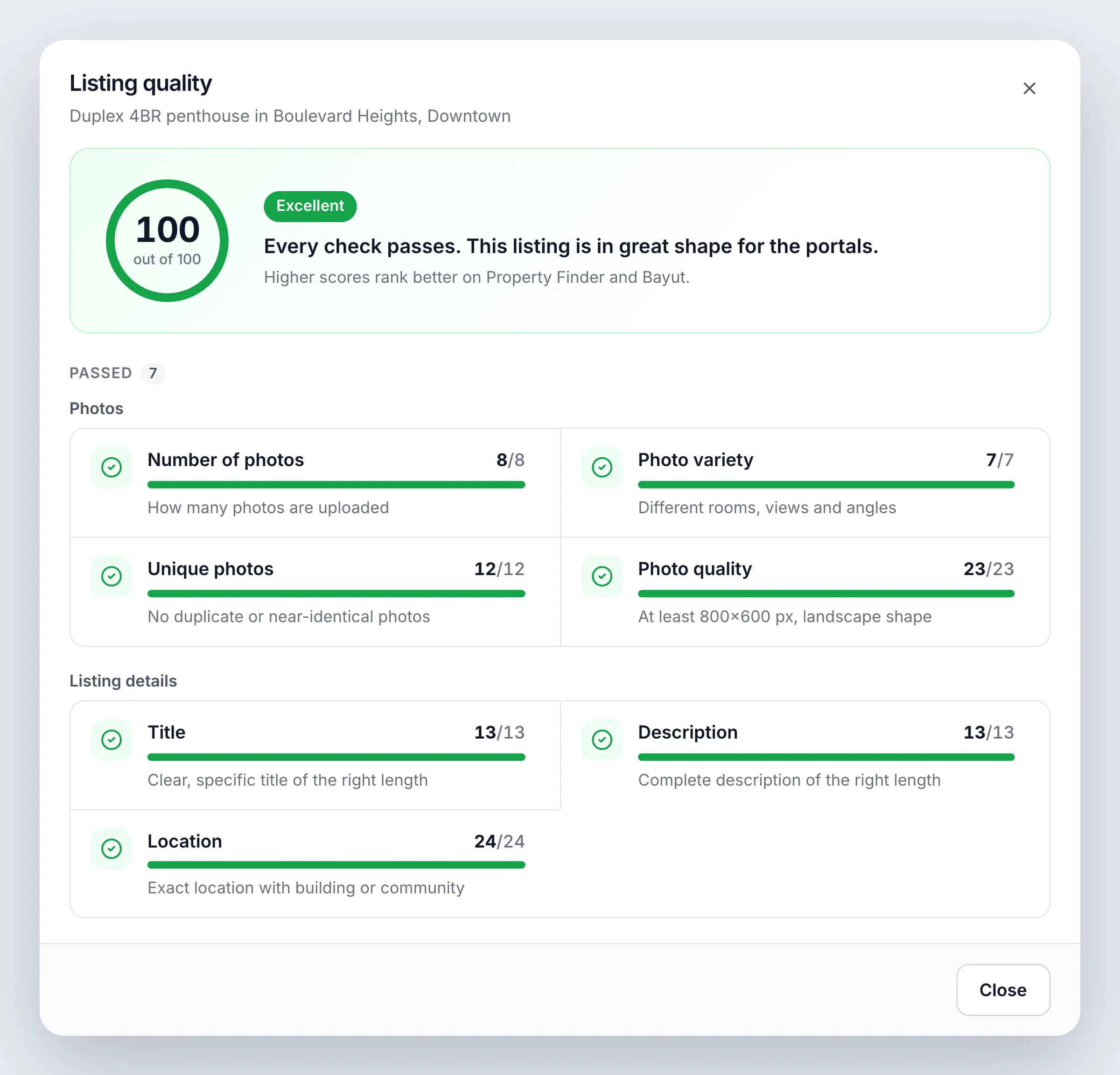
Quality score
Know what to fix before the portals see it
- Photos scored on how many there are, their size and shape, and repeated copies
- Title and description checked for length
- Location checked for city, community, sub-community and building
Add a property
A new listing in four guided steps
- With Property Finder connected, a Trakheesi permit lookup returns what DLD holds for the property
- Photos, a video link or upload, a 360° tour, owner documents and the permit QR code
- Link the owner and the listing agent before you publish
Listing page
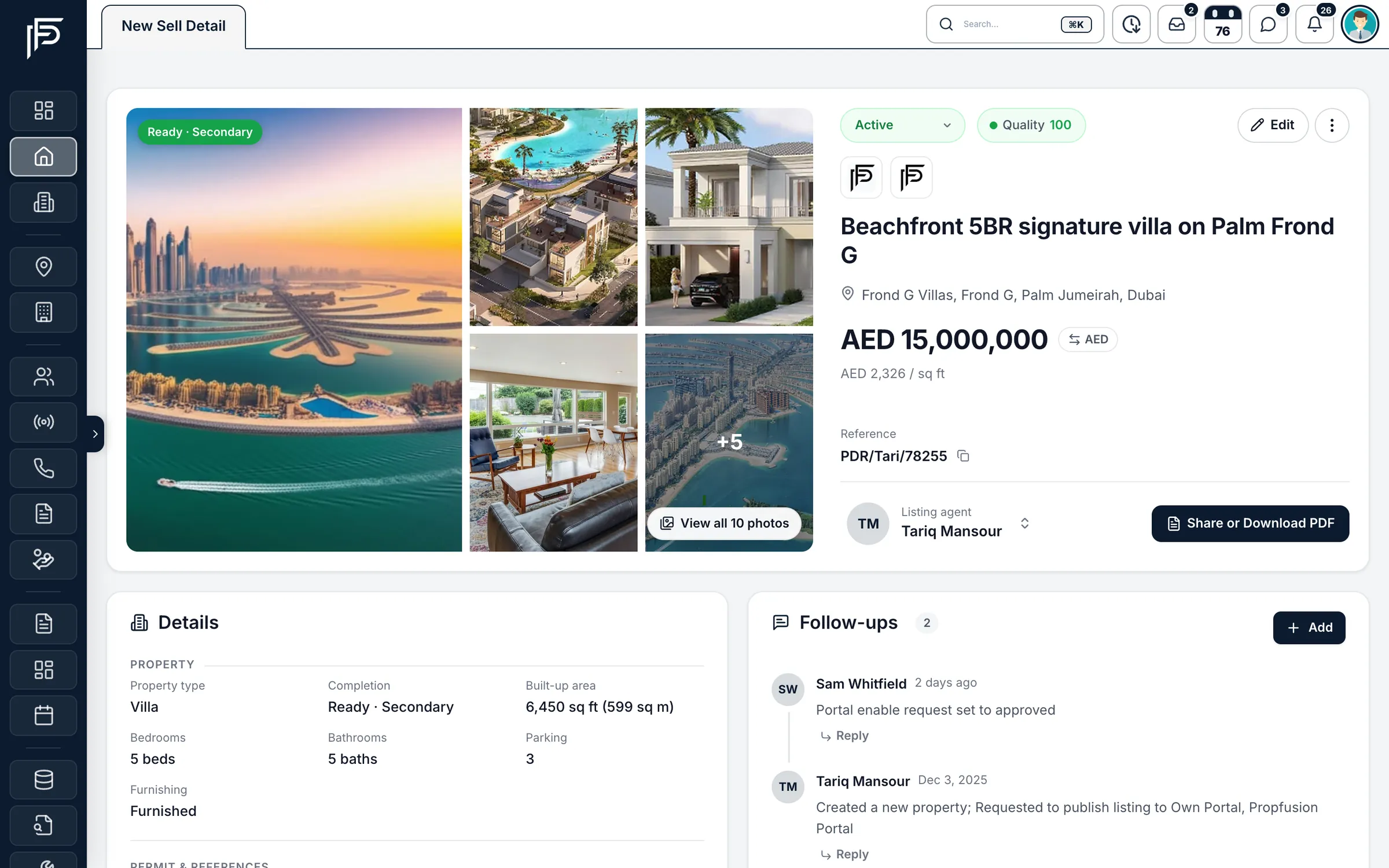
One page per listing, with everything around it
- Turn each portal on or off and choose the agent shown on it
- Publishing errors from Property Finder, Bayut and Dubizzle, explained in plain words with the fix
- A log of every change, plus Bayut insights where Bayut is connected
Views
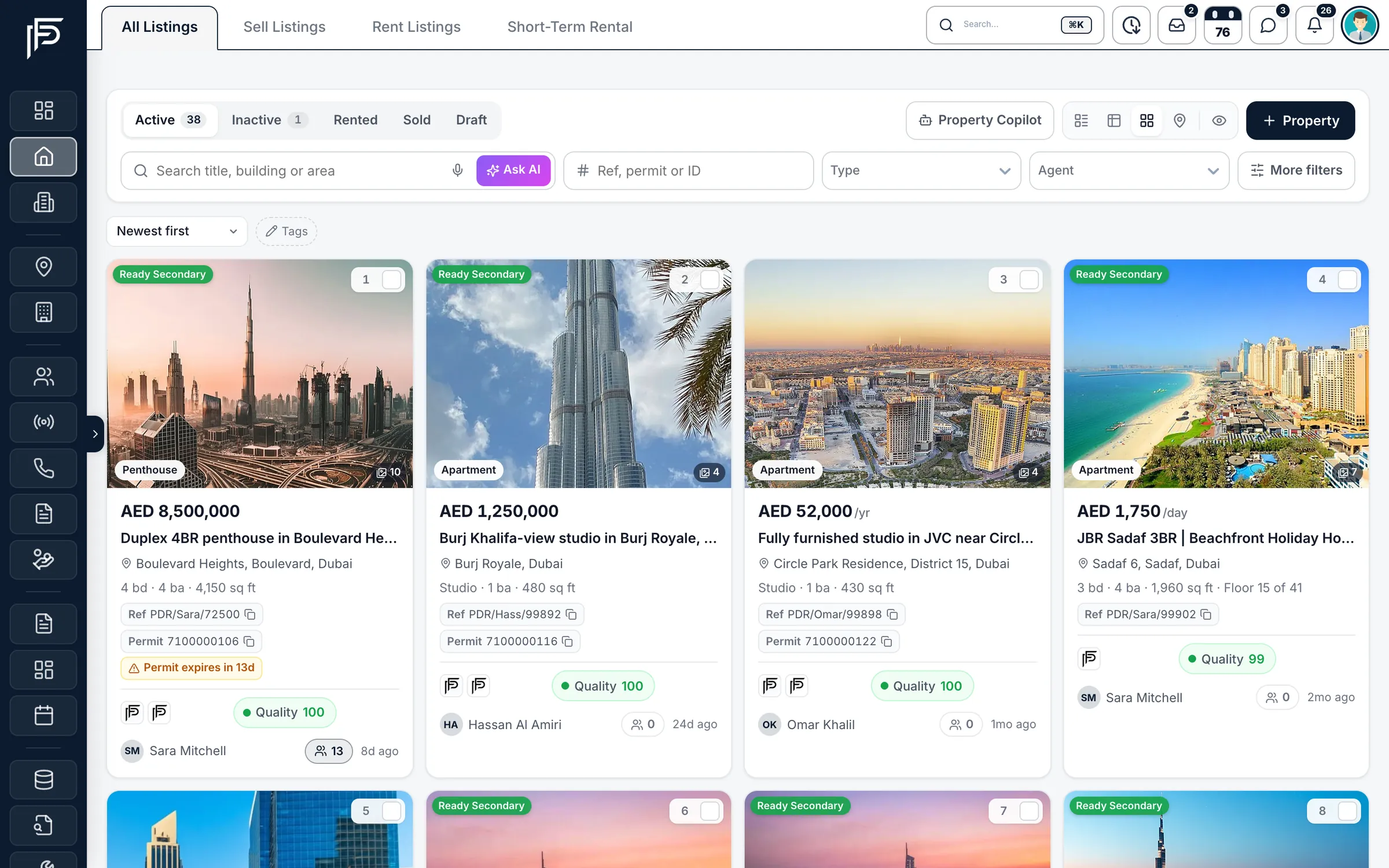
The same stock, the way you want to see it
Screens show the Propfusion Demo Realty sample workspace. All people, listings and numbers are fictional.
Also in the property database
Everything a listing needs, nothing to copy across
Portals are connected once, in Integrations. After that, every listing carries its own portal switches.
Sale, rent and holiday homes
Sale, rental and short-term listings live in one database, each with the fields it needs.
Portals and your own website
Property Finder, Bayut, Dubizzle and Propsearch, the Propfusion portal and your own website.
Search in plain words
Search by reference, permit number or listing ID, or type “2-bed in JVC under AED 1.5M” and Ask AI turns it into filters.
Map view
See your listings on a map and find stock by area.
Premium share pages
Send a client a clean listing page with a button to book a viewing, or compare several listings on one page.
Video tours from photos
Turn a listing's photos into a video tour and save it to the listing.
Bulk tools
Update, refresh or reassign many listings at once, and undo the last change on each.
Owners and documents
Keep the owner, title deed, passport and Emirates ID with the listing they belong to.
Voice search and AI copilot
Search by voice, or ask the copilot about your listings in English, Arabic, Hindi, Urdu, Spanish or French.
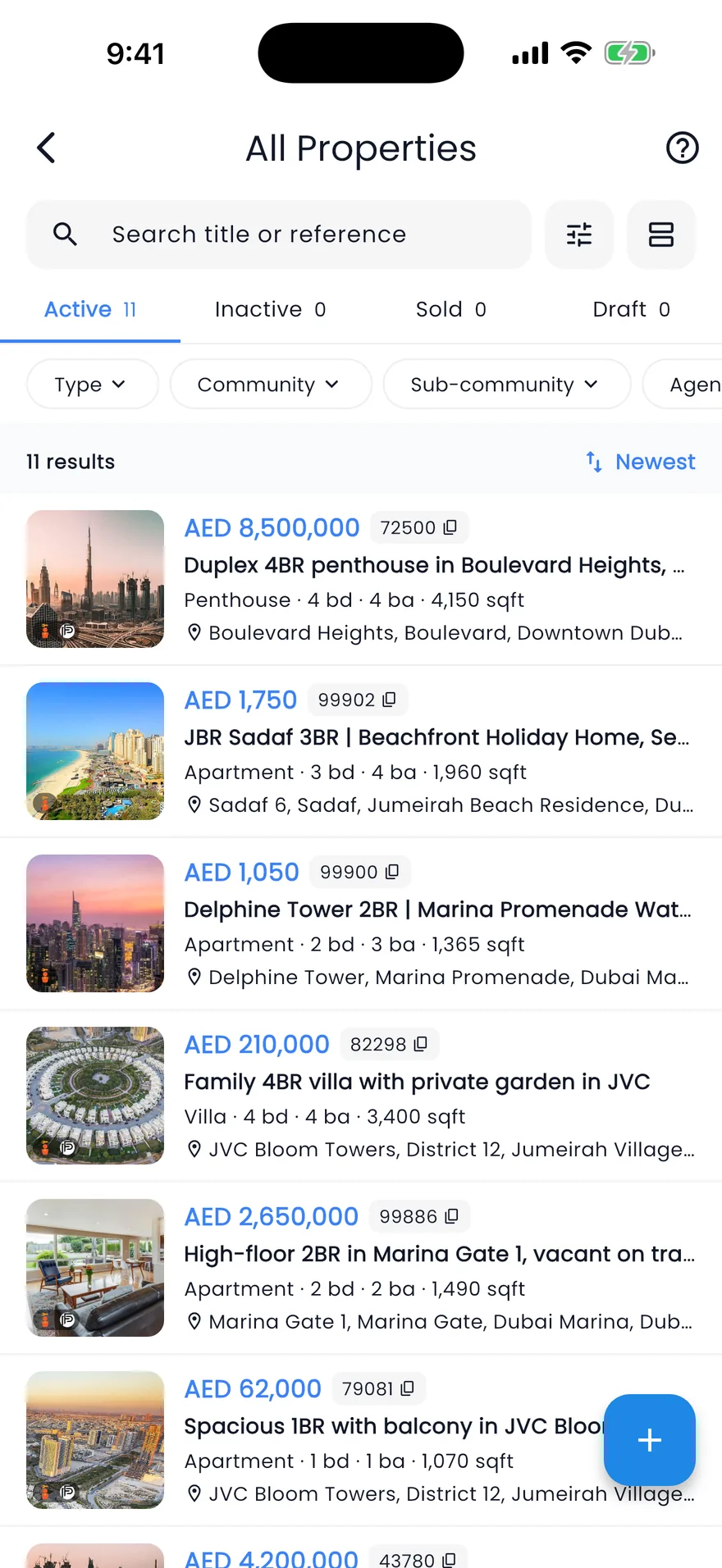
Mobile app
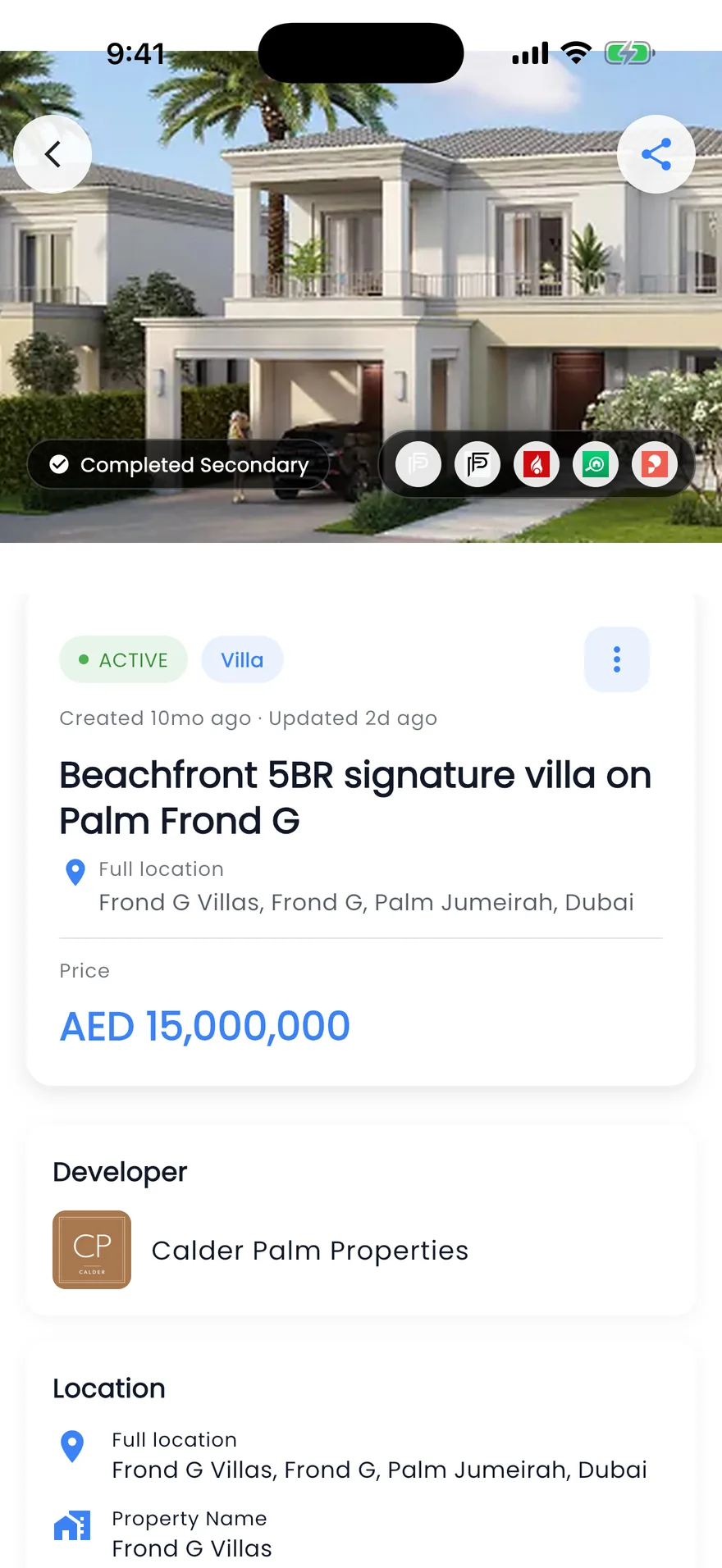
Your listings in your pocket
- Share a listing as a branded PDF, a link or a WhatsApp message
- See the owner's details, add a follow-up or mark it sold or rented
- Refresh a listing on Bayut, Property Finder or both from your phone
Questions
Property database questions
- Which portals can I publish to from Propfusion?
- Property Finder, Bayut, Dubizzle and Propsearch, plus the Propfusion portal and your own website. Each portal is connected once in Integrations; after that, every listing has its own switch for each portal and the agent shown on it.
- Can Propfusion check a permit before a listing goes live?
- Yes. With Property Finder connected, a Trakheesi permit lookup on the add-property form returns what DLD holds for the property, so a missing or wrong permit shows up before you publish.
- What does the listing quality score look at?
- The photos (how many, their size and shape, and repeated copies), the length of the title and description, and how complete the location is. Every listing gets a score out of 100, and each check shows the points it is worth, so you know what to improve first.
- What happens when a portal rejects a listing?
- The listing page shows publishing errors from Property Finder, Bayut and Dubizzle in plain words, with the fix. The portal status view shows where each listing is live, still pending or has an error, portal by portal.
- Can AI write the listing description?
- Yes. The AI writer drafts the title and description from the facts you have already entered on the listing, in a professional, luxury, friendly or investor tone.
- Can agents work with listings from their phone?
- Yes. The Propfusion app carries the same property database. Agents can share a listing as a branded PDF, a link or a WhatsApp message, see the owner's details, add a follow-up, mark it sold or rented, and refresh it on Bayut, Property Finder or both.