Task management for real estate teams
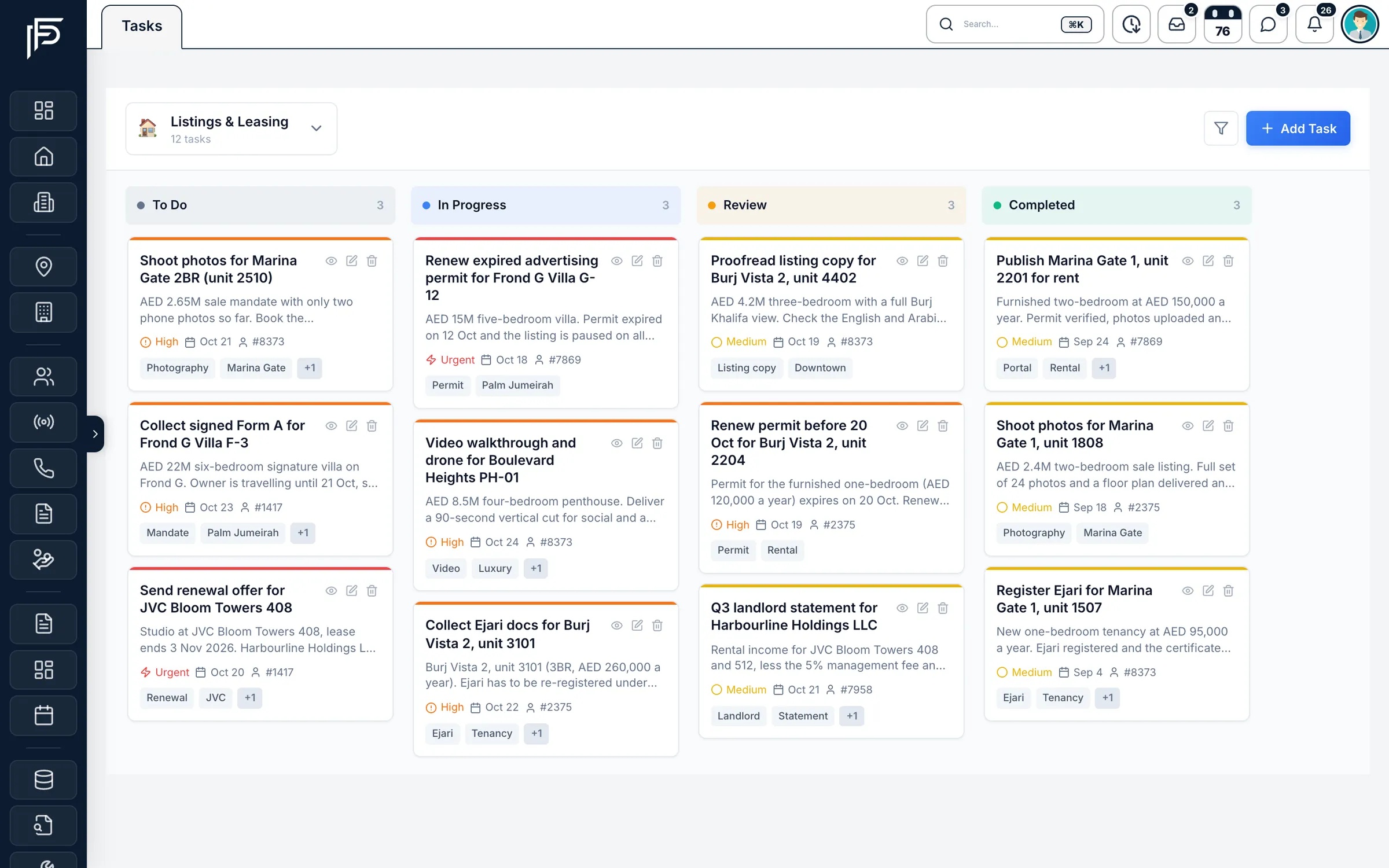
- A board per team or project
- Four priority levels
- On the web and in the app
How it works
Set up your board in three steps
- 01
Create a space
One per team or workflow, such as Listings, Leasing or Marketing, each with its own icon and colour.
- 02
Name your stages
Set the stages your team actually works in, then rename, recolour or reorder them whenever the process changes.
- 03
Add and assign tasks
Give each task an owner, a priority, a due date and tags, then drag it across the board as the work moves.
Nothing slips between listings and leads
A brokerage runs on small jobs that belong to nobody in particular. Tasks give each one an owner and a date.
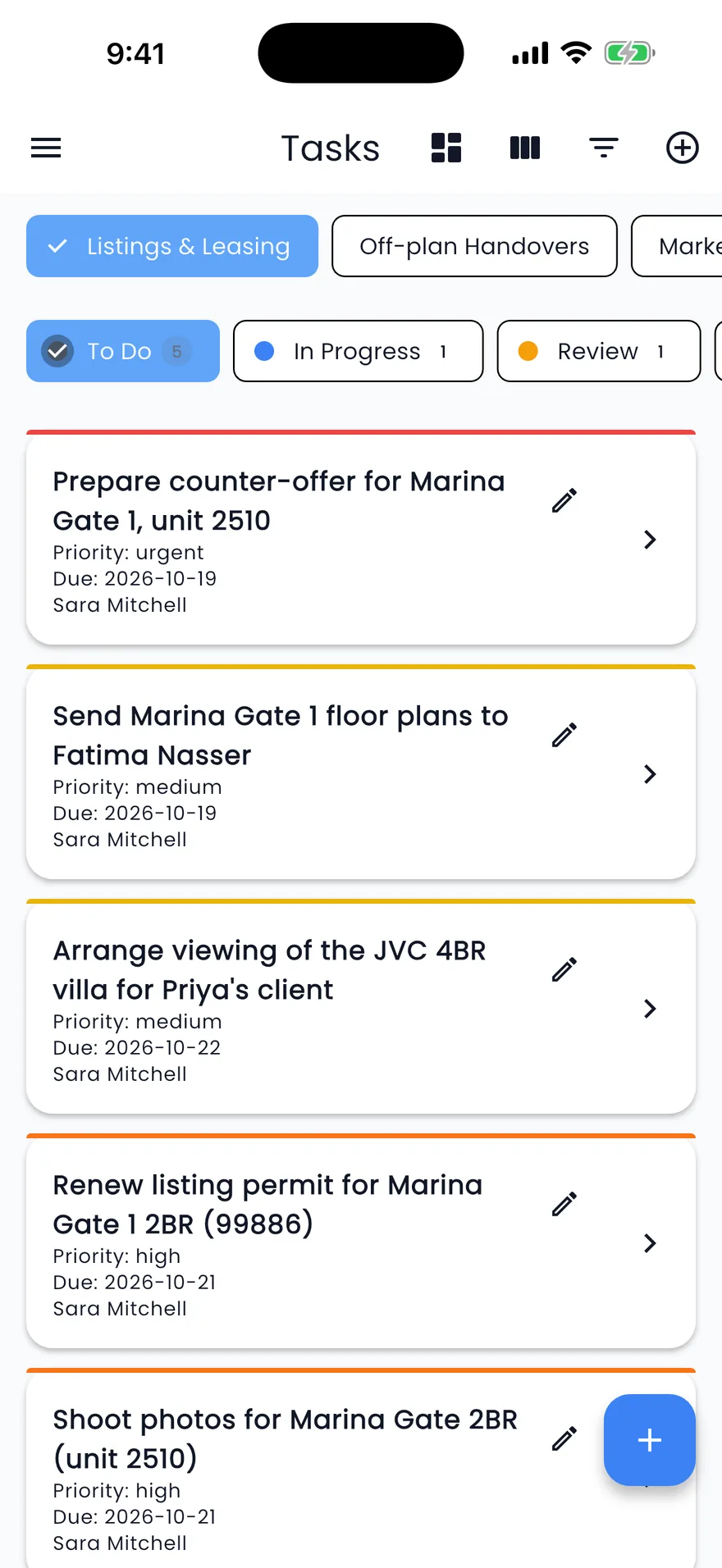
In the app
The whole board in your pocket
- A coloured bar on every card for its priority, from low to urgent
- Stage tabs with a count, such as To Do, In Progress and Review
- Add a task, edit it or move it to the next stage from the phone
Tasks and follow-ups
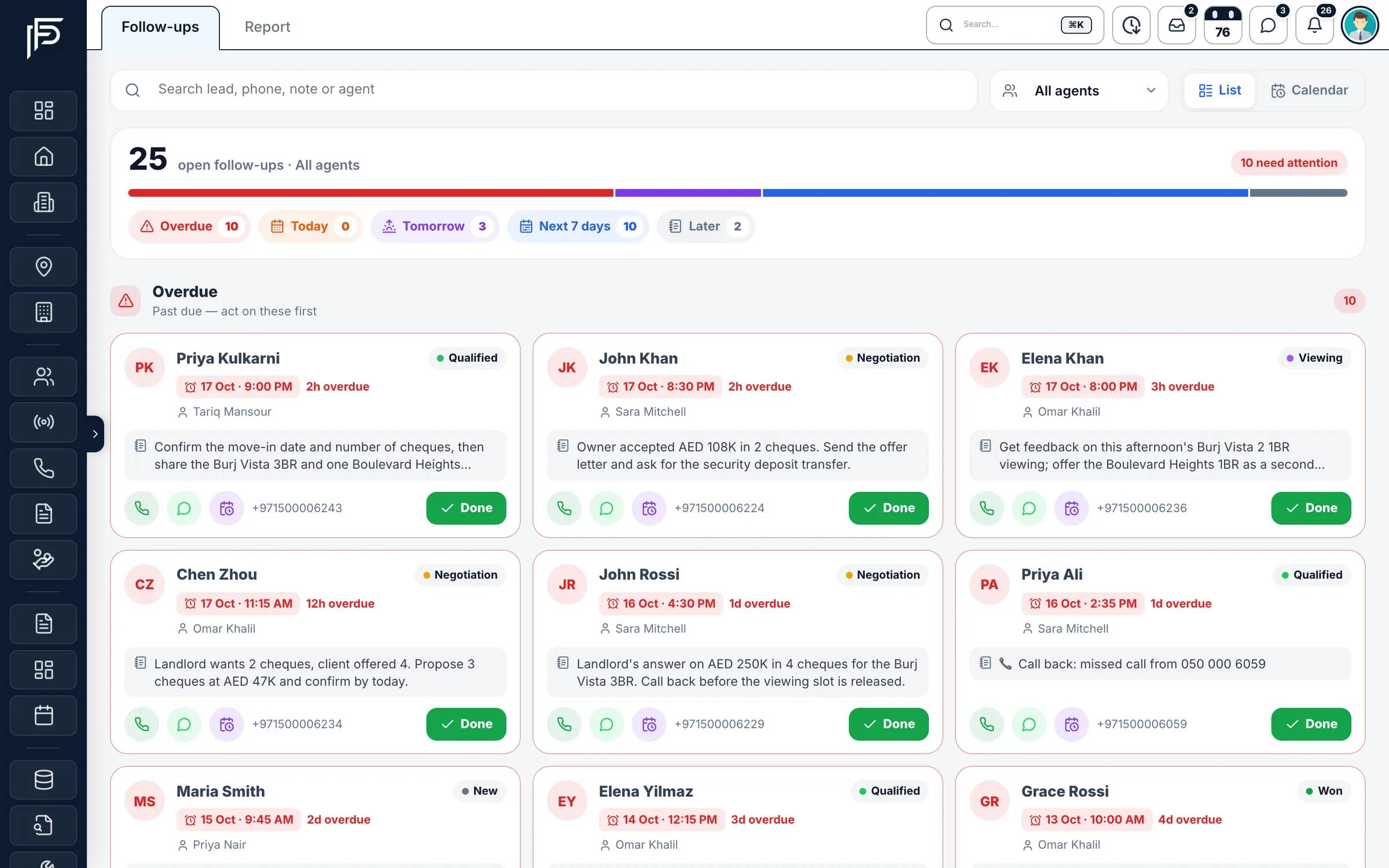
Client follow-ups keep their own agenda
- Each follow-up card shows the client, the stage and the note from last time
- Call, WhatsApp, reschedule or mark done from the card
- One agent's follow-ups, or the whole team's
Calendar
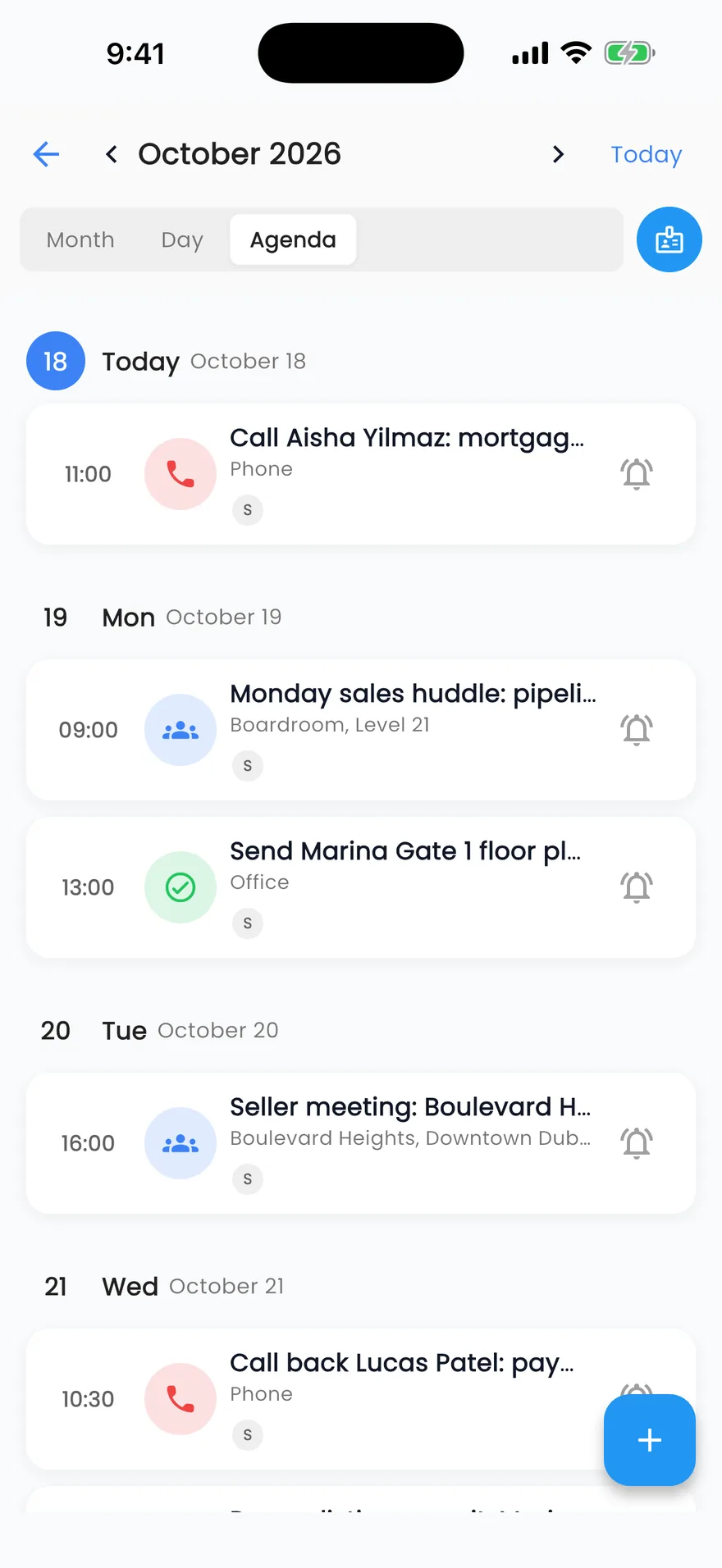
Jobs with a time go on the calendar
- Tasks, calls and meetings in one agenda in the app
- Month, day and agenda views
- A reminder from 15 minutes to a day before
Maintenance
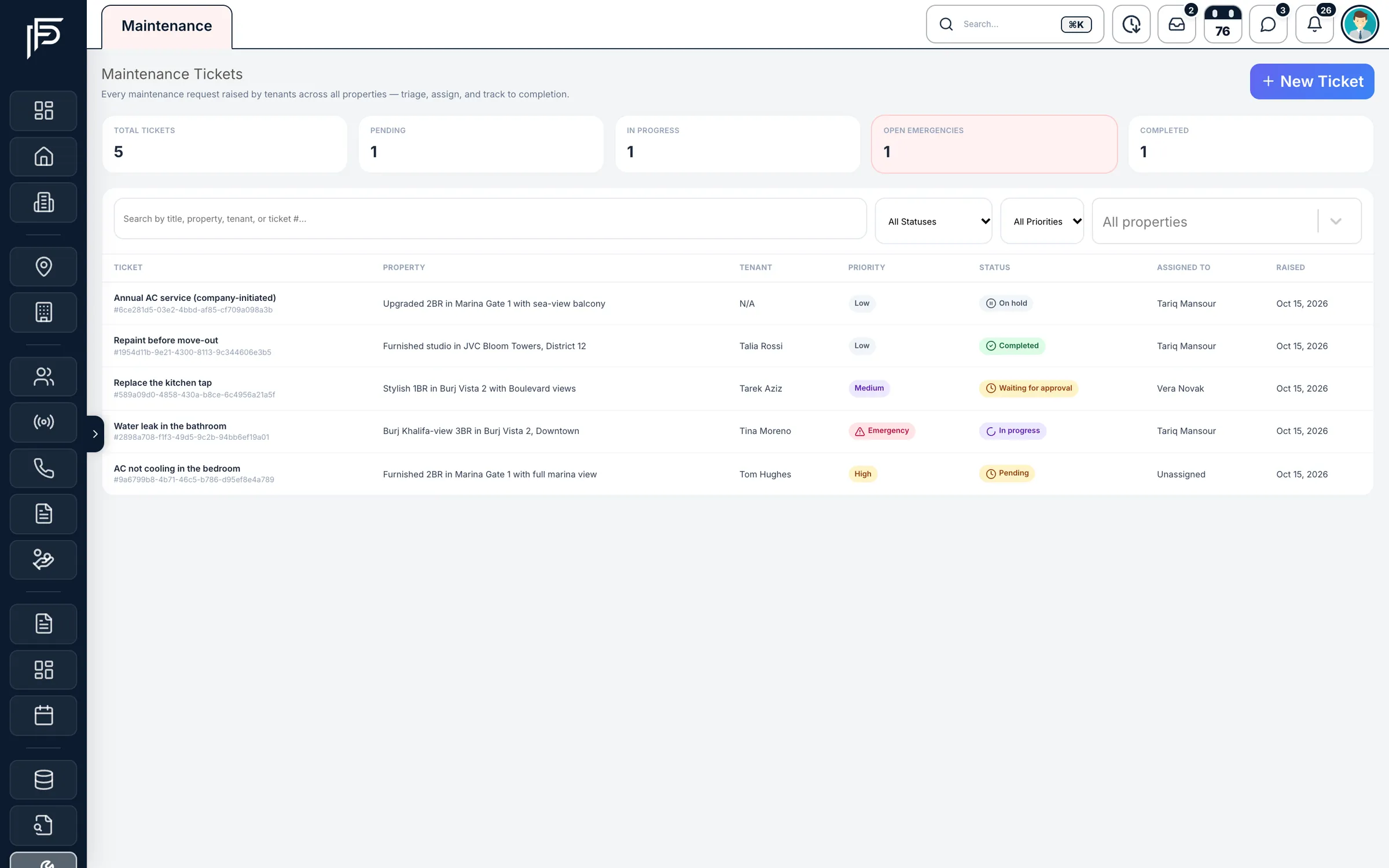
Maintenance jobs get their own tracker
- Low, medium, high and emergency priorities
- Pending, in progress, waiting for approval, on hold and completed
- Filter by status, priority or property
Screens show the Propfusion Demo Realty sample workspace. All people, listings and numbers are fictional.
Task management
Simple enough that the team keeps using it
Spaces
Separate boards for each team, project or workflow, each with an icon and a colour.
Custom stages
Every space has its own stages. Add, rename, recolour or reorder them at any time.
Four priorities
Low, medium, high and urgent, colour-coded on every card so the urgent work stands out.
One clear owner
Assign each task to someone from your staff list, or leave it unassigned for whoever is free.
A due date on every card
The due date sits on the card next to the priority and the owner, so the board shows what is late.
Tags
Add free-form tags such as a building, a community or a campaign name.
Notes on every task
Each task has its own page with a description and a running list of notes from the team.
Filters
Narrow any board to one stage, one priority level or one person's work.
Drag and drop
Drag a card from one stage to the next on the web board, and the whole team sees the move.
FAQ
Task management questions
How is a task different from a follow-up?
A follow-up is a call or message to a client and lives on the lead, in the follow-up agenda. A task is the team's other work, such as listing photos, a permit renewal or Ejari documents, and lives on a board. Keeping them apart means neither list buries the other.
Can each team have its own board?
Yes. Create a space for each team or workflow, such as Listings, Leasing or Marketing, each with its own icon, colour and stages that you can rename, recolour or reorder at any time.
What does each task hold?
An owner from your staff list (or none, for whoever is free), a priority from low to urgent, a due date, free-form tags, a description and a running list of notes from the team.
Can agents manage tasks from their phones?
Yes. The Propfusion app shows the same spaces and stages, with filters, and agents can add a task or move it to the next stage from the phone.
Works with the rest of Propfusion
- Calendar & schedulingViewings, meetings, calls and follow-ups, with reminders on the web and in the app.Explore
- Automation & workflowsLead distribution that assigns every new lead, WhatsApp workflows, and reminders for leads left waiting.Explore
- Targets & performanceMonthly KPI scorecards, a live leaderboard and twelve months of results per agent.Explore
Give every job an owner and a date
Start a free trial and set up your first task board today, or book a demo and we'll build one with your team's stages.