Holiday homes
Holiday home and short-term rental software, inside your CRM
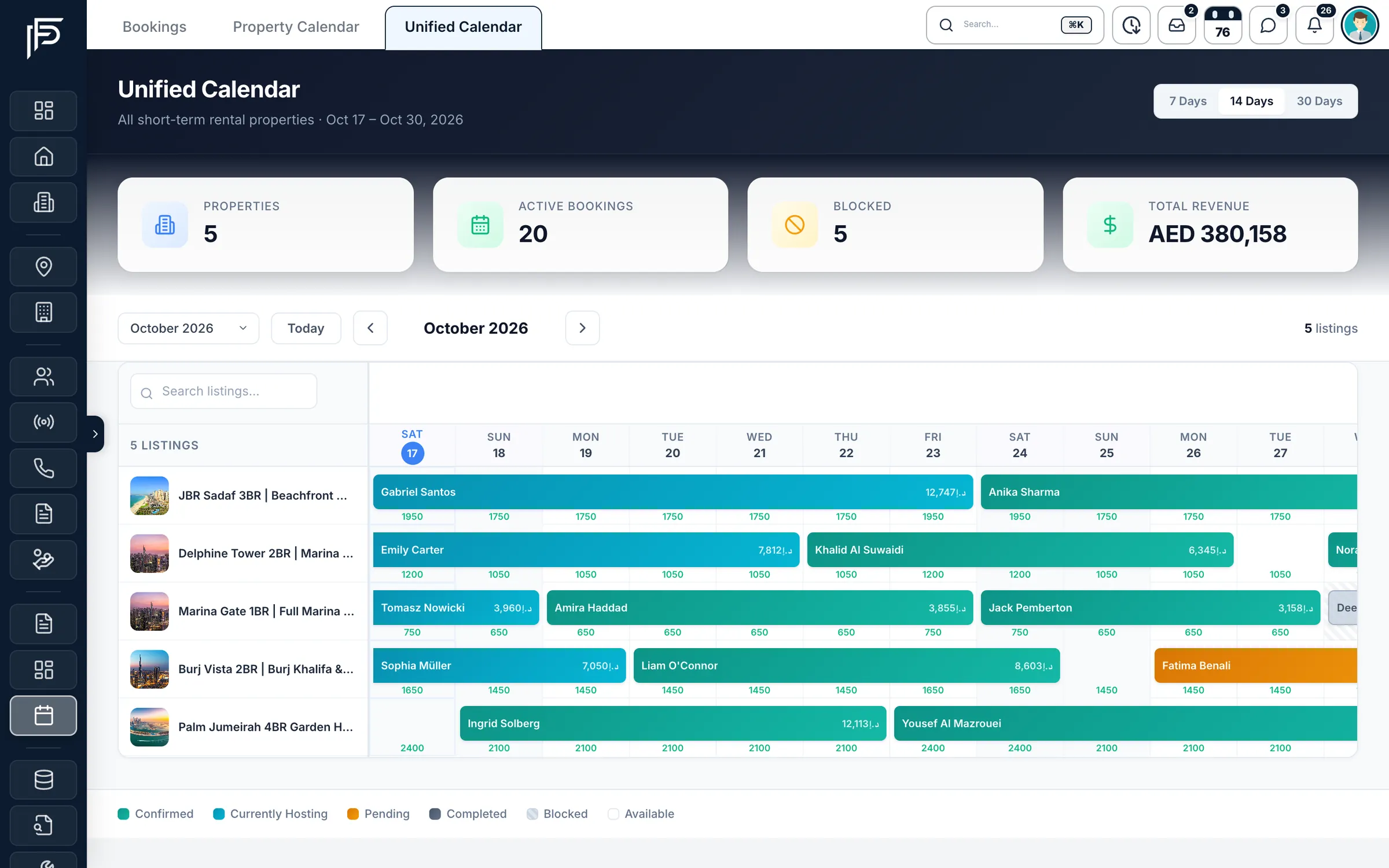
Run Dubai holiday homes next to your sales and leasing: one calendar for every unit, nightly prices and blocked dates, bookings with their guests and payments, and each owner's share worked out from the terms you agreed.
7 days free · No card needed
- One calendar for every unit
- iCal import and export
- Owner share on every booking
How it works
From listing to payout
Step 1: Add the holiday home
List the unit as a short-term rental in your property database.
Step 2: Fill its calendar
Import its Airbnb or Booking.com calendar by iCal link, set nightly prices and block dates.
Step 3: Book, collect and pay out
Record bookings, receipts and refunds; the owner's share follows the terms you agreed.
Short-term rentals without a second system
Holiday homes live in the same CRM as your other listings, owners and finance.
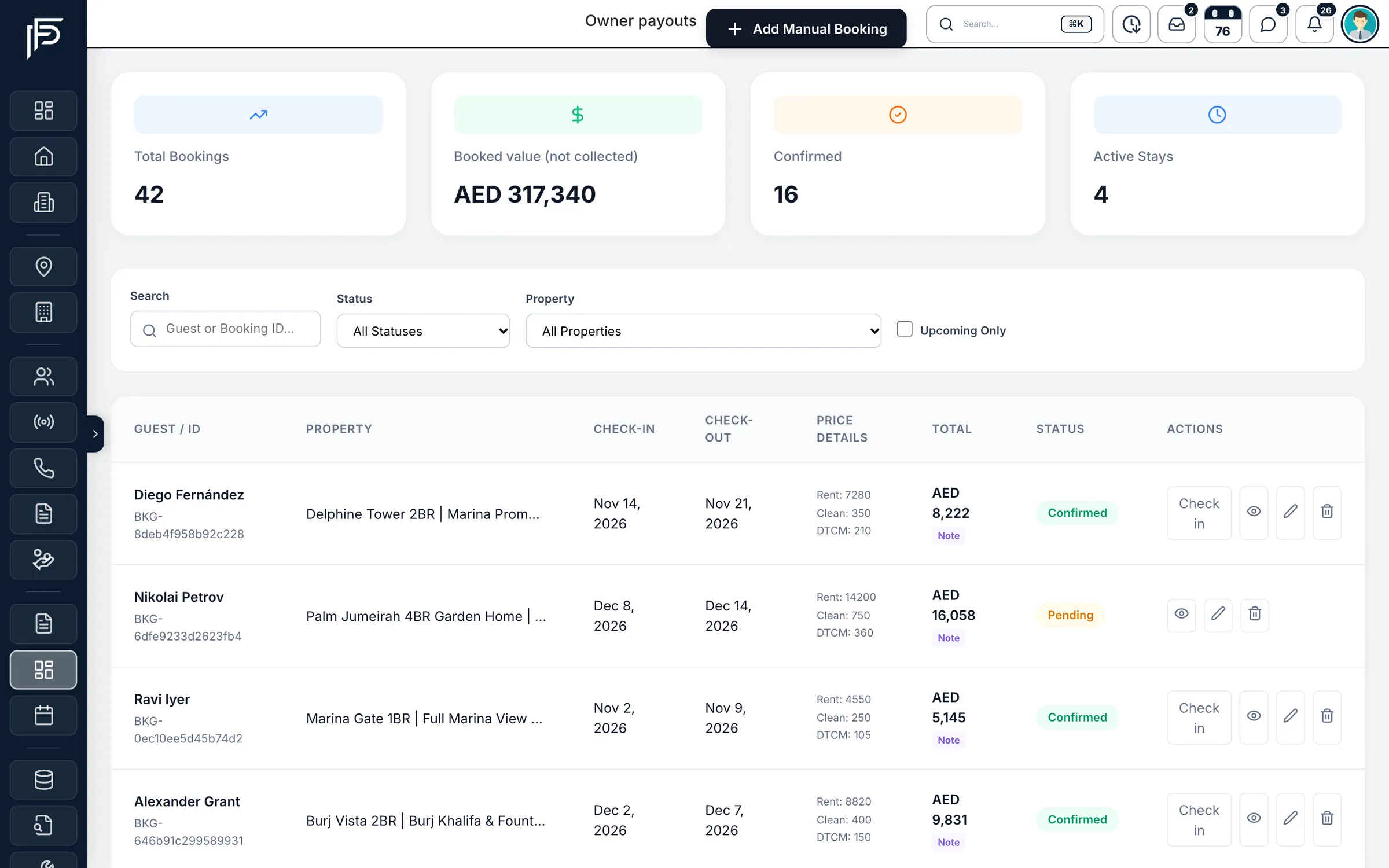
Bookings
Bookings, guests and money in one list
- Search by guest name or booking ID, and filter by property, status or upcoming stays
- Check guests in from the list as they arrive
- Pending, confirmed, hosting, completed or cancelled at a glance
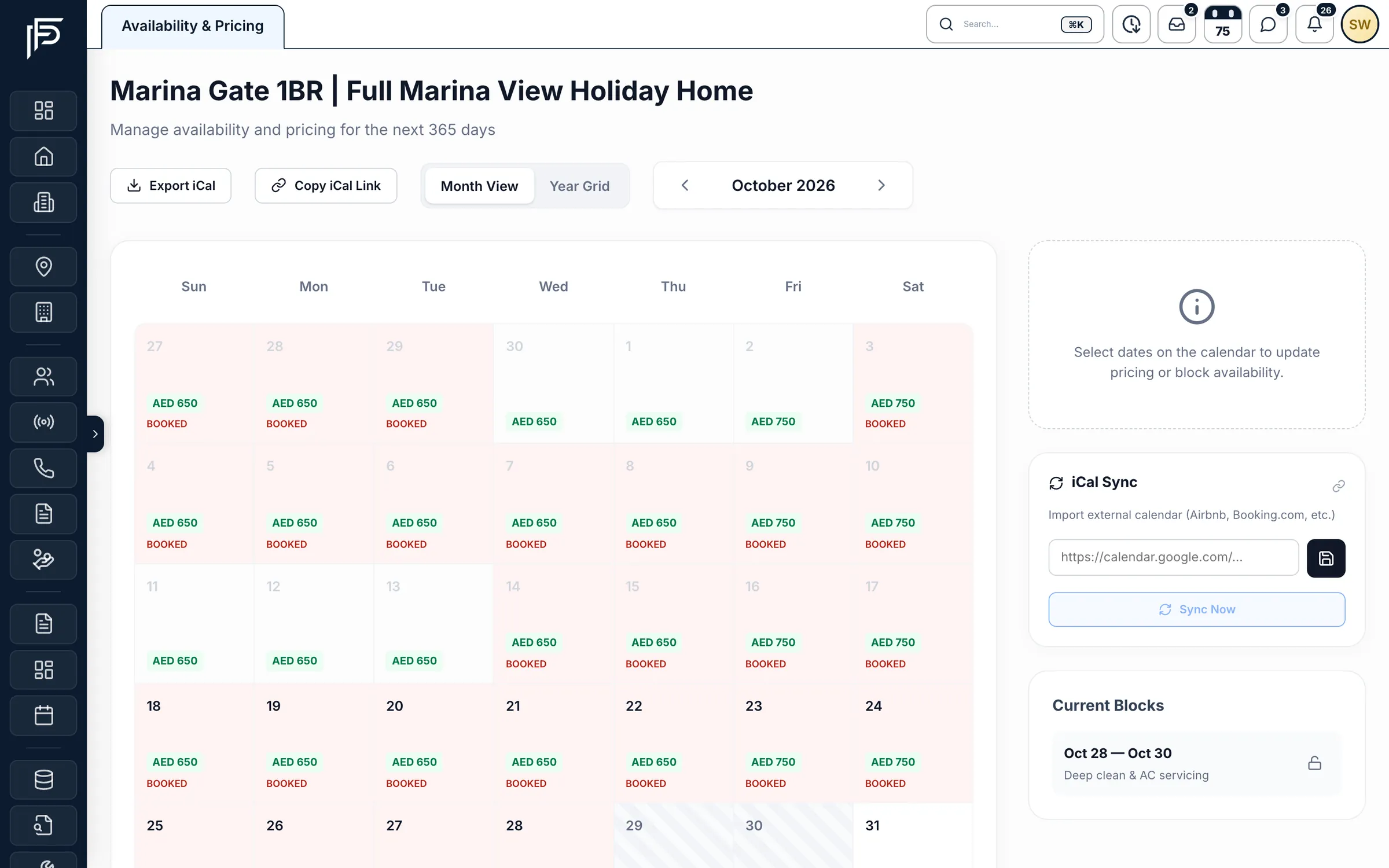
Calendar and pricing
Nightly prices, blocks and iCal sync for each home
- Block nights for maintenance or an owner stay, with the reason on record
- Import an Airbnb or Booking.com calendar by iCal link, and sync it when you need to
- Export the home's calendar as an iCal feed link or a file
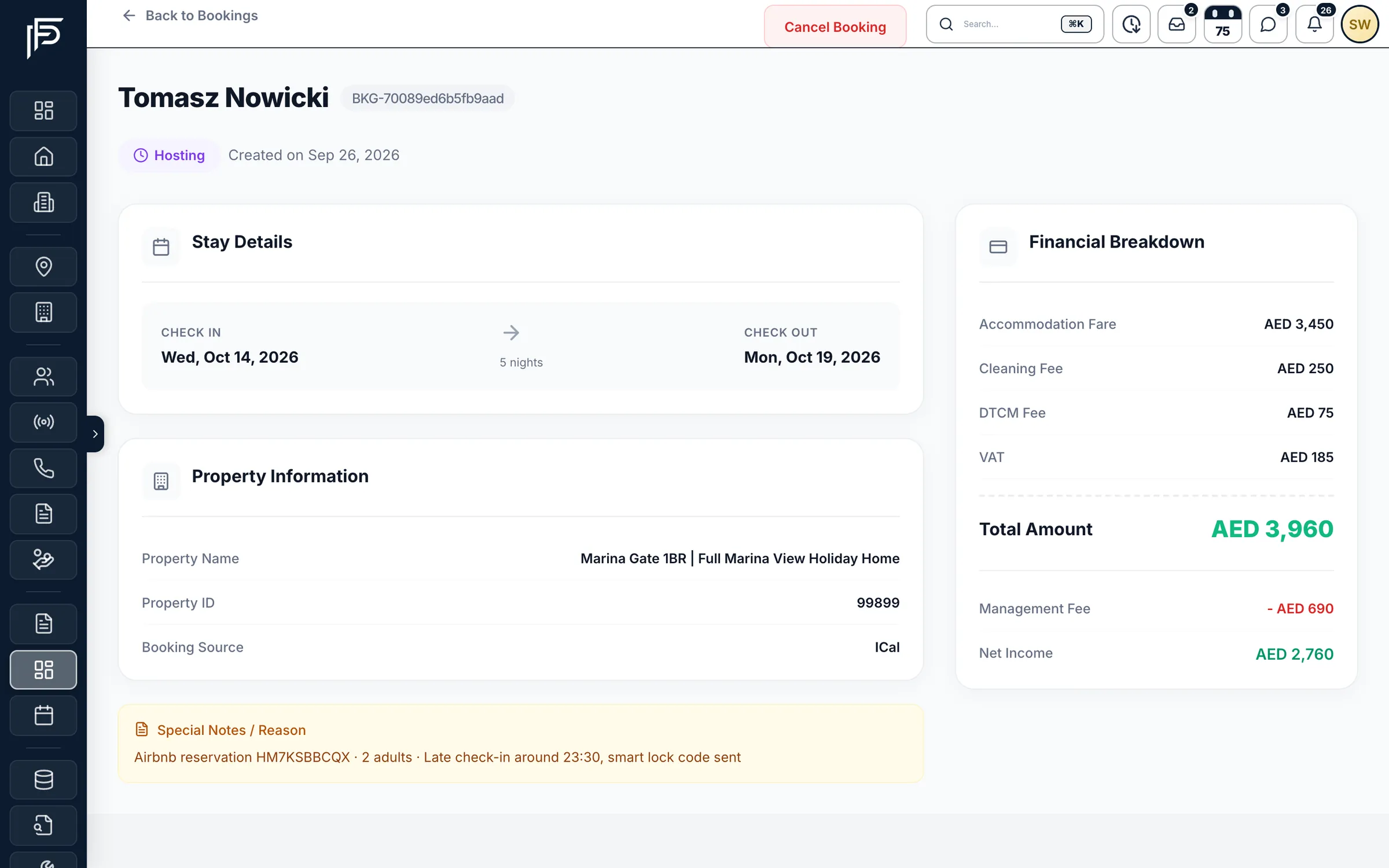
Booking detail
Every booking, down to the last fee
- Receipts and refunds by bank transfer, card, cash or cheque, each with its own reference
- Commission applies to the rent; cleaning and guest taxes stay separate
- After a cancellation, record the agreed owner share; the original terms stay on record
Owners
Owners see their share in their own portal
- Commission as a percentage, or a fixed owner amount per night, per month or per booking
- Owners request payouts against their available balance
- A cancelled stay counts only its agreed cancellation settlement
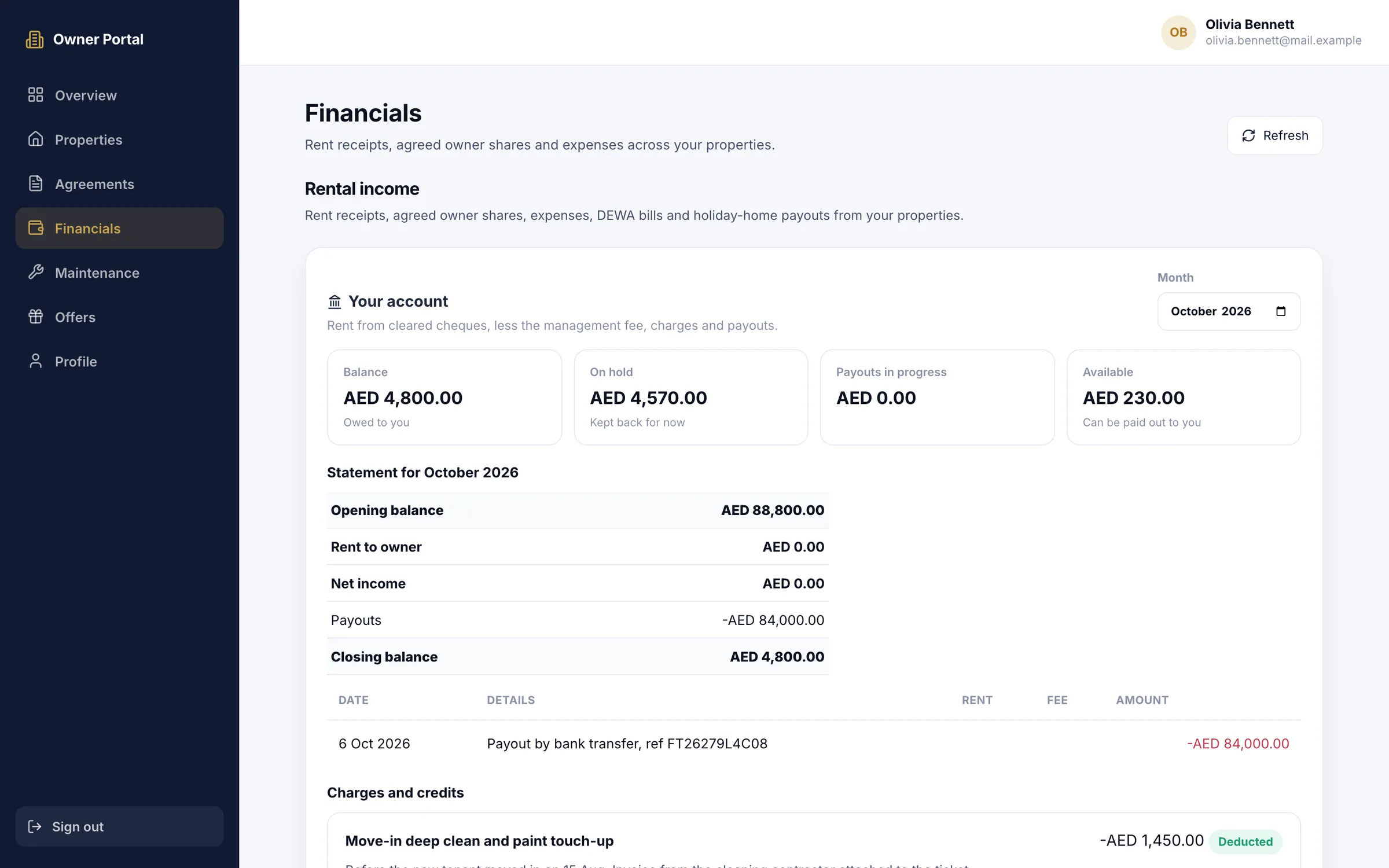
Screens show the Propfusion Demo Realty sample workspace. All people, listings and numbers are fictional.
Also in hospitality
Run the calendar, the guests and the money
Bookings at a glance
Properties, active bookings, blocked periods and the total value of all bookings in AED, above a 7, 14 or 30-day calendar.
Owner share preview
Preview the owner's share before you save a booking, and keep the terms for the next booking on that home.
Guests in the CRM
Pick the guest from your tenant records when you add the booking, or type their name.
Manual bookings
Add a direct or repeat guest's booking by hand, with the stay dates, price details and owner terms.
Payout requests
Every owner payout request in one list. Record the transfer reference once your company has paid.
Find any unit fast
Search your holiday-home listings from the unified calendar.
Questions
Holiday home questions
- Can I bring in my Airbnb and Booking.com calendars?
- Yes, by iCal. Import a holiday home's Airbnb or Booking.com calendar from its iCal link and sync it when you need to. You can also export the home's calendar as an iCal feed link or a file.
- How is the owner's share worked out?
- From the terms you agree with the owner: commission as a percentage, or a fixed owner amount per night, per month or per booking. Commission applies to the rent; cleaning and guest taxes stay separate. You can preview the owner's share before you save a booking.
- Can owners see what their home has earned?
- Yes. Holiday-home owners log in to the owner portal to see their agreed share of confirmed bookings, and request a payout against their available balance.
- What happens when a guest cancels?
- You record the agreed owner share after the cancellation. The original terms stay on record, and the cancelled stay counts only its agreed settlement.
- Can we add direct bookings?
- Yes. Add a direct or repeat guest's booking by hand, with the stay dates, price details and owner terms, and pick the guest from your tenant records or type their name.
- Are DTCM and cleaning fees kept apart from the rent?
- Yes. Each booking's price is split into rent, cleaning and the DTCM fee, and the booking's financial breakdown shows the service fees, your management fee, the net income and the total.
Works hand in hand with
Bring your holiday homes into Propfusion
7 days free · No card needed