Owner & tenant portals
Owner and tenant portals, fed by your CRM
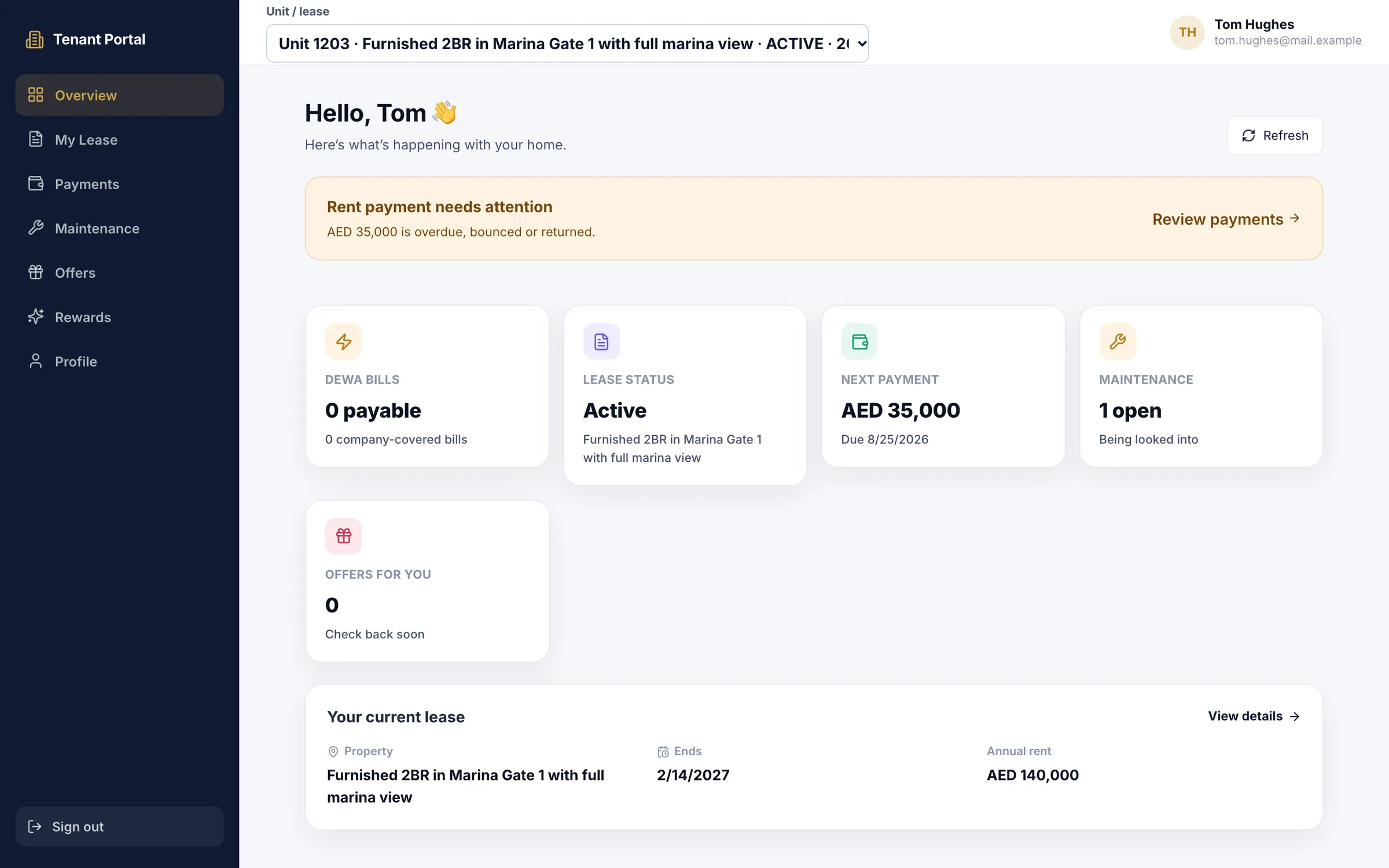
Give every landlord and tenant you manage a secure login. Owners see their units, rent roll, agreements, ledger and monthly report. Tenants see their lease, cheques, DEWA bills and maintenance requests. It all comes from your CRM, so there is nothing to send by hand.
7 days free · No card needed
- Invites by email
- Monthly owner report PDF
- Maintenance approvals online
How it works
Live in three steps
Step 1: Send the invite
From the owner or tenant record in the CRM, with the email you already hold.
Step 2: They sign in
Owners set their own password from a one-time link; tenants get their login details.
Step 3: They help themselves
Leases, cheques, bills, requests and reports, straight from your CRM records.
Fewer calls asking “has my cheque cleared?”
Owners and tenants find the answer in their portal, from the same records your team works in.
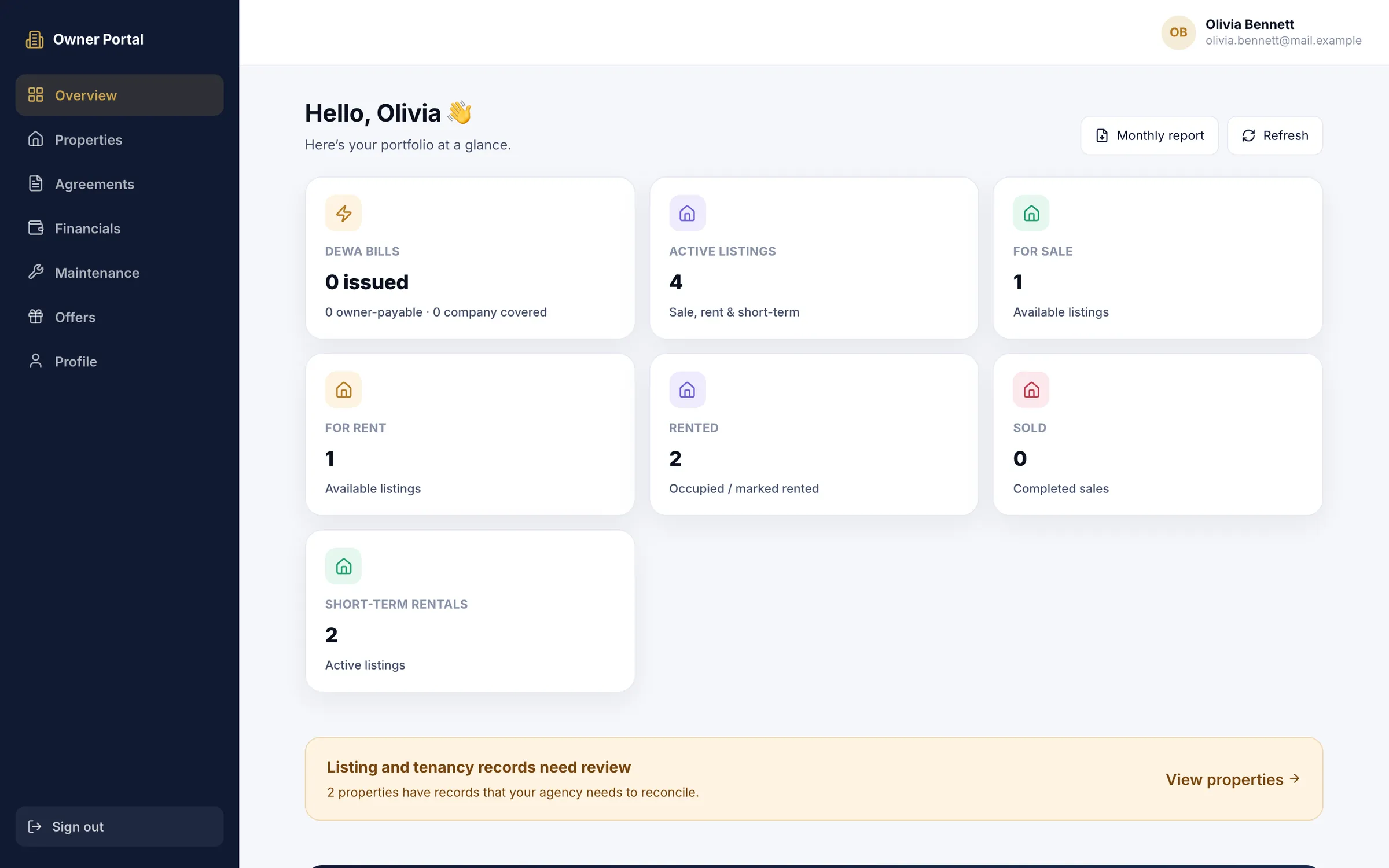
Owner portal
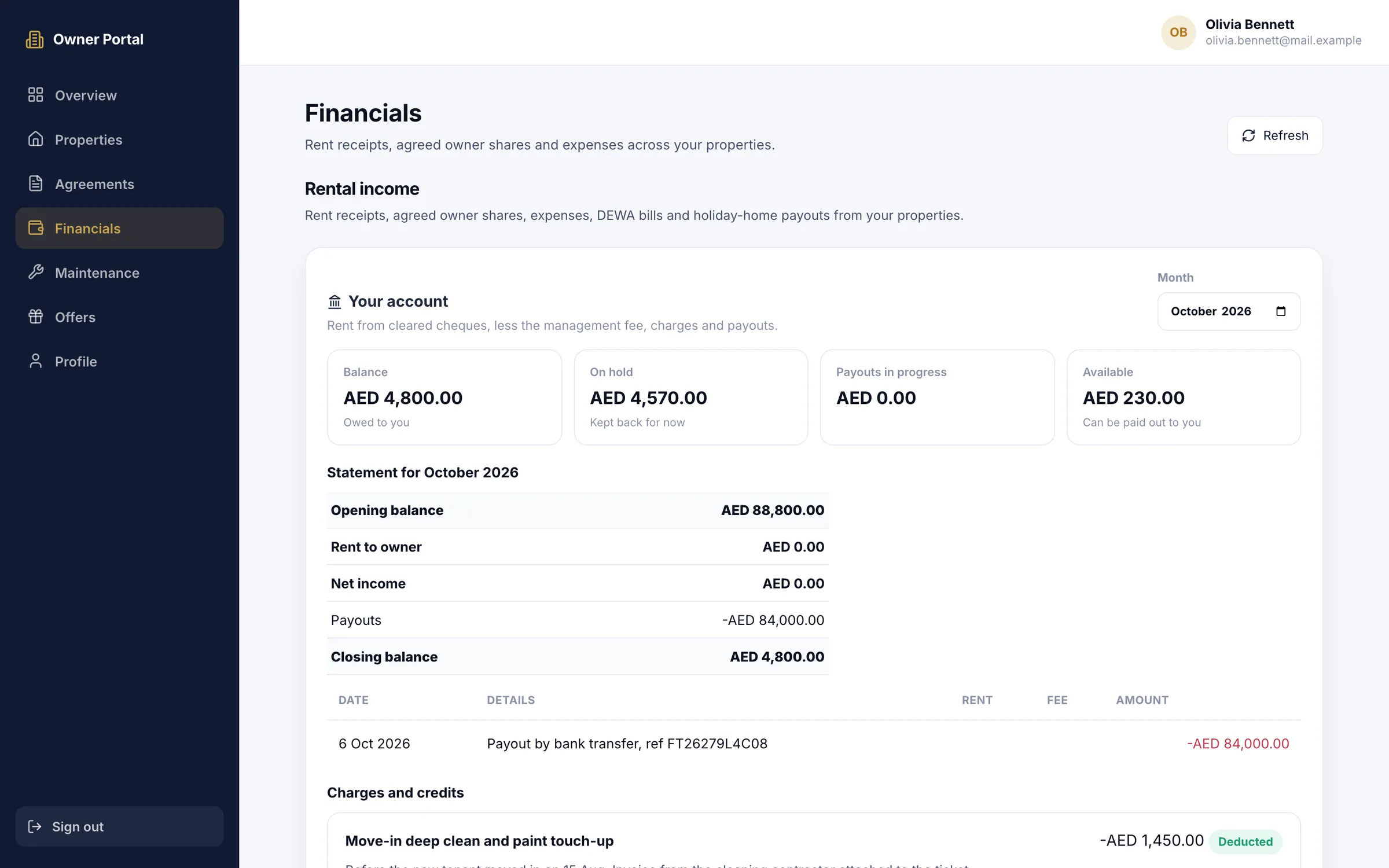
The owner's ledger, always up to date
- Outstanding rent shown next to what has been received
- Holiday-home owners see their share of confirmed bookings and request a payout against the available balance
- Each DEWA bill marked as payable by the tenant, the owner or your company
Owner portal
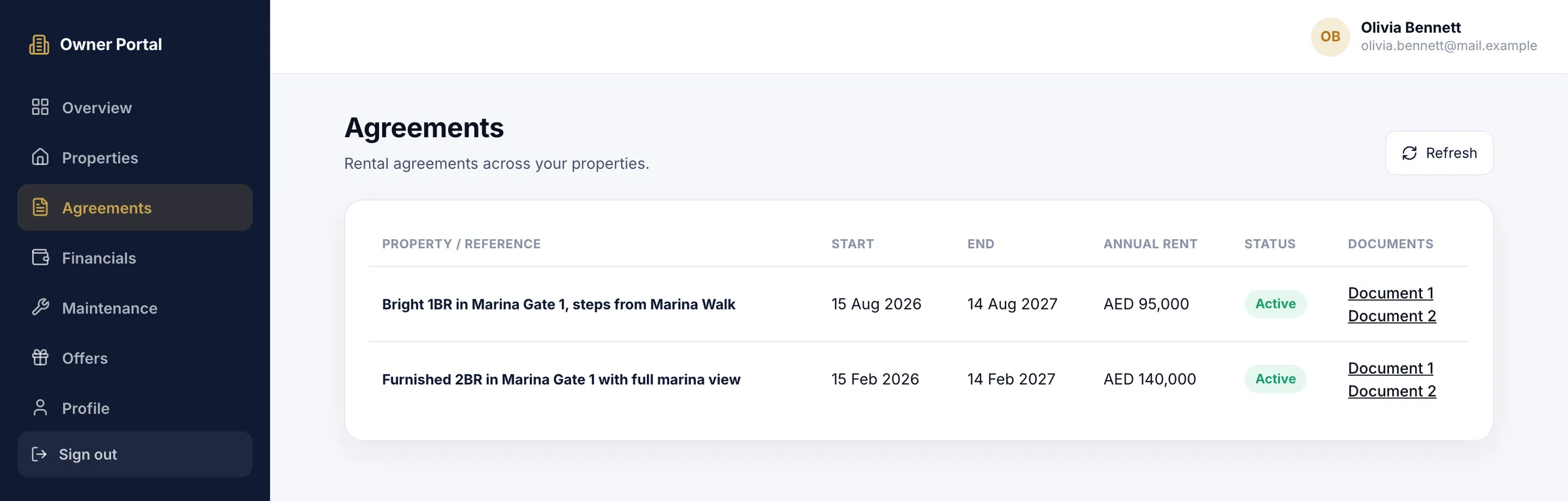
Agreements and approvals, without the email chain
- Current, upcoming and past agreements for each property
- Approve a maintenance quote, or reject it with a reason, and the agency is told
- Updates from the agent on every request raised on their properties
Tenant portal
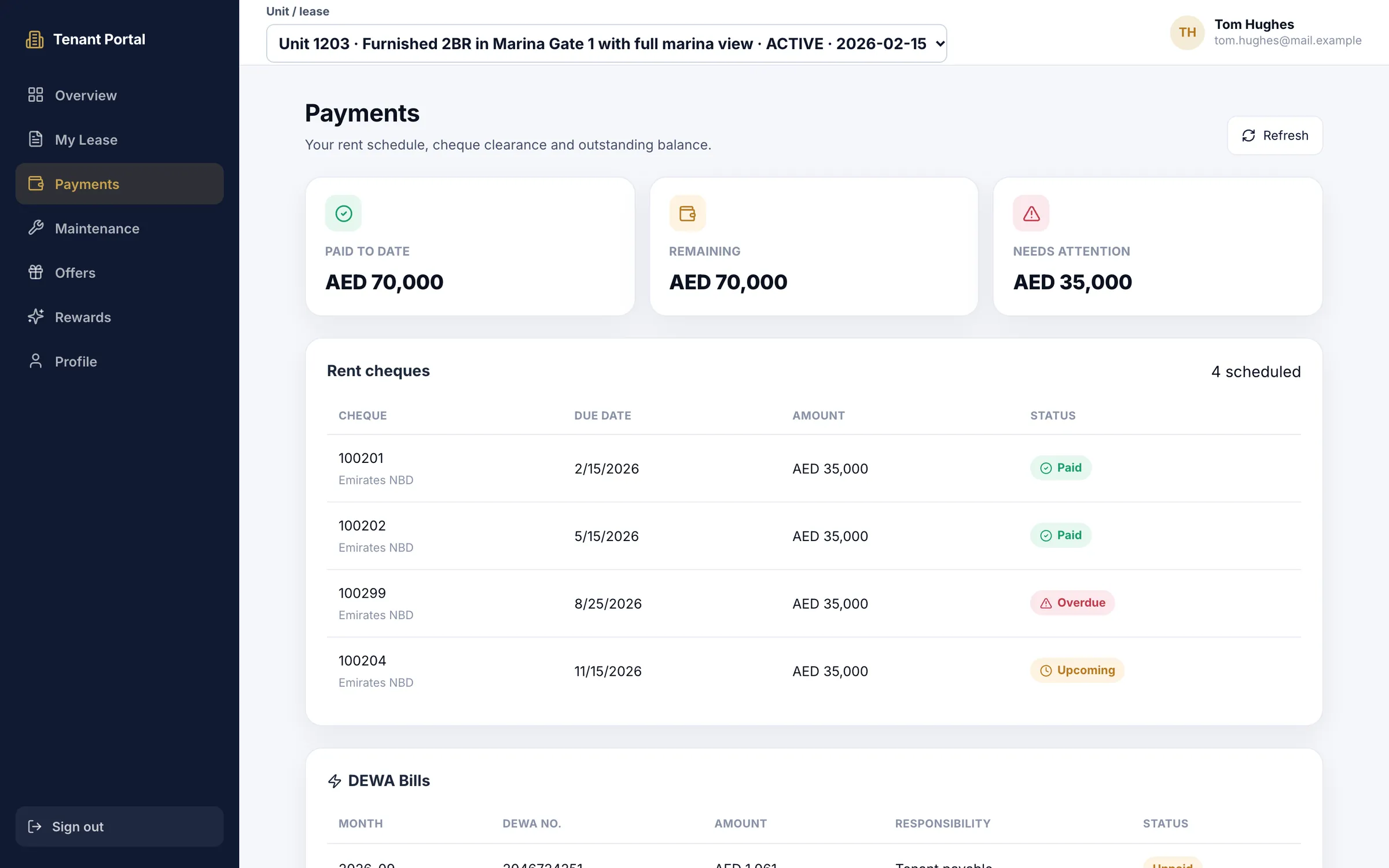
Tenants follow every cheque until it clears
- Paid to date and the remaining balance at the top
- Cheques that need attention flagged, not buried
- DEWA bills for the unit, with who pays each one
Tenant portal
Their lease and their requests, one login
- A clear notice when a rent payment is overdue, bounced or returned
- Requests by category, from plumbing and electrical to pest control, with an emergency priority
- A switch between units for tenants who rent more than one
In your CRM
Invite owners from the record you already keep
- Send the portal invite by email, or copy the portal link to share it another way
- A KYC Verified switch, with Emirates ID and passport expiry dates on file
- The owner account behind the portal: the balance, anything on hold and what is available to pay
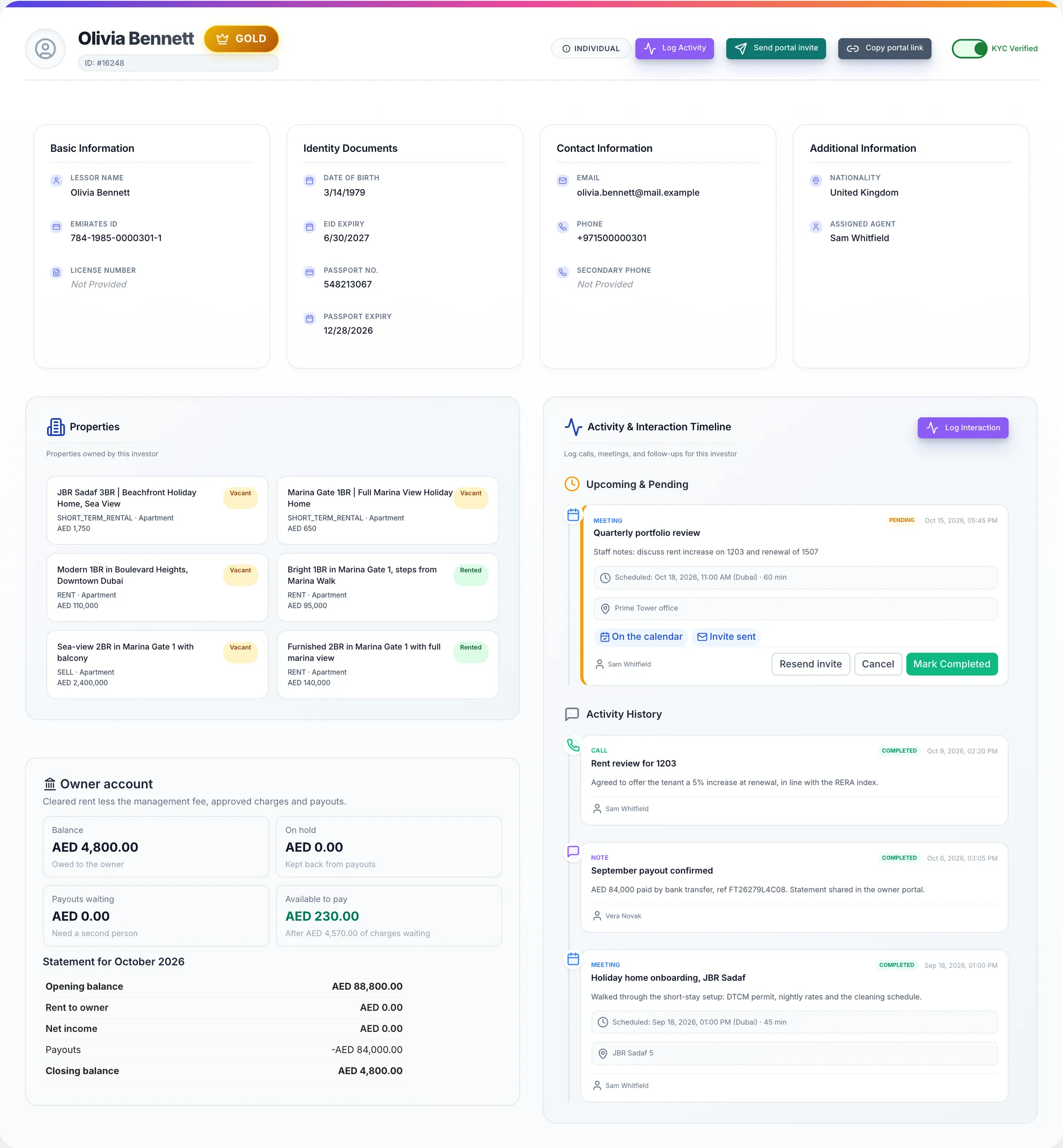
Screens show the Propfusion Demo Realty sample workspace. All people, listings and numbers are fictional.
Also in the portals
What owners and tenants can do
Separate, secure logins
Owners and tenants each have their own portal and password reset. Owner invite links work once, then expire.
A page per unit
Owners find their units by building, listing type or status, with the asking rent or price on each.
Monthly owner report
A PDF of last month's properties, cheques, rent and charges, from the owner's home screen.
Profile and KYC
Owners and tenants upload their Emirates ID, passport or trade licence and keep their details current.
The next tenancy
Tenants see an upcoming tenancy and its move-in details before it starts.
Holiday-home stays
Holiday-home guests with a tenant login see their booking charges, what has been received and any refund.
Works on a phone
Both portals adapt to a phone screen, and wide tables scroll sideways.
Questions
Owner and tenant portal questions
- How do owners and tenants get access?
- You send the invite from the owner or tenant record in the CRM, to the email you already hold. Owners set their own password from a one-time link that then expires; tenants get their login details.
- Do we have to update the portals by hand?
- No. Both portals read from your CRM records: tenancies, cheques, DEWA bills, maintenance requests and the owner ledger. There is nothing to send or upload separately.
- Can owners approve maintenance work online?
- Yes. When a repair needs the owner's OK, it waits in their portal. They approve the quote, or reject it with a reason, and the agency is told.
- What does a tenant see?
- Their current lease and next payment, the rent schedule and the status of every rent cheque, DEWA bills for the unit with who pays each one, and their maintenance requests with your team's updates. Tenants who rent more than one unit can switch between them.
- Do the portals work on a phone?
- Yes. Both portals adapt to a phone screen, and wide tables scroll sideways.
- Where is publishing to Property Finder and Bayut covered?
- Publishing listings to Property Finder, Bayut and Dubizzle, and bringing their leads into your pipeline, is part of the property database and the portal integrations, not the owner and tenant portals.
Learn more
Guides and use cases
- Integrations
Property portals
Publish each listing to the portals you choose from your own accounts, and receive their enquiries in your leads list as they happen.
Read more - Guides
Trakheesi permit checklist
The advertising permit, the Madmoun QR code and the documents to have ready before a Dubai listing goes live.
Read more
From the blog
- MarketingVideo marketing for Dubai listings and off-plan launches: what to film, permits and formatsRead the article
- Running a brokerageSwitching real estate CRMs: a migration checklist that doesn't lose leadsRead the article
- ComplianceRERA and DLD compliance checklist for Dubai brokerages (2026)Read the article
Give your clients their own front door
7 days free · No card needed