Pipeline management
Sales pipeline management, one clear stage at a time
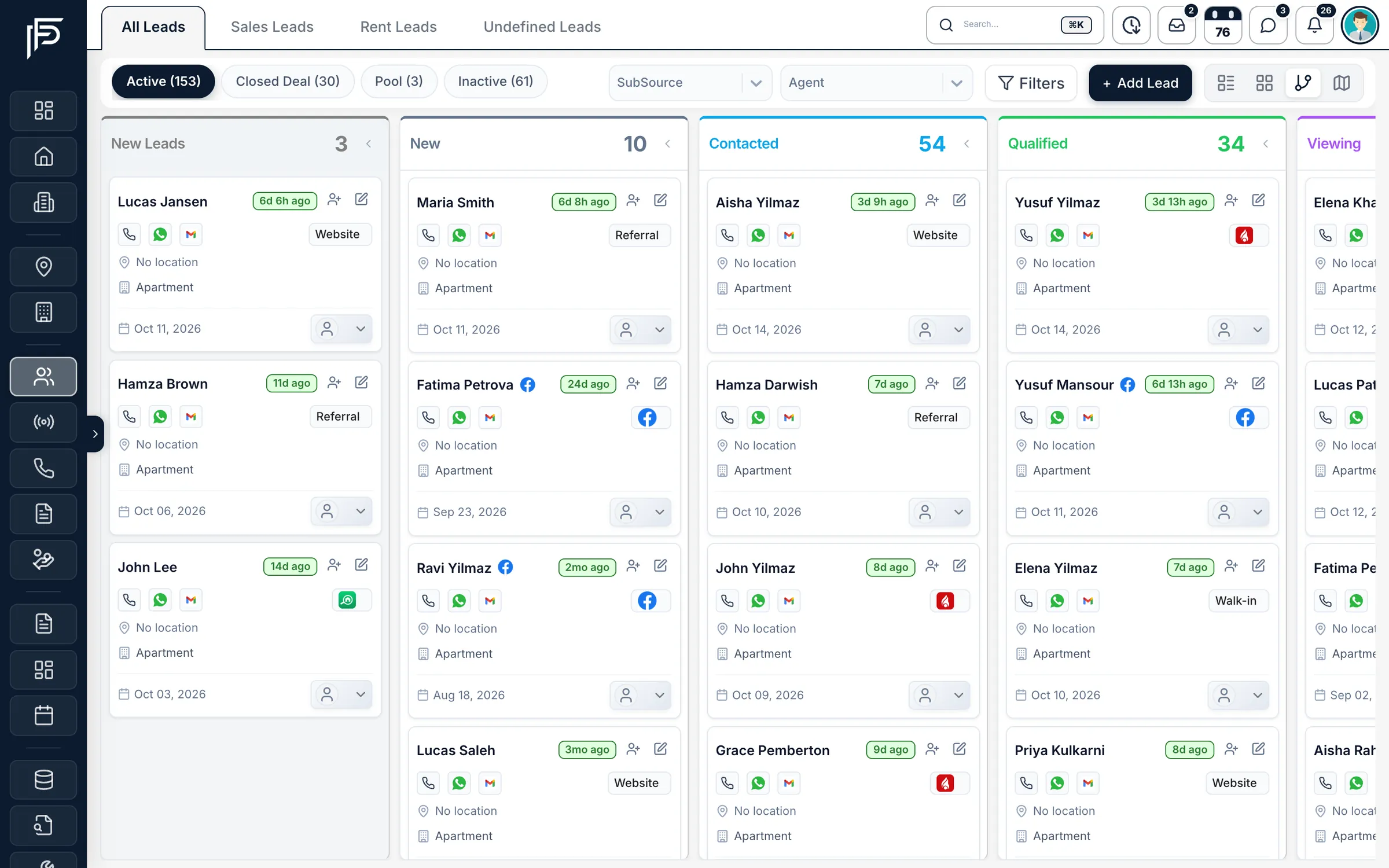
See every lead on a pipeline built from your own stages, from first enquiry to signed deal. Drag a lead to move it, keep a dated history of every stage, and let Propfusion prompt the next follow-up after every move.
7 days free · No card needed
- Your own stages
- Drag-and-drop pipeline
- A follow-up after every move
How it works
A pipeline that matches how your team sells
- 01
Set your stages
Name and order the stages your brokerage really uses, from new enquiry and viewing to offer and deal.
- 02
Move leads along
Drag a card on the pipeline, or click a stage on the lead. Each move is saved in the lead’s log.
- 03
Set the next step
Straight after a move, Propfusion asks for the next follow-up. One tap books it for tomorrow morning.
Know where every deal stands, and what happens next
Stages, the lead log, follow-ups and tasks work together, so nothing waits on someone’s memory.
On the lead
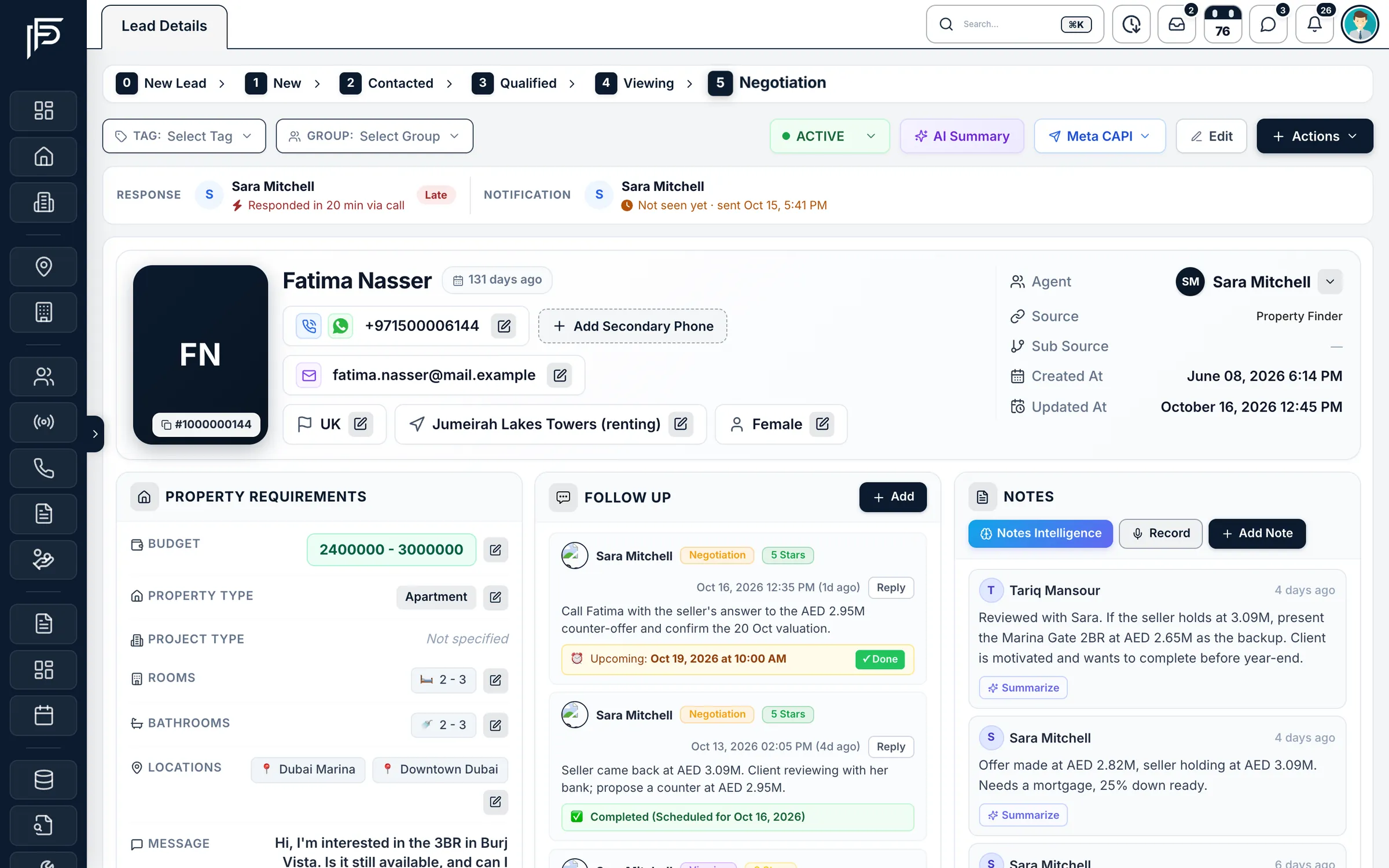
Click the stage, then book the next step
- One-click stage moves from the lead page, with a next follow-up prompt
- Response time against your target and who saw the new-lead alert, at the top of the page
- Requirements, follow-ups and notes beside the stage, so the next step is obvious
Lead log
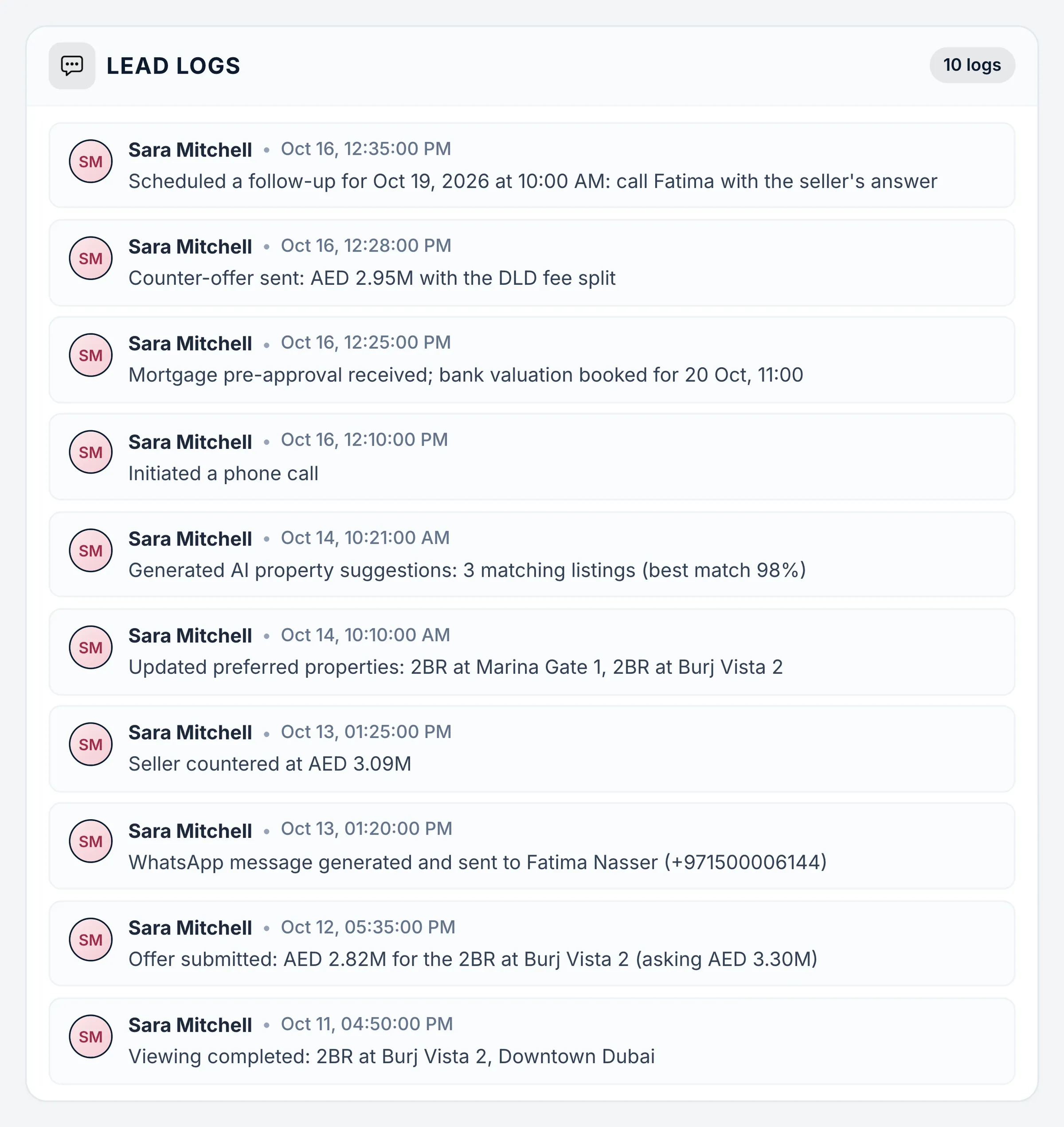
Every step of the deal, on the record
- Each entry with the person and the exact time
- Reassigned leads can move to a stage you choose, automatically
- Response deadlines per stage in your lead distribution plans
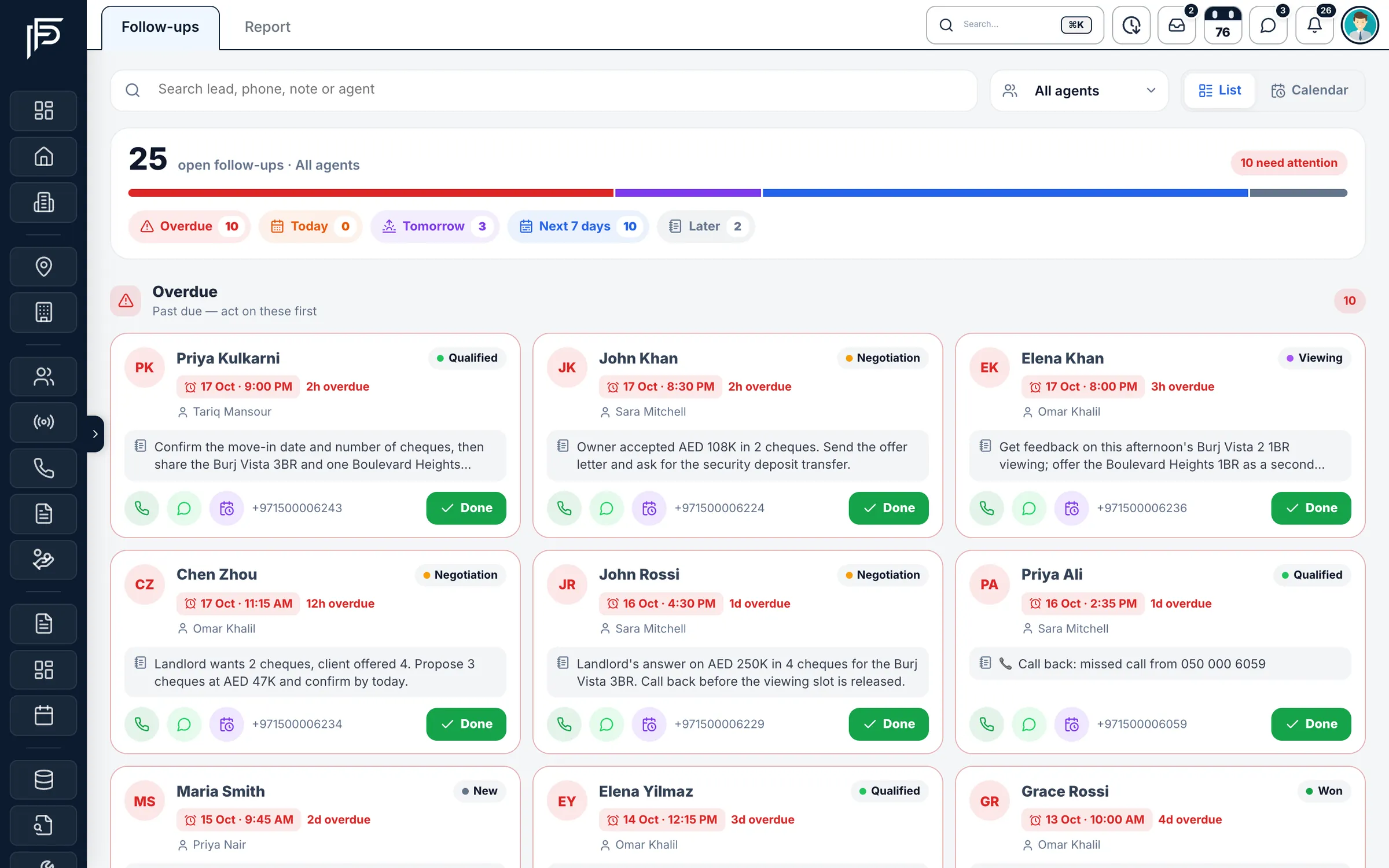
Follow-ups
Follow-ups that run the day
- Quick notes like “Wants a viewing” or “Sent details on WhatsApp”
- Reminders arrive as notifications on the web and in the app
- Bulk follow-ups for a group of selected leads
For managers
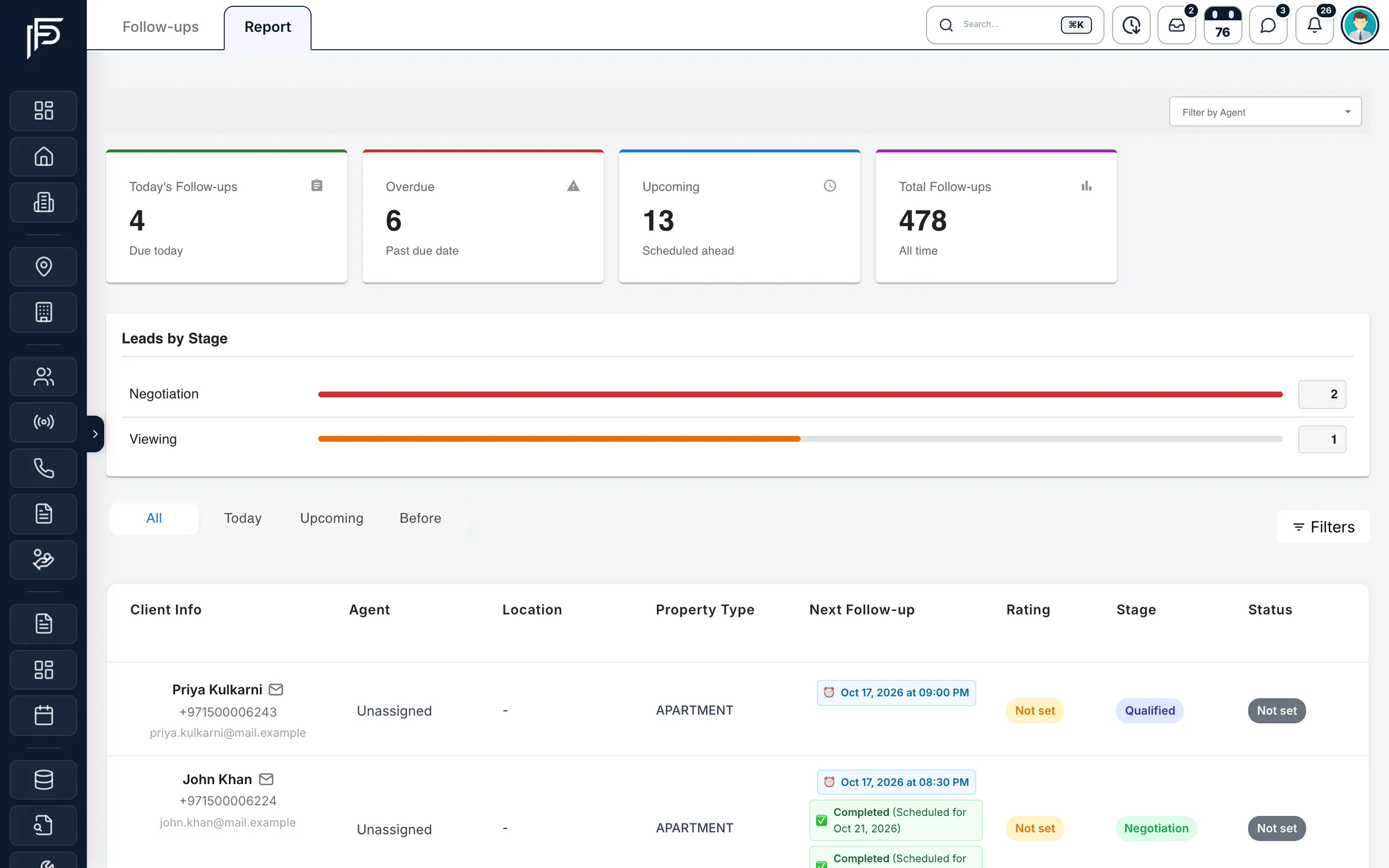
See where the pipeline is falling behind
- Today’s, overdue, upcoming and all-time totals
- Leads by stage for the follow-ups in view
- Filter by agent, or switch between today, upcoming and earlier
Tasks
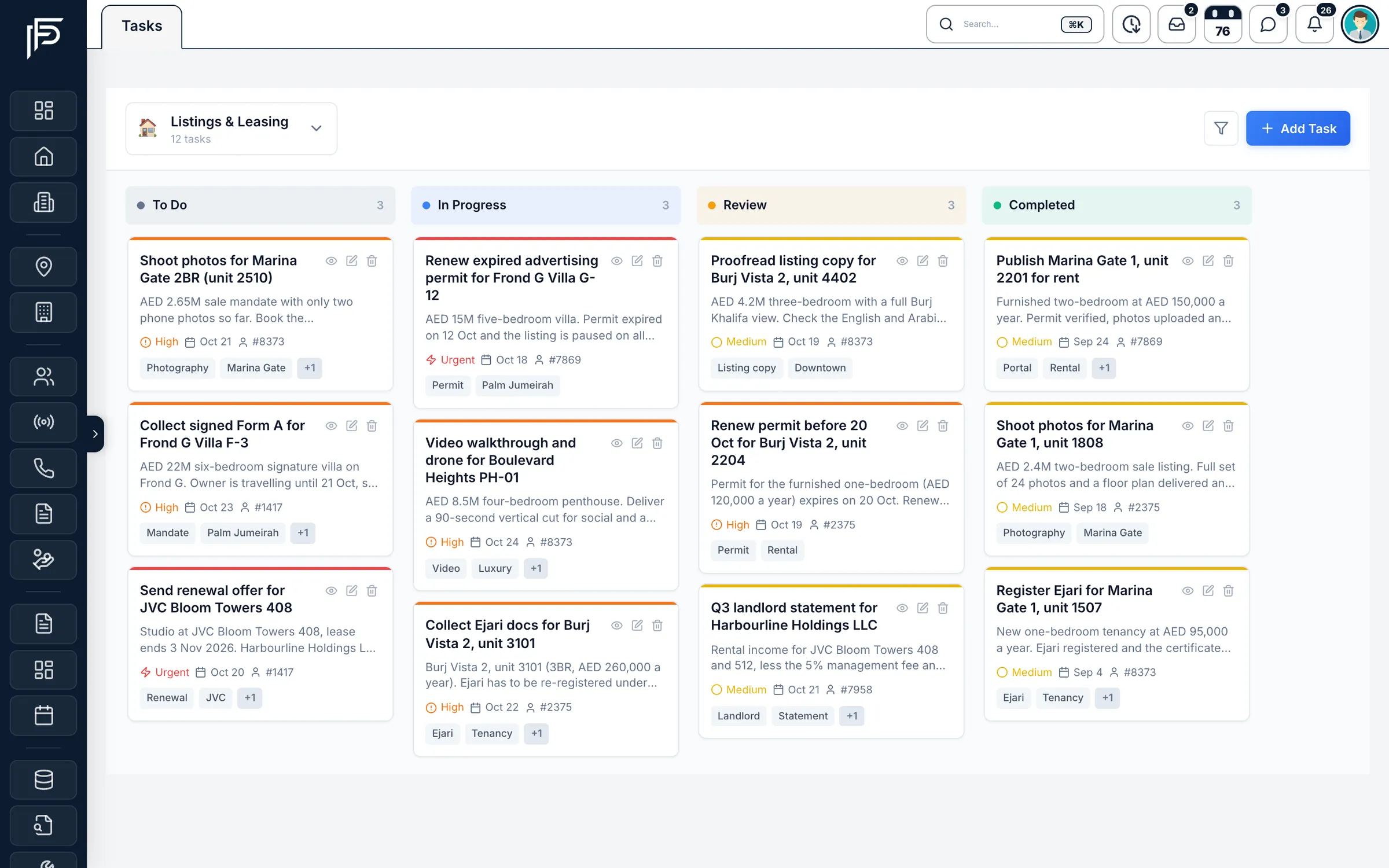
A board for everything that isn’t a lead
- Separate spaces for each team or process, each with its own columns
- Assignee, due date, priority from low to urgent, and tags
- Notes and activity on every task
Screens show the Propfusion Demo Realty sample workspace. All people, listings and numbers are fictional.
Also included
More ways to keep the pipeline moving
A pipeline per lead type
Sale, rent and general enquiries each get their own pipeline, with a count on every stage and the same filters as the list.
Status beside the stage
Mark leads active, deal, pool or inactive, and keep leads without a stage in their own column.
Agent stage report
See how many leads each agent moved, between which stages, for any date range, and export it to CSV.
A rating beside the stage
Give each lead a rating from a list your admins set. It shows next to the stage in the follow-up report, so agents work the warmest deals first.
Morning brief
Each morning, agents get their follow-ups due, overdue items, events and new leads, with who to call first.
Pipeline in your pocket
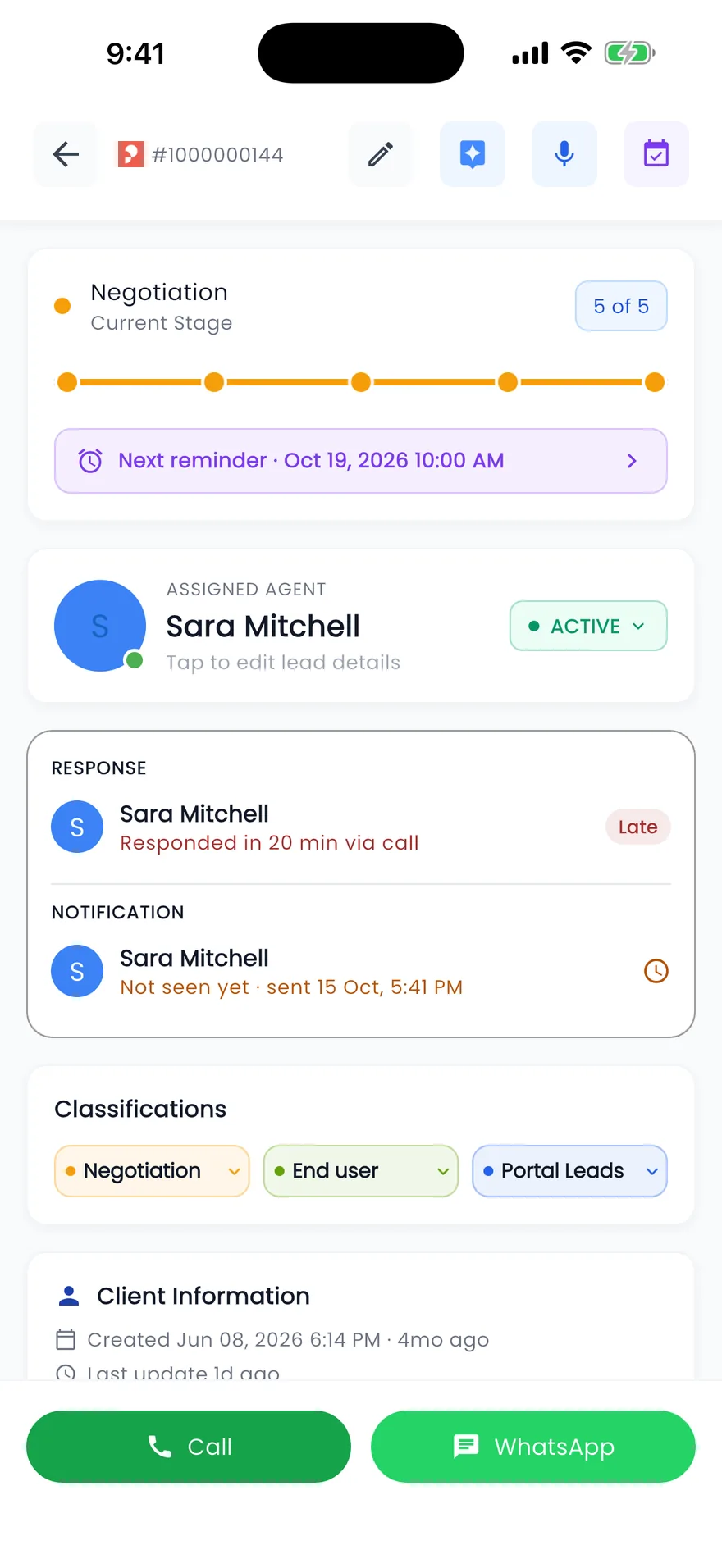
The Propfusion app shows today’s follow-ups and leads, so agents can update a client between viewings.
FAQ
Pipeline management questions
Can we use our own pipeline stages?
Yes. Name and order the stages your brokerage really uses, from new enquiry and viewing to offer and deal. Sale, rent and general enquiries each get their own pipeline, with a count on every stage.
How does a lead move to the next stage?
Drag its card on the pipeline, or click the stage on the lead itself. Every move is saved in the lead log with who made it and when, and Propfusion then asks for the next follow-up.
How do managers see where deals stall?
The lead log shows every step with its time, the agent stage report shows how many leads each agent moved and between which stages for any date range (with CSV export), and the follow-up report shows overdue follow-ups by agent and stage.
Does the pipeline work on the phone?
Yes. The Propfusion app shows today’s follow-ups and leads, and each lead has call, WhatsApp and follow-up actions, so agents can update a client between viewings.
Related features
Put your pipeline where everyone can see it
Set up your stages in minutes and watch your leads fall into place. Start a free trial or book a live demo with our team.
7 days free · No card needed