Integration · Meta lead ads
Facebook and Instagram lead ads, straight into your real estate CRM
Connect your Facebook pages to Propfusion, match each lead form's questions to CRM fields, and new Facebook and Instagram leads arrive as they are submitted and go to the right agents. Propfusion can also send lead-quality events back to Meta through the Conversions API, so your campaigns learn which leads became real clients.
7 days free · No card needed
- Forms mapped once
- Leads in real time
- Conversions API
Updated · Checked with AI tools against the product and official sources · How this page is made
At a glance
- Connect
- Log in with Meta from Settings › Integrations and choose the Facebook pages to connect
- Forms
- Each page's lead forms listed with their status; pick the ones to import
- Mapping
- Questions come pre-mapped to CRM fields, from your saved mapping or a suggestion marked “Auto”. Anything unmapped is kept as extra information on the lead
- Who gets the leads
- A lead distribution plan, or agents chosen for that form
- Real time
- New leads arrive by Meta's lead webhook. Leads from pages or forms you did not choose to import are skipped
- Past leads
- Leads a form collected before you connected can be imported too; ones already in the CRM are skipped
- Conversions API
- Sends Lead, Schedule, Purchase, Contact, SubmitApplication or CompleteRegistration events, from a button on the lead or when it reaches a stage you mapped
- Page access
- Page tokens are upgraded to long-lived ones, so events keep flowing without reconnecting
Set-up
From a Facebook page to an agent's phone
An admin does the first three steps once per form. The rest happens on its own.
Connect your Facebook pages
An admin opens Settings › Integrations, logs in with Meta and picks the pages whose lead forms you run. The same page also connects your company's Google Ads account and your other integrations.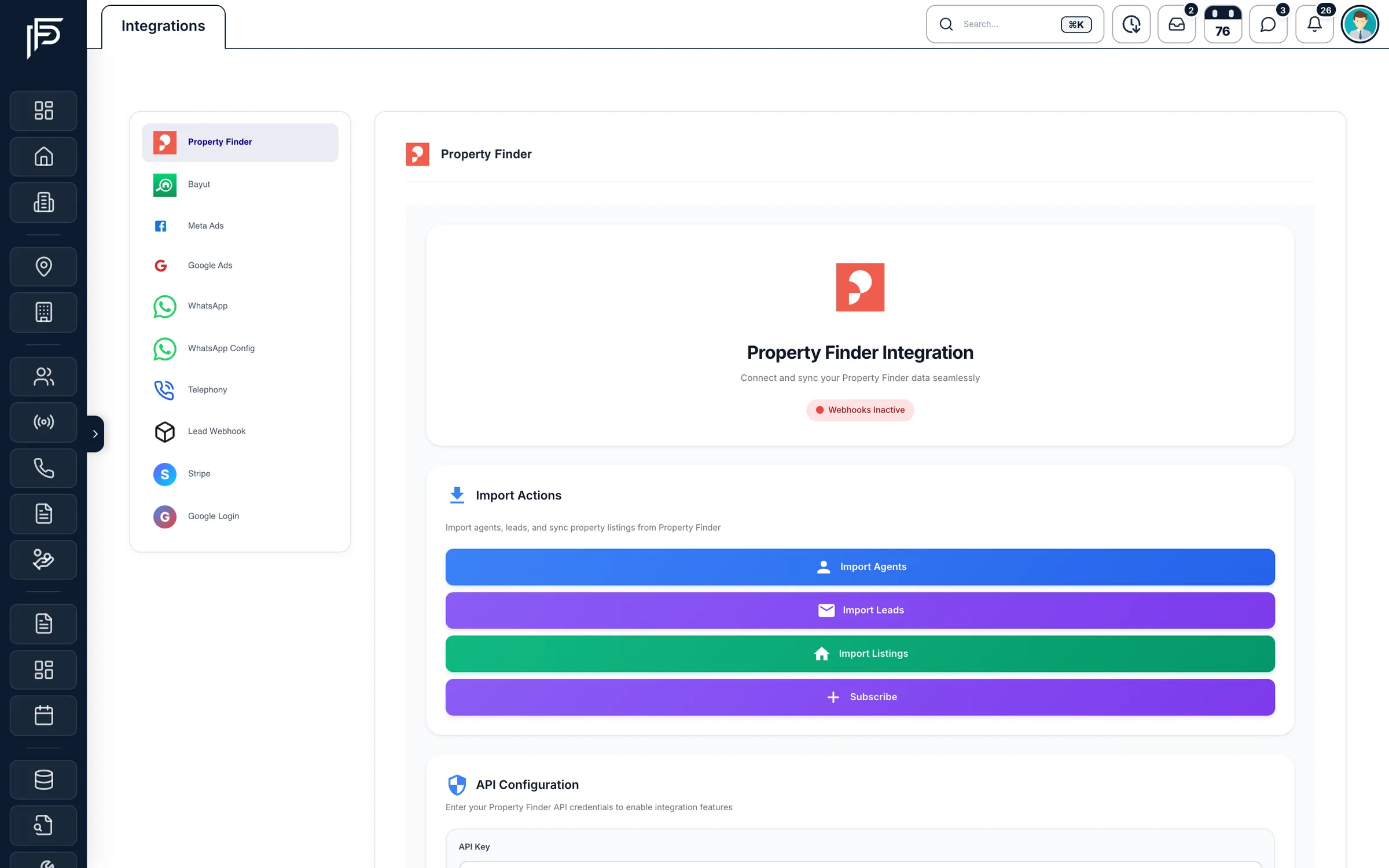
Settings › Integrations: Meta Ads sits in the list on the left, with your other connections. Map each form once
Open a form and check the mapping: name, phone, budget, property type, bedrooms and the rest are matched to CRM fields, and questions you leave unmapped are kept on the lead as extra information. Choose the lead type and source, and any fixed values every lead from that form should carry. Saving starts the import.Decide who gets the leads
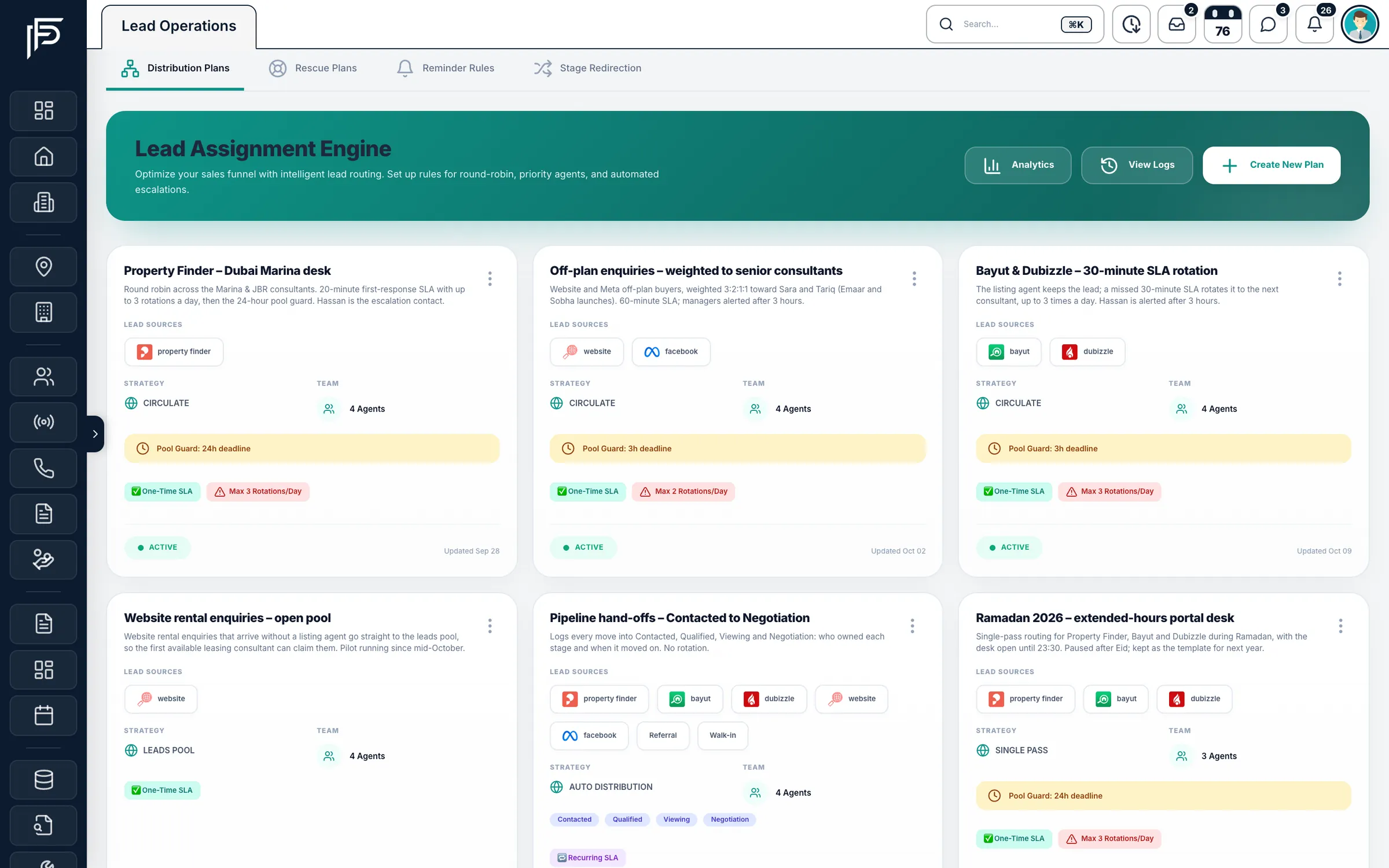
Send the form's leads through a lead distribution plan, or name the agents who share them. From the form you can open a new plan already filled with the form's source, so Meta leads get their own rules and response target.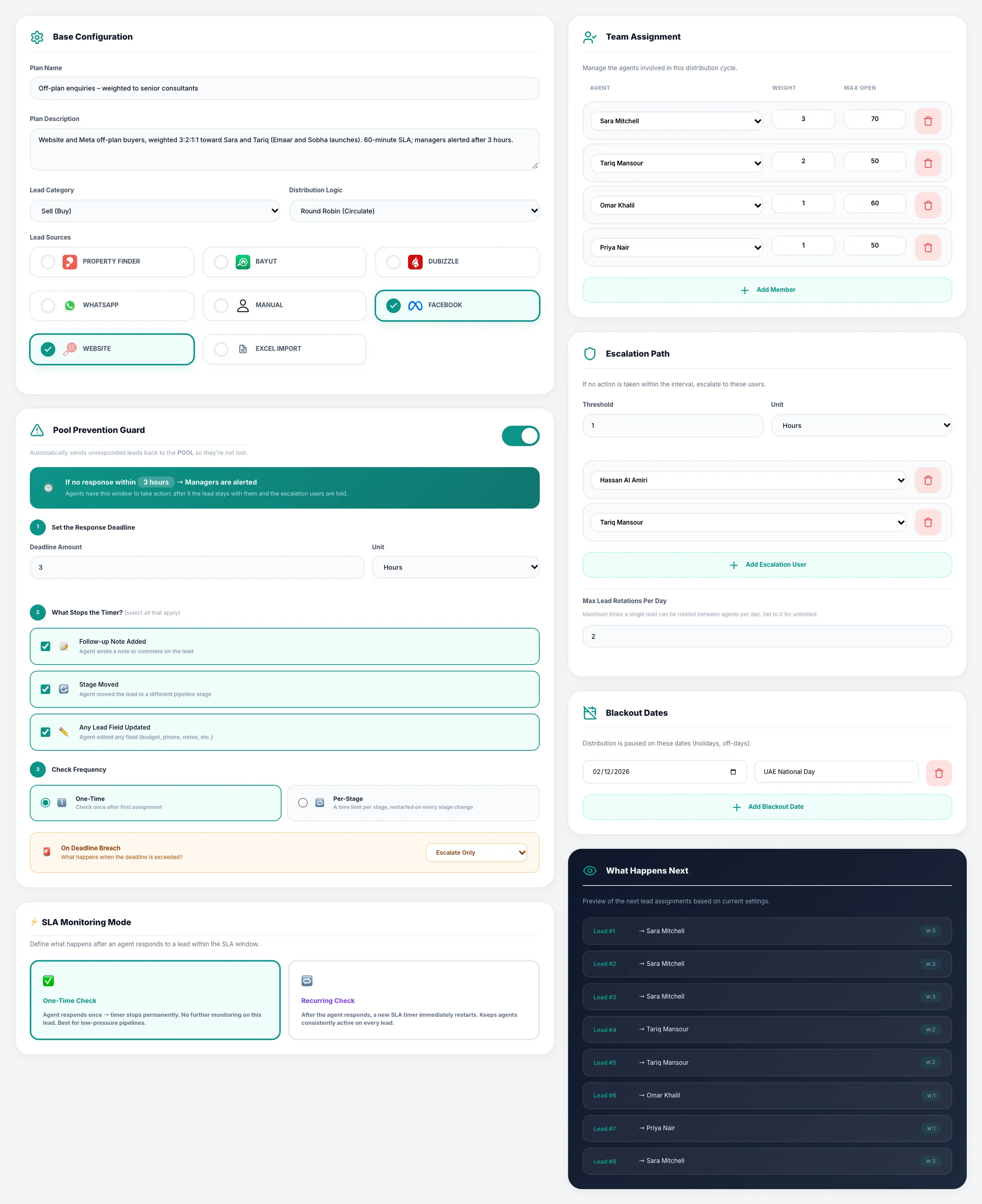
Weights per agent, a cap on open leads and a preview of who gets the next eight. Leads arrive with their source
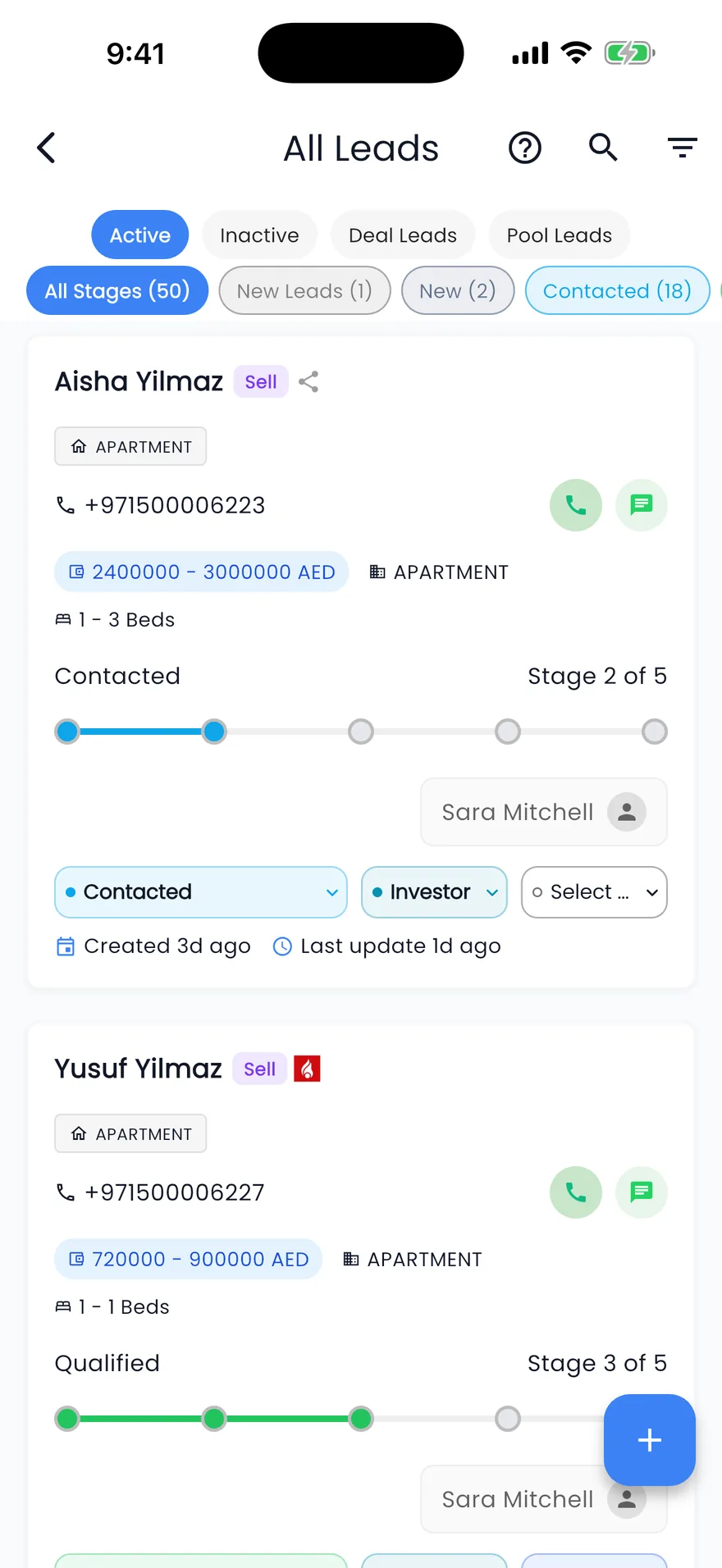
When someone submits the form on Facebook or Instagram, Meta sends the lead to the CRM. It appears in the leads list tagged with its source, goes to an agent and raises an alert in the app.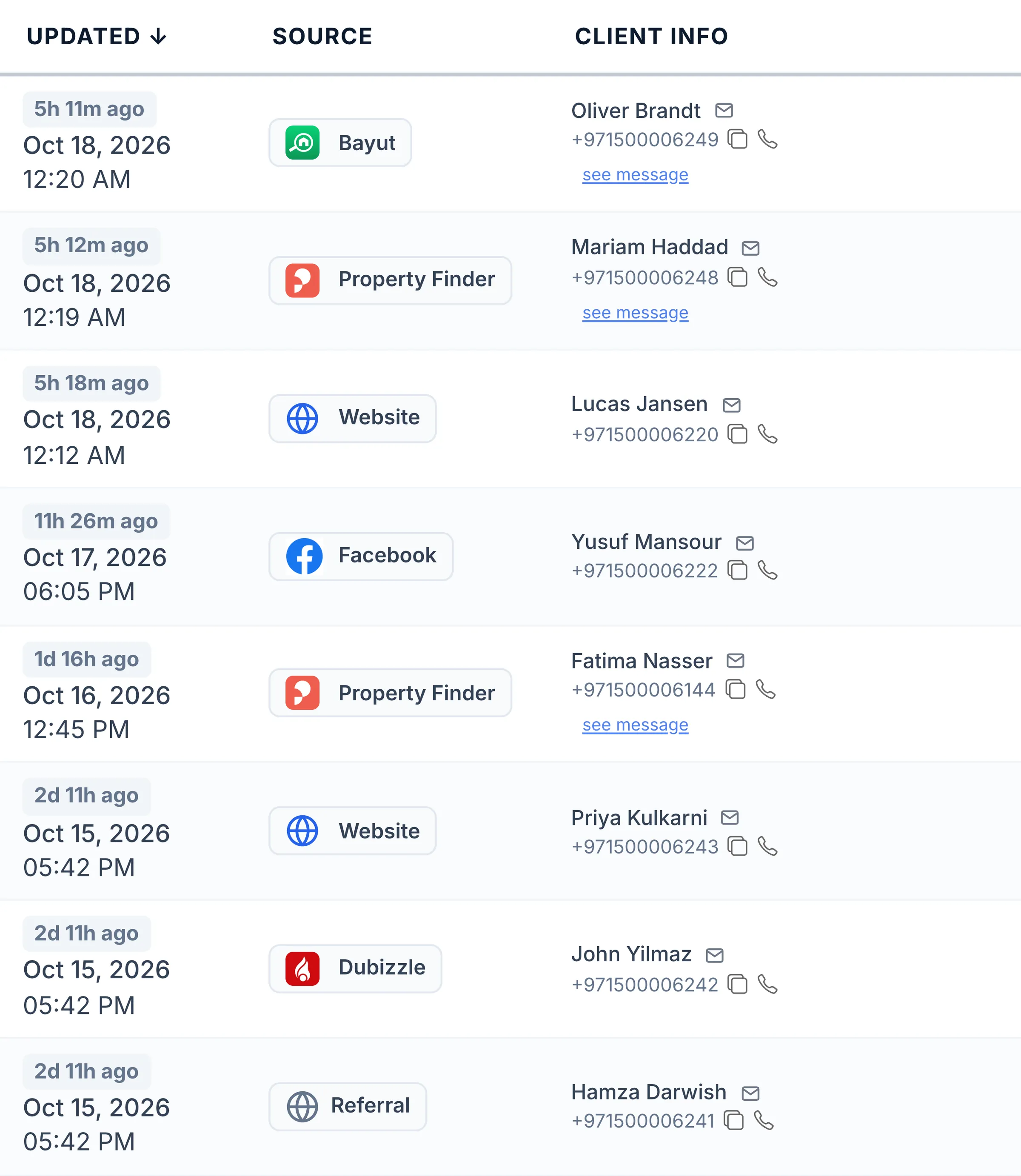
Facebook leads next to portal and website leads, each with its source. Tell Meta which leads were good
In the Conversions API settings, map your lead stages to Meta events, for example a booked viewing to Schedule and a closed deal to Purchase, or send an event from a button on the lead. Meta can then aim your ads at people like the clients who moved forward.
Good to know
Details that save a support call
How the integration treats forms, questions and duplicates.
- You choose which pages and which forms to import. A form you leave out is skipped, so a form another tool already brings in is not duplicated.
- Questions you leave unmapped are kept on the lead as extra information, so nothing the client typed is lost.
- Each form gets its own lead type and source, and can add fixed values to every lead it brings in.
- Page access is upgraded to long-lived tokens, so the connection keeps working without logging in again.
- For the Conversions API, pick your Meta dataset (pixel); the datasets your Meta login can see are listed for you.
FAQ
Frequently asked questions
- Do Instagram lead forms work too?
Yes. Instagram lead ads use the lead forms of your connected Facebook page, so their leads arrive the same way as Facebook ones, with their source kept on the lead.
- Can we bring in leads from forms we ran before connecting?
Yes. When you set up a form you can import the leads it already collected. Any lead that is already in the CRM is skipped, so nothing is duplicated.
- How do Meta leads get to the right agent?
Each form sends its leads through a lead distribution plan, by round robin or weights per agent, or to agents you name for that form. The agent gets a live alert and the lead's response time starts counting.
- What does the Conversions API send to Meta?
The events you choose: Lead, Schedule, Purchase, Contact, SubmitApplication or CompleteRegistration, sent when a lead reaches a stage you mapped or when someone presses the button on the lead. Nothing is sent until an admin picks your Meta dataset and the events.
- Who can connect our Facebook pages?
Admins whose role includes the Manage settings permission. Agents never see the connection page or the page tokens behind it.
Keep reading
Related pages
- Integrations
Website forms & API
Website enquiries become leads through the lead API, and website tokens let your site show live listings, developers and agents.
Read more - Guides
Answer leads in 5 minutes
Set one response target, route every lead the moment it arrives, move it on after a deadline, and measure the first real reply.
Read more - Integrations
Property portals
Publish each listing to the portals you choose from your own accounts, and receive their enquiries in your leads list as they happen.
Read more
Sources
- Propfusion integrations · Propfusion · checked
- Lead ads (Marketing API guide) · Meta · checked
- Conversions API · Meta · checked
Updated · Checked with AI tools against the product and official sources · How this page is made
Screens on this page show the Propfusion Demo Realty sample workspace. All people, listings and numbers are fictional.
Turn ad leads into answered leads
Start a free trial and connect your Facebook pages, or book a demo and see a form's leads routed to your agents.
7 days free · No card needed