Integration · Website & API
Send your website's enquiry forms to Propfusion, and show live listings on your site
Your website's enquiry forms post to Propfusion's lead API, so each enquiry becomes a lead with its source and, when you pass the listing, the listing's agent. Website API tokens let your site read live listings, developers and agents, and the lead webhook can send every new lead to an address of yours.
7 days free · No card needed
- Lead API
- Live listings on your site
- Outgoing lead webhook
Updated · Checked with AI tools against the product and official sources · How this page is made
At a glance
- Lead API
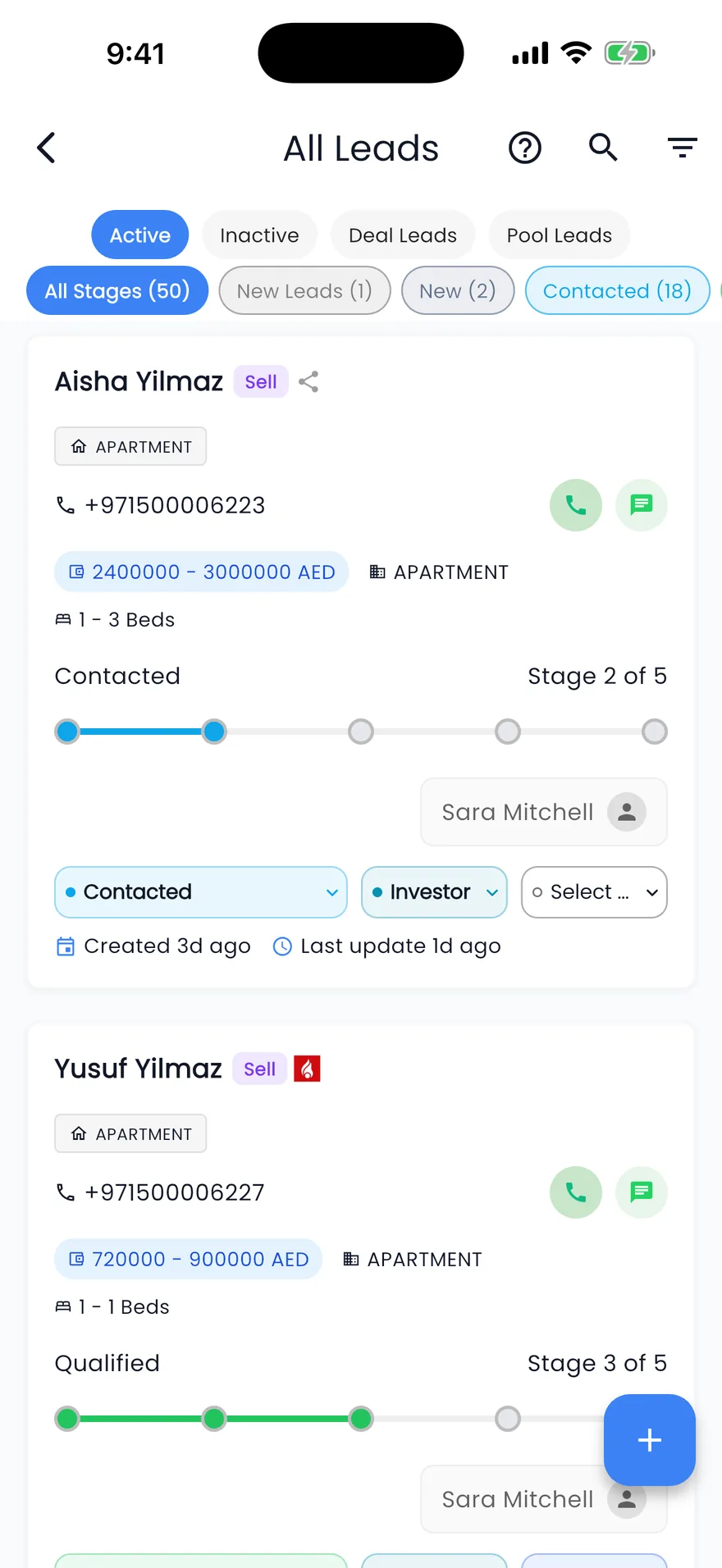
- One lead per request, or up to 100 leads in one request
- Listing link
- Pass the listing's id or reference and the lead is linked to it and, when possible, assigned to the listing's agent
- Placement
- Choose the lead's group and stage, and keep your own created and updated times
- API tokens
- Named tokens with an expiry, 365 days by default, that admins can revoke at any time
- Developer portal
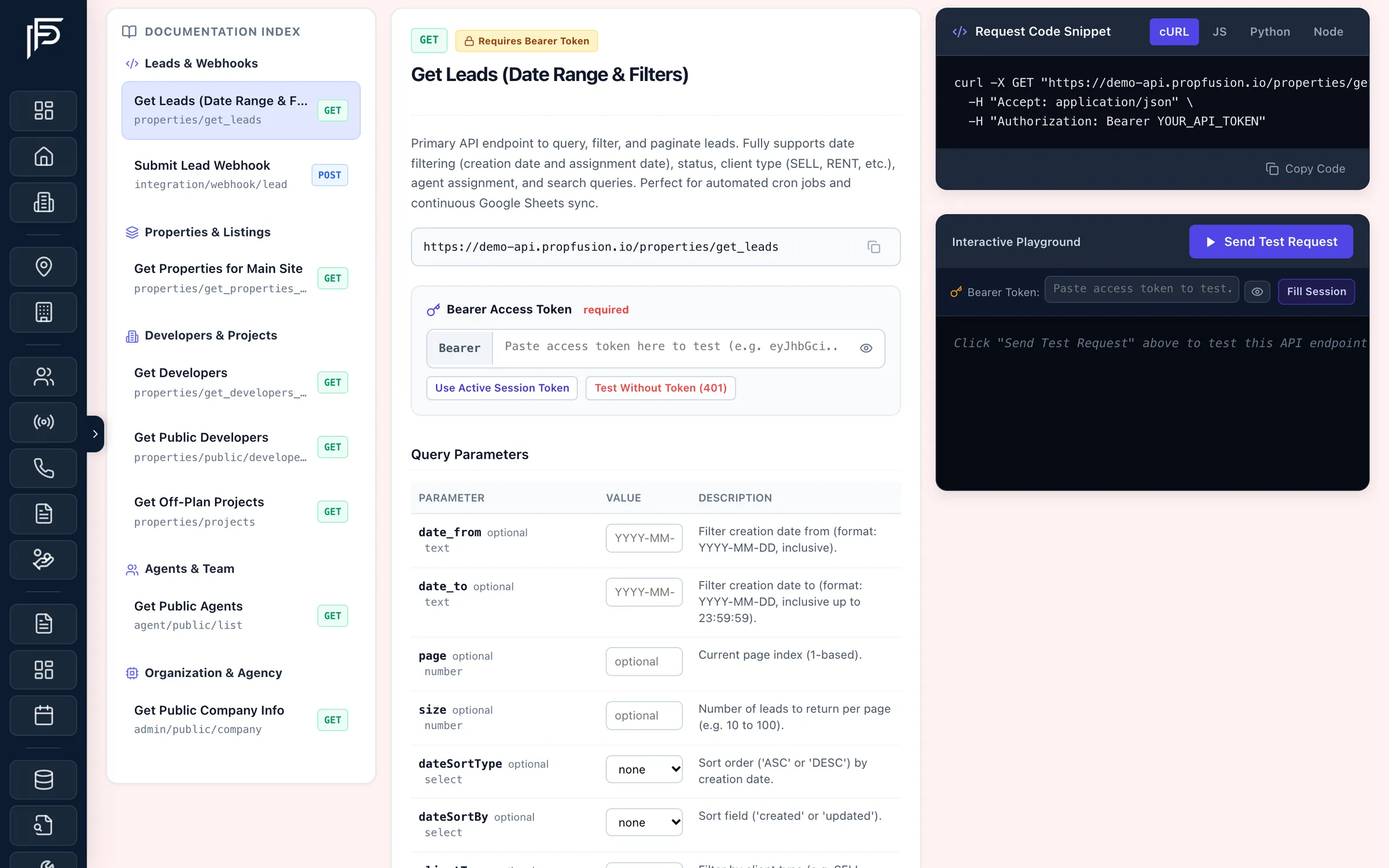
- Every endpoint with its fields, a cURL example and a playground to test a call
- Lead webhook
- Sends each new lead from the sources you choose to an address of yours
- After it arrives
- Website leads follow your lead distribution plans, like portal and Meta leads
For your developer
What a website form can send
Send what your form collects; the rest of the lead can be filled in later by the agent.
- The client's name, phone (and a second phone), e-mail, nationality and language.
- What they want: the client type, such as buy, sell or rent, and the property types.
- The source and a sub-source, such as the campaign or the form's name, so you can see which page brought the lead.
- The listing's reference or id, to link the lead to it and, when possible, give it to the listing's agent.
- Your own enquiry id, so the same enquiry sent twice does not become two leads.
- The group and stage the lead should start in.
Set-up
From a website form to an agent
One token, one form change, and website enquiries arrive like every other lead.
Create a Website API token
An admin creates a token, gives it a name such as “Main website” and an expiry, and copies it once. Name one token per site or tool, so you can revoke one without touching the others.Point your form at the lead API
Your developer sends each enquiry to the lead API with the client's details, the source and, if the form sits on a listing page, the listing's id or reference. The developer portal lists the fields and lets you test the call before the form goes live.Watch the leads arrive
Each enquiry appears in the leads list with its source, linked to the listing it came from, and is assigned to the listing's agent when possible or by your distribution plans.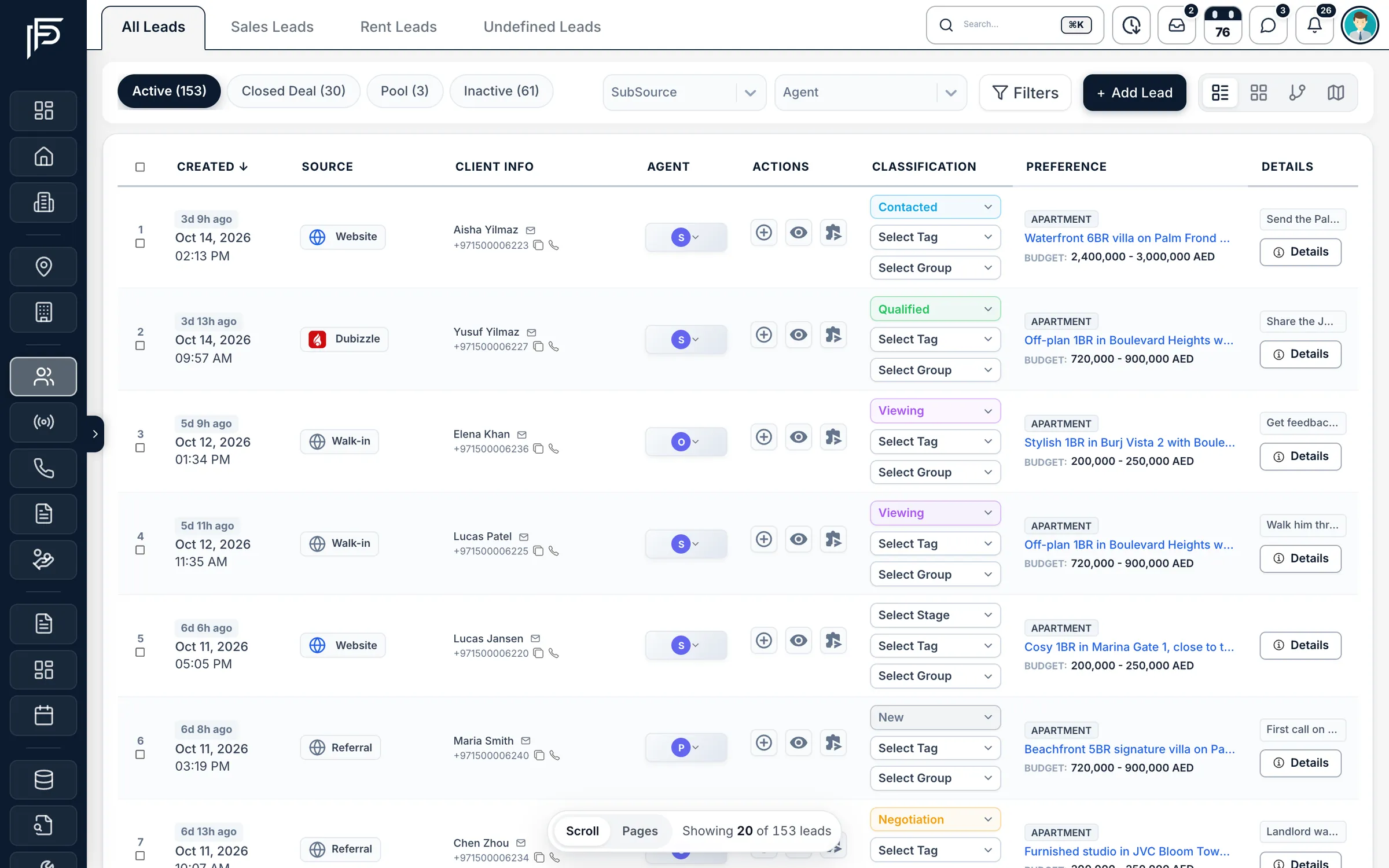
Website, portal, walk-in and referral leads together in one list. Route website leads like the rest
Give website leads their own distribution plan, with weights per agent, a cap on open leads and a response target, or let them share a plan with your other sources.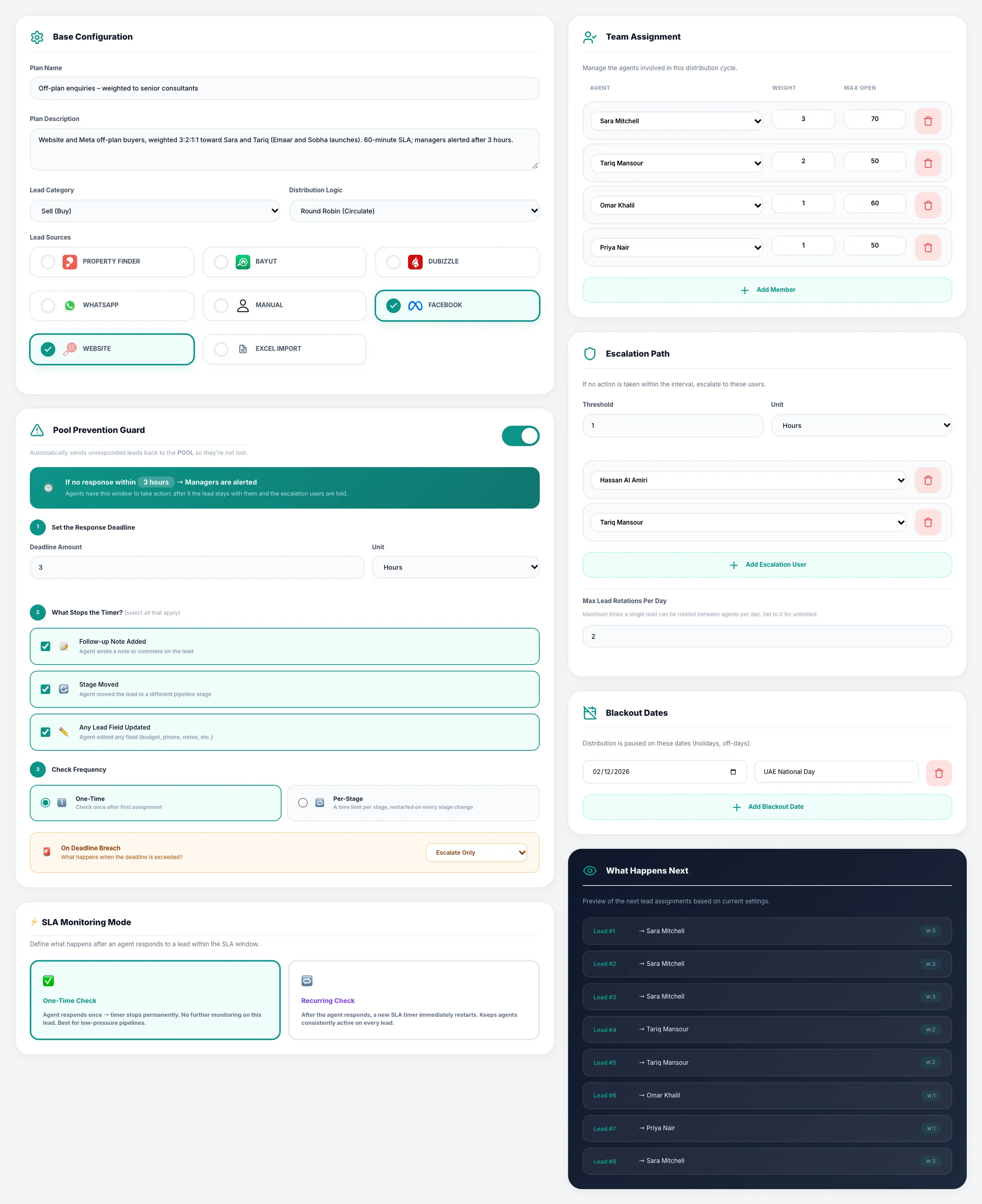
A distribution plan with weights, open-lead limits and a preview. Show live listings on your site
With the same kind of token, your website reads your live listings, developers and agents from the CRM, so your site shows the listings as they stand in the CRM, without copying them by hand.Send new leads onwards
If another system needs your leads, add its address in Settings › Integrations › Lead Webhook and choose the lead sources it should receive. Each new lead is posted there as it arrives.
FAQ
Frequently asked questions
- How do enquiries from our website's forms reach the CRM?
The form sends each enquiry to the lead API with a Website API token. The enquiry becomes a lead with its source, in the group and stage you choose, and goes to an agent by your distribution plans.
- Can we show our Propfusion listings on our own website?
Yes. A Website API token lets your site read your live listings, developers and agents, and the developer portal shows the endpoints your developer needs.
- Can a website lead be linked to the listing it came from?
Yes. Send the listing's id or reference with the enquiry. The lead is linked to that listing and, when possible, assigned to the listing's agent.
- How do we send new leads to another system?
Use the lead webhook in Settings › Integrations. Give it your address, choose which lead sources it should send, and every new lead from those sources is posted there.
- How do we keep API tokens safe?
Admins create them, each with a name and an expiry (365 days unless you choose otherwise), and the token is shown once. Revoke any token at any time, and give each site or tool its own.
Keep reading
Related pages
- Integrations
Meta lead ads
Connect your Facebook pages, match each lead form to CRM fields, and send lead-quality events back to Meta.
Read more - Integrations
Property portals
Publish each listing to the portals you choose from your own accounts, and receive their enquiries in your leads list as they happen.
Read more - Guides
Answer leads in 5 minutes
Set one response target, route every lead the moment it arrives, move it on after a deadline, and measure the first real reply.
Read more - Integrations
Phone systems
One settings page for the company's phone system, company and tracking numbers, and the line each agent's calls ring first.
Read more
Sources
- Propfusion integrations · Propfusion · checked
- API reference (feature tour) · Propfusion · checked
Updated · Checked with AI tools against the product and official sources · How this page is made
Screens on this page show the Propfusion Demo Realty sample workspace. All people, listings and numbers are fictional.
Connect your website to your pipeline
Start a free trial and create your first Website API token, or book a demo and bring your web developer.
7 days free · No card needed