Use case · Leasing
Leasing and property management CRM for UAE brokerages
Propfusion fills a Dubai tenancy contract from the unit, owner and tenant already in the CRM, and saving it creates the rental with its cheque schedule and DEWA bills. Each rental keeps its Ejari number, the signed contract and IDs, and a cheque desk follows every rent cheque from due to cleared or bounced. Renewals, owner payouts with a second approval, owner and tenant portals and maintenance tickets are part of the same system.
7 days free · No card needed
- Tenancy contract to rental
- Cheque desk
- Owner & tenant portals
Updated · Checked with AI tools against the product and official sources · How this page is made
At a glance
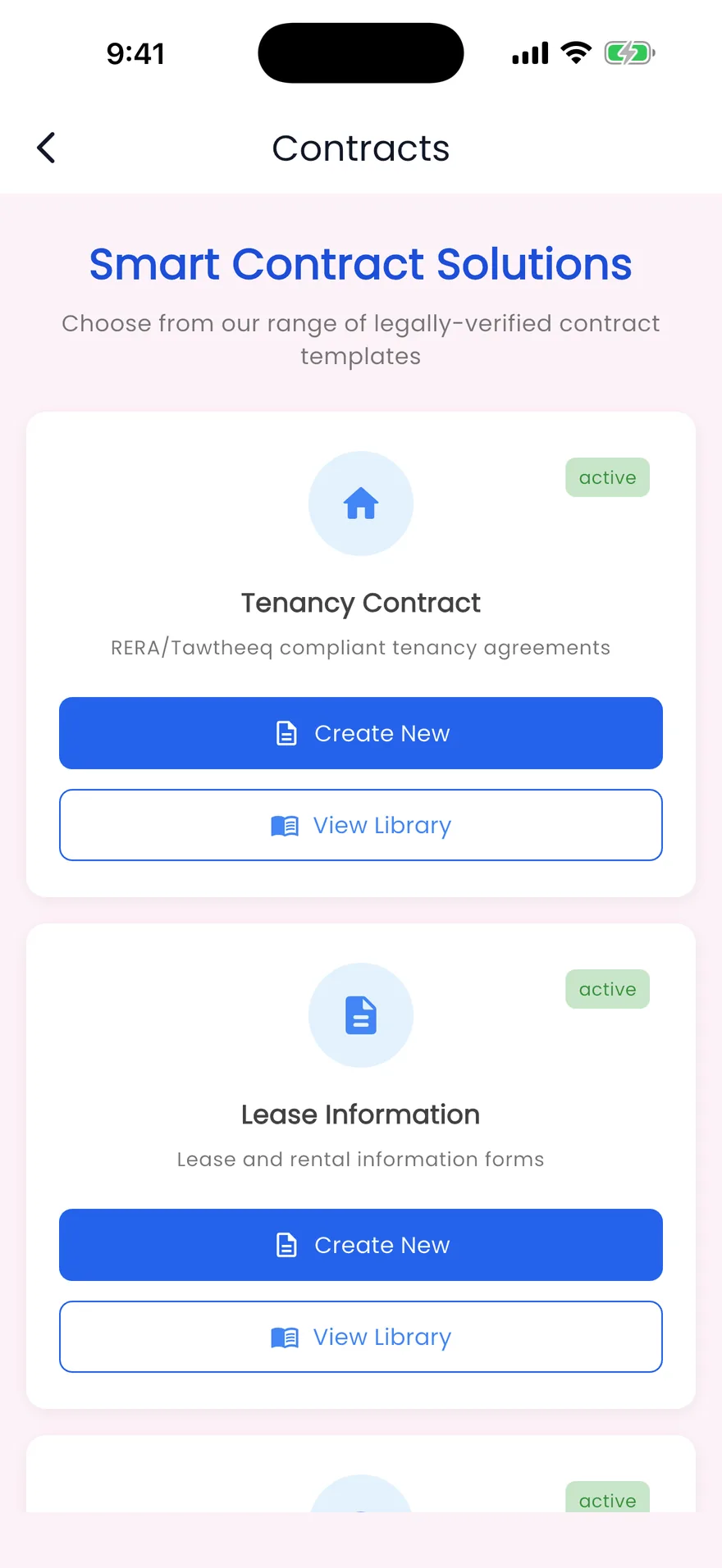
- Tenancy contract
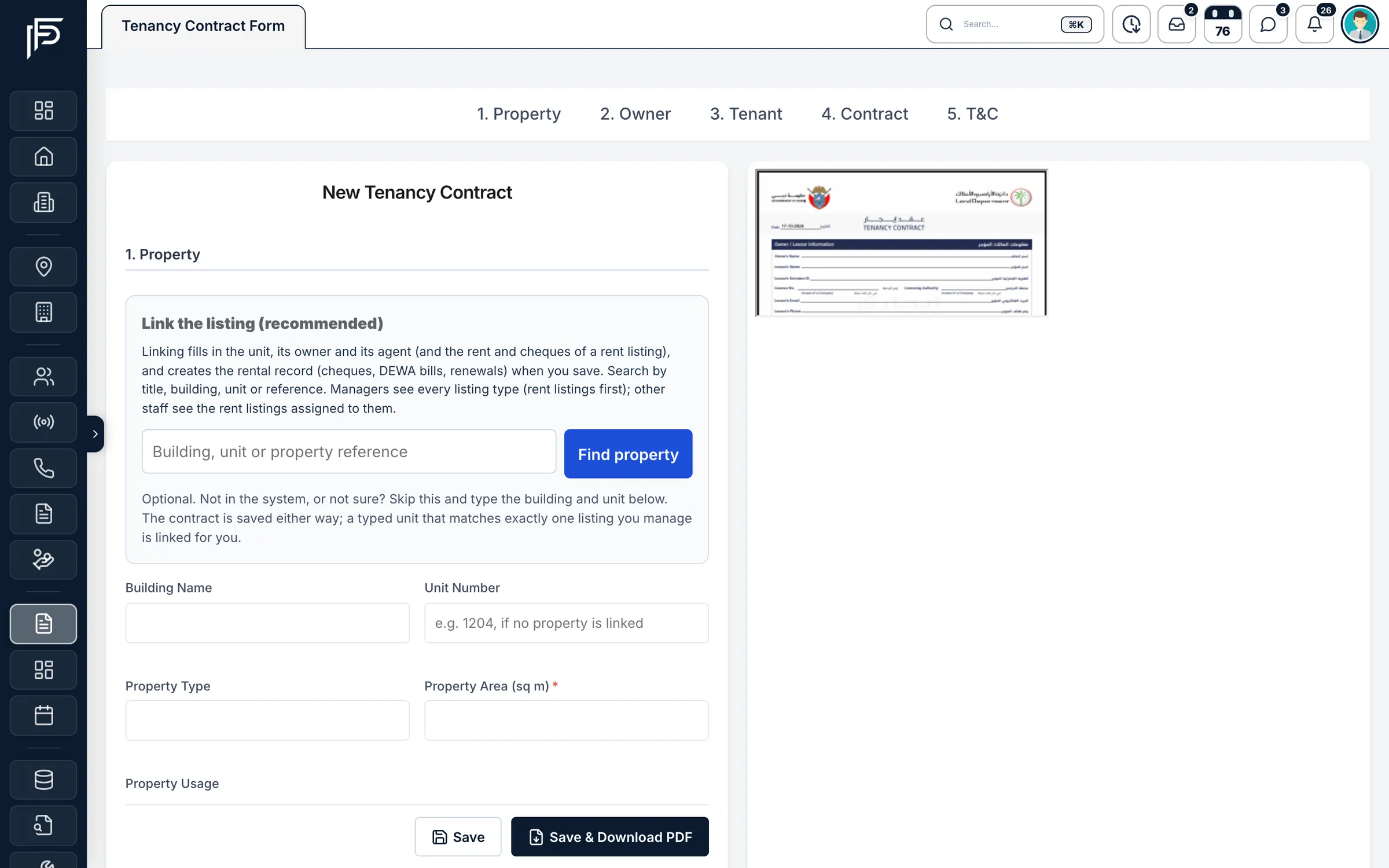
- The Dubai tenancy contract filled from CRM records. Saving it creates or updates the rental, the tenant, the cheque schedule (CHQ-1 to CHQ-n) and the DEWA bills
- Ejari
- The Ejari number and Ejari fees recorded on the rental. A rental with an Ejari number shows as registered and can't be deleted
- Documents
- The signed contract, Ejari certificate, IDs and cheque copies kept as the contract's supporting documents
- Cheques
- A status for each cheque: pending, in custody, deposited (awaiting clearance), cleared, bounced or returned. A bounced cheque is replaced under a new reference and kept in the history
- Renewals
- A renewal draft with the new rent, deposit, dates and cheques; committing it creates a new lease term and an unsigned tenancy contract
- Owner money
- An owner ledger, a monthly statement, charges and payouts, each approved by a second person
- Portals
- Owners see their listings, rentals, statements and DEWA bills; tenants see their lease, payments and requests
- Maintenance and DEWA
- Tickets with an assignee and owner approval in the owner portal. Monthly DEWA bills per unit, with bulk upload by CSV
- Daily view
- Rent due today, overdue rent, cheques awaiting clearance, renewals coming up, open maintenance and unpaid DEWA
- Expiring IDs
- Emirates ID and passport expiry for tenants and owners, 7 to 90 days ahead
How it works
From tenancy contract to owner statement
One rental, followed from the signed contract to the money the owner receives.
Fill in the tenancy contract
Use Find property and Select tenant instead of typing, so the contract links the right unit and person. When you save, the rental is created with its rent, deposit, period and number of cheques, ready for the Ejari number once you have it.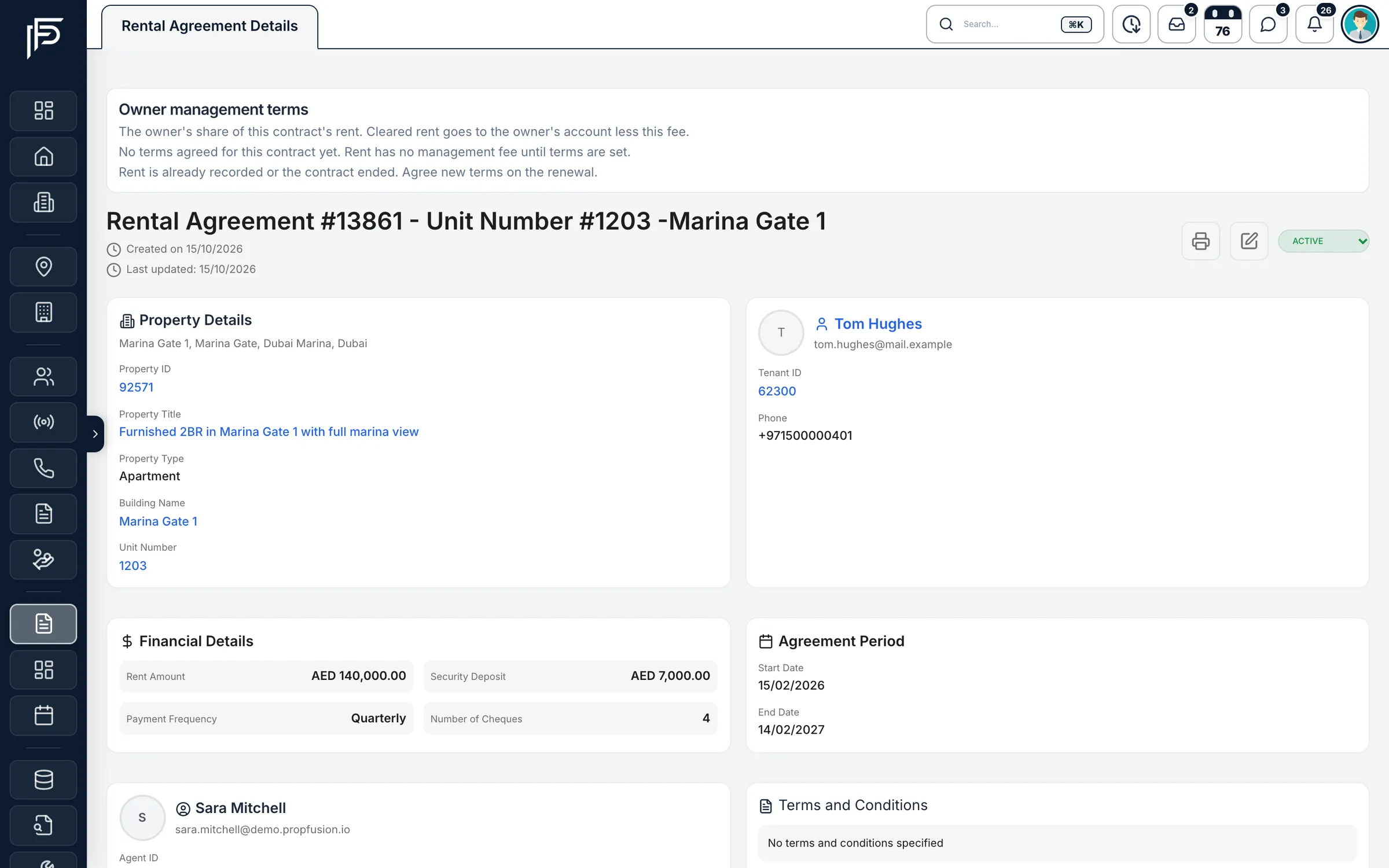
One page per tenancy, with the property, tenant, rent and dates. Follow every rent cheque
The cheque desk shows each bank account's cheques as planned, deposited, cleared or bounced. When a cheque bounces, record the date and reason, add the late fee if your settings use one, and enter the tenant's replacement under a new reference. Security cheques you hold are kept apart from rent.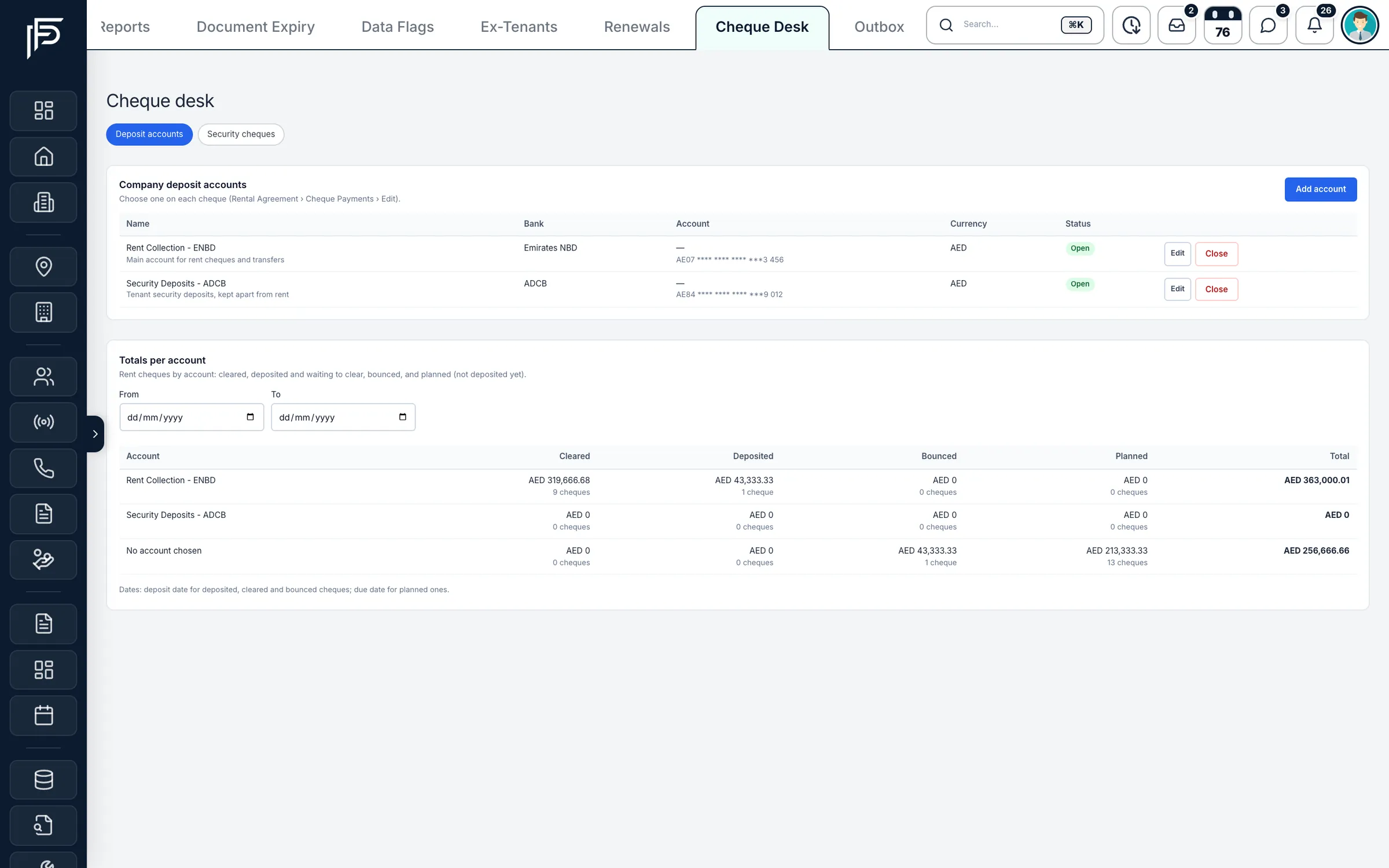
Rent cheques cleared, deposited, bounced or planned, per bank account. Renew the lease
Draft the renewal with the new rent, deposit, dates and cheques, check it next to the old terms, then commit it. The agent responsible gets renewal reminders 3, 2 and 1 months and 7 days before the end date.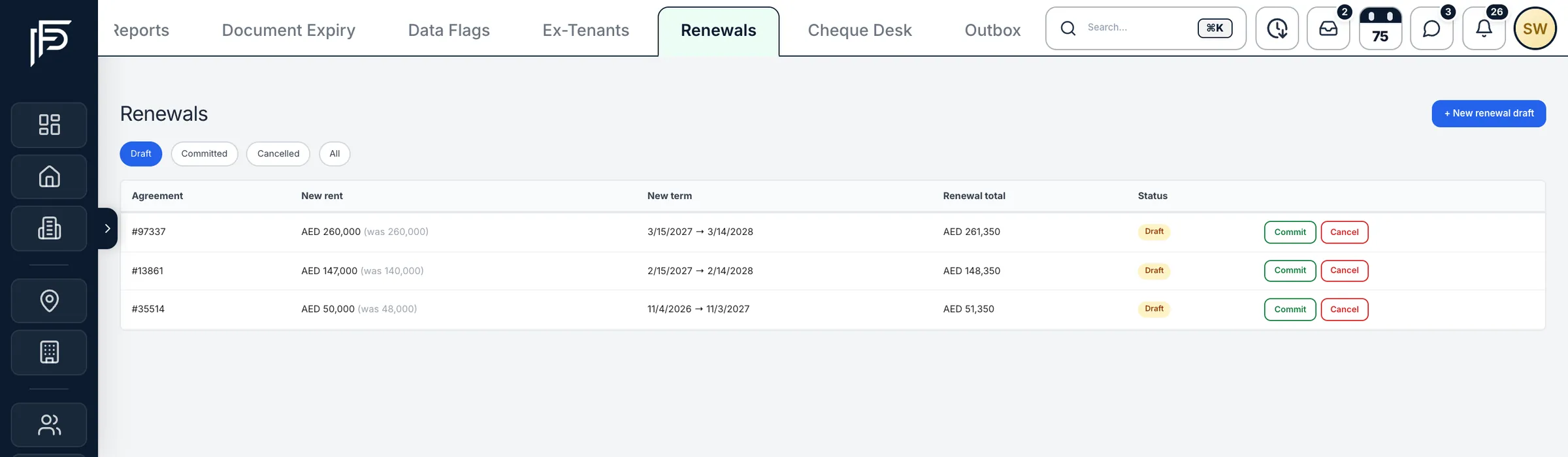
Renewals with the new rent beside the old, ready to commit. Pay owners, with a second approval
Cleared rent is credited to the owner's ledger. Charges such as maintenance and payouts are raised by one person and approved by another before any money moves, and each owner gets a monthly statement.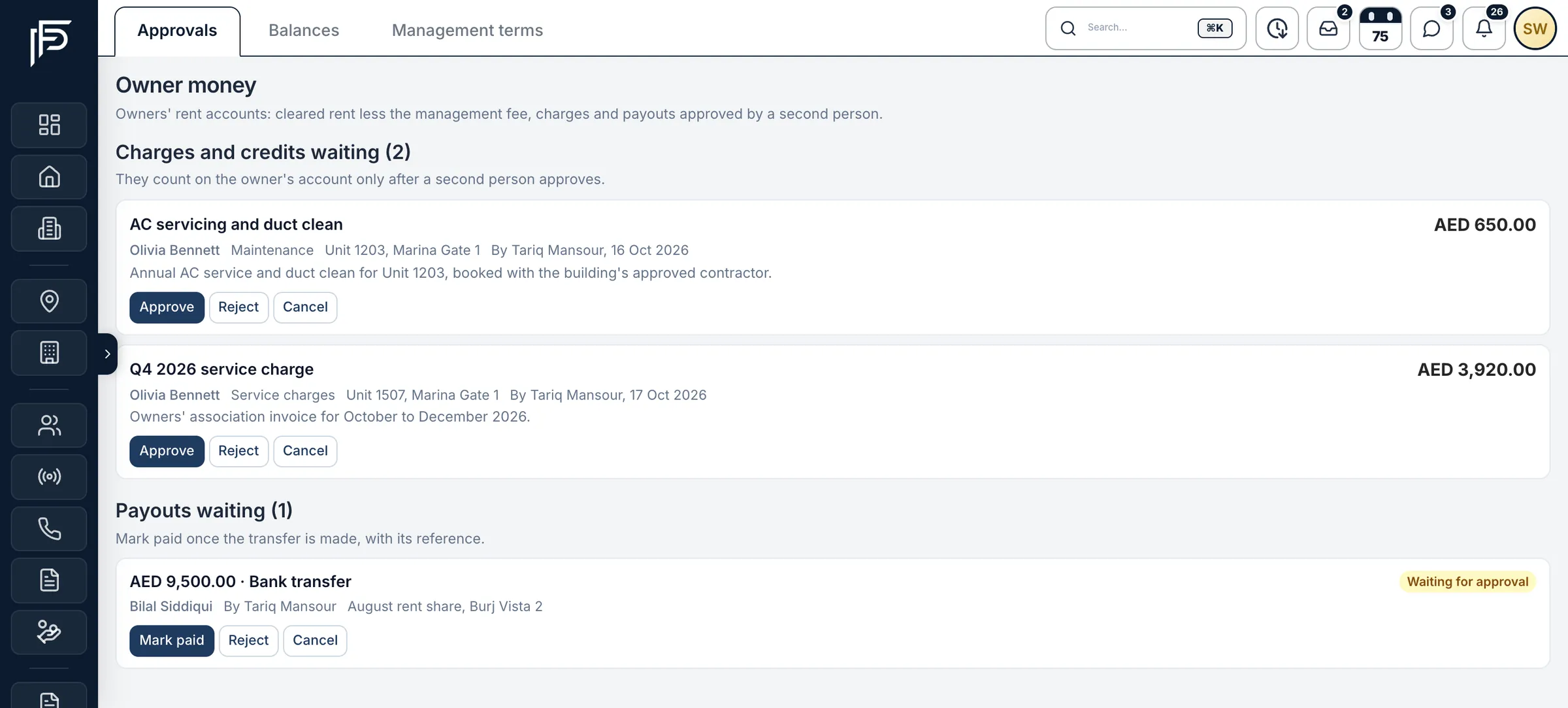
Owner charges and payouts wait for a second person to approve. Give owners and tenants their own portal
Owners see their listings, rentals, statements and DEWA bills. Tenants see their lease and payments and raise maintenance requests while their lease is active. Portal invitations go by e-mail from your company's mail account.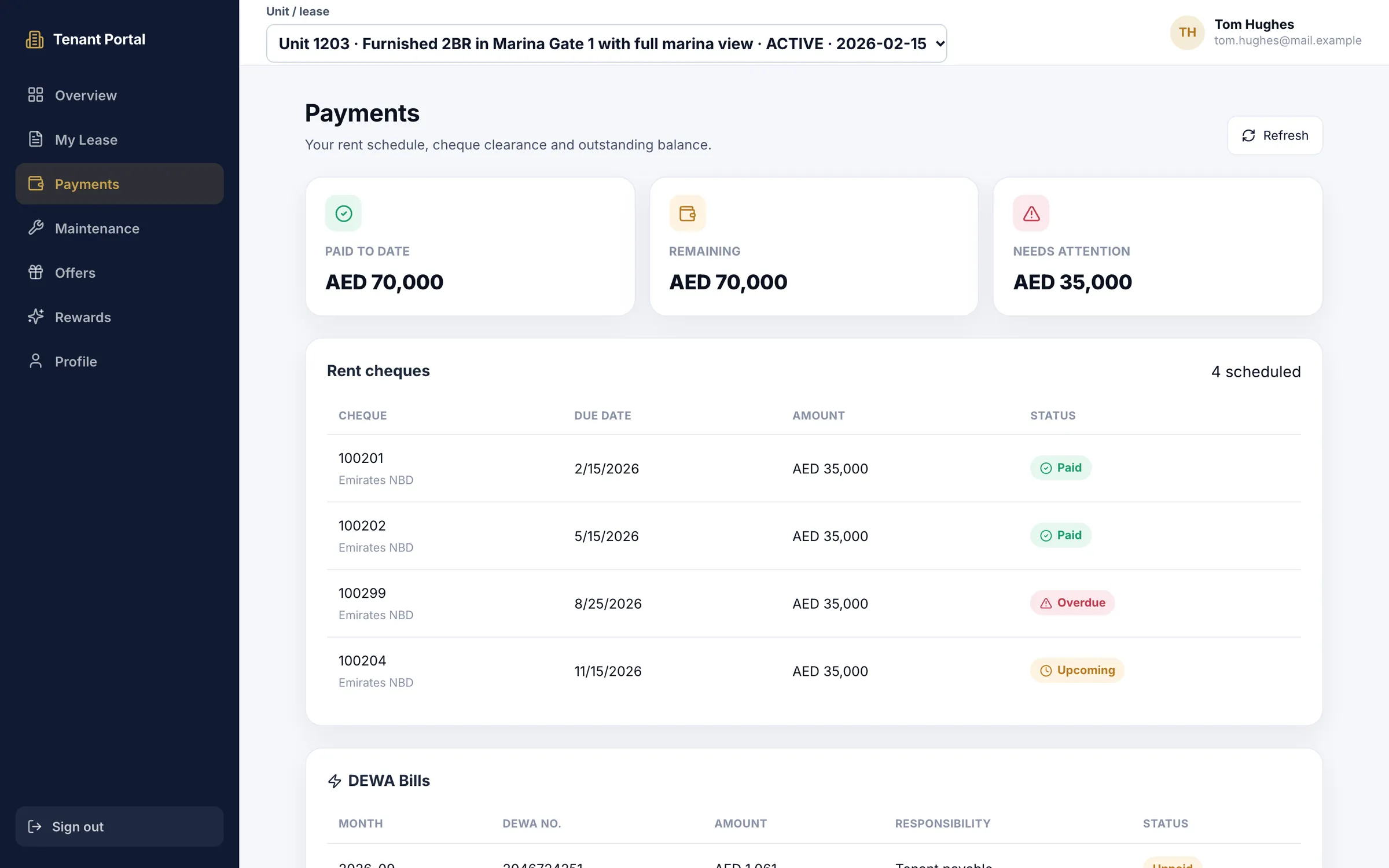
In the tenant portal: rent cheques, what is still due and DEWA bills. Handle maintenance and DEWA
Each ticket has a priority, an assignee and a status. Set it to Waiting for approval and the owner approves it in their portal. DEWA bills are created monthly for each active rental, and a CSV upload publishes a month's bills at once.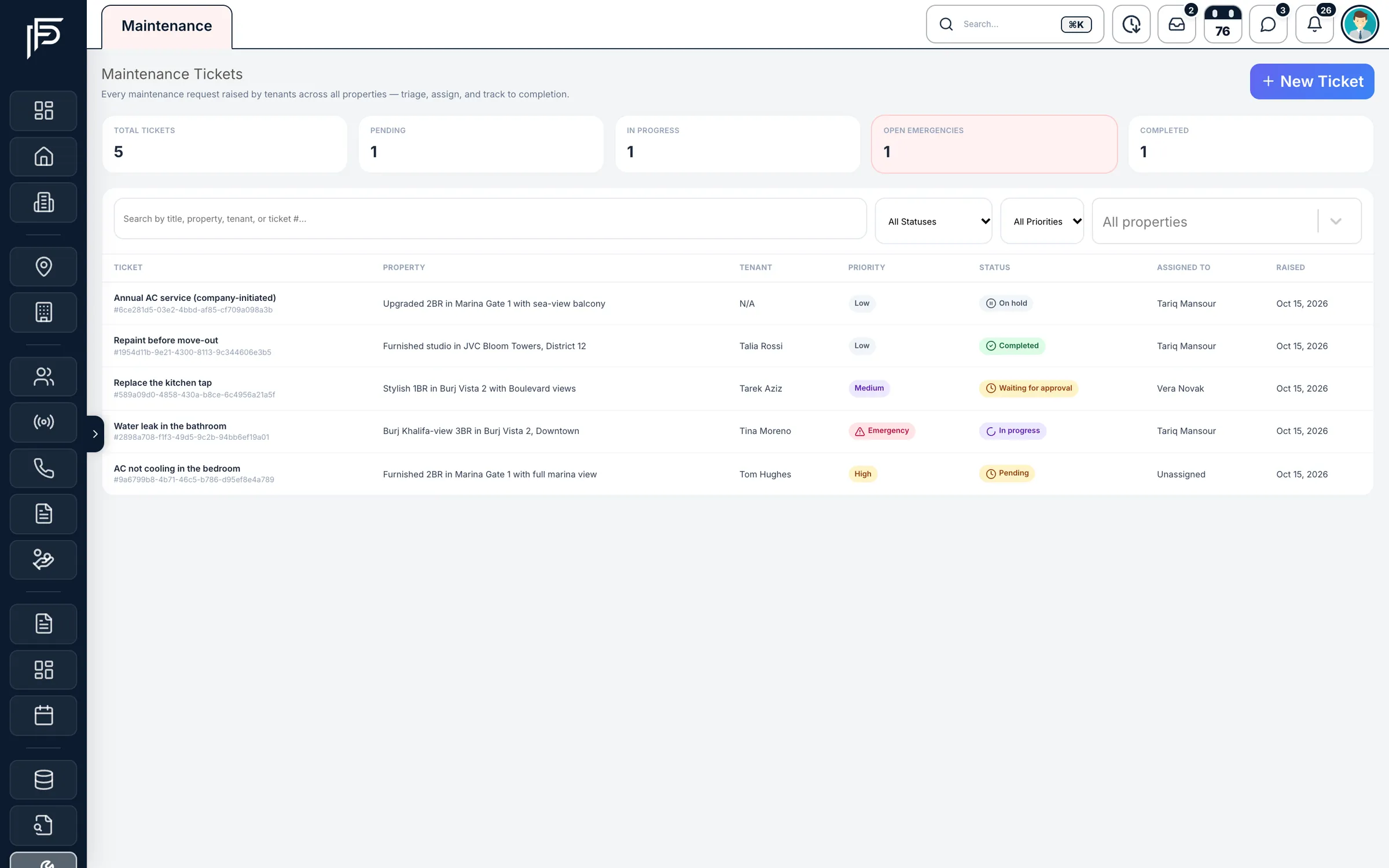
Maintenance tickets by priority, status and assignee.
Ejari and the limits
What stays with Dubai Land Department
The CRM keeps the record of each tenancy. Registration itself happens on DLD's own channels.
- Propfusion does not register tenancy contracts with Ejari. It keeps the Ejari number, fees and certificate with the rental.
- There is no e-signature sending. Contracts are printed or downloaded as a PDF, and signatures are drawn or uploaded in the form.
- The built-in tenancy contract is the Dubai one.
FAQ
Frequently asked questions
- Does Propfusion register tenancy contracts with Ejari?
No. Registration is done with Dubai Land Department, through Ejari, the Dubai REST app or a trustee centre. The CRM records the Ejari number and fees on the rental and keeps the Ejari certificate with the contract's documents.
DLD's Ejari service page- What happens when a rent cheque bounces?
Mark it bounced with the date and reason, and post the late fee from your leasing settings if you charge one. The tenant's replacement cheque takes its place in the schedule under a new reference, reminders move to the new cheque, and the bounced one stays in the rental's history.
- How do lease renewals work?
Create a renewal draft with the new rent, deposit, dates, number of cheques and fees, then commit it. That creates a new lease term and an unsigned tenancy contract. Approved or expired agreements can be renewed.
- Can owners see their rent and statements?
Yes. The owner portal shows each owner their listings, rentals, monthly statements and DEWA bills, and lets them approve maintenance work that is waiting for them.
- Can tenants raise maintenance requests?
Yes, from the tenant portal while their lease is active. Your team assigns the ticket, and notes added to it are visible to the tenant.
- Who approves money paid out to owners?
A second person. Owner charges and payouts are made by one member of staff and approved, rejected or returned by another with the approval permission, so no one moves owner money alone.
- Can we e-sign tenancy contracts in Propfusion?
Not today. Contracts are printed or downloaded as a PDF, signed, and the signed copy is uploaded to the contract's supporting documents. Some forms let you draw or upload a signature in the form itself.
Keep reading
Related pages
- Use cases
Deals & commissions
Deals go from draft to Finance's approval and pay each agent at their own rate, with co-listing splits and clawback when a deal falls through.
Read more - Use cases
WhatsApp CRM
One shared inbox for your company's WhatsApp Business number inside the web CRM, with templates, campaigns, hand-overs and chats that stay when an agent leaves.
Read more - Integrations
E-mail (SMTP & SES)
CRM e-mails go out in your company's name, and from your own address and domain once you connect SMTP or Amazon SES.
Read more
Sources
- Property management (feature tour) · Propfusion · checked
- Contract management (feature tour) · Propfusion · checked
- Leasing and finance: Cheque Desk, tenancy contracts and owner money (release notes) · Propfusion · checked
- Owner and tenant portals, invoices and the live agent map (release notes) · Propfusion · checked
- Register or renew an Ejari contract · Dubai Land Department · checked
- Frequently asked questions · Dubai Land Department · checked
Updated · Checked with AI tools against the product and official sources · How this page is made
Screens on this page show the Propfusion Demo Realty sample workspace. All people, listings and numbers are fictional.
Run your rentals from one place
Start a free trial with a few of your own units, or book a demo and see a tenancy contract become a rental with its cheques.
7 days free · No card needed