Use case · Off-plan sales
Off-plan sales CRM for Dubai brokerages
Propfusion keeps every off-plan project your brokerage sells with its developer, handover date, payment plan and floor plans, and turns any project into a branded sales offer for a client. Once a unit is sold, the deal carries its payment schedule, and agents are reminded 30 and 7 days before each instalment and on the day it falls due.
7 days free · No card needed
- Payment plans per project
- Branded sales offers
- Instalment reminders
Updated · Checked with AI tools against the product and official sources · How this page is made
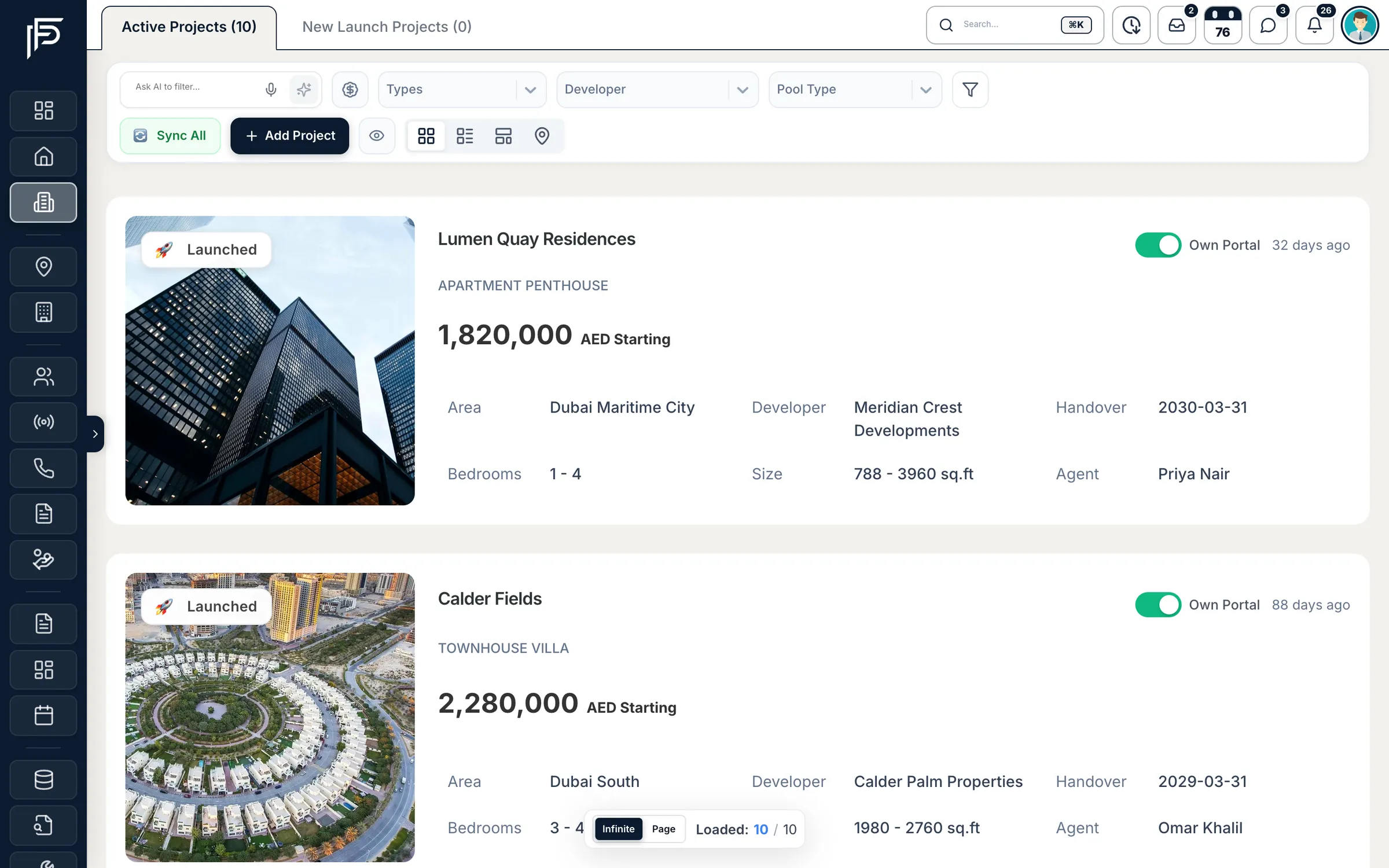
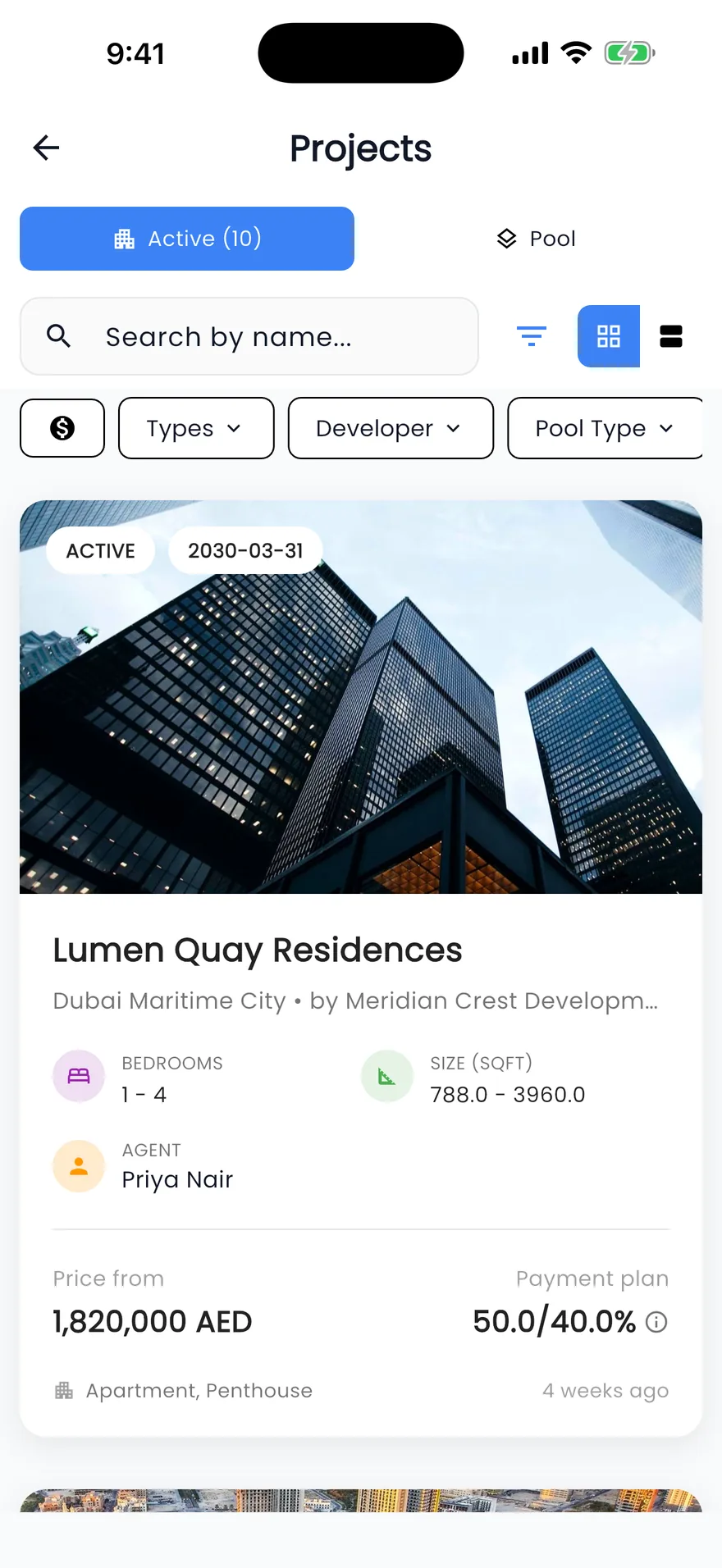
At a glance
- Projects
- Add a project in steps: details, location, payment plan, floor plans, photos and description
- Payment plans
- Down payment, during construction, on handover and post-handover parts. Filter projects by post-handover plan or by the share paid before handover
- Floor plans
- Each unit type with its layout, size and price
- Sales offer
- A branded offer for any project in three templates (Regular, Premium and Presentation), saved as a PDF
- Unit to listing
- Turn a unit type into a sale listing; the floor plan fills in bedrooms, price and size
- After the sale
- A payment schedule on the off-plan deal, filled from the project's plan or typed in. Each instalment can be marked Paid, Waived or Reopened
- Reminders
- To the deal's agents 30, 7 and 0 days before each instalment, and once more 3 days after it is overdue
- Finance view
- An Off-plan instalments list of everything due soon and overdue, across all deals
How it works
From project to paid instalments
Five steps, each on the screen your agents and Finance use.
Add the project and its payment plan
Enter the developer, location and handover date, then the plan: what the buyer pays on booking, during construction, on handover and after handover, and in how many instalments.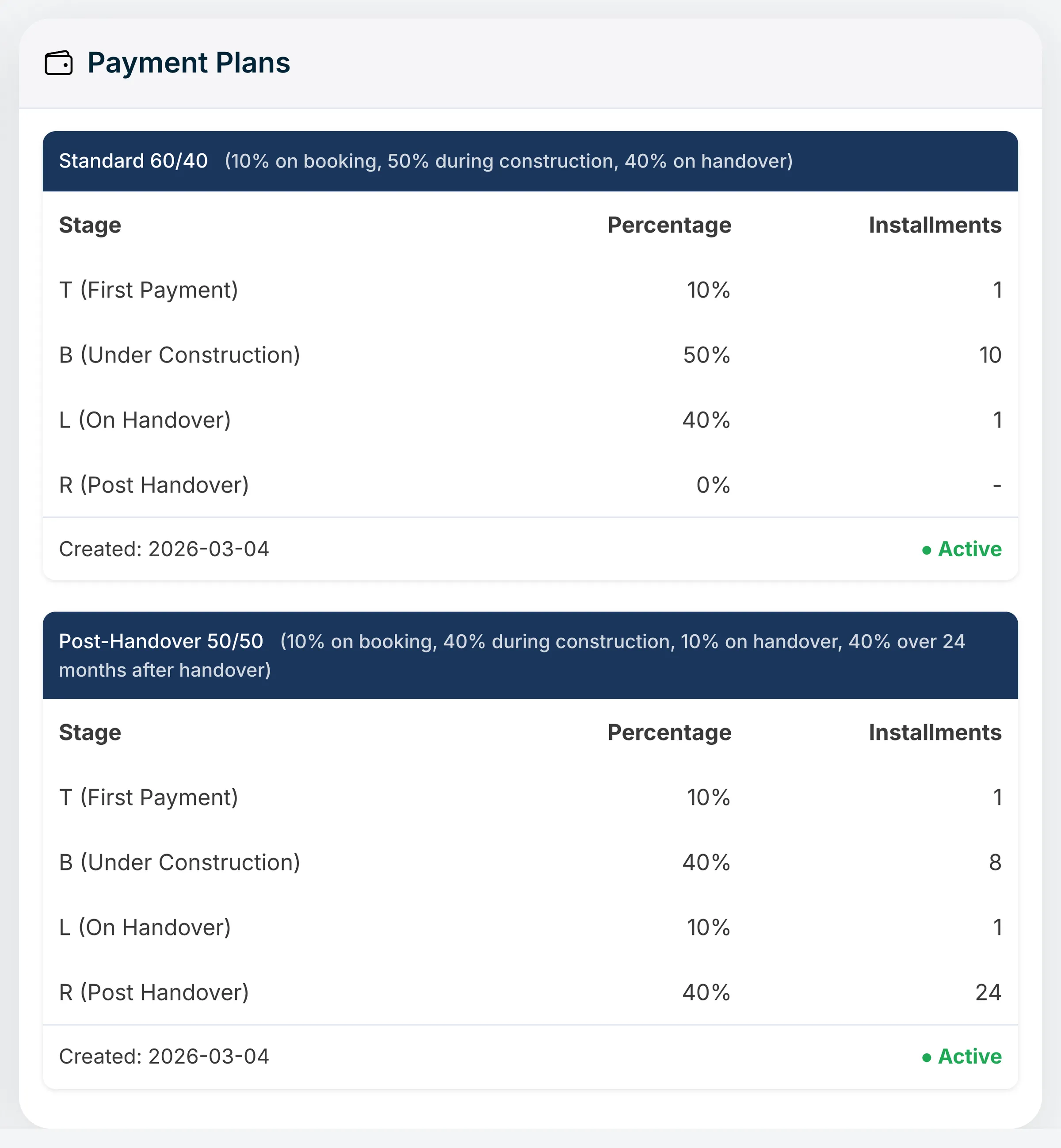
Each payment plan by stage, so a buyer sees what they pay and when. Add the floor plans
One tab per unit type, each with its layout, size and starting price. Agents answer “what does the two-bedroom look like?” without hunting through a developer's PDF.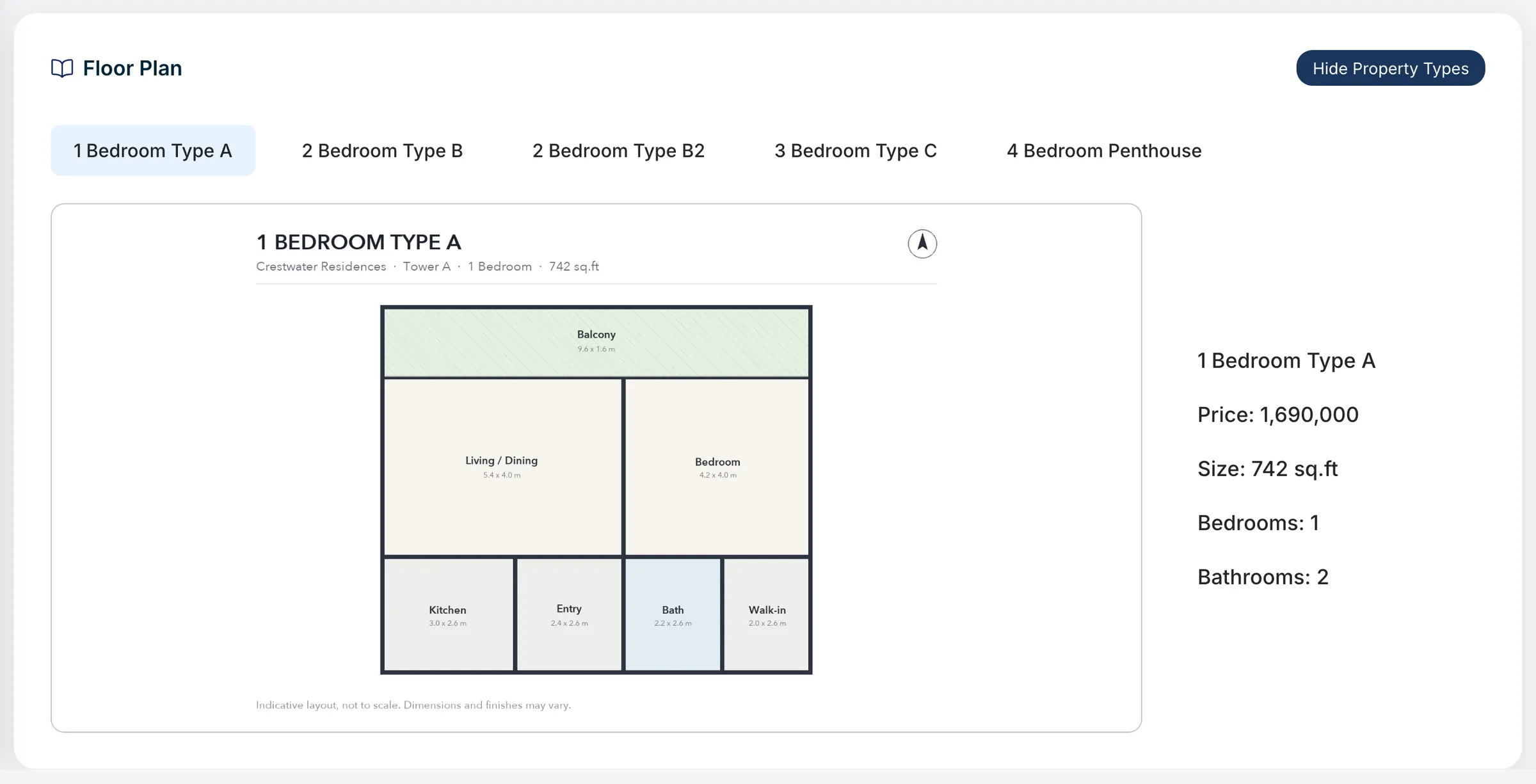
Floor plans per unit type, with size and price beside each layout. Send a branded sales offer
Pick a template, the units and sections to show, the agent and the currency, check the live preview, and download the offer as a PDF for the client. Sections without data are left out, so nothing is padded.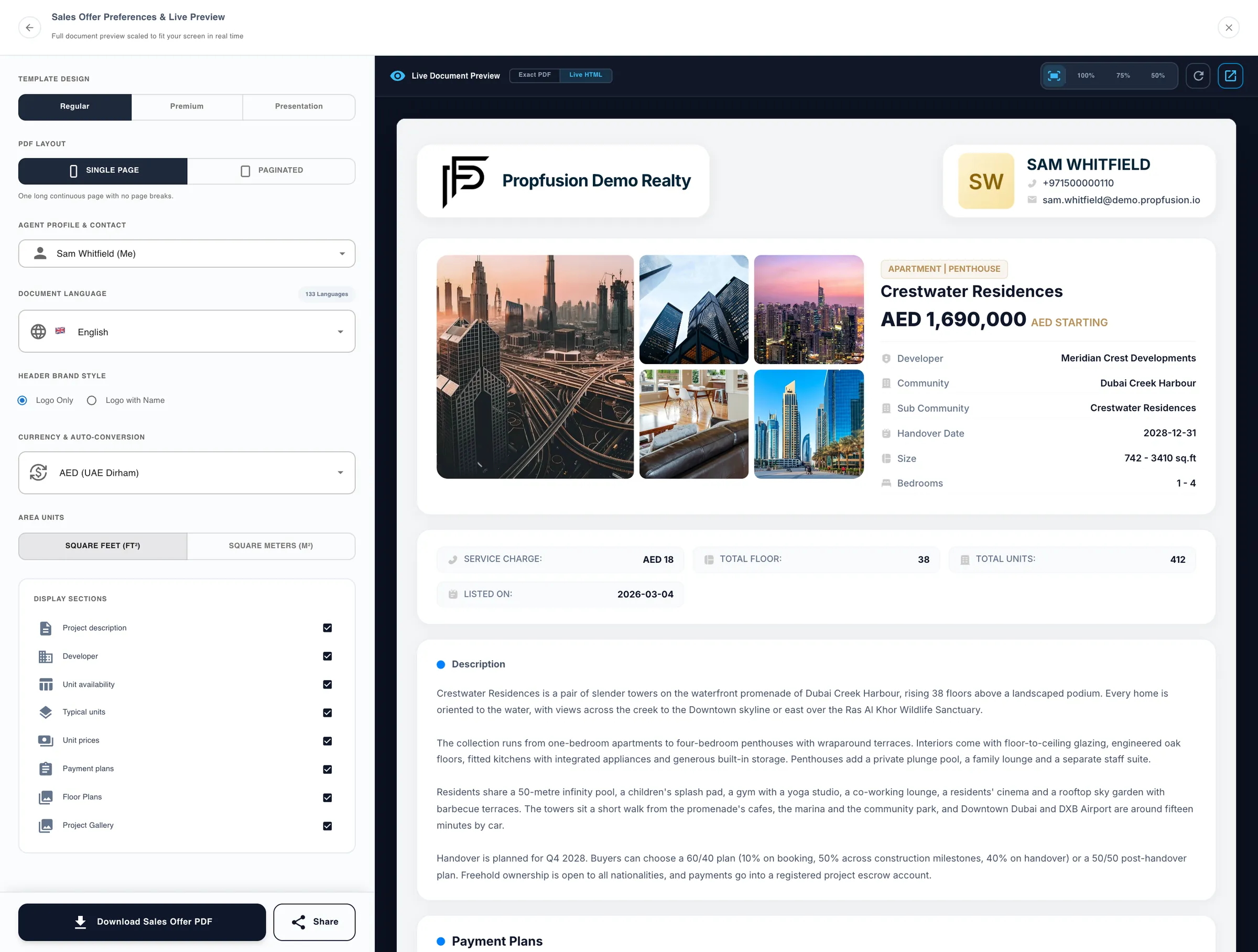
A sales offer for one project, with a live preview. Turn a unit into a listing
Convert to listing creates a sale listing from one of the project's unit types. Choosing a floor plan fills in bedrooms, price and size, and the agent adds the rest before publishing.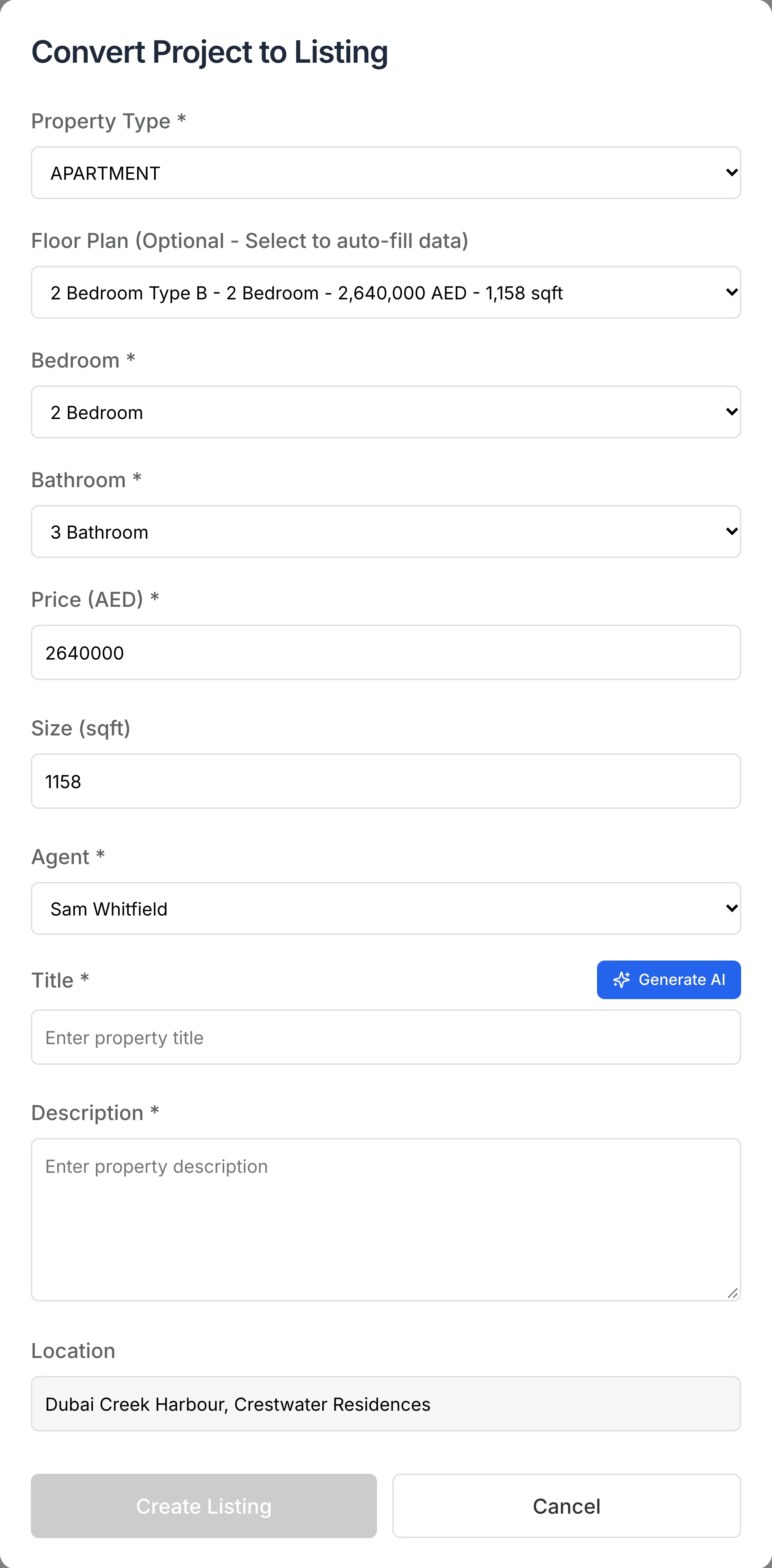
Picking a floor plan fills in the new listing's bedrooms, price and size. Track instalments after the sale
On the off-plan deal, set up the payment schedule from the project's plan or type it in. The agents on the deal are reminded before each due date, and Finance sees every instalment due soon or overdue in one list.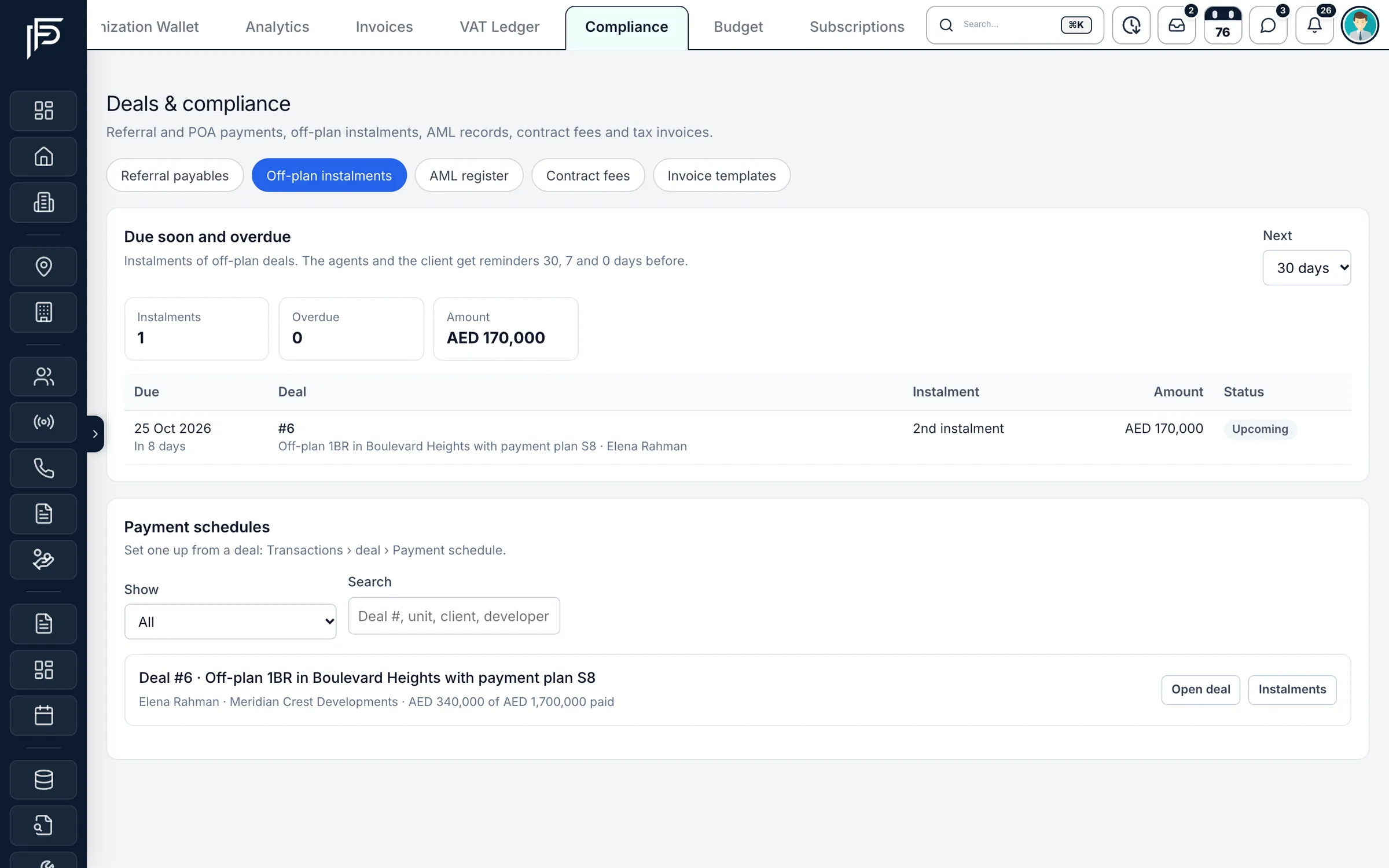
Off-plan instalments due soon or overdue, deal by deal.
Before you advertise
Check the project first
The CRM keeps your projects and paperwork. Whether a project may be marketed is set by Dubai Land Department's rules.
FAQ
Frequently asked questions
- Can we keep payment plans with post-handover terms?
Yes. A project's payment plan has a down payment, a during-construction part, an on-handover part and a post-handover part, each with its number of instalments. Agents can filter projects by post-handover plans or by how much the buyer pays before handover.
- How do we send an off-plan project to a buyer?
Make a sales offer from the project page in one of three templates (Regular, Premium or Presentation), choose the units, sections and currency, and download it as a PDF. You can also share the project's own page with the client.
- Does Propfusion remind us about off-plan instalments?
Yes. Once the payment schedule is set up on the deal, the agents on it and whoever logged it are reminded 30 days and 7 days before each instalment and on its due date, and once more 3 days after it is overdue. You can change the reminder days on each schedule.
- Do clients get instalment reminders too?
They can, by e-mail, when the company's own e-mail account (SMTP) is set up in the CRM. Reminders are sent during the day, between 8 am and 9 pm Dubai time.
Send e-mails from your own domain- Can an agent turn a project unit into a resale listing?
Yes. Convert to listing on the project creates a sale listing; choosing a floor plan fills in the bedrooms, price and size, and the agent adds the rest before publishing it.
- Does Propfusion check that a project is registered with RERA?
No. Check the project in the Dubai REST app (Mashrooi), as DLD's brokerage practice guide describes, and keep the developer's marketing contract on file before you advertise it.
DLD brokerage practice guide (PDF)
Keep reading
Related pages
- Use cases
Deals & commissions
Deals go from draft to Finance's approval and pay each agent at their own rate, with co-listing splits and clawback when a deal falls through.
Read more - Guides
Commission splits & co-broking
How commission is agreed in Dubai, how two agencies share one deal in writing, and where 5% VAT applies.
Read more - Free tools
Commission calculator
Total commission, each agency's share, 5% VAT and your agent's part for a sale or a rental. Estimate only.
Read more - Use cases
Leasing & property management
Tenancy contracts filled from the CRM, rent cheques from due to cleared, Ejari details and documents kept on each rental, renewals and owner payouts.
Read more
Sources
- New projects (feature tour) · Propfusion · checked
- Deals and commissions: drafts, co-listing parts and clawback (release notes) · Propfusion · checked
- Real Estate Brokerage Practice Guide, 2nd edition (PDF) · Dubai Land Department · checked
Updated · Checked with AI tools against the product and official sources · How this page is made
Screens on this page show the Propfusion Demo Realty sample workspace. All people, listings and numbers are fictional.
Sell off-plan with every project in one place
Start a free trial and add the projects you sell, or book a demo and see a sales offer and an instalment schedule on real screens.
7 days free · No card needed