Integration · WhatsApp Business
Connect your company's WhatsApp Business number to Propfusion
An admin clicks Connect WhatsApp in Settings › Integrations, finishes Meta's sign-up in a new tab and verifies the number with a code and a PIN. From then on the CRM sends and receives on that number through Meta's official Cloud API, and you manage templates, the business profile, opt-outs, logs and message costs from inside the CRM.
7 days free · No card needed
- Meta's official sign-up
- Code and PIN to verify
- Templates and costs in the CRM
Updated · Checked with AI tools against the product and official sources · How this page is made
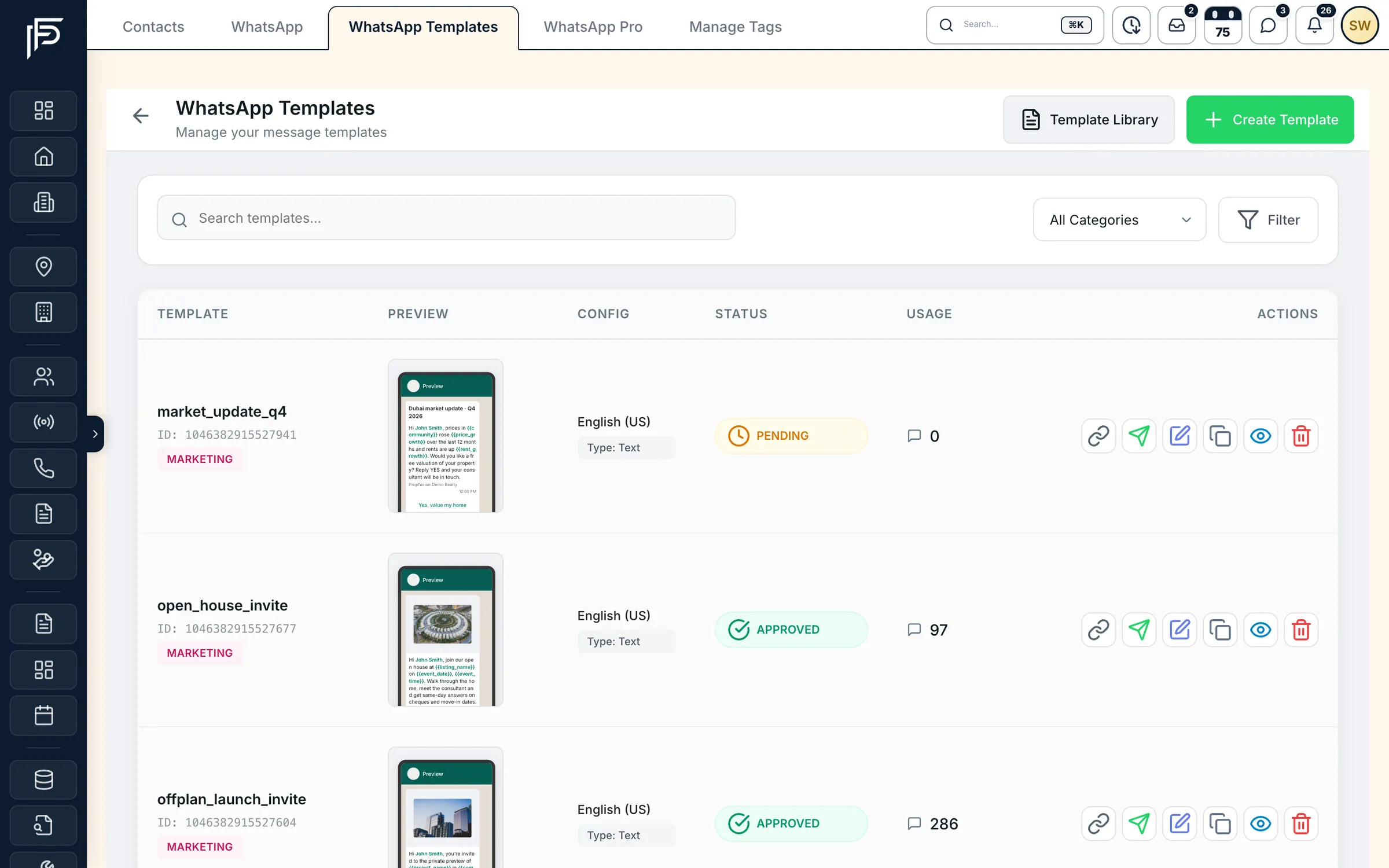
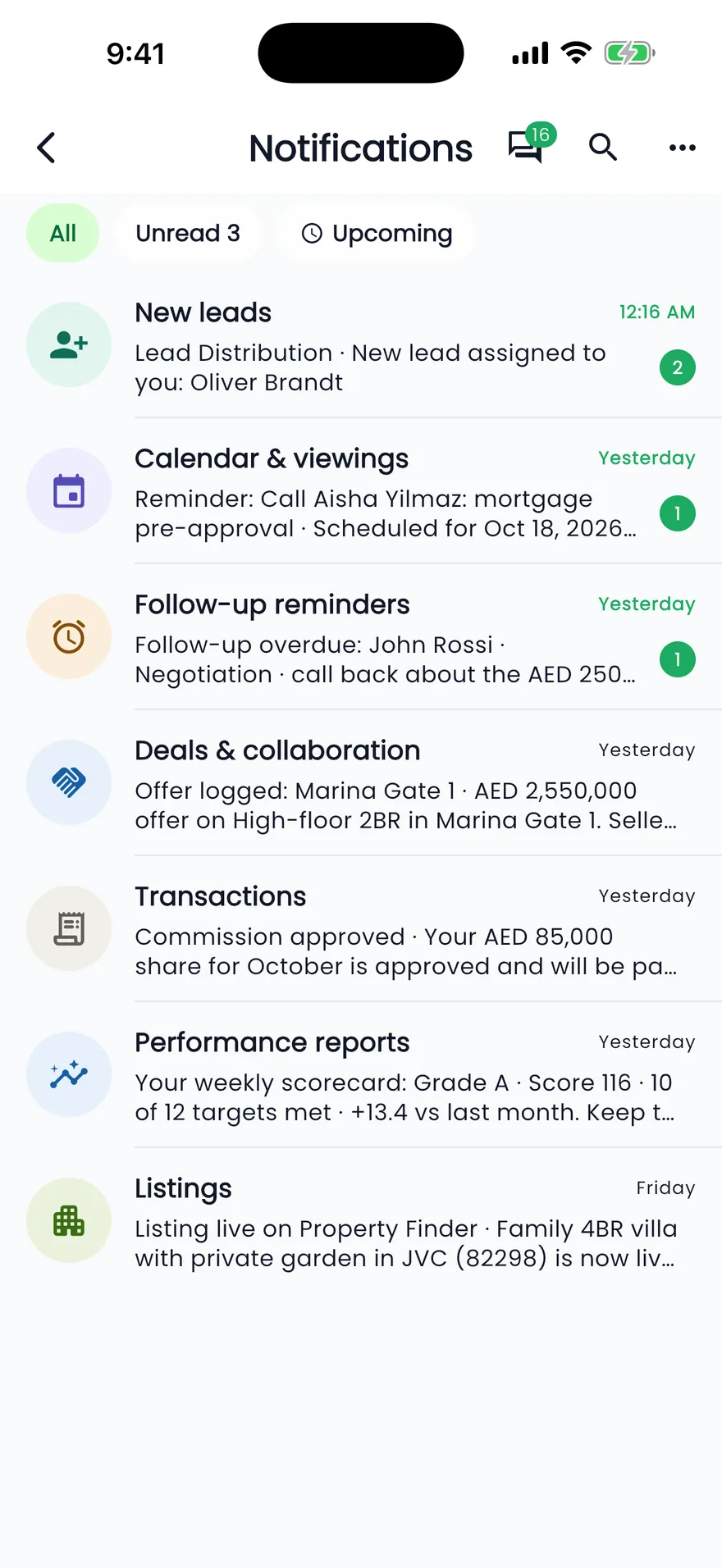
At a glance
- How it connects
- Meta's hosted sign-up, opened from Settings › Integrations › WhatsApp. The WhatsApp Business account is linked to your company and is never moved to another one
- Verifying
- A pending number is finished with a code sent by SMS or a phone call, then a 6-digit PIN you choose
- Several numbers
- Choose the default number the CRM sends from and receives on
- Business profile
- Request a new display name (Meta reviews it) and upload the profile picture from the CRM
- Templates
- Utility, Marketing or Authentication templates, submitted to Meta from the CRM, with their approval status refreshed
- Logs and billing
- A log of sent templates, and messages sent, delivered and failed with their cost, read-only
- Permissions
- Manage WhatsApp opens the WhatsApp tabs; Manage settings is needed to connect the number and change most settings
- Health
- Every event Meta sends about the account is kept for 90 days, with alerts when something needs attention
Set-up
Connecting the number, step by step
An admin does this once, between the CRM and Meta's own sign-up page.
Start from Settings › Integrations
An admin with the Manage settings permission opens the WhatsApp tab and clicks Connect WhatsApp. Meta's sign-up opens in a new tab, where you choose or create the Meta business and the number.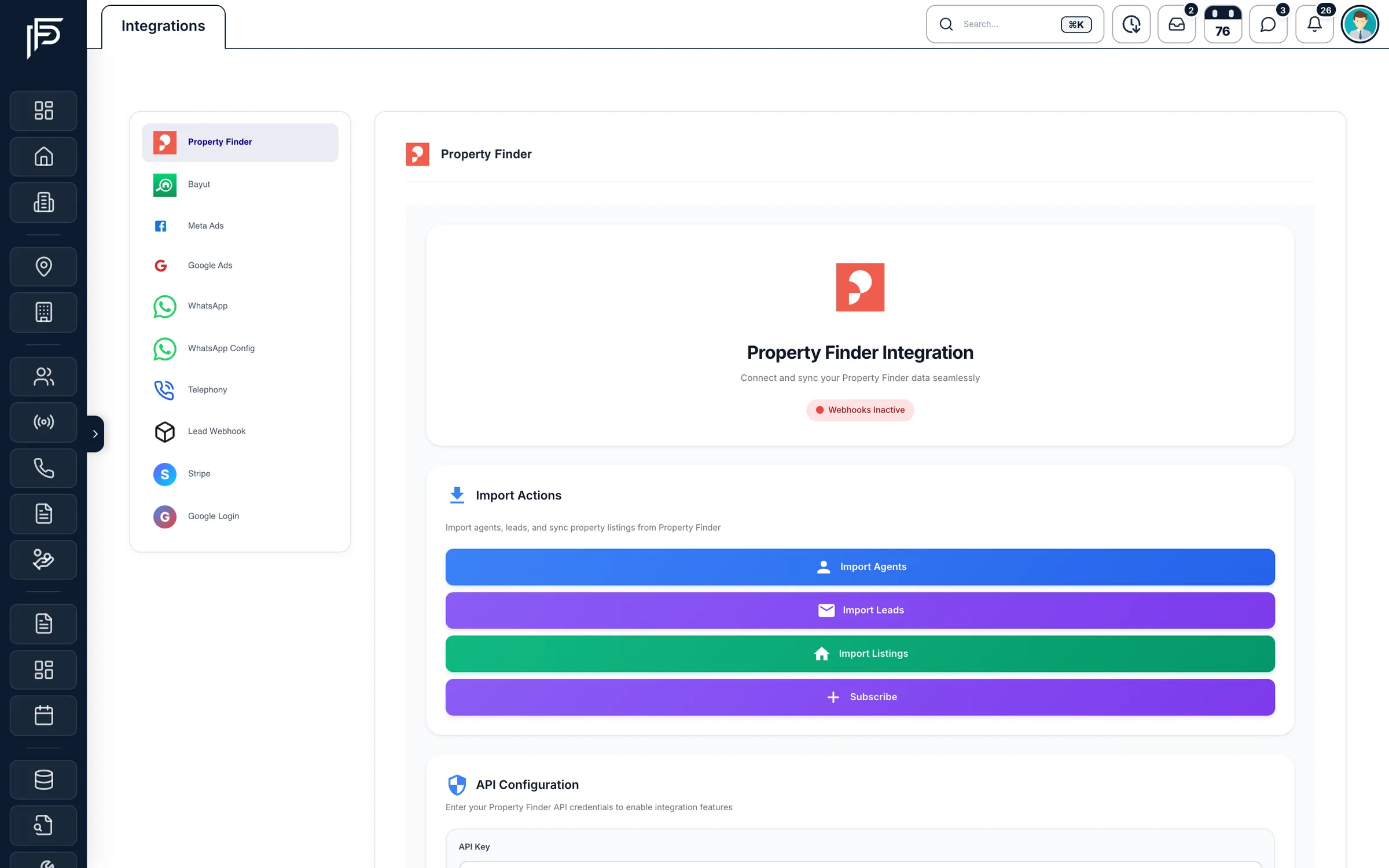
Settings › Integrations: WhatsApp sits in the list on the left, with your other connections. Verify the number
Back in the CRM, refresh the account status. If the number shows Pending, open Numbers & profile, choose Finish setup, get the code by SMS or phone call, enter it, and set a 6-digit PIN. The number then connects.Pick the default number and set the profile
If the account has more than one number, make one the default for sending and receiving. Request the display name clients will see, which Meta reviews, and upload the profile picture.Start from ready-made templates
Outside WhatsApp's 24-hour window you can send approved templates. Start from a ready-made real estate template or write your own, choose the category and language, and submit it to Meta. The CRM refreshes each template's approval status.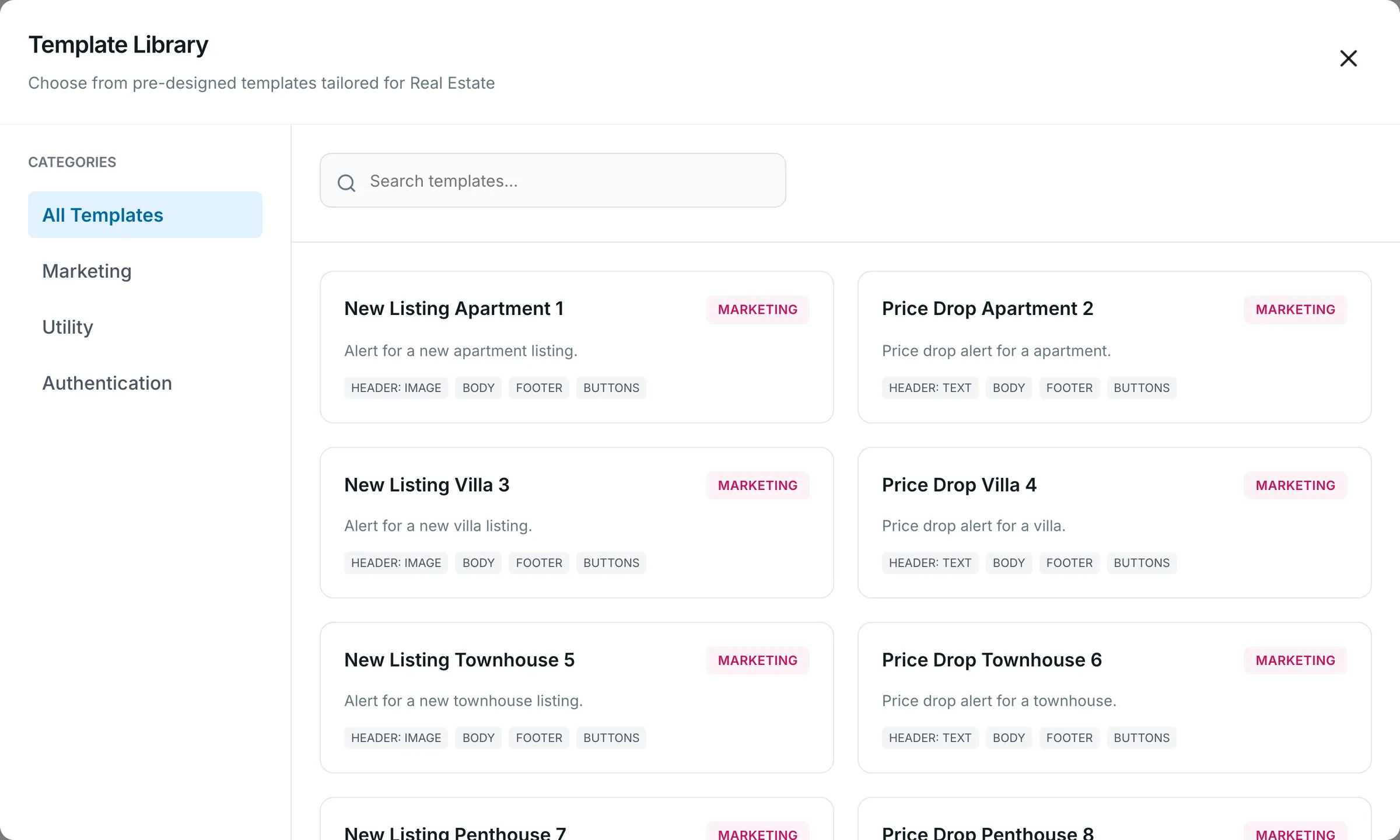
Ready-made real estate templates by category. Set the opt-out keywords
Choose the words that unsubscribe a client from marketing messages and the words that bring them back, and the reply they get each time. Anyone on the opted-out list is left out of campaigns.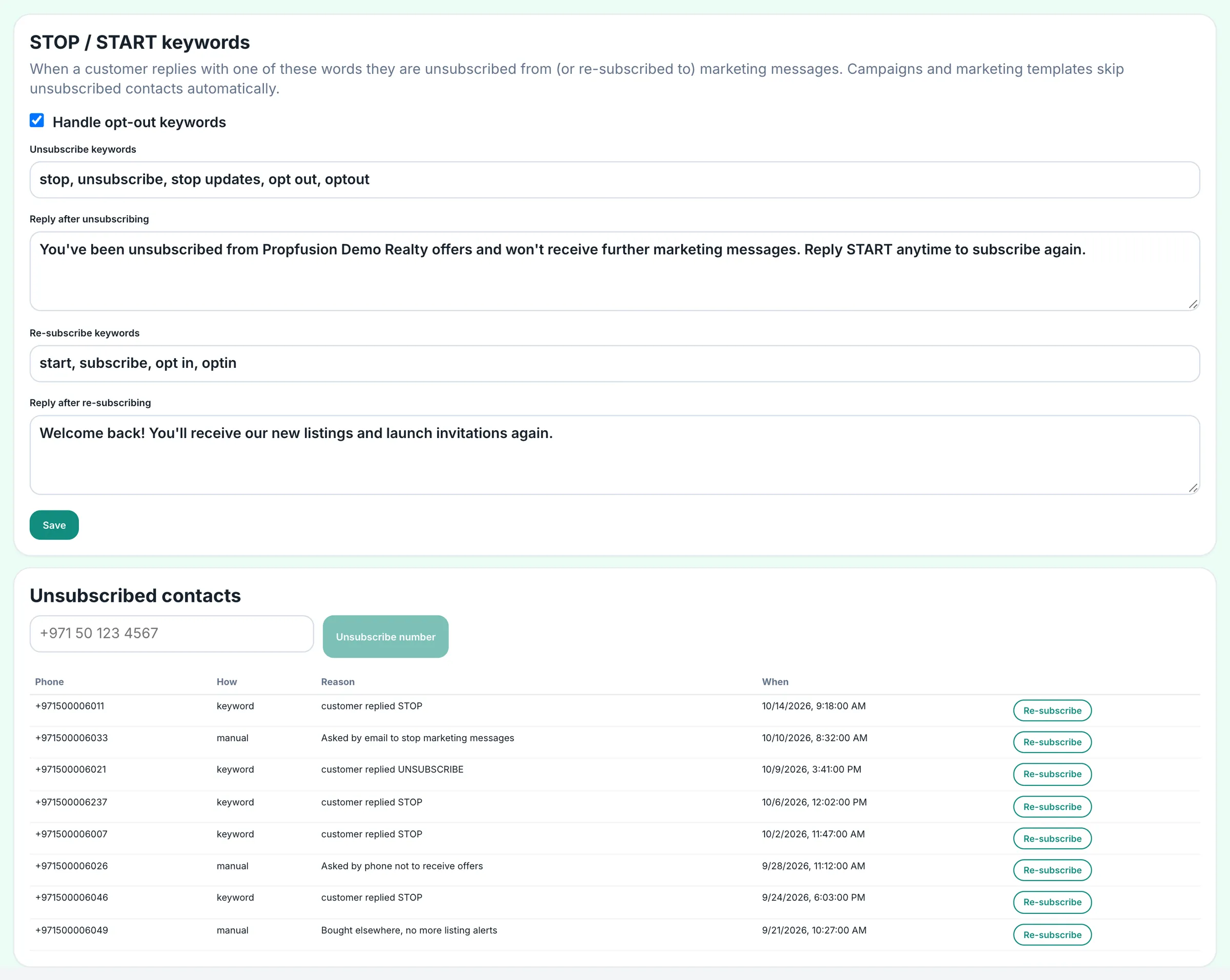
STOP and START keywords, the replies clients get, and the opted-out list. Keep an eye on costs and health
WhatsApp billing shows messages sent, delivered and failed with their cost. Events & alerts lists what Meta reported about the account, such as a number that needs attention.
Good to know
Meta's rules and yours
The connection is Meta's official one, so Meta's rules apply to every message you send.
- Once linked, your WhatsApp Business account stays with your company in the CRM and is never moved to another company.
- Pick the template category that fits the message: Utility, Marketing or Authentication. A client's STOP opts them out of marketing messages.
- A display name change is a request: Meta reviews it before clients see the new name.
How agents answer chats every day is on WhatsApp CRM for Dubai real estate teams.
FAQ
Frequently asked questions
- What do we need before connecting WhatsApp?
A Meta business you can sign in to, a phone number that can receive a verification code by SMS or call, and a CRM login with the Manage settings permission. Meta's sign-up guides you through the rest.
- Why is our WhatsApp number showing Pending?
The set-up was not finished. Open Numbers & profile, choose Finish setup, verify the code Meta sends by SMS or phone call, and set a 6-digit PIN. The Events & alerts page shows anything else Meta reported.
- Why was our WhatsApp template rejected?
Meta decides. The template card shows Issues Detected; hover over it to read Meta's reason. Edit the template and save it to send it for review again. A “Template Density Error” means too many variables for the length of the text.
- Where do we see WhatsApp message costs?
On the WhatsApp billing page in the admin settings: messages sent, delivered and failed, and what they cost, read-only. It needs the Manage settings permission.
- Who can change WhatsApp settings?
People with the Manage WhatsApp permission open the WhatsApp tabs. Connecting the number and saving most WhatsApp Pro settings also need Manage settings, which admins have.
Keep reading
Related pages
- Use cases
WhatsApp CRM
One shared inbox for your company's WhatsApp Business number inside the web CRM, with templates, campaigns, hand-overs and chats that stay when an agent leaves.
Read more - Integrations
Meta lead ads
Connect your Facebook pages, match each lead form to CRM fields, and send lead-quality events back to Meta.
Read more - Integrations
E-mail (SMTP & SES)
CRM e-mails go out in your company's name, and from your own address and domain once you connect SMTP or Amazon SES.
Read more - Integrations
Phone systems
One settings page for the company's phone system, company and tracking numbers, and the line each agent's calls ring first.
Read more
Sources
- Propfusion integrations · Propfusion · checked
- Embedded Signup (WhatsApp Business Platform) · Meta · checked
- About the WhatsApp Business Platform (Cloud API) · Meta · checked
- WhatsApp Business Policy · WhatsApp · checked
Updated · Checked with AI tools against the product and official sources · How this page is made
Screens on this page show the Propfusion Demo Realty sample workspace. All people, listings and numbers are fictional.
Connect your company number today
Start a free trial and connect WhatsApp from Settings, or book a demo and see the set-up with our team.
7 days free · No card needed